
How to Deploy Tinyauth: Lightweight Forward-Auth and SSO Provider for Traefik
Tinyauth is a lightweight, single-binary OpenID Certified™ identity provider and forward-authentication middleware for Docker homelabs. Learn how to deploy Tinyauth behind Traefik to protect any self-hosted web service with single-sign-on and identity headers.
Tinyauth is an open-source, lightweight OpenID Certified™ Basic OpenID Provider (OP) and forward-authentication middleware engineered specifically for homelabs, reverse proxies, and self-hosted environments. Released under the GNU Affero General Public License v3.0 (AGPL-3.0), Tinyauth solves one of the most frustrating dilemmas in self-hosting: how to place a secure, modern authentication gatekeeper in front of web applications without paying the heavy memory and complexity tax of enterprise identity suites.
Key Capabilities and Architecture
- Turnkey Reverse Proxy Forward-Authentication:
Tinyauth integrates directly with modern reverse proxies—including Traefik (ForwardAuth), Caddy (forward_auth), Nginx (auth_request), and Envoy (ext_authz). Instead of managing separate authentication systems for each service or relying on fragile proxy plugins, Tinyauth provides native endpoints (such as /api/auth/traefik) that intercept incoming HTTP requests, enforce session validity, and pass verified identity headers downstream.
- Ultra-Low Resource Footprint:
While enterprise single-sign-on platforms like Keycloak, Authentik, or Authelia typically require multiple container services (Redis caches, PostgreSQL databases, worker nodes) and consume hundreds of megabytes or gigabytes of RAM, Tinyauth runs as a single compiled Go 1.26 binary with an embedded SQLite database (modernc.org/sqlite). It idles at approximately 20–30 MB of RAM, making it suitable for low-power SBCs, Raspberry Pis, and resource-constrained VPS instances.
- Injected Identity Headers:
Once a user authenticates, Tinyauth's forward-auth handler injects standardized HTTP headers—such as Remote-User, Remote-Name, Remote-Email, and Remote-Groups—into the request forwarded to the protected upstream application. Upstream tools (like Grafana, Portainer, or custom webapps) can consume these headers to automatically associate sessions with users.
- Certified OpenID Connect Provider:
Tinyauth is certified against the OpenID Certified™ Basic OP profile. It serves standard OpenID Connect discovery endpoints (/.well-known/openid-configuration), JSON Web Key Sets (/.well-known/jwks.json), authorization flows, token issuance endpoints, and userinfo responses, complete with user consent dialogs.
- Self-Contained Embedded UI:
The entire frontend is built with React 19, TypeScript, Vite, and Tailwind CSS v4, compiled directly into the Go binary via Go's embed package (iofs). There are no external asset dependencies, CDNs, or secondary web services required to render the login screens, TOTP prompts, or logout views.
- Flexible Identity Federation:
In addition to local bcrypt-hashed user accounts, Tinyauth supports multi-factor authentication (TOTP), OAuth2 / social providers (GitHub, Google, custom OIDC), LDAP / Active Directory directories with TLS, and Tailscale tailnet peer authentication.
---
Prerequisites
Before starting the deployment, ensure your host environment meets the following requirements:
- Operating System: Linux (Ubuntu, Debian, Fedora, Arch, Rocky, Alpine), macOS, or Windows via WSL2.
- Container Engine: Docker Engine 20.10+ with Docker Compose v2 (
docker compose versionv2.20+ recommended). - System Resources:
- CPU: 1 core is more than sufficient. - Memory: 100 MB RAM allocation is ample (Tinyauth idles at ~20–30 MB). - Disk Space: ~200 MB for container images and SQLite database storage.
- Network & DNS:
- An available host port (this guide maps host port 3000 to Traefik's HTTP listener). - A fully qualified domain name (FQDN). Tinyauth's URL parser strictly rejects raw IP addresses (e.g., http://192.168.1.50) and bare localhost. For local testing without modifying /etc/hosts or configuring local DNS servers, this guide utilizes the wildcard loopback domain *.127.0.0.1.sslip.io, which automatically resolves to 127.0.0.1.
- Host Tools: Standard command-line utilities (
curl,grep). No Go or Node.js runtime is needed on the host system.
---
Exact Install Steps
The deployment uses Docker Compose to stand up a three-service stack:
- Traefik v3.6: Ingress reverse proxy routing traffic and applying the forward-auth middleware.
- Tinyauth v5.2.0: Authentication provider handling sessions, login requests, and header injection.
- Whoami: Lightweight demonstration service echoing received HTTP headers to verify identity injection.
Step 1: Create the Project Directory and Data Volume
Create a dedicated directory for your Tinyauth configuration and an internal data folder where Tinyauth will persist its SQLite database (tinyauth.db) and RSA token-signing keys:
mkdir -p tinyauth/data && cd tinyauthEnsure the container process has write permissions to the ./data volume:
chmod 777 dataStep 2: Create the Docker Compose Configuration
Create a file named docker-compose.yml in the tinyauth directory:
cat << 'EOF' > docker-compose.yml
services:
  traefik:
    image: traefik:v3.6
    command:
      - "--providers.docker=true"
      - "--providers.docker.exposedbydefault=false"
    ports:
      - "3000:80"
    volumes:
      - "/var/run/docker.sock:/var/run/docker.sock:ro"
    restart: unless-stopped

  whoami:
    image: traefik/whoami:latest
    labels:
      traefik.enable: "true"
      traefik.http.routers.whoami.rule: "Host(`whoami.127.0.0.1.sslip.io`)"
      traefik.http.routers.whoami.middlewares: "tinyauth"
      traefik.http.services.whoami.loadbalancer.server.port: "80"
    restart: unless-stopped

  tinyauth:
    image: ghcr.io/tinyauthapp/tinyauth:v5
    environment:
      - TINYAUTH_APPURL=http://tinyauth.127.0.0.1.sslip.io:3000
      - TINYAUTH_AUTH_USERS=user:$$2a$$10$$UdLYoJ5lgPsC0RKqYH/jMua7zIn0g9kPqWmhYayJYLaZQ/FTmH2/u
      - TINYAUTH_AUTH_LOGINMAXRETRIES=0
      - TINYAUTH_DATABASE_DRIVER=sqlite
      - TINYAUTH_DATABASE_PATH=/data/tinyauth.db
    volumes:
      - ./data:/data
    labels:
      traefik.enable: "true"
      traefik.http.routers.tinyauth.rule: "Host(`tinyauth.127.0.0.1.sslip.io`)"
      traefik.http.services.tinyauth.loadbalancer.server.port: "3000"
      traefik.http.middlewares.tinyauth.forwardauth.address: "http://tinyauth:3000/api/auth/traefik"
      traefik.http.middlewares.tinyauth.forwardauth.authResponseHeaders: "remote-user,remote-name,remote-email,remote-groups"
    restart: unless-stopped
EOF
Key Configuration Directives Explained:
TINYAUTH_APPURL: The public URL used by client browsers to reach Tinyauth. Must be a valid domain name (not an IP address orlocalhost).TINYAUTH_AUTH_USERS: Defines local static credentials inusername:bcrypt_hashformat. Notice the double dollar signs ($$2a$$10$$...): in Docker Compose YAML, single$characters denote variable substitutions. Doubling them escapes the symbols and passes the true bcrypt hash string ($2a$10$...) to the application. The demo hash corresponds to usernameuserand passwordpassword.traefik.http.middlewares.tinyauth.forwardauth.address: Tells Traefik where to route internal authentication validation queries (http://tinyauth:3000/api/auth/traefik).traefik.http.middlewares.tinyauth.forwardauth.authResponseHeaders: Instructs Traefik to copy the specified headers returned by Tinyauth (remote-user,remote-name,remote-email,remote-groups) into the forwarded request to the protected app.traefik.http.routers.whoami.middlewares: "tinyauth": Locks thewhoamiroute behind the forward-auth middleware.
Step 3: Pull Images and Launch the Services
Pull the container images and launch the stack in detached mode:
docker compose pull
docker compose up -d
Verify that all three containers report running status:
docker compose psTinyauth will initialize its database and report healthy in the Docker health check within 5–10 seconds.
---
Browser Setup and Authentication Flow
With the stack running, you can observe Tinyauth's forward-authentication workflow directly in your web browser.
1. Accessing the Tinyauth Portal
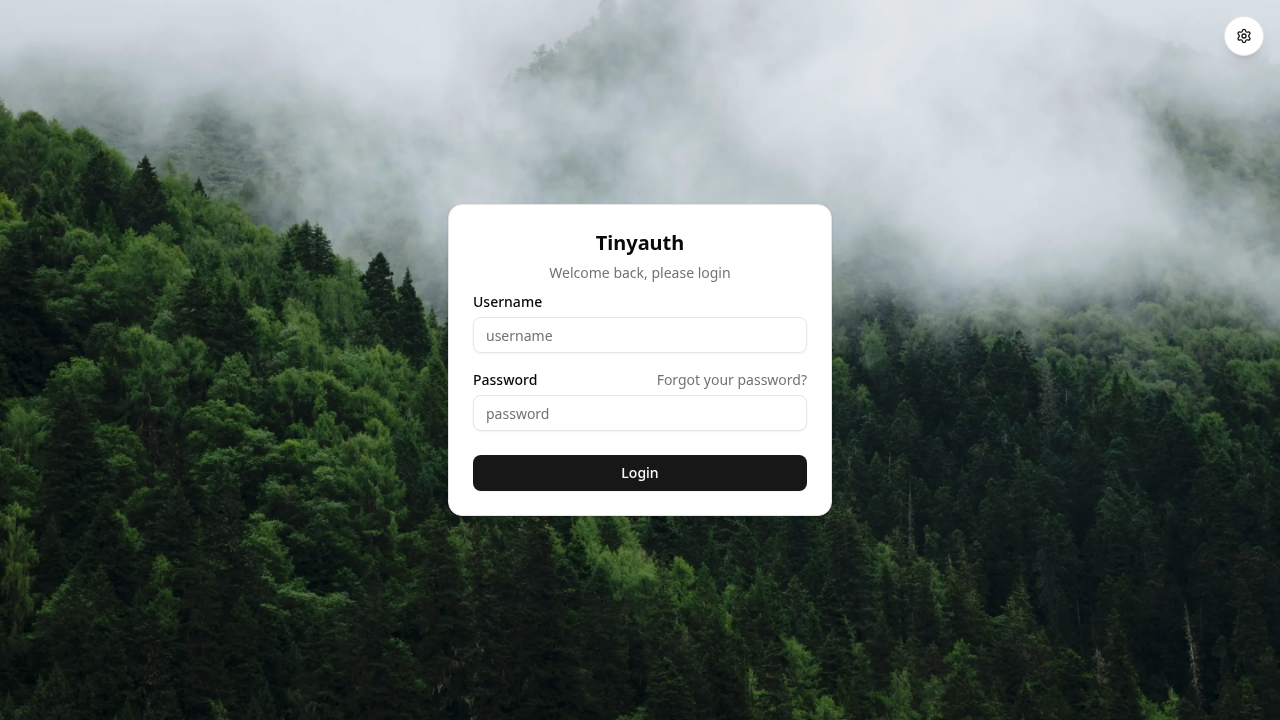
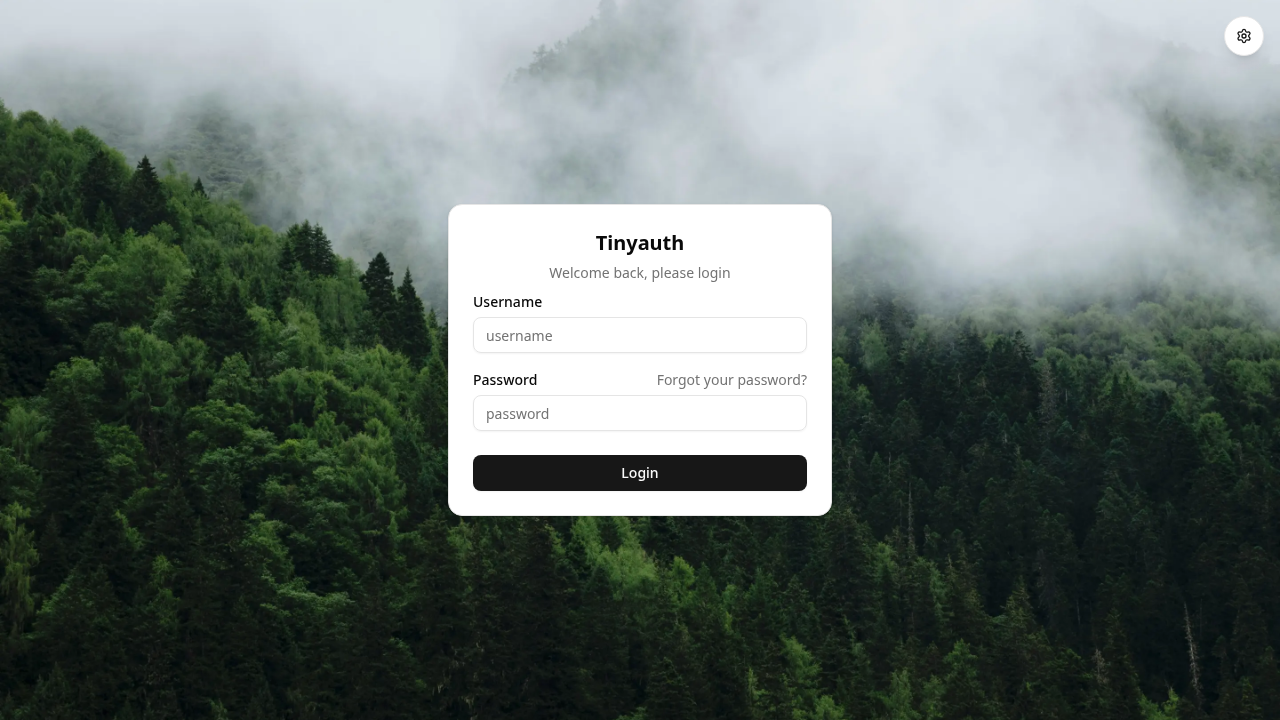
Navigate to the Tinyauth web interface at http://tinyauth.127.0.0.1.sslip.io:3000/. The embedded React frontend renders the default login card against a clean backdrop:
2. Error Feedback on Invalid Credentials
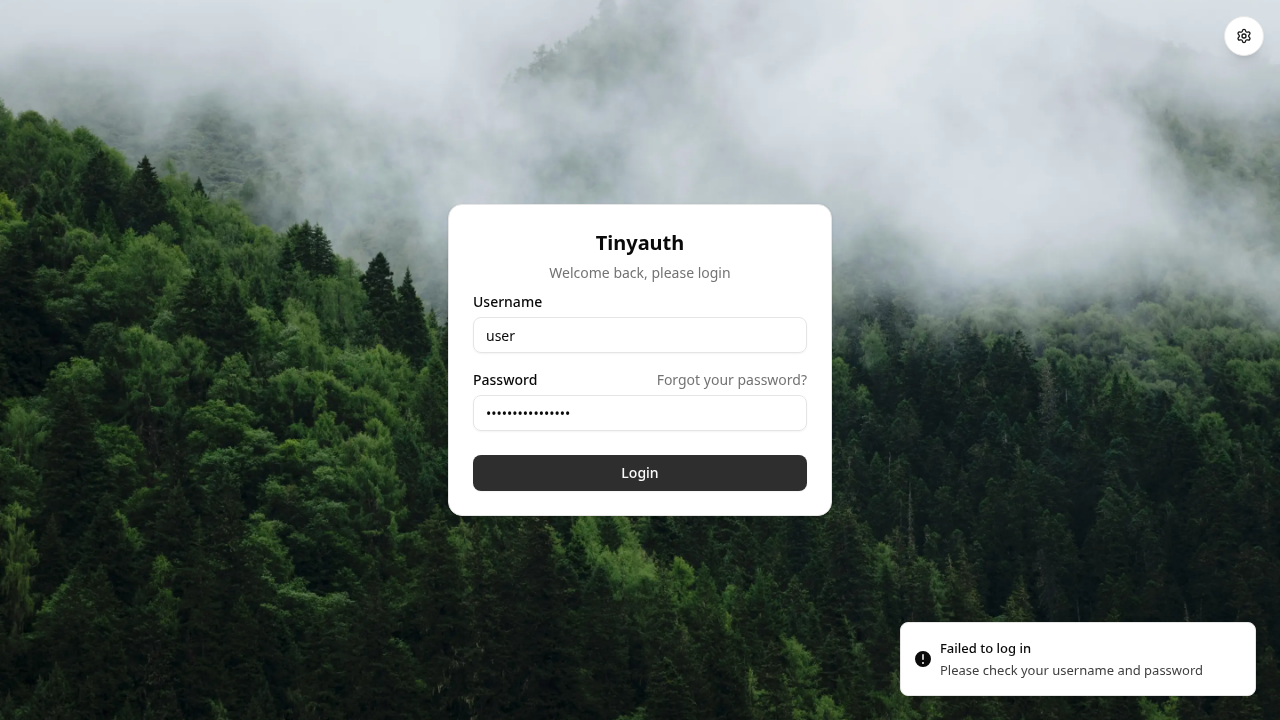
Entering an invalid password immediately presents a clear error toast notification without reloading the application shell or losing form state:
3. ForwardAuth Redirection on Protected Services
Open a new browser tab and attempt to navigate directly to the protected whoami service at http://whoami.127.0.0.1.sslip.io:3000/.
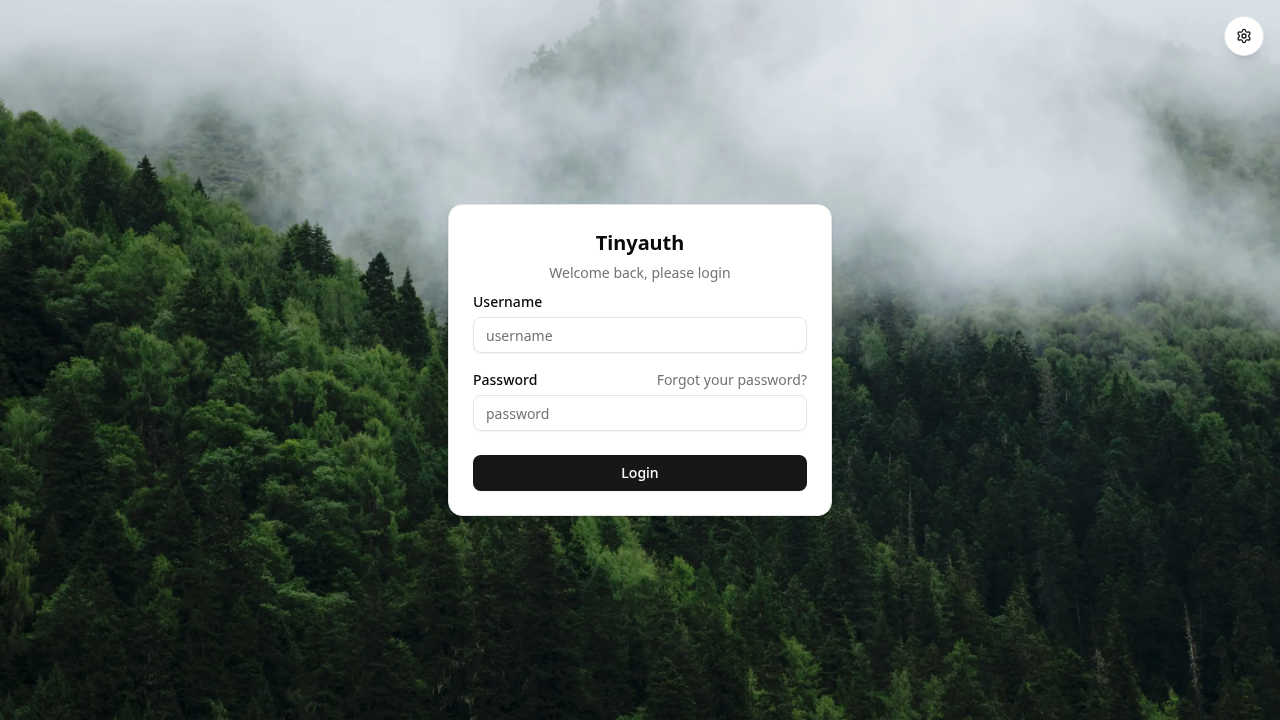
Because Traefik routes this request through the tinyauth middleware and no active session cookie is present, Tinyauth intercepts the request and issues an HTTP redirect back to the login portal with context parameters:
http://tinyauth.127.0.0.1.sslip.io:3000/login?login_for=app&redirect_uri=http%3A%2F%2Fwhoami.127.0.0.1.sslip.io%3A3000%2F
4. Authenticating and Injected Identity Verification
Enter the credentials configured in the Compose file:
- Username:
user - Password:
password
Click Login. Tinyauth establishes an authenticated session cookie (tinyauth-session-<hash>) scoped to 127.0.0.1.sslip.io and automatically redirects your browser back to the target application:
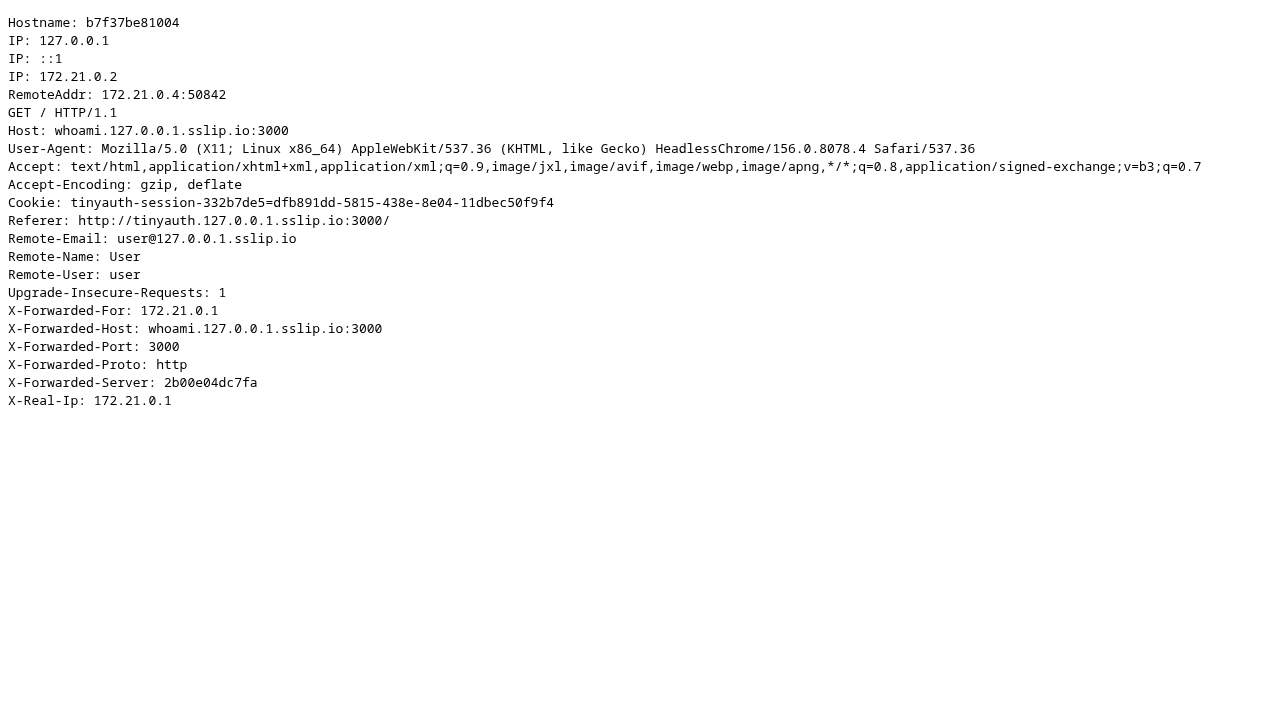
Examining the headers printed by whoami confirms that Traefik successfully received identity headers from Tinyauth and injected them into the upstream request:
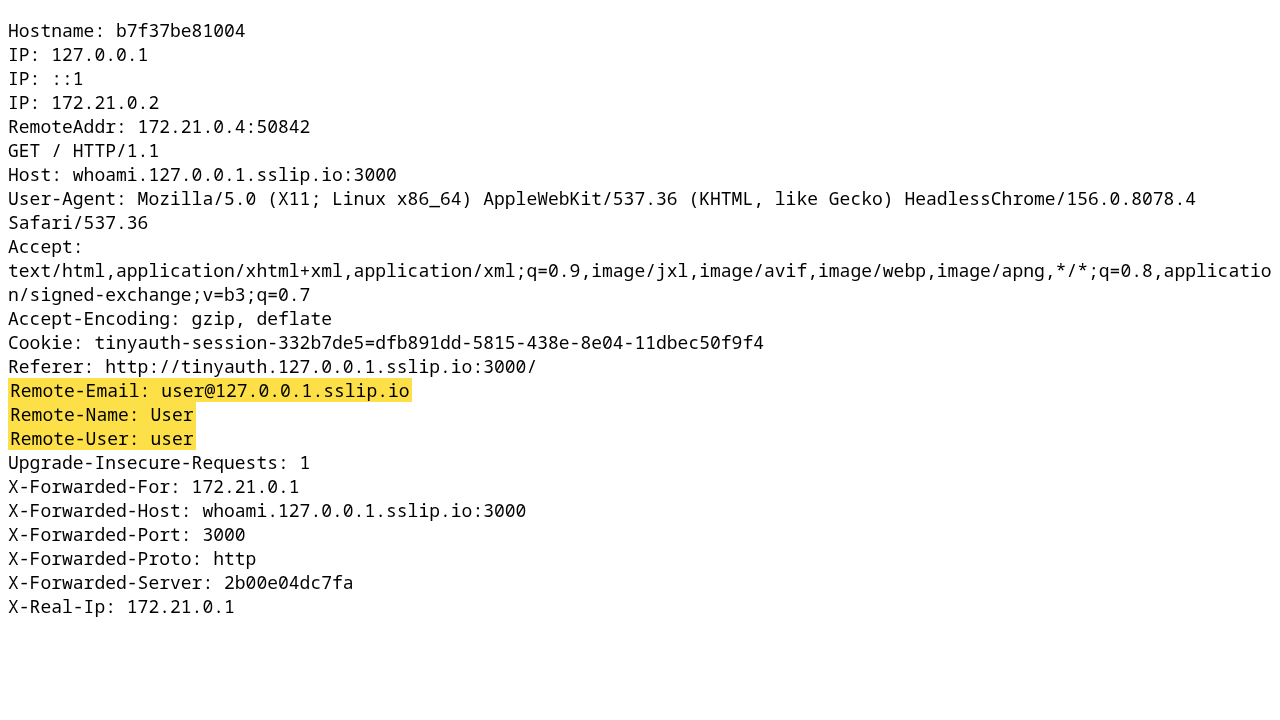
The application now receives:
Remote-User: userRemote-Name: UserRemote-Email: user@127.0.0.1.sslip.io
5. Managing Sessions and Single Sign-Out
Return to the Tinyauth portal root at http://tinyauth.127.0.0.1.sslip.io:3000/. The UI detects your active session and displays the account card:

Clicking Logout terminates the session on the server and clears the client cookie:
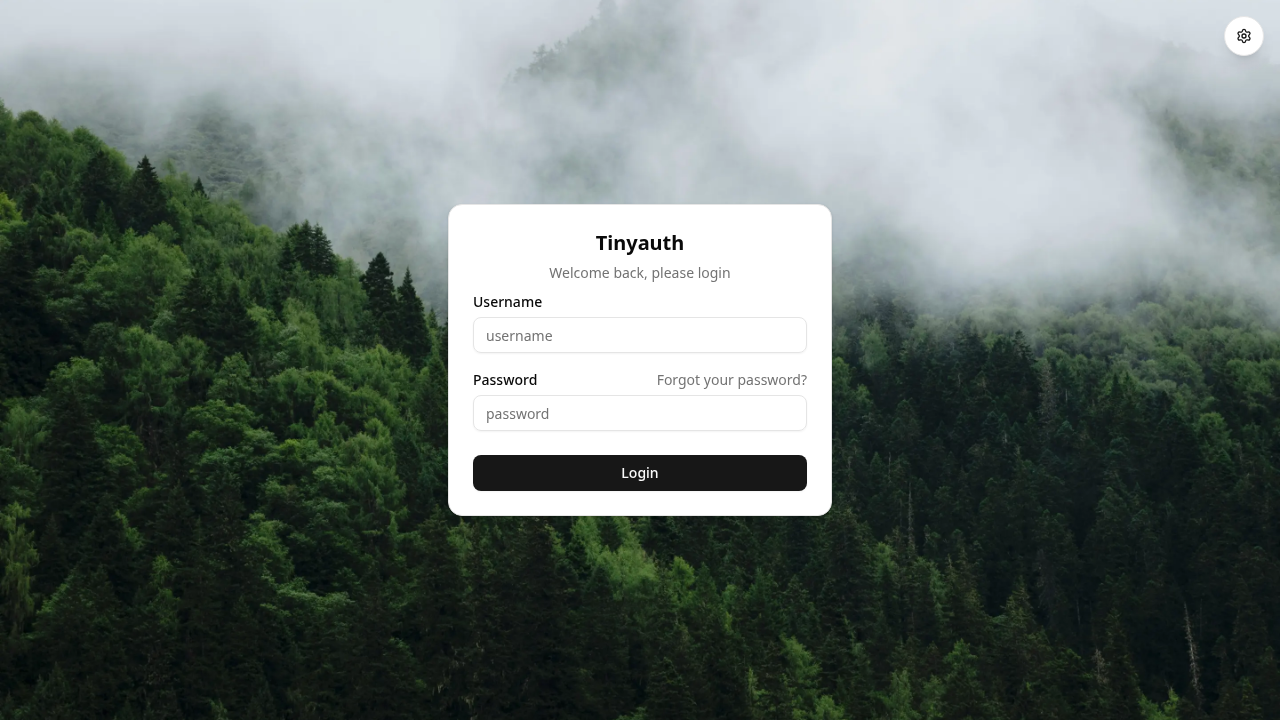
Attempting to refresh or revisit the protected whoami application immediately results in a redirect back to the login screen, confirming that access has been revoked:
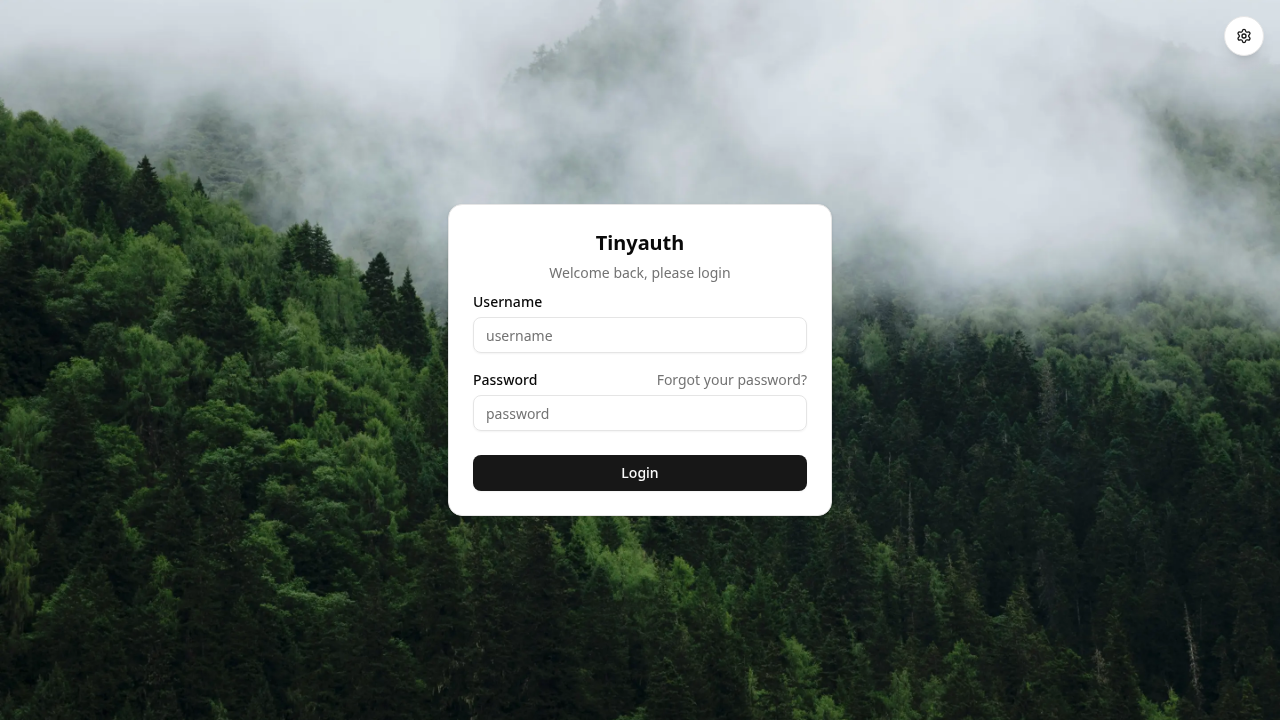
---
Verification
You can verify the health and functional status of the Tinyauth deployment using command-line checks.
1. Check Service Health
Test Tinyauth's internal health check endpoint:
curl -fsS http://tinyauth.127.0.0.1.sslip.io:3000/api/healthzExpected output:
{"message":"Healthy","status":200}2. Verify Application Context
Query the application context endpoint to verify that the local authentication provider and domain settings are properly registered:
curl -fsS http://tinyauth.127.0.0.1.sslip.io:3000/api/context/appExpected response confirms the active provider and cookie domain:
{"status":200,"message":"Success","auth":{"providers":[{"name":"Local","id":"local","oauth":false}]},"oauth":{"autoRedirect":""},"ui":{"title":"Tinyauth","forgotPasswordMessage":"You can change your password by changing the configuration.","backgroundImage":"/background.webp","warningsEnabled":true},"app":{"appUrl":"http://tinyauth.127.0.0.1.sslip.io:3000","cookieDomain":"127.0.0.1.sslip.io","subdomainsEnabled":true}}3. Verify ForwardAuth Behavior via CLI
Tinyauth adjusts its response based on the client User-Agent:
- When queried with a standard browser User-Agent, it returns an HTTP 302 Found redirect to guide interactive users to the login screen:
curl -sI -A 'Mozilla/5.0 Chrome/130.0' http://whoami.127.0.0.1.sslip.io:3000/ | grep -iE '^HTTP/|^location:'Expected output:
HTTP/1.1 302 Found
Location: http://tinyauth.127.0.0.1.sslip.io:3000/login?login_for=app&redirect_uri=http%3A%2F%2Fwhoami.127.0.0.1.sslip.io%3A3000%2F- When queried without a browser User-Agent (such as plain
curlor automated API clients), it returns HTTP 401 Unauthorized with anX-Tinyauth-Locationheader to avoid breaking non-browser integrations:
curl -sI http://whoami.127.0.0.1.sslip.io:3000/ | grep -iE 'HTTP/|location:'Expected output:
HTTP/1.1 401 Unauthorized
X-Tinyauth-Location: http://tinyauth.127.0.0.1.sslip.io:3000/login?login_for=app&redirect_uri=http%3A%2F%2Fwhoami.127.0.0.1.sslip.io%3A3000%2F
4. Authenticate via API and Verify Injected Headers
You can simulate a full user session from the terminal using a temporary cookie jar:
COOKIE_JAR=$(mktemp)

# Perform API login
curl -s -c "$COOKIE_JAR" -H 'Content-Type: application/json' \
  -d '{"username":"user","password":"password"}' \
  http://tinyauth.127.0.0.1.sslip.io:3000/api/user/login

# Request the protected whoami service with the saved session cookie
curl -s -b "$COOKIE_JAR" http://whoami.127.0.0.1.sslip.io:3000/ | grep -i '^Remote-'

# Clean up
rm -f "$COOKIE_JAR"
Expected output confirms identity headers are passed to whoami:
{"message":"Login successful","status":200}
Remote-Email: user@127.0.0.1.sslip.io
Remote-Name: User
Remote-User: user
5. Inspect Container Logs
Review Tinyauth container logs to verify normal operational status:
docker compose logs --tail=20 tinyauthKey indicators in the logs:
Starting Tinyauth version: v5.2.0Starting server on http://0.0.0.0:3000Login successful stream=app username=user
---
Troubleshooting
| Issue | Root Cause | Resolution |
|---|---|---|
| User login fails with "Invalid credentials" despite correct password | Dollar sign interpolation in Docker Compose: Compose evaluates $2a$ as an environment variable, truncating the bcrypt hash. | Escape all dollar signs in docker-compose.yml by doubling them: user:$$2a$$10$$.... |
Container fails to start with invalid app url or domain must be FQDN | TINYAUTH_APPURL is set to a bare IP address (e.g., 192.168.1.10) or localhost. Tinyauth strictly requires a valid FQDN. | Use a registered domain name, internal split-horizon DNS hostname, or a wildcard loopback domain like *.127.0.0.1.sslip.io. |
curl commands to protected services return 401 Unauthorized instead of 302 Found | Tinyauth detects non-browser User-Agents and sends 401 with an X-Tinyauth-Location header rather than an HTTP redirect. | This is intended API behavior. To test browser redirection via curl, append a browser user-agent flag: -A 'Mozilla/5.0 Chrome/130.0'. |
SQLite database permission error: read-only file system or permission denied | The container process cannot write to ./data to create tinyauth.db or generate RSA signing keys in /data/oidc. | Run chmod 777 data on the host directory or ensure the folder ownership matches the container runtime UID. |
OIDC discovery endpoint /.well-known/openid-configuration returns 500 | OpenID Connect service requires an HTTPS issuer URL and configured OAuth clients; running on plain HTTP without clients leaves OIDC uninitialized. | For forward-auth proxying, this error is harmless. To use full OIDC IdP features, configure an HTTPS domain with TLS certificates and define client credentials in configuration. |
Log warning: Trusted proxies are not configured, IP access controls will NOT work | Tinyauth does not know which reverse proxy IP to trust for the X-Forwarded-For header. | Safe to ignore in local sandboxes. In production, configure TINYAUTH_TRUSTED_PROXIES with your Traefik network CIDR (e.g., 172.16.0.0/12). |
| Traefik routes fail to resolve on client machine | The domain name used in Host rules does not point to the Docker host IP. | Ensure your DNS resolves to the Docker host. Wildcard domain *.127.0.0.1.sslip.io automatically resolves to 127.0.0.1 without manual configuration. |
---
Teardown
To shut down and remove the containers, networks, and persistent data volumes created during this guide:
docker compose down -vTo also delete the local configuration and database folder:
cd .. && rm -rf tinyauth---
Assumptions & Decisions
- Host Port Assignment: Port
3000is mapped on the host for Traefik ingress (3000:80) rather than standard port80, preventing port binding conflicts on homelab hosts that already run primary web servers or management dashboards. - Domain Strategy: The wildcard loopback domain
*.127.0.0.1.sslip.iois utilized across both the Compose configuration and curl/browser tests. This satisfies Tinyauth's requirement for a valid FQDN without requiring manual/etc/hostsmodifications on testing systems. - Static Authentication & Compose Escaping: A single static user account (
user/password) was configured viaTINYAUTH_AUTH_USERS. Double dollar signs ($$) were explicitly used indocker-compose.ymlto prevent Docker Compose variable expansion from altering the bcrypt salt. - Forward-Auth Implementation: Traefik v3.6 ForwardAuth was implemented using Tinyauth's dedicated
/api/auth/traefikendpoint. Downstream identity injection was configured forremote-user,remote-name,remote-email, andremote-groups. - OIDC Discovery Scope: Full OpenID Connect provider operation requires an HTTPS issuer and configured OAuth clients. In plain HTTP demonstration environments, Tinyauth correctly defaults to forward-auth mode, returning 500 on unconfigured OIDC endpoints. This is documented under Troubleshooting.
- Visual Capture References: Real screenshots captured during Playwright browser automation runs in
runs/tinyauth-20261101-074409/browser/are embedded throughout the guide to illustrate the login portal, error toasts, redirection, authenticated state, and single sign-out.
Get the Unified Homelab Stack Compose Pack
One-command multi-container Compose files (Full *arr Stack, Prometheus + Grafana + ntfy Monitoring, and Homelab Auth) plus new verified deploys once a week.