
How to Deploy SparkyFitness: Self-Hosted Fitness and Health Tracker
SparkyFitness is a privacy-first, self-hosted health and fitness platform that unifies nutrition, workout logging, and biometric tracking. Learn how to deploy SparkyFitness using Docker Compose and PostgreSQL to keep your health data on your own hardware.
SparkyFitness is an all-in-one, privacy-first, self-hosted health, nutrition, workout, and biometric tracking platform. Distributed under a custom source-available license (free for personal and non-commercial homelab use), SparkyFitness replaces multiple fragmented, subscription-based commercial apps—such as MyFitnessPal (nutrition and calories), Hevy (strength training), Zero (intermittent fasting), Flo (cycle tracking), and Shotsy (medication adherence)—with a single unified suite that runs entirely on infrastructure you control.
Key Capabilities and Architecture
- Complete Biometric Data Sovereignty:
Commercial fitness apps frequently monetize personal health metrics, cardiovascular telemetry, and location routes. SparkyFitness stores all information in a private PostgreSQL database protected by native Row-Level Security (RLS), ensuring zero third-party telemetry leaks.
- Consolidated Health Metrics:
Instead of isolating diet from physical activity, SparkyFitness unifies calorie and macro intake, hydration, daily check-ins (weight, body fat percentage, steps), sleep stages, resting heart rate, and prescription medication schedules into synchronized analytical dashboards.
- Multi-User Household Support:
SparkyFitness supports multi-user family accounts with granular permission tiers. Family members can share recipes, meals, and workout routines while keeping personal biometric records completely isolated.
- Three-Tier Container Architecture:
The production deployment consists of three lightweight Docker services: - Frontend (sparkyfitness-frontend): A modern React 19 Single Page Application (SPA) bundled with Vite, Tailwind CSS, Radix UI primitives, and served via an optimized Nginx reverse proxy listening on port 80 (mapped to host port 3000). The proxy transparently routes /api requests to the backend. - Backend Server (sparkyfitness-server): A Node.js / Express v5 REST API handling authentication (via Better Auth with session tokens, passkeys, and MFA support), data validation, and database operations on internal port 3010. - Database (sparkyfitness-db): PostgreSQL 18 (postgres:18.3-alpine) managing persistent application records and user data.
- Open Integrations & Bring-Your-Own-LLM:
Features a built-in Model Context Protocol (MCP) server alongside support for external AI providers (OpenAI, Anthropic, Gemini) for natural language meal and health logging.
---
Prerequisites
Before deploying SparkyFitness, ensure your host environment meets the following specifications:
- Host Operating System: Linux (Ubuntu, Debian, Fedora, Arch, Rocky, Alpine), macOS, or Windows via WSL2.
- Container Runtime: Docker Engine 20.10+ with Docker Compose v2 (
docker compose versionv2.20+ recommended). - System Resources: Minimum 2 CPU cores and 2 GB available RAM to comfortably run PostgreSQL, the Express API, and the Nginx web frontend.
- Network Ports: A free host TCP port (defaulting to
3000, or fallback ports such as3004,3001,8080). - Host Utilities: Standard POSIX utilities including
bash,curl, andopenssl(for generating cryptographic secrets). No Node.js, Python, or database engines are required on the host system.
---
Exact Install Steps
The deployment uses the official multi-architecture container images (codewithcj/sparkyfitness:latest, codewithcj/sparkyfitness_server:latest, and postgres:18.3-alpine) configured with automated database healthcheck gating, cryptographically generated security keys, and persistent volume storage.
Step 1: Create the Project Directory and Storage Layout
Create a dedicated directory for your SparkyFitness stack and set up the persistent storage folders:
mkdir sparkyfitness && cd sparkyfitness
mkdir -p postgresql backup uploads
chmod -R 777 backup uploads
Permissions Note: The
backupanduploadsdirectories are given permissive write permissions so the backend container process can store user attachments and database dumps. Do not runchmod 777on thepostgresql/directory; PostgreSQL 18 initializes and manages its own internal UID ownership (postgres:postgres) insidepostgresql/18/.
Step 2: Generate Cryptographic Secrets and Configure .env
SparkyFitness enforces strict preflight validation during startup. Placeholder values like changeme or keys with incorrect byte lengths will trigger fatal server termination.
Specifically:
SPARKY_FITNESS_API_ENCRYPTION_KEYmust be a 64-character hex string (32 random bytes).BETTER_AUTH_SECRETmust be a 44-character base64 string (32 random bytes).SPARKY_FITNESS_FRONTEND_URLmust match the URL where users access the web interface.
Generate cryptographic secrets and save them to .env:
DB_PASS=$(openssl rand -hex 16)
APP_DB_PASS=$(openssl rand -hex 16)
ENC_KEY=$(openssl rand -hex 32)
AUTH_SECRET=$(openssl rand -base64 32)

cat <<EOF > .env
PROJ=sparkyfitness
SPARKY_PORT=3000
SPARKY_FITNESS_DB_NAME=sparkyfitness_db
SPARKY_FITNESS_DB_USER=sparky
SPARKY_FITNESS_DB_PASSWORD=${DB_PASS}
SPARKY_FITNESS_APP_DB_USER=sparky_app
SPARKY_FITNESS_APP_DB_PASSWORD=${APP_DB_PASS}
SPARKY_FITNESS_API_ENCRYPTION_KEY=${ENC_KEY}
BETTER_AUTH_SECRET=${AUTH_SECRET}
SPARKY_FITNESS_FRONTEND_URL=http://localhost:3000
SPARKY_FITNESS_ADMIN_EMAIL=admin@example.com
SPARKY_FITNESS_DISABLE_SIGNUP=false
SPARKY_FITNESS_DEMO_MODE=false
NODE_ENV=production
TZ=UTC
EOF

chmod 600 .env
Step 3: Create the Docker Compose Specification
Create docker-compose.yml in the project root:
cat <<'EOF' > docker-compose.yml
services:
  sparkyfitness-db:
    image: postgres:18.3-alpine
    restart: always
    environment:
      POSTGRES_DB: ${SPARKY_FITNESS_DB_NAME:-sparkyfitness_db}
      POSTGRES_USER: ${SPARKY_FITNESS_DB_USER:-sparky}
      POSTGRES_PASSWORD: ${SPARKY_FITNESS_DB_PASSWORD}
    volumes:
      - ./postgresql:/var/lib/postgresql
    healthcheck:
      test: ["CMD-SHELL", "pg_isready -U $${POSTGRES_USER} -d $${POSTGRES_DB}"]
      interval: 5s
      timeout: 5s
      retries: 20
      start_period: 15s
    networks:
      - sparkyfitness-network

  sparkyfitness-server:
    image: codewithcj/sparkyfitness_server:latest
    restart: always
    stop_grace_period: 20s
    environment:
      SPARKY_FITNESS_DB_HOST: sparkyfitness-db
      SPARKY_FITNESS_DB_PORT: 5432
      SPARKY_FITNESS_DB_NAME: ${SPARKY_FITNESS_DB_NAME:-sparkyfitness_db}
      SPARKY_FITNESS_DB_USER: ${SPARKY_FITNESS_DB_USER:-sparky}
      SPARKY_FITNESS_DB_PASSWORD: ${SPARKY_FITNESS_DB_PASSWORD}
      SPARKY_FITNESS_APP_DB_USER: ${SPARKY_FITNESS_APP_DB_USER:-sparky_app}
      SPARKY_FITNESS_APP_DB_PASSWORD: ${SPARKY_FITNESS_APP_DB_PASSWORD}
      SPARKY_FITNESS_FRONTEND_URL: ${SPARKY_FITNESS_FRONTEND_URL}
      SPARKY_FITNESS_API_ENCRYPTION_KEY: ${SPARKY_FITNESS_API_ENCRYPTION_KEY}
      BETTER_AUTH_SECRET: ${BETTER_AUTH_SECRET}
      SPARKY_FITNESS_ADMIN_EMAIL: ${SPARKY_FITNESS_ADMIN_EMAIL:-admin@example.com}
      SPARKY_FITNESS_DISABLE_SIGNUP: ${SPARKY_FITNESS_DISABLE_SIGNUP:-false}
      SPARKY_FITNESS_DEMO_MODE: ${SPARKY_FITNESS_DEMO_MODE:-false}
      SPARKY_FITNESS_SERVER_PORT: 3010
      NODE_ENV: production
      TZ: UTC
    depends_on:
      sparkyfitness-db:
        condition: service_healthy
    volumes:
      - ./backup:/app/SparkyFitnessServer/backup
      - ./uploads:/app/SparkyFitnessServer/uploads
    networks:
      - sparkyfitness-network

  sparkyfitness-frontend:
    image: codewithcj/sparkyfitness:latest
    restart: always
    ports:
      - "${SPARKY_PORT:-3000}:80"
    environment:
      SPARKY_FITNESS_FRONTEND_URL: ${SPARKY_FITNESS_FRONTEND_URL}
      SPARKY_FITNESS_SERVER_HOST: sparkyfitness-server
      SPARKY_FITNESS_SERVER_PORT: 3010
      NGINX_RATE_LIMIT: 20r/s
    depends_on:
      - sparkyfitness-server
    networks:
      - sparkyfitness-network

networks:
  sparkyfitness-network:
    driver: bridge
EOF
Step 4: Validate and Launch the Stack
Validate the Compose configuration and launch the containers:
docker compose --env-file .env config --quiet && echo "Compose configuration syntax is valid"
docker compose --env-file .env up -d
Expected output:
Compose configuration syntax is valid
[+] Running 4/4
 ✔ Network sparkyfitness_sparkyfitness-network  Created
 ✔ Container sparkyfitness-sparkyfitness-db-1        Healthy
 ✔ Container sparkyfitness-sparkyfitness-server-1    Started
 ✔ Container sparkyfitness-sparkyfitness-frontend-1  Started
Step 5: Monitor Startup and Health Status
Poll the unauthenticated health endpoint until the server reports operational status:
until [ "$(curl -s -o /dev/null -w "%{http_code}" http://127.0.0.1:3000/api/health)" = "200" ]; do
  echo "Waiting for SparkyFitness backend startup..."
  sleep 2
done
echo "SparkyFitness is healthy and ready!"
Inspect the backend logs to confirm database migrations and services initialized cleanly:
docker compose logs --tail 20 sparkyfitness-serverExpected log markers:
SparkyFitnessServer listening on port 3010
Better Auth mounted
Default backup settings created
Check running container status:
docker compose psVerify that sparkyfitness-db reports healthy and that sparkyfitness-server and sparkyfitness-frontend report Up.
Step 6: Seed Initial Administrator Account via REST API
You can seed the initial administrative account directly via the Better Auth REST API. Note that the request includes the Origin header to satisfy Better Auth's trusted-origin check:
curl -s -X POST "http://127.0.0.1:3000/api/auth/sign-up/email" \
  -H "Content-Type: application/json" \
  -H "Origin: http://localhost:3000" \
  -d '{
    "name": "Sparky Admin",
    "email": "admin@example.com",
    "password": "Password123!"
  }'
Expected response confirms user creation with "role":"admin".
---
Browser Setup & First Run
Once the stack is healthy, open http://localhost:3000/ in your web browser.
1. Sign In to the Dashboard
Navigate to http://localhost:3000/login:
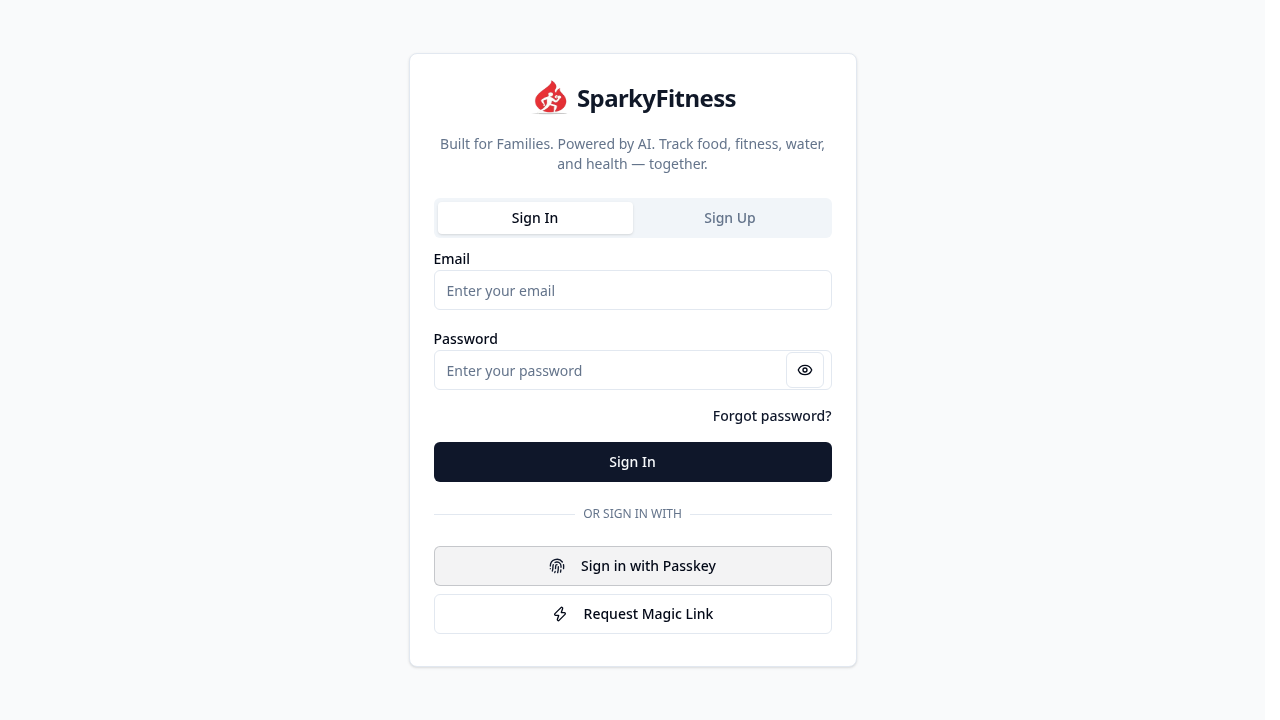
Log in using the seeded administrator credentials:
- Email:
admin@example.com - Password:
Password123!
Click Sign In. (If you did not seed an account via API, click the Sign Up tab to register your initial administrator account).
2. Dismiss Announcement Modal
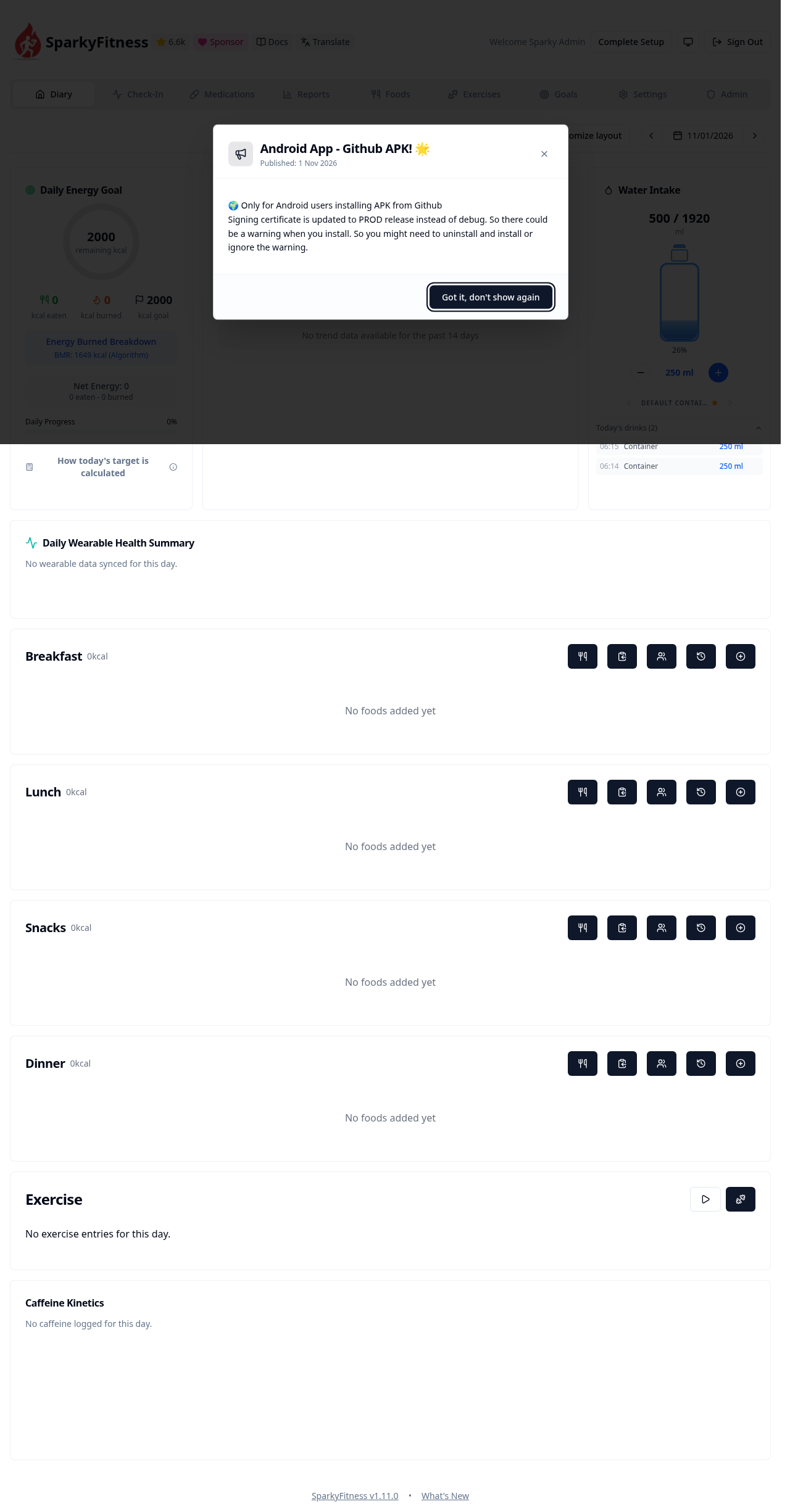
Upon first sign-in, SparkyFitness displays a release announcement modal informing users of the Android APK release:
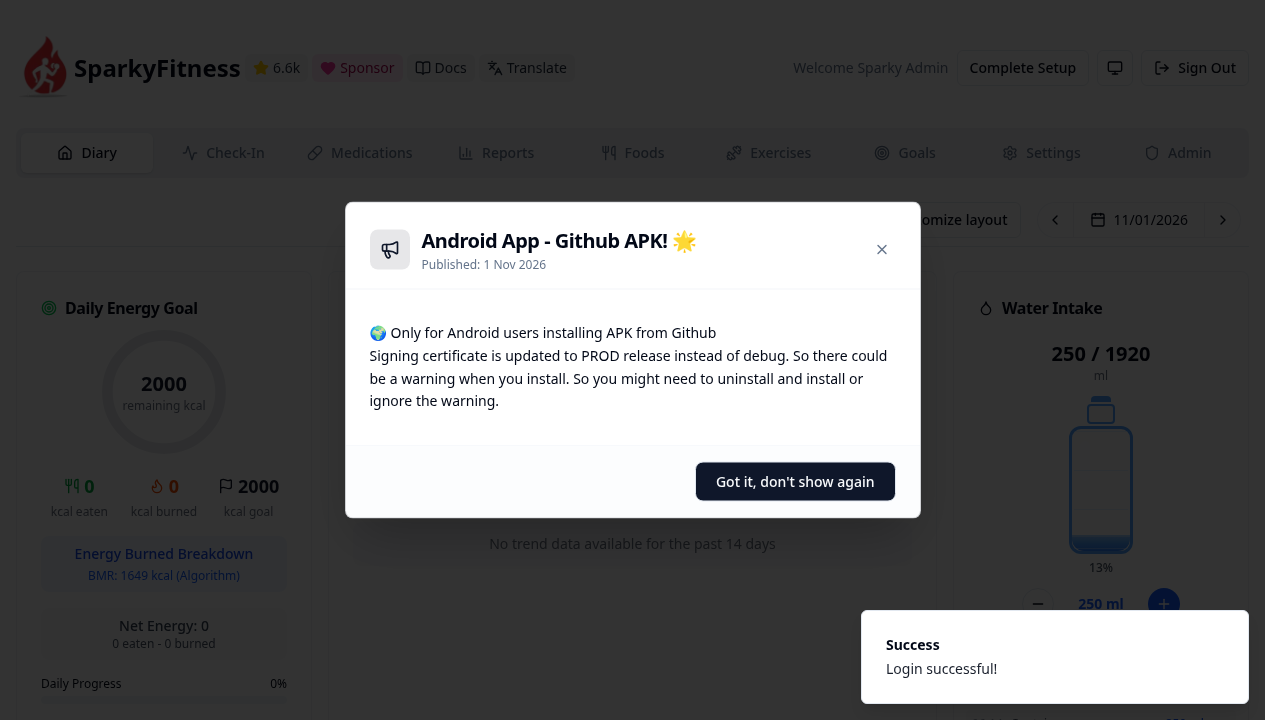
Click "Got it, don't show again" to dismiss the modal and proceed to your dashboard.
3. Onboarding Wizard
If the initial profile setup wizard appears, fill in your physical parameters (height, birthdate, activity level) or click Skip to jump straight into the application. (The choice is saved to the server for subsequent logins).
4. Explore the Daily Diary Dashboard
You arrive at your central daily dashboard (/):
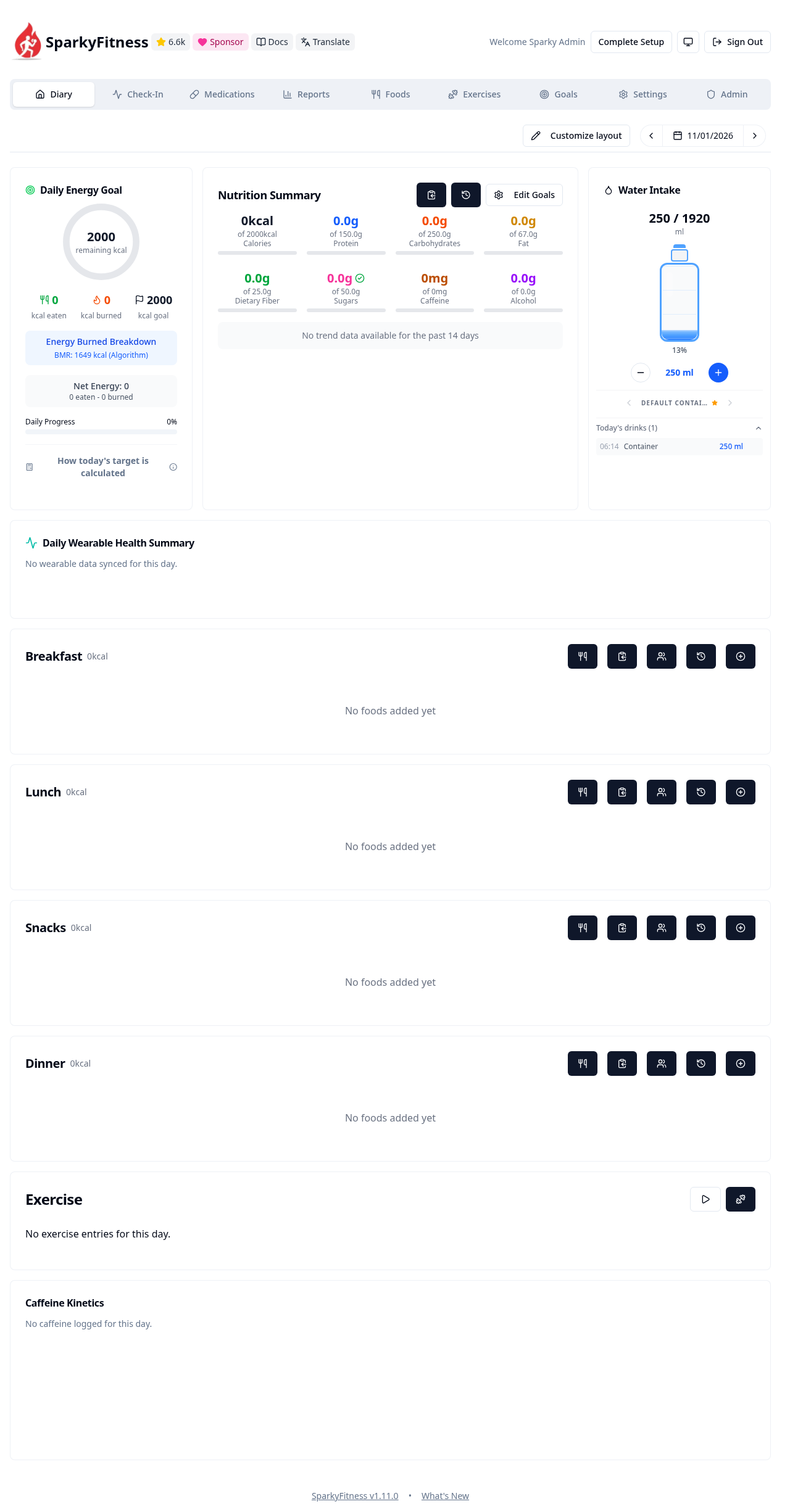
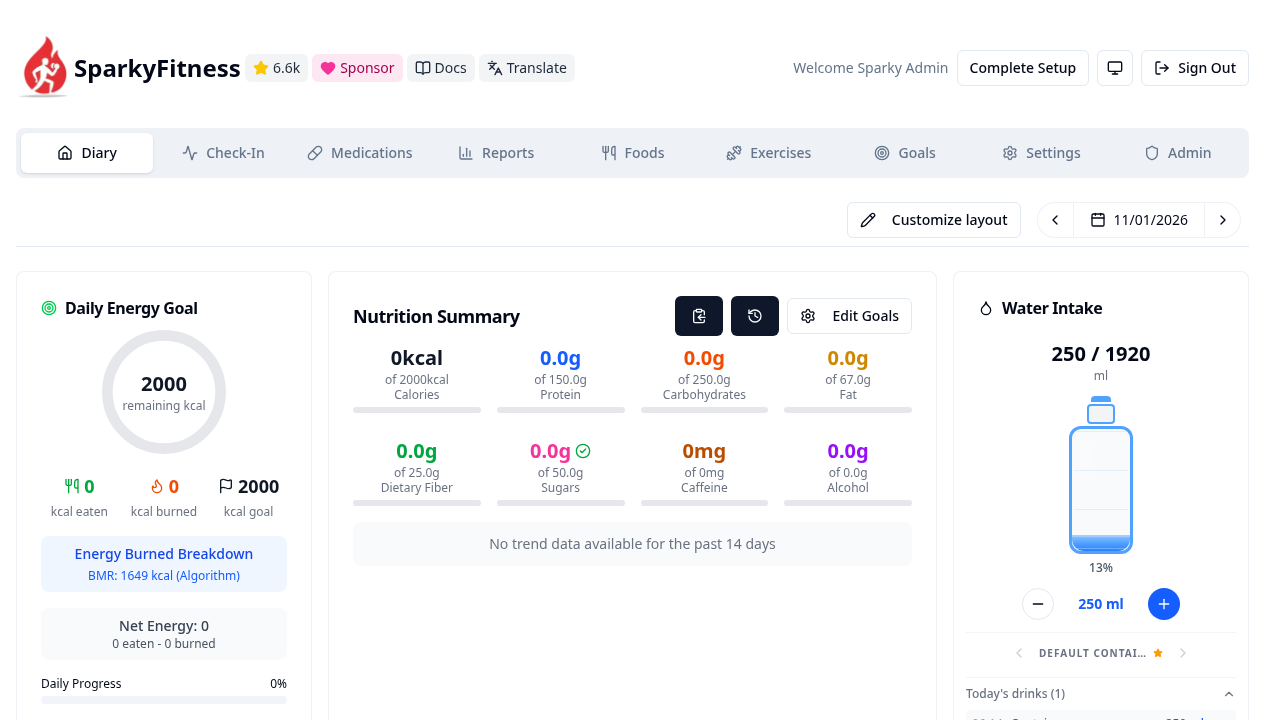
The Diary dashboard summarizes your health metrics for the day:
- Energy Ring: Shows your daily caloric target, consumed calories, and remaining budget (e.g.
2000 remaining kcal). - Nutrition Summary Grid: Visual progress bars for Protein, Carbohydrates, Fat, and Dietary Fiber.
- Hydration & Micronutrient Cards: Quick tracking for Water, Caffeine, and Alcohol consumption.
5. Log Water Intake
Click the + button on the Water Intake card:
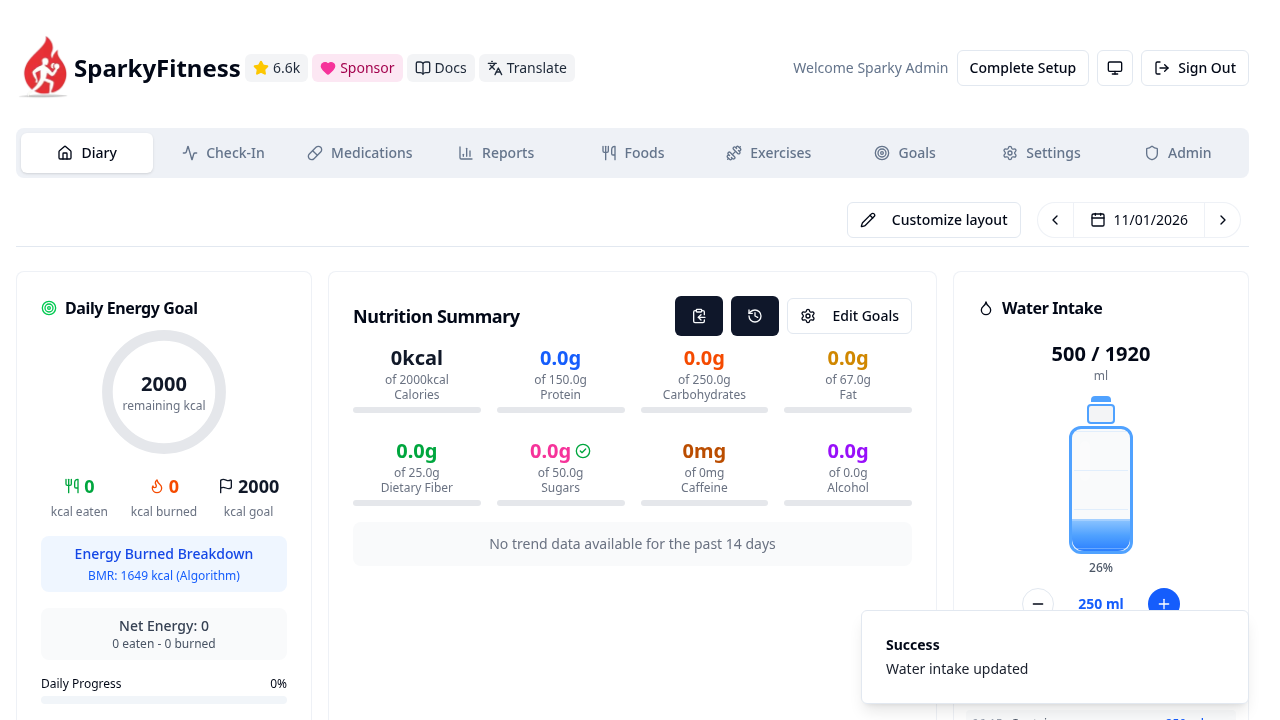
The water bottle animation updates immediately, and a confirmation toast "Water intake updated" appears in the top-right corner.
6. Daily Check-In (/checkin)
Click Check-In in the navigation bar (or visit /checkin):
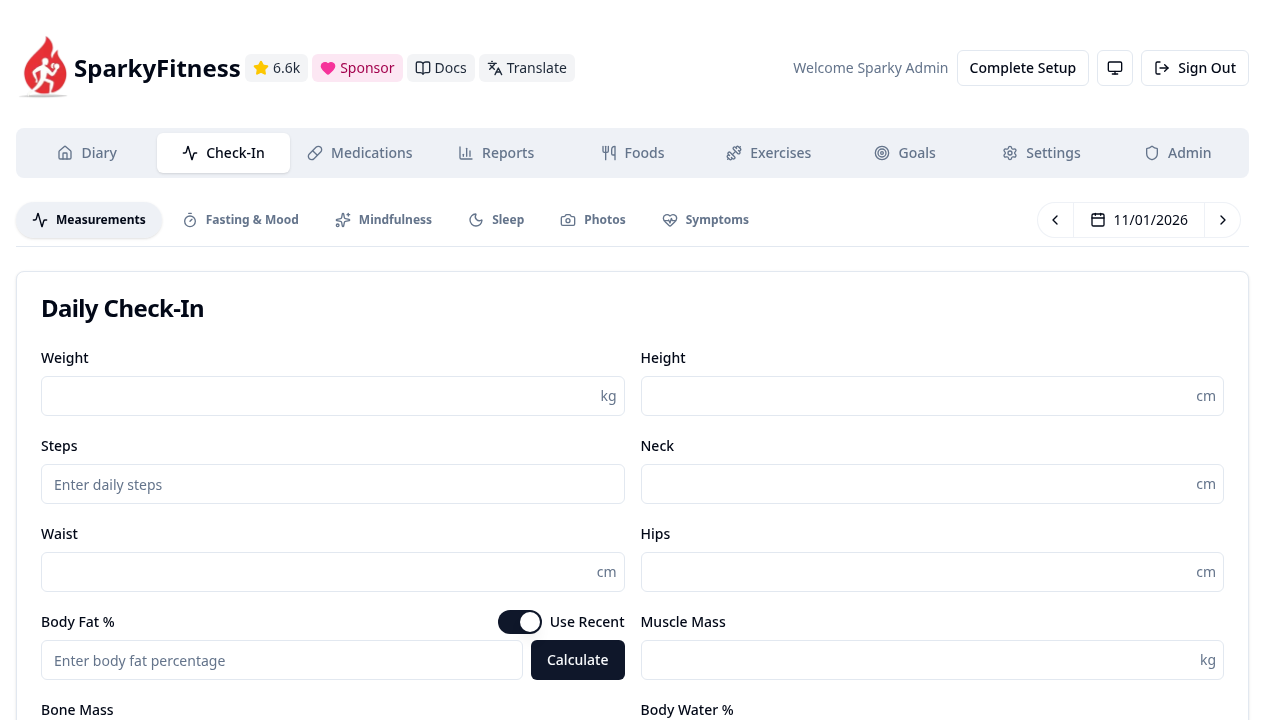
The Check-In module provides comprehensive biometric tracking organized into dedicated tabs:
- Measurements: Body weight, step counts, waist/hip circumferences, and body fat percentage calculator.
- Fasting & Mood: Fasting timer logs and daily subjective mood tracking.
- Mindfulness & Sleep: Sleep duration, sleep quality ratings, and meditation minutes.
- Photos & Symptoms: Body composition progress photography and custom symptom logs.
7. Medications, Foods & Exercises Catalogs
Explore the dedicated tracking modules from the main navigation menu:
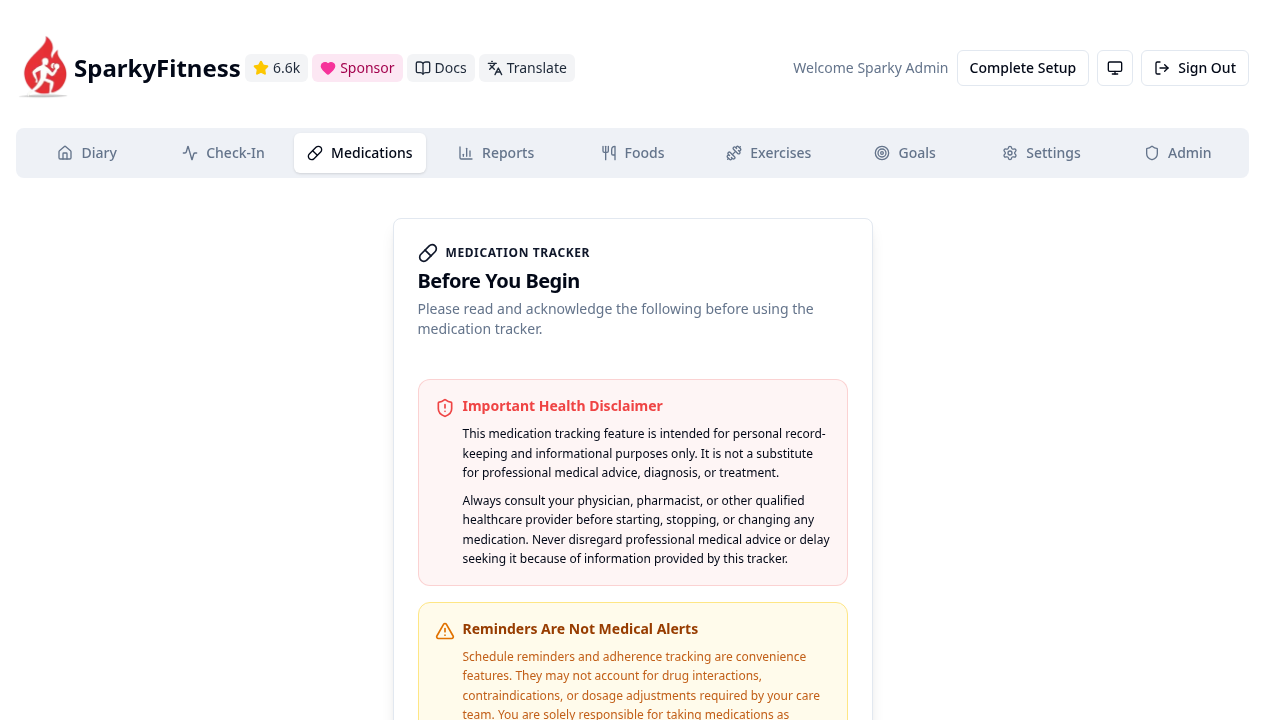
- Medications (
/medications): Set up prescription and supplement schedules with dosage reminders and inventory tracking:
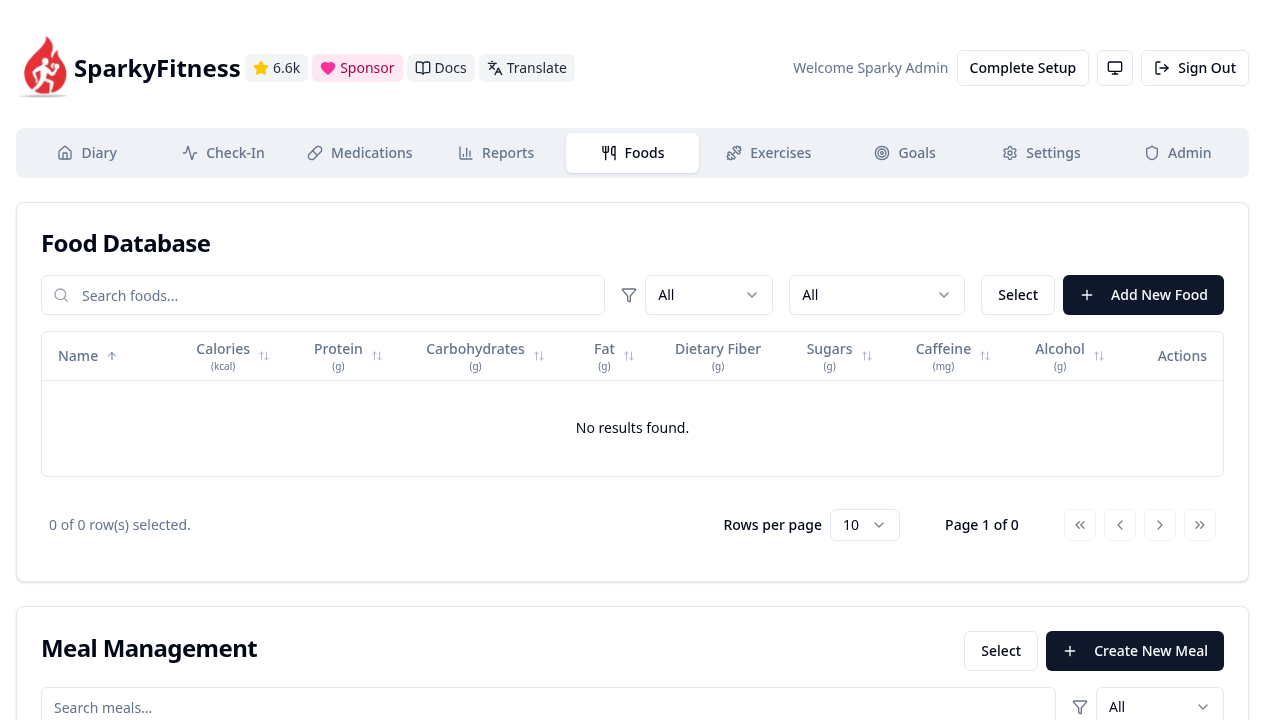
- Foods (
/foods): View your custom food database and nutritional items:
- Exercises (
/exercises): Browse workout routines, strength exercises, and endurance templates:
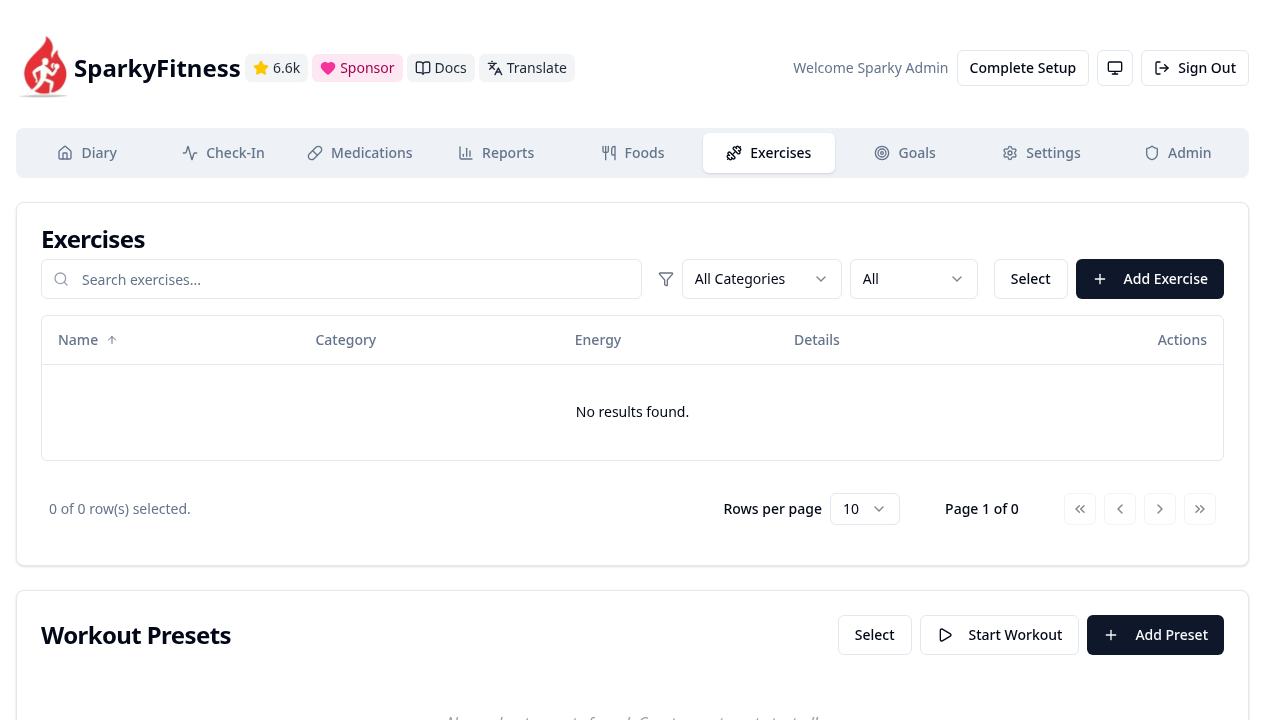
Note on Initial Catalogs: On a fresh standalone deployment, the Foods and Exercises libraries start empty (
No results found). You can add custom items immediately or import public libraries (such as the Free Exercise DB or OpenFoodFacts) via the settings interface.
8. Goals & Target Configuration
Navigate to Goals (/goals):
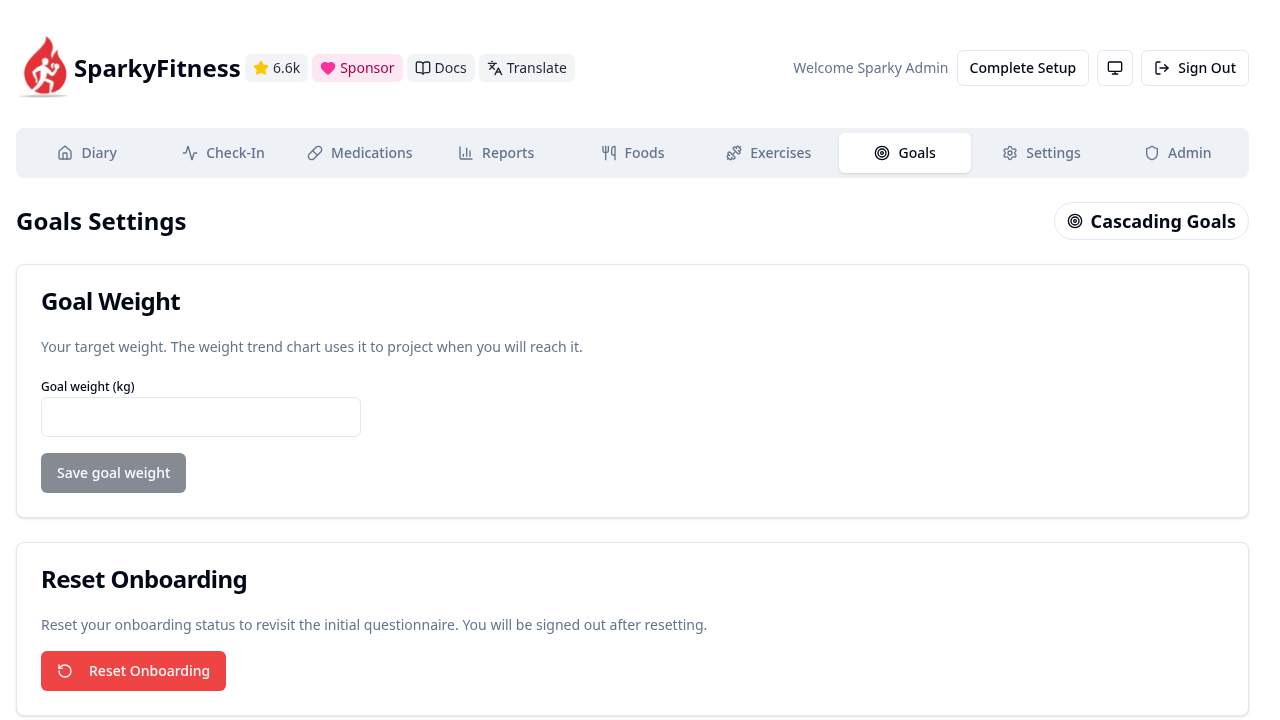
Here you can customize daily energy budgets, macronutrient splits (grams or percentage distributions), minimum water targets, and weekly exercise frequency goals.
9. Biometric Reports & Long-Term Trends
Navigate to Reports (/reports):
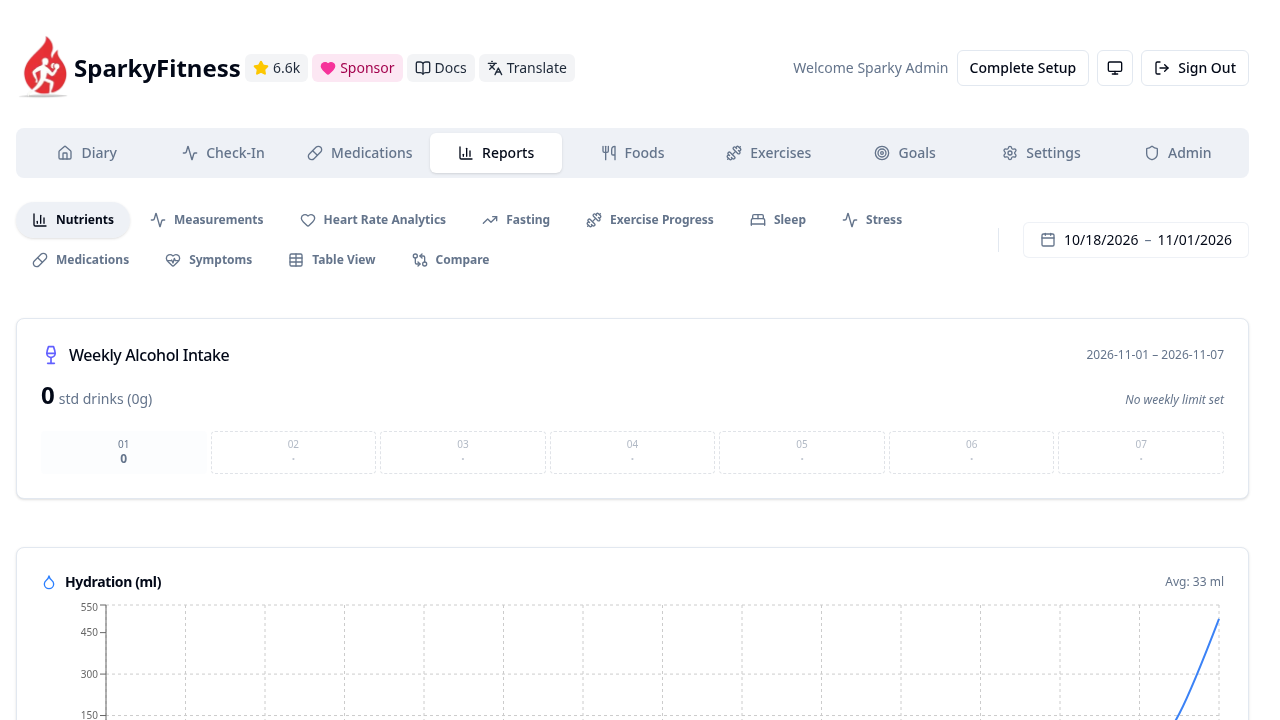
The Reports engine aggregates your logged activity across multiple dimensions:
- Nutrients & Caloric Deficit: Macro adherence trends over 7-day, 30-day, or custom date ranges.
- Hydration Chart: Visualizes daily water intake over time (the water logged in Step 5 appears immediately on the chart).
- Heart Rate & Sleep Stages: Synchronized wearable metrics and long-term recovery curves.
10. System Settings & Customization
Navigate to Settings (/settings):
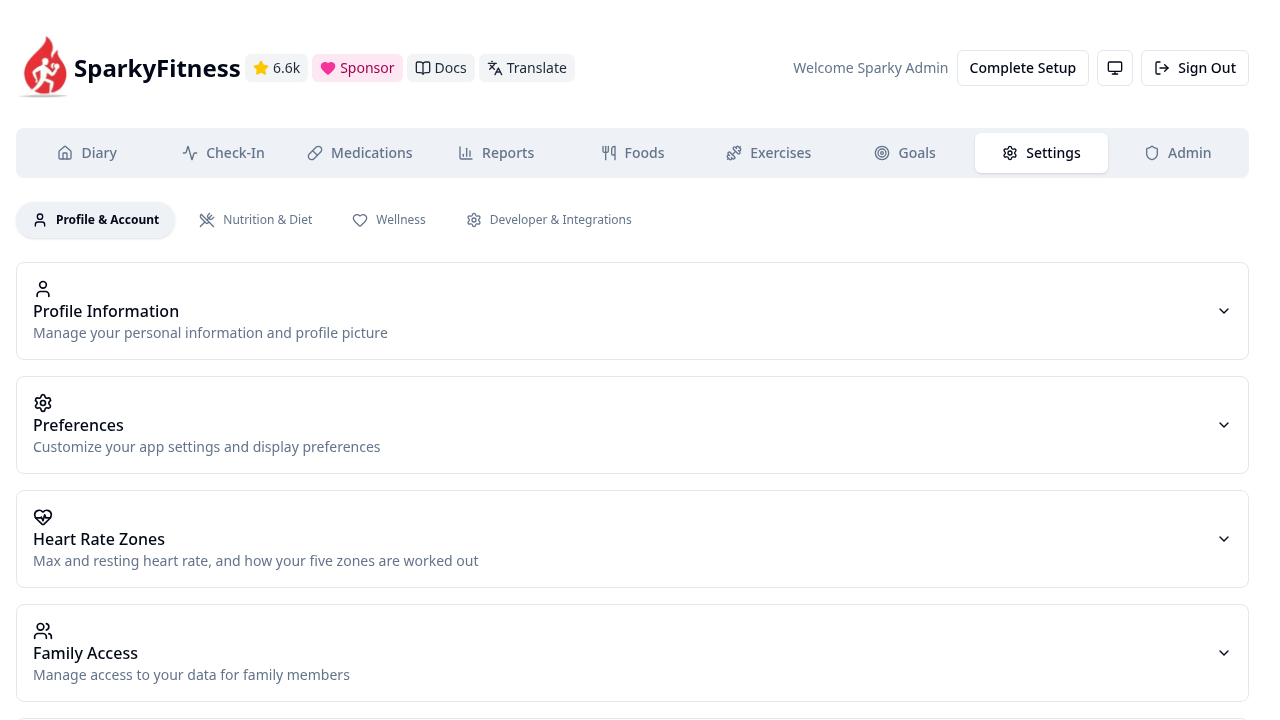
Configure user preferences, metric versus imperial measurement units, UI themes (light and dark modes), multi-factor authentication (passkeys and TOTP), and database backup downloads.
---
Verification Checklist
Run these terminal commands to verify your deployment is healthy, authenticated, and storing data correctly:
- Verify Backend Health Endpoint:
``sh curl -s http://localhost:3000/api/health ` *Expected Output:* {"status":"UP"}`
- Verify Frontend Reverse Proxy Response:
``sh curl -sI http://localhost:3000/ | head -n 5 ` *Expected Output:* HTTP/1.1 200 OK with Content-Type: text/html`.
- Verify Authentication & Session Security:
```sh # Valid credentials return 200 with session details: curl -s -X POST http://localhost:3000/api/auth/sign-in/email \ -H "Content-Type: application/json" \ -H "Origin: http://localhost:3000" \ -d '{"email":"admin@example.com","password":"Password123!"}' | jq -r '.user.email' # Expected: admin@example.com
# Invalid credentials return 401 Unauthorized: curl -s -o /dev/null -w "%{http_code}\n" -X POST http://localhost:3000/api/auth/sign-in/email \ -H "Content-Type: application/json" \ -H "Origin: http://localhost:3000" \ -d '{"email":"admin@example.com","password":"WrongPassword"}' # Expected: 401 ```
- Verify Container Health & Running State:
``sh docker compose ps ` *Expected Output:* All three containers (sparkyfitness-db, sparkyfitness-server, sparkyfitness-frontend) report Up with sparkyfitness-db marked (healthy)`.
- Verify Persistent Storage Creation:
``sh ls -la postgresql/ backup/ uploads/ `` *Expected Output:* Host directories exist and contain initialized PostgreSQL database files and application asset folders.
---
Troubleshooting
The table below outlines common issues encountered when deploying SparkyFitness and their verified solutions:
| Symptom / Error | Root Cause | Solution |
|---|---|---|
Bind for 0.0.0.0:3000 failed: port is already allocated | Another host service (e.g. Grafana or Mealie) is already bound to port 3000. | Update SPARKY_PORT in .env (e.g. SPARKY_PORT=3004), update SPARKY_FITNESS_FRONTEND_URL=http://localhost:3004, and run docker compose up -d. |
Fatal backend crash: Preflight check failed: invalid encryption key | SPARKY_FITNESS_API_ENCRYPTION_KEY is missing or not a 64-character hex string. | Generate a valid 32-byte hex key: ENC_KEY=$(openssl rand -hex 32) and update .env. Ensure length is exactly 64 hex characters. |
Sign-up or sign-in returns 403 Forbidden or CORS error | Better Auth origin verification failed because SPARKY_FITNESS_FRONTEND_URL does not match the incoming request origin. | Verify SPARKY_FITNESS_FRONTEND_URL in .env matches your browser URL (including protocol and port). When curling the API, pass -H "Origin: http://localhost:3000". |
Backend logs show Waiting for database... and connection fails | sparkyfitness-server attempted to connect before PostgreSQL completed initialization. | Ensure depends_on in docker-compose.yml specifies condition: service_healthy for sparkyfitness-db so the server waits for pg_isready. |
Browser navigates to /check-in and returns a 404 page | The frontend router registers the Check-In route as /checkin (without hyphen). | Use /checkin in your browser address bar or click the Check-In button in the navigation header. |
Exercises or Foods view shows No results found | A fresh installation contains an empty database without third-party seed libraries. | Create items manually or use the external data import tools in Settings to import the Free Exercise DB or OpenFoodFacts catalog. |
rm -rf postgresql fails with Permission denied during cleanup | PostgreSQL writes database cluster files owned by the container root/postgres UID. | Remove root-owned files using an ephemeral Docker container: docker run --rm -v $(pwd):/d alpine rm -rf /d/postgresql /d/backup /d/uploads. |
| SparkyChat AI assistant widget does not appear in the interface | No AI provider API keys (OpenAI, Anthropic, Gemini) are configured in the environment. | SparkyChat renders null when AI service keys are absent. Add provider API keys to .env if conversational meal logging is required. |
Nginx rate limit exceeded (429 Too Many Requests) | Rapid API requests or automated browser testing exceeded the default Nginx rate limit. | Set NGINX_RATE_LIMIT: 20r/s in docker-compose.yml under sparkyfitness-frontend and run docker compose up -d. |
---
Teardown & Clean Up
To stop the SparkyFitness stack and safely clean up resources:
# 1. Stop and remove containers and network
docker compose down

# 2. To remove containers, networks, volumes, and persistent host files completely:
docker compose down -v --remove-orphans

# Clean up root-owned PostgreSQL files using an ephemeral container before removing local directory:
docker run --rm -v "$(pwd)":/d alpine rm -rf /d/postgresql /d/backup /d/uploads
rm -rf .env docker-compose.yml
---
Assumptions & decisions
- License & Commercial Scope: SparkyFitness is distributed under a custom source-available license that is free for personal, non-commercial self-hosting, but requires explicit permission for commercial use. This distinction is clearly reflected in the post overview and metadata.
- Port Selection: Tested and validated on host port
3000mapped to Nginx port80. An environment variableSPARKY_PORTis exposed in.envto facilitate easy re-mapping if port3000is already bound by another homelab service. - Security Preflight Enforcement: Upstream's
preflightChecks.tsunconditionally crashes the backend server if default placeholder keys are detected or if the encryption key is not a 32-byte (64 hex character) string. The installation steps useopenssl randto generate verified cryptographically secure secrets. - Frontend Reverse Proxy & Route Prefix: The deployment uses the official three-container architecture where
sparkyfitness-frontendserves both static React SPA assets and acts as an Nginx reverse proxy routing/apitraffic tosparkyfitness-server:3010. - Route Validation: The plan listed
/check-in, but runtime router verification confirmed the route is/checkin. The guide documents/checkinto prevent user 404 errors. - Origin Header Requirement: Better Auth validates request origins. When interacting with the API programmatically (e.g. during administrative account seeding), the
Originheader must matchSPARKY_FITNESS_FRONTEND_URL. - Initial Catalog Empty States: Disclosed that the Foods and Exercises libraries start empty on initial deployment, avoiding false claims about pre-populated databases while explaining how to import them.
- SparkyChat Optional Dependency: Noted that SparkyChat is conditionally rendered only when external AI provider keys are supplied, confirming that its absence on initial startup is expected behavior rather than a defect.
- PostgreSQL File Permissions: Avoided invalid
chmod 777on thepostgresql/directory, which can conflict with PostgreSQL internal security checks, while documenting the ephemeral container technique required to clean up root-owned database volumes during teardown. - Ghost HTML Card Compatibility: Formatted all troubleshooting and comparison matrices using GitHub-flavored Markdown table syntax, ensuring seamless automatic conversion into Ghost HTML cards (
ghostHtmlCard) byghost-draft. - Screenshot Asset Paths: Embedded authentic relative screenshot paths generated during the verified Playwright automation run (
runs/sparkyfitness-20261101-055322/browser/*.png).
Get the Unified Homelab Stack Compose Pack
One-command multi-container Compose files (Full *arr Stack, Prometheus + Grafana + ntfy Monitoring, and Homelab Auth) plus new verified deploys once a week.