
Scale Idle Docker Containers to Zero with Sablier
Sablier stops containers nobody is using and starts them again on the next request. Here is the recorded Docker Compose install of Sablier 1.19.1, with a demo app that wakes from cold in about four seconds.
Sablier is a small Go server that stops idle containers and starts them again when someone asks for them. While a container wakes up, Sablier serves a themed waiting page and then hands the request off. It normally runs behind a reverse proxy (Traefik, Caddy, Nginx) or on Kubernetes, but the core loop is easy to see on plain Docker: a container that uses no RAM until the first request, and goes back to sleep after a set idle time.
This guide follows the exact path we recorded and checked: Sablier 1.19.1 on Docker Compose (Docker 29.9.2, Compose 5.6.1), using the project's own examples/docker demo with a small test app called whoami. No reverse proxy is involved, so you open Sablier's waiting page directly.
Source: github.com/sablierapp/sablier
Prerequisites
- Docker Engine with the Compose plugin, version 2.24 or newer. The override file below uses the
!overridetag, which older Compose versions reject. git,curlandss(iproute2)- Free TCP port 10000 on
127.0.0.1. The steps below show how to check it. - Be aware that Sablier mounts
/var/run/docker.sock. That gives it root-level control of the Docker host. It's fine for a local test. For anything longer-lived, look atexamples/docker/socket-proxy.ymlin the repo.
Install
Run every block in the same shell, because the variables from step 1 are used throughout.
1. Get the example files
git clone --depth 1 https://github.com/sablierapp/sablier.git ~/sablier
export EX=~/sablier/examples/docker
export DEPLOY=~/sablier-deploy
export PROJ=sablier
The two files we use from the repo are short. compose.yml runs Sablier with the Docker provider:
name: demo

services:
  sablier:
    image: sablierapp/sablier:1.19.1
    restart: unless-stopped
    command:
      - start
      - --provider.name=docker
    volumes:
      - /var/run/docker.sock:/var/run/docker.sock
    ports:
      - "10000:10000"
whoami.yml adds the app Sablier will manage. The two sablier.* labels opt it in and put it in a group called whoami. The health check matters, because Sablier only reports the app as ready once the container is healthy.
services:
  whoami:
    image: sablierapp/mimic:v0.3.3
    command: ["-running-after=1s", "-healthy=true", "-healthy-after=2s"]
    restart: unless-stopped
    healthcheck:
      test: ["CMD", "/mimic", "healthcheck"]
      interval: 1s
      timeout: 3s
      retries: 10
    labels:
      - sablier.enable=true
      - sablier.group=whoami
2. Preflight
docker info >/dev/null && echo docker_ok
docker compose version
ss -ltn | grep -q ':10000 ' && echo "10000 BUSY" || echo "10000 free"
You should see docker_ok, a Compose version of 2.24 or newer, and 10000 free. If the port is busy, change 10000 on the left side of the port mapping in the next step and use that port in every URL below.
3. Add an override file
This binds Sablier to localhost only (so the Docker-socket-backed API isn't on your LAN) and sets demo-friendly defaults: the hacker-terminal theme, a 2-second page refresh, and 2-minute sessions.
mkdir -p $DEPLOY && cat > $DEPLOY/override.yml <<'EOF'
services:
  sablier:
    ports: !override
      - "127.0.0.1:10000:10000"
    command: !override
      - start
      - --provider.name=docker
      - --strategy.dynamic.default-theme=hacker-terminal
      - --strategy.dynamic.default-refresh-frequency=2s
      - --sessions.default-duration=2m
      - --logging.level=debug
EOF
export COMPOSE_FILE=$EX/compose.yml:$EX/whoami.yml:$DEPLOY/override.yml
docker compose -p $PROJ config --services
Expected output: sablier and whoami. The extra flags are optional. Without them you get the default theme and 5-minute sessions.
4. Start Sablier, and create the app without starting it
This is the key idea. The app container is created but left off. Sablier starts it when the first request arrives.
docker compose -p $PROJ pull
docker compose -p $PROJ up -d sablier
docker compose -p $PROJ create whoami
docker compose -p $PROJ ps -a --format 'table {{.Service}}\t{{.State}}'
Expected:
SERVICE   STATE
sablier   running
whoami    created
5. Check that Sablier is healthy
curl -fsS http://127.0.0.1:10000/health; echo
curl -fsS http://127.0.0.1:10000/api/themes; echo
Expected:
OK
{"themes":["ghost","hacker-terminal","matrix","retro","shuffle"]}
http://127.0.0.1:10000/ returns 404. That's normal, because Sablier has no dashboard or web UI.
6. Smoke-test wake-on-demand
curl -s -o /dev/null -D - "http://127.0.0.1:10000/api/strategies/dynamic?group=whoami&session_duration=1m" | grep -i x-sablier-session-status
curl -s -o /dev/null -w '%{http_code}\n' "http://127.0.0.1:10000/api/strategies/blocking?group=whoami&session_duration=1m&timeout=30s"
docker compose -p $PROJ stop whoami
The first call returns X-Sablier-Session-Status: not-ready, because Sablier has just started the container. The second call uses the *blocking* strategy, which waits until the app is ready, and returns 200 within a few seconds. The last command puts whoami back to sleep so the browser test starts cold.
Browser setup
There's nothing to log in to or click. Everything is set in the URL. Make sure whoami is stopped first (step 6 did that), then open:
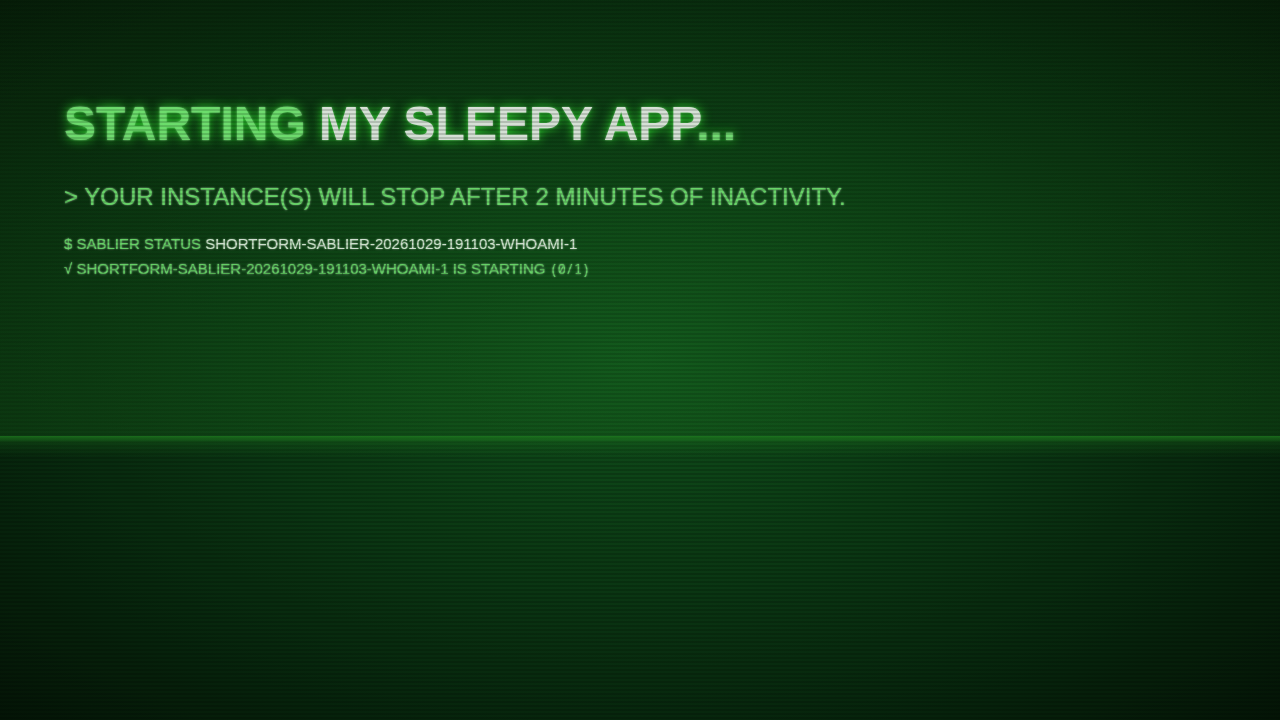
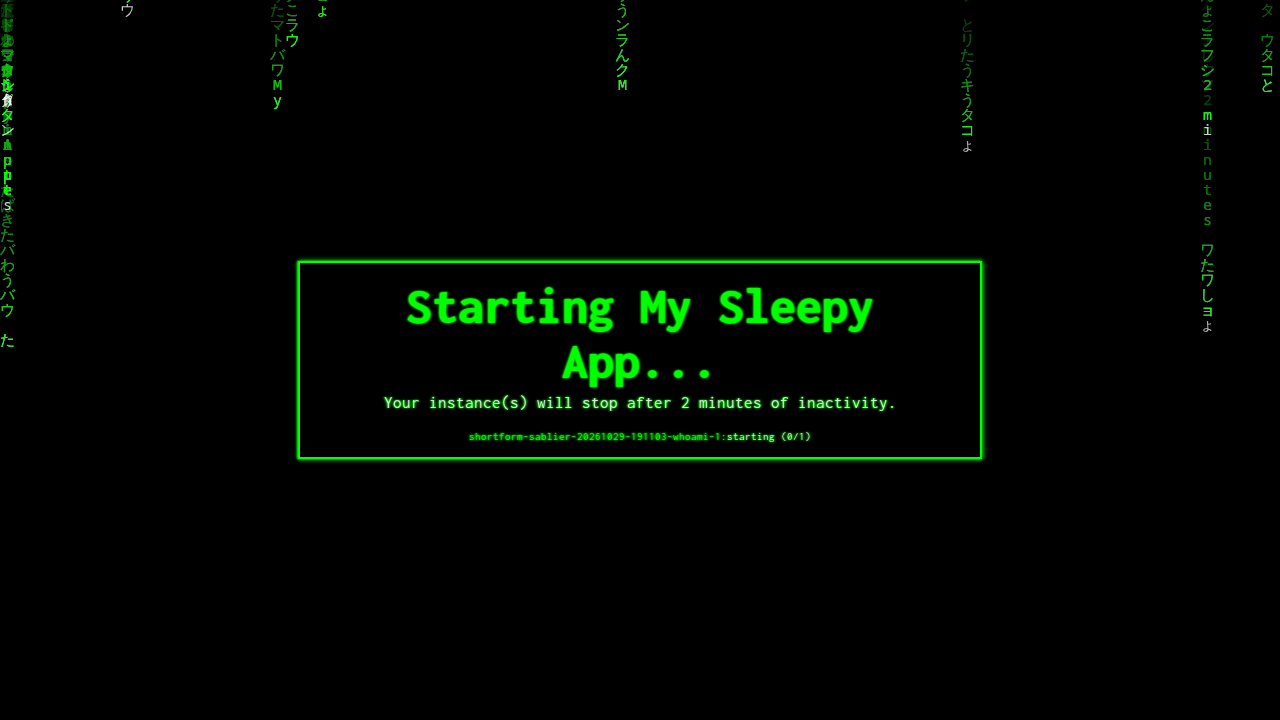
http://127.0.0.1:10000/api/strategies/dynamic?group=whoami&display_name=My%20Sleepy%20App&theme=hacker-terminal&show_details=true&refresh_frequency=2s&session_duration=2mThat's the *dynamic* strategy page: the waiting page a reverse proxy would show your users while the app wakes. The query string sets the group to wake, the name to display, the theme, whether to list the container's status (show_details), how often the page refreshes, and how long the session lasts.
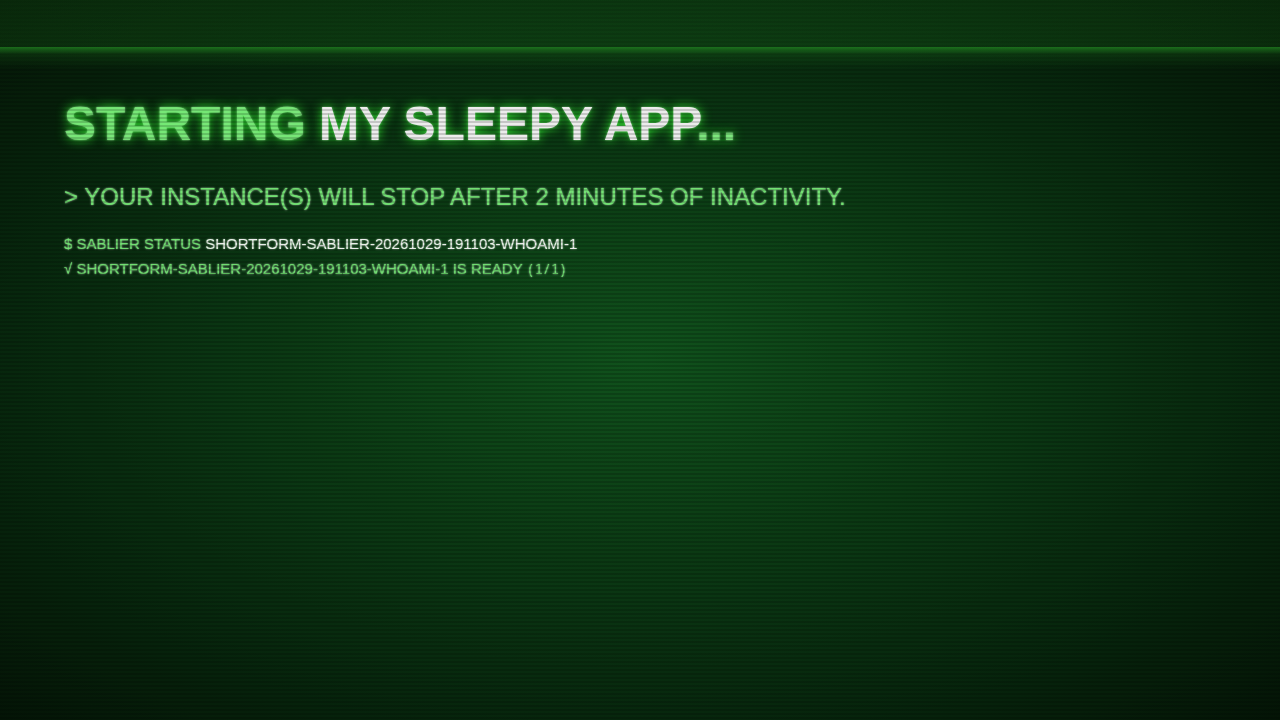
On first load you'll see the waiting page with the status line IS STARTING (0/1):
The page refreshes every 2 seconds. In our run the app went from stopped to healthy in about 4 seconds, and the status line changed to IS READY (1/1):
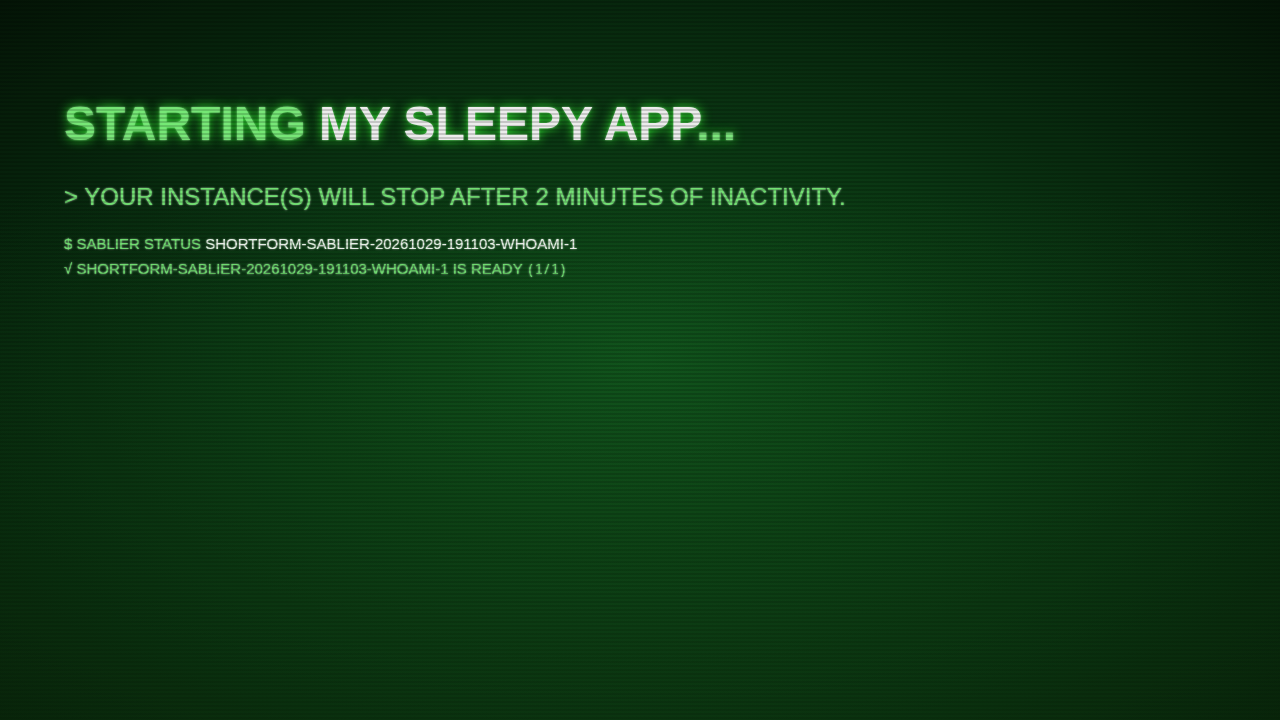
The headline still reads "Starting My Sleepy App…" in the ready state. Only the status line changes. Behind a reverse proxy, this is the point where the user is sent on to the app. When you open the page directly, it just shows the ready state.
To try other themes, stop the app again (docker compose -p $PROJ stop whoami) and change theme= in the URL to ghost, matrix, retro or shuffle:
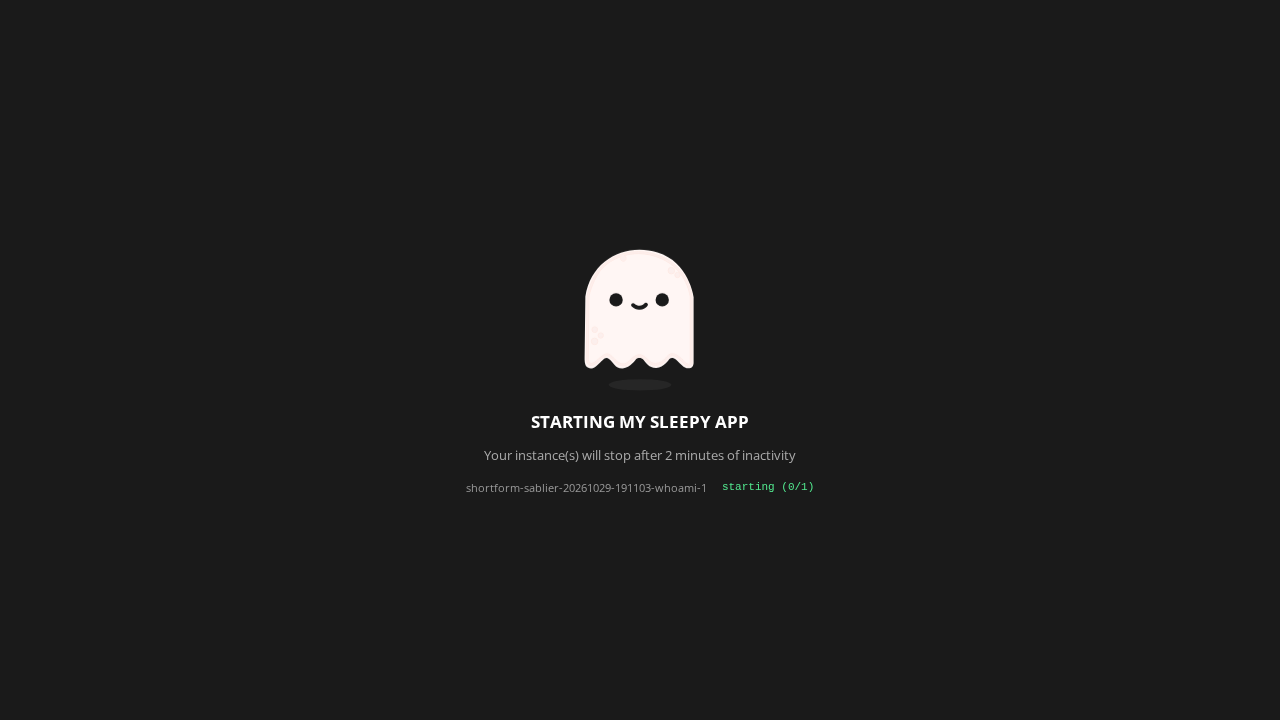
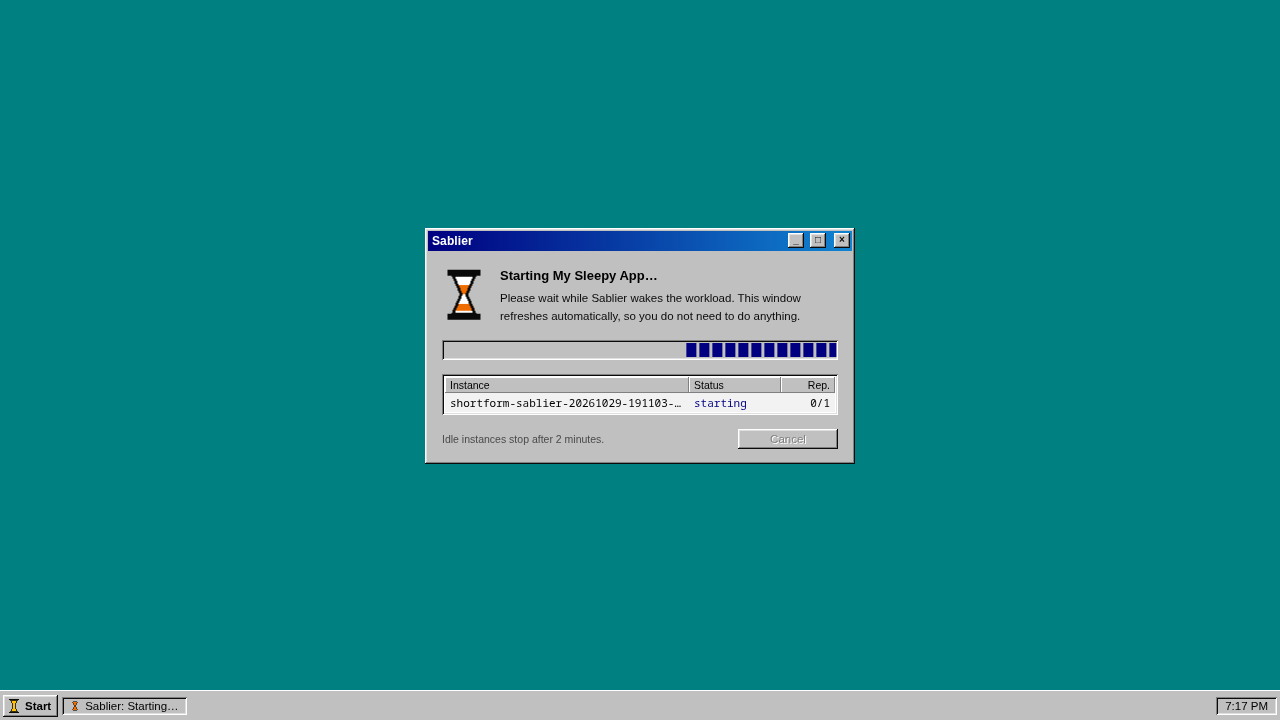
If the app is already running when you open the URL, the page loads straight into the ready state and there's no transition to watch. Stop whoami before each try.
Verification
Watch the container while you load the page. In a second terminal:
watch -n1 "docker compose -p sablier ps -a whoami --format '{{.State}} {{.Status}}'"You should see it go from exited, to running with health starting, to running (healthy).
Then leave it alone. After the session ends (2 minutes with no requests in this setup, and Sablier checks for expired sessions periodically, so allow up to about 20 seconds more), Sablier stops the container on its own. With debug logging on, the logs show it:
docker compose -p $PROJ logs sablier | tail -20In our run, the last request was at 23:19:13Z. At 23:21:13Z Sablier logged instance expired, then stopping container, then container stopped exit_code=0, and whoami was exited again.
| Check | Expected result |
|---|---|
curl http://127.0.0.1:10000/health | OK |
curl http://127.0.0.1:10000/api/themes | ghost, hacker-terminal, matrix, retro, shuffle |
First load of the demo URL with whoami stopped | not-ready, status line IS STARTING (0/1) |
| A few seconds later | ready, status line IS READY (1/1), container healthy |
| 2 minutes with no requests | Logs show instance expired, container exited |
curl http://127.0.0.1:10000/ | 404 (Sablier has no dashboard) |
Clean up
docker compose -p $PROJ down --remove-orphans
rm -rf $DEPLOY
# optional, to reclaim disk:
docker image rm sablierapp/sablier:1.19.1 sablierapp/mimic:v0.3.3
Nothing was installed on the host, and the stack uses no volumes, so down removes everything.
Troubleshooting
| Symptom | Cause | Fix |
|---|---|---|
docker compose config fails on !override | Compose is older than 2.24 | Update the Docker Compose plugin, or edit compose.yml directly instead of using the override file |
| Port 10000 is already in use | Another service holds the port | Change the host side of the mapping in override.yml (for example 127.0.0.1:10010:10000) and use that port in every URL |
curl /health is refused | Sablier isn't running, or it bound to a different port | docker compose -p sablier ps and docker compose -p sablier logs sablier |
Logs say cannot connect to docker host | The Docker socket isn't mounted or isn't readable | Check that /var/run/docker.sock exists on the host and the volume line in compose.yml is intact |
The URL returns 404 and the logs say Group not found | whoami was never created, or its sablier.group label doesn't match group= in the URL | Run docker compose -p sablier create whoami and check the labels in whoami.yml |
http://127.0.0.1:10000/ returns 404 | Sablier has no dashboard | Use /health or a /api/strategies/... URL |
| The page loads already ready, with no transition | whoami was still running from an earlier request | docker compose -p sablier stop whoami, then reload |
The page stays IS STARTING | The container never becomes healthy | docker compose -p sablier ps whoami and docker compose -p sablier logs whoami. Sablier waits for the health check to pass |
| The page doesn't send you to the app when ready | There's no reverse proxy in this setup | Expected here. Use one of the Traefik, Caddy or Nginx examples in the repo for the real hand-off |
| A theme name doesn't work | The name is misspelled | List valid names with curl http://127.0.0.1:10000/api/themes |
| The app doesn't stop after 2 minutes | Requests are still arriving (an open tab keeps refreshing), or the expiry check hasn't run yet | Close the tab and wait up to about 20 seconds past the session duration |
Assumptions & decisions
- Source of truth. The steps follow
validated-process.md(verdict PASS). Where it differs frominstall-plan.md, the validated version wins. One example: the plan expected a JSON error for a bad group, but the live run returned a plain404and loggedGroup not found, so the troubleshooting row describes that. - Reader-portable names. The validated run used the pipeline's compose project
shortform-sablier-20261029-191103and paths underruns/. For readers, the guide clones to~/sablier, writes the override to~/sablier-deploy, and uses the project namesablier. Commands, flags, file contents and image tags are otherwise identical to what ran. A side effect is that container names will besablier-whoami-1instead of the long name in the screenshots. - Port check simplified. The plan's loop that falls back through 10010/10020/10030 isn't in the guide. Port 10000 was free in the validated run, so the guide uses the validated one-line check and tells readers how to change the port by hand.
- No reverse proxy. As in the validated run, readers open the dynamic-strategy page directly. The guide says plainly that the redirect into the woken app isn't shown, and doesn't claim it is.
- Session expiry timing. The 2-minute stop was measured live. The "up to about 20 seconds more" for the expiry check comes from the install plan and wasn't measured separately.
- Screenshots point to
runs/sablier-20261029-191103/browser/, relative to the project root, which ghost-draft resolves and uploads. I used 01 and 03 for the not-ready and ready states, and the not-ready shots for the ghost, matrix and retro themes.02-hacker-terminal-refreshing.pngand the ready versions of the other themes are left out because they look almost the same as the shots that are in. ghost-draft picksfinal.pngas the feature image by itself. - No pipe characters in table cells. The pipeline's Markdown converter splits cells on
|even inside code spans, so no table cell contains a piped command. - Security note about the Docker socket and
socket-proxy.ymlcomes from the install plan's reading of the repo. The socket proxy path wasn't tested. - Previous how-to (Norish) archived to
runs/norish-20261029-175902/howto.prev.md.
Get the Unified Homelab Stack Compose Pack
One-command multi-container Compose files (Full *arr Stack, Prometheus + Grafana + ntfy Monitoring, and Homelab Auth) plus new verified deploys once a week.