
How to Install and Use proc: Semantic Process and Port Manager for Linux and AI Coding Agents
proc is an open-source, semantic CLI utility written in Rust that simplifies process and port management. Here is how to install its verified standalone binary, run its containerized documentation stack with Docker Compose, and leverage its safety contract in automated shell scripts and AI coding agents.
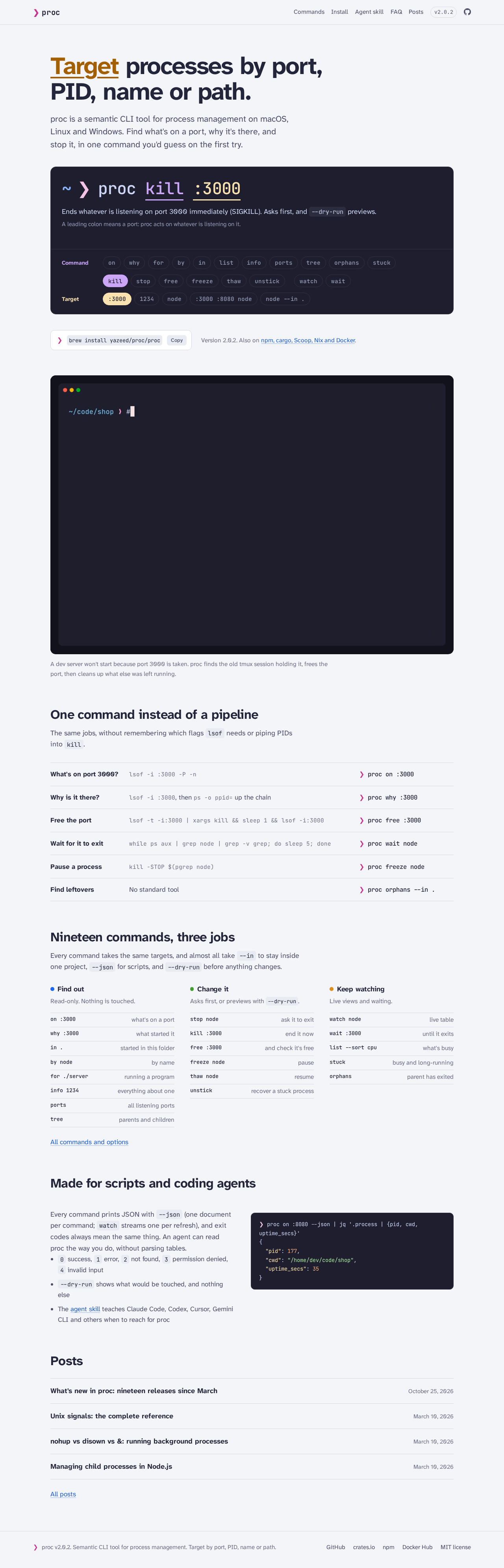
proc is an open-source (MIT licensed) semantic command-line utility written in Rust that simplifies process and port management across Linux, macOS, and Windows. It replaces fragile, hard-to-remember Unix shell pipelines involving lsof, fuser, netstat, ss, ps, pgrep, pkill, kill -9, and xargs with intuitive, discoverable commands you would guess on the first try.
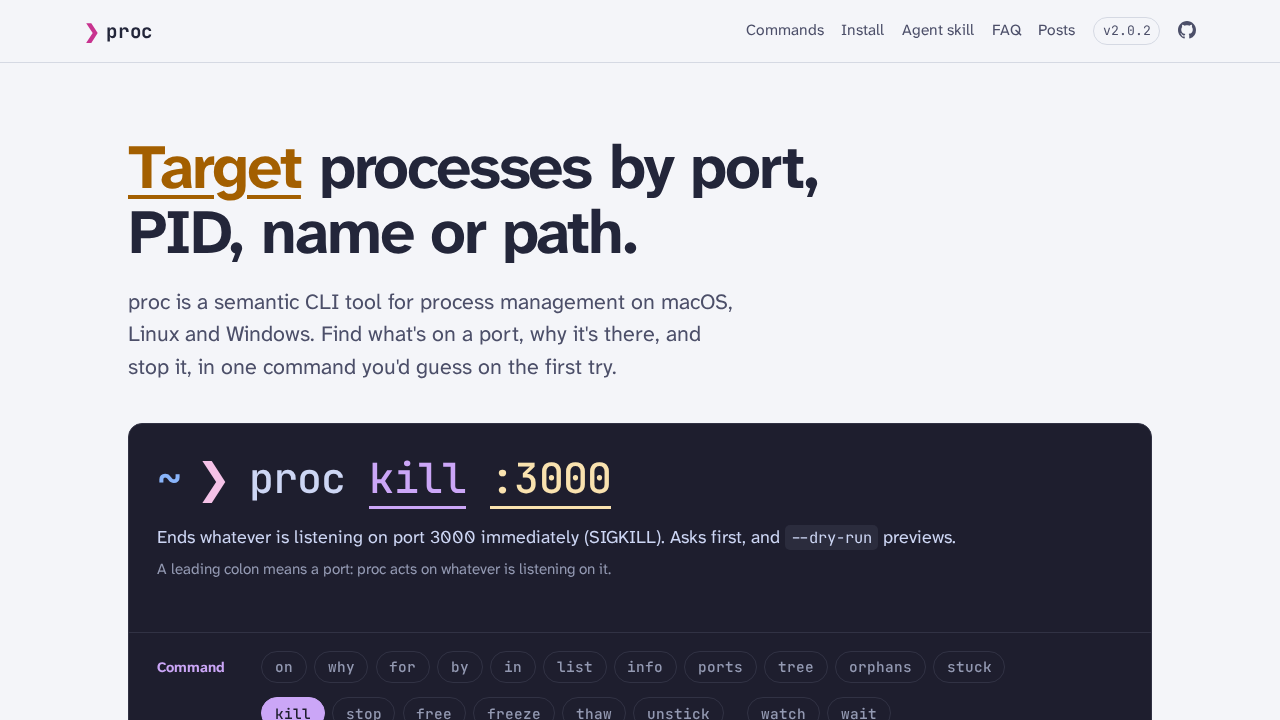
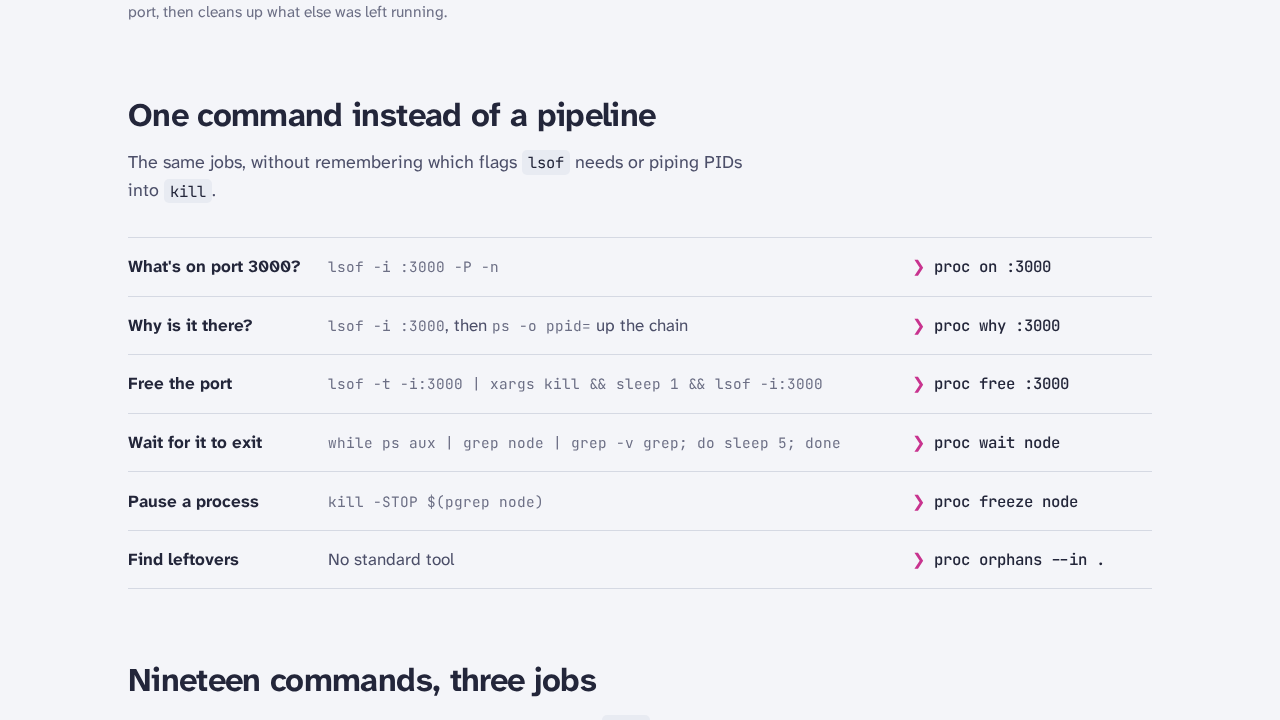
Instead of hunting down port collisions with chained pipelines like lsof -i :3000 -t | xargs kill -9 && sleep 1 && lsof -i :3000, developers can inspect and terminate listeners using natural commands such as proc on :3000, proc why :3000, and proc free :3000.
Key Capabilities & Architecture
- Unified Target Syntax: All commands accept consistent targets across your system:
- :port (e.g. :3000, :8080) — targets processes listening on specified network ports. - PID (e.g. 1234, 42) — targets processes by numeric process identifier. - name (e.g. node, vite) — targets processes by exact binary name (or substring match with --cmd). - for ./file — targets processes holding open file descriptors or locks on a file. - --in <dir> — scopes targets to processes running inside a specific directory tree.
- Natural Grammar (Looking is Free, Changing Asks First):
- Inspection (Read-Only): - proc on :3000 reveals what process is listening on port 3000; proc on node lists all ports currently held by node. - proc why :3000 traces process ancestry up to tmux, systemd, or init, showing how and where a process was started. - proc ports displays a clean table of all open TCP/UDP ports and their owning processes. - proc list and proc tree output formatted process lists and parent-child hierarchy trees. - proc orphans --in . detects abandoned background processes whose parents have died. - Actions (State Mutation): - proc free :3000 politely terminates whatever is holding port 3000, escalates to force if needed, and synchronously verifies the port is released. - proc stop and proc kill send SIGTERM and SIGKILL respectively. - proc freeze and proc thaw pause and resume processes via SIGSTOP and SIGCONT.
- Strict Safety Contract for Operators and AI Agents:
- In interactive mode, mutating commands display the target PID, name, command line, and uptime before asking Kill 1 process to free 1 port? [y/N]. - Non-interactive and --json executions refuse to kill processes without explicit --yes confirmation, aborting with exit code 4 (needs_confirmation). - Protection against PID recycling via --start-time <epoch> ensures high-churn operating systems do not terminate an unrelated process. - Self-preservation guards prevent proc from killing itself or ancestor shell sessions.
- AI Coding Agent Integration:
- Includes an official Claude Code agent skill specification (skills/proc-cli/SKILL.md) enabling autonomous agents (Claude Code, Antigravity, Cursor) to manage dev servers safely using structured JSON output and predictable exit codes (0 to 4).
Prerequisites
Before installing proc, ensure your system meets the following requirements:
- Operating System: Linux x86_64 (kernel 5.x or later).
- Core Utilities: Standard shell tools:
bash,curl,sha256sum, andss(ornetstat). - Docker Engine & Docker Compose (Optional): Docker Engine 20.10+ and Docker Compose v2.24+ if you wish to run the containerized documentation web stack or run
procinside Docker. - Free Ports: Port
3000available on loopback (127.0.0.1) if serving the local documentation container (fallback ports:3002,3003,8080,13000). Note:procitself binds zero network ports. - Zero Host Toolchains Required: No local installation of Rust, Cargo, Ruby, or Jekyll is necessary. The native binary is precompiled and cryptographically verified, and the docs stack builds in Docker.
Check for port conflicts on your machine before staging the docs stack:
ss -ltn | grep -E ':(3000|3999)\b'Exact Install Steps
You can install proc via the verified standalone binary, official package managers, or run the bundled documentation site via Docker Compose.
Method 1: Verified Standalone Linux Binary (Recommended)
Download and cryptographically verify the prebuilt v2.0.2 Linux binary from GitHub Releases:
# 1. Define deployment directory and release details
export DEPLOY_DIR="$HOME/proc-deploy"
export VERSION="v2.0.2"
export RELEASE_BIN="proc-linux-x86_64"
export RELEASE_URL="https://github.com/yazeed/proc-cli/releases/download/${VERSION}/${RELEASE_BIN}"
export CHECKSUM_URL="https://github.com/yazeed/proc-cli/releases/download/${VERSION}/checksums.txt"

mkdir -p "$DEPLOY_DIR/native"
cd "$DEPLOY_DIR/native"

# 2. Download the binary and upstream checksum manifest
curl -fsSL --proto '=https' --proto-redir '=https' "$RELEASE_URL" -o "$RELEASE_BIN"
curl -fsSL --proto '=https' --proto-redir '=https' "$CHECKSUM_URL" -o "checksums.txt"

# 3. Verify SHA-256 checksum
sha256sum -c --ignore-missing checksums.txt
# Expected output: proc-linux-x86_64: OK

# 4. Make executable and stage as 'proc'
chmod +x "$RELEASE_BIN"
mv "$RELEASE_BIN" proc

# Optional: Add to PATH or copy to /usr/local/bin
# sudo cp proc /usr/local/bin/

# 5. Check version
./proc --version
# Expected output: proc 2.0.2
Method 2: Package Managers & One-Line Installers
Upstream also provides standard package manager distributions:
# Homebrew (macOS / Linux)
brew install yazeed/proc/proc

# Automated installer script (fetches latest binary to /usr/local/bin)
curl -fsSL https://raw.githubusercontent.com/yazeed/proc-cli/main/install.sh | bash

# Cargo (crates.io)
cargo install proc-cli
# Or precompiled via cargo-binstall
cargo binstall proc-cli

# npm / bun wrapper
npm install -g proc-cli

# Nix
nix profile install github:yazeed/proc-cli
Method 3: Containerized Documentation & Web Stack via Docker Compose
Upstream ships a Jekyll documentation website in docs/ (hosted in production at proc-cli.com). To preview this site locally alongside a containerized proc CLI runner without installing Ruby or Jekyll on your host:
mkdir -p "$DEPLOY_DIR/web"
cd "$DEPLOY_DIR"

# 1. Write the multi-stage web Dockerfile
cat > web/Dockerfile <<'EOF'
# Stage 1: Build static site with Jekyll
FROM ruby:3.2-slim AS builder
WORKDIR /srv/jekyll
RUN apt-get update && apt-get install -y --no-install-recommends build-essential && rm -rf /var/lib/apt/lists/*
RUN gem install jekyll jekyll-seo-tag
COPY repo/docs /srv/jekyll
RUN jekyll build

# Stage 2: Serve static files with Nginx
FROM nginx:1.27-alpine
COPY web/nginx.conf /etc/nginx/conf.d/default.conf
COPY --from=builder /srv/jekyll/_site /usr/share/nginx/html
EXPOSE 80
STOPSIGNAL SIGQUIT
CMD ["nginx", "-g", "daemon off;"]
EOF

# 2. Write Nginx configuration with clean URL rewrites
cat > web/nginx.conf <<'EOF'
server {
    listen 80;
    server_name localhost;
    root /usr/share/nginx/html;
    index index.html;

    location ~ ^(.+)/$ {
        try_files $1.html $uri/index.html =404;
    }

    location / {
        try_files $uri $uri.html $uri/index.html =404;
    }
}
EOF

# 3. Create .dockerignore to keep the build context small
cat > .dockerignore <<'EOF'
media
browser
publish
repo/.git
repo/target
repo/demo.gif
EOF

# 4. Write Docker Compose specification
cat > docker-compose.yml <<'EOF'
services:
  web:
    build:
      context: .
      dockerfile: web/Dockerfile
    container_name: proc-docs-web
    ports:
      - "127.0.0.1:3000:80"
    restart: unless-stopped
    healthcheck:
      test: ["CMD-SHELL", "wget -q -O /dev/null http://127.0.0.1/ || exit 1"]
      interval: 5s
      timeout: 3s
      retries: 5
      start_period: 5s

  proc:
    image: yazeed/proc-cli:latest
    container_name: proc-cli-runner
    pid: "host"
    network_mode: "host"
    command: ["ports"]
    profiles:
      - cli-tools
EOF

# 5. Build and launch the web service
docker compose up -d --build web
Verify that the web container is running and healthy:
docker compose ps
# Expected output: proc-docs-web running (healthy)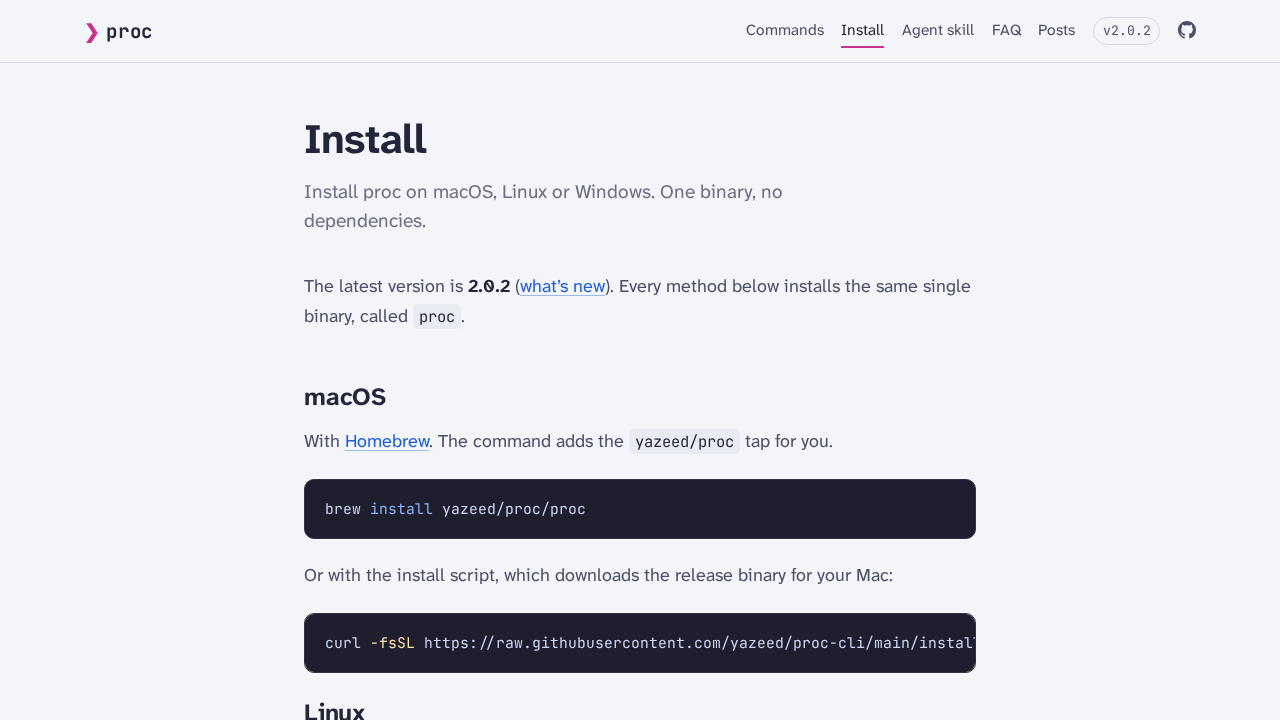
Browser Setup & Interactive Tour
proc is a pure CLI tool that operates in your terminal, but upstream bundles a complete documentation site served locally at http://localhost:3000/.
Open your browser to http://localhost:3000/ to explore the following features:
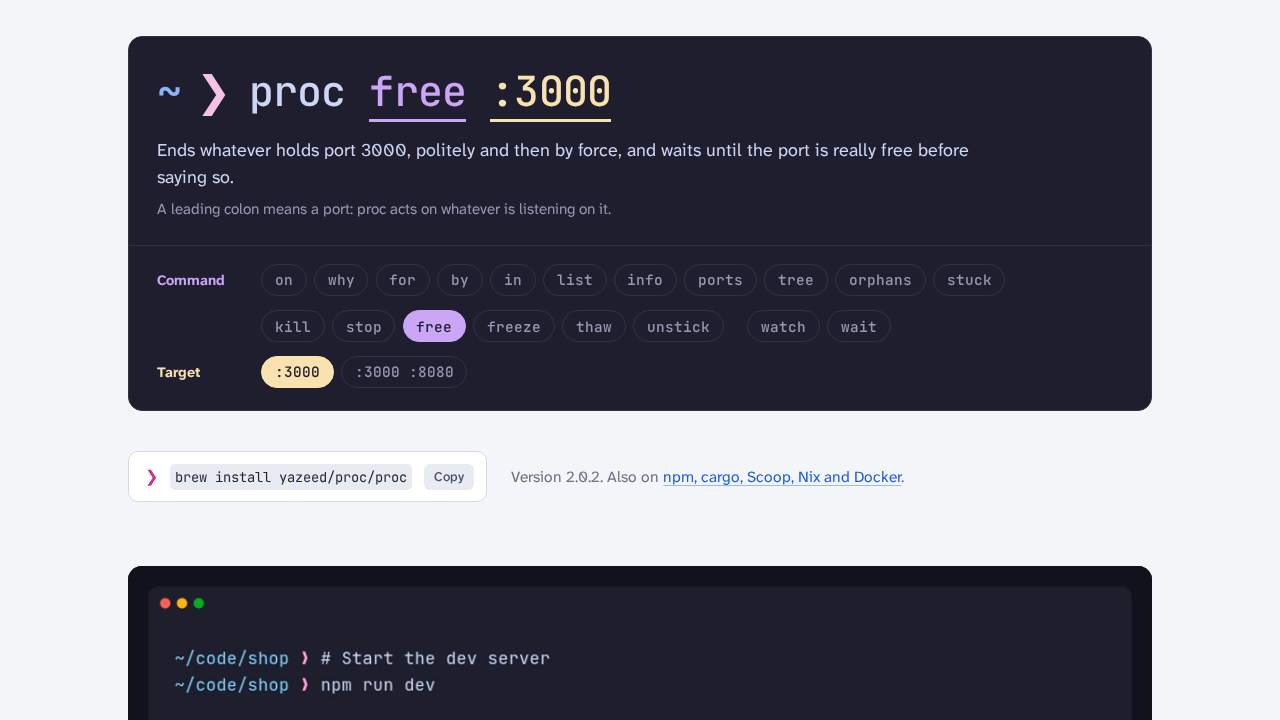
- Interactive Command Reader:
The hero banner includes interactive verb buttons (on, why, free, orphans) and target pills (:3000, node, stuck). Clicking any combination updates a plain-English explanation explaining exactly how proc interprets the instruction.
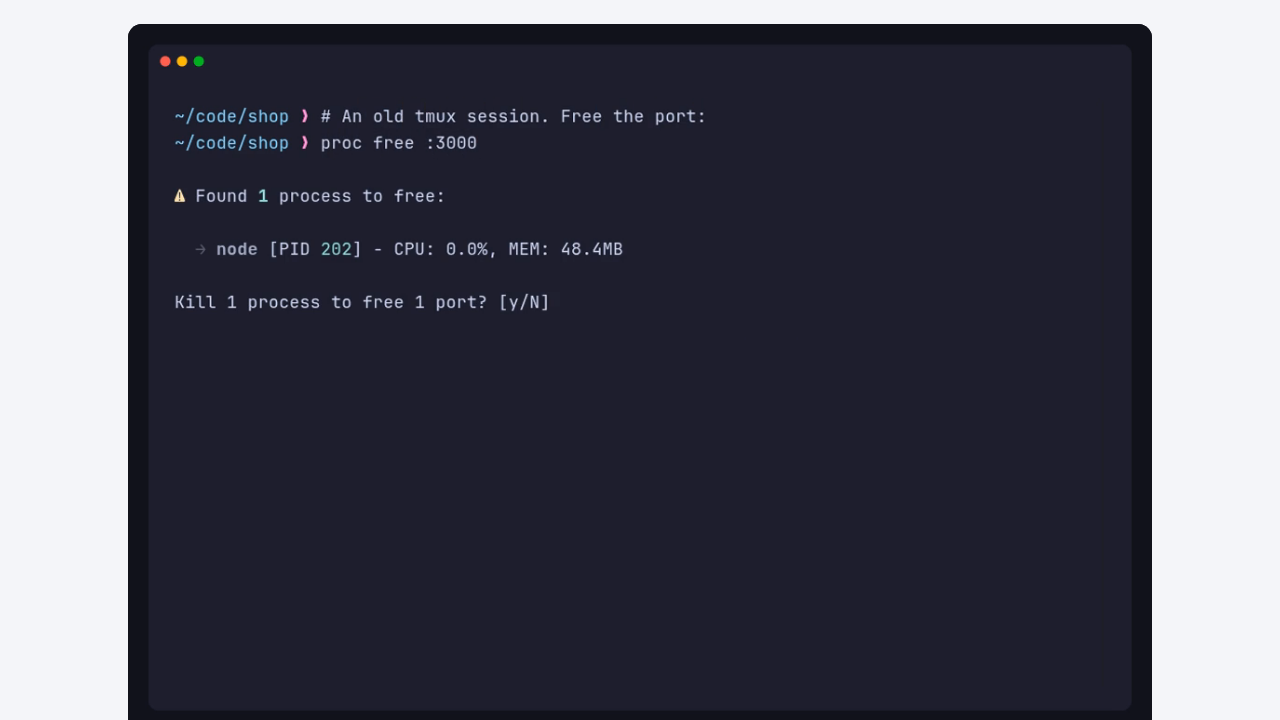
- Embedded Terminal Demonstration:
The landing page includes upstream screencast demonstrations illustrating a dev server failing with EADDRINUSE, running proc why :3000 to trace the old tmux parent, and prompting the user to safely terminate the listener.
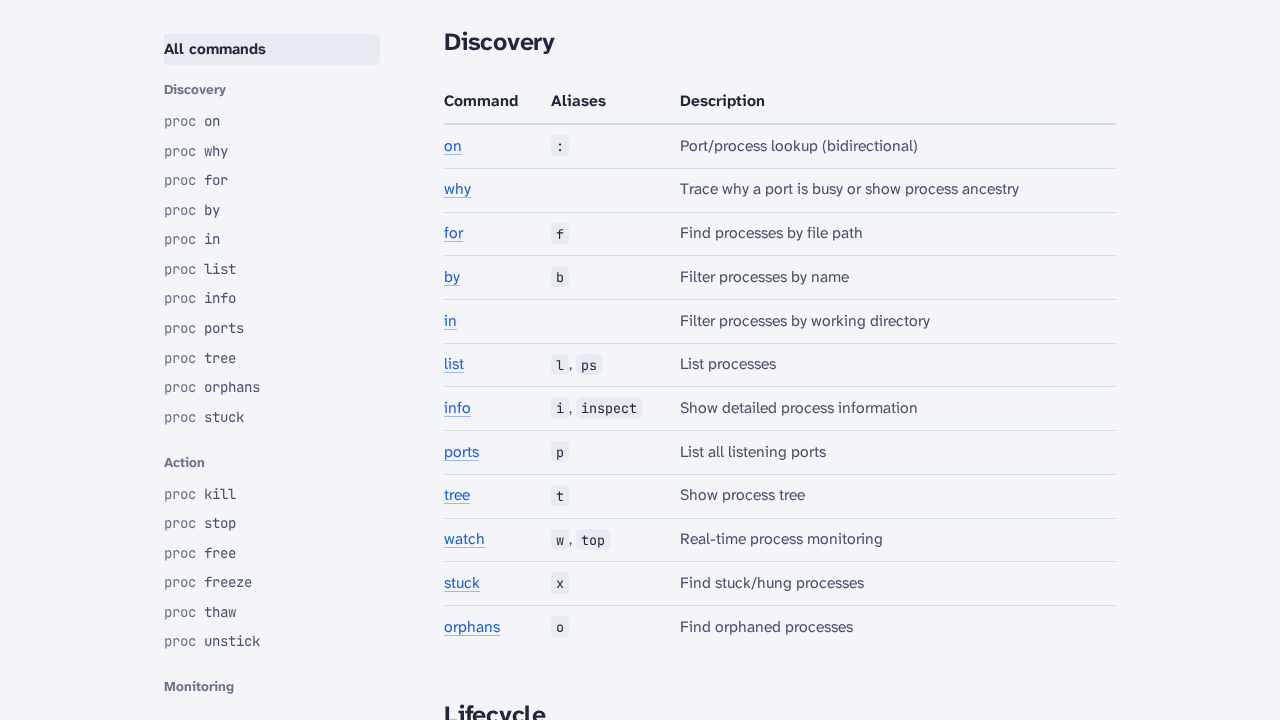
- Commands Reference (
/commands):
A complete reference matrix categorizing proc's 19 commands across Discovery, Lifecycle, and Scripting:
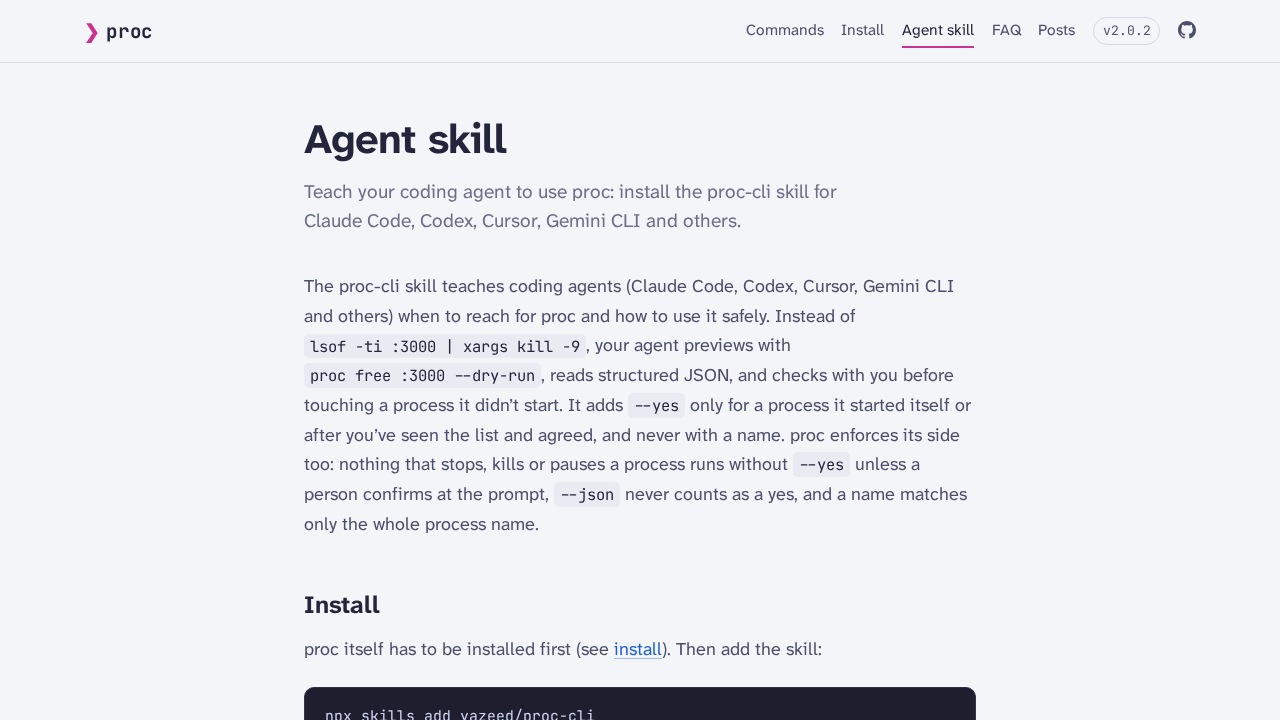
- Claude Code Agent Skill (
/skill):
The /skill section documents the integration contract for autonomous coding agents, detailing JSON schema structures, standard exit codes, and non-interactive safeguards.
Verification
Follow these steps to verify your proc installation and test its safety contract.
1. Read-Only Discovery Checks
Test basic system and port discovery using the verified binary:
# Print version
./proc --version
# Expected: proc 2.0.2

# List all listening TCP/UDP ports on the host
./proc ports

# List running processes with resource metrics
./proc list | head -n 15

# View process parent-child tree hierarchy
./proc tree | head -n 20
2. Live Safety Contract & Exit Code Verification
proc defines a strict exit code contract:
| Exit Code | Reason | Description |
|---|---|---|
0 | success | Operation succeeded or target port/process exists. |
1 | system_error | System-level failure or internal error. |
2 | not_found / ruled_out | No process matches the target, or process was excluded by filters. |
3 | permission_denied | Insufficient privileges to read or signal target process. |
4 | needs_confirmation / not_supported | Destructive command executed without required confirmation (--yes), or feature unsupported on OS. |
To verify this contract live without affecting real services, launch a temporary stand-in HTTP server on port 3999:
# 1. Start a background stand-in server
setsid python3 -m http.server 3999 --bind 127.0.0.1 &
SERVER_PID=$!
sleep 1

# 2. Inspect the port listener
./proc on :3999
# Shows python3 listening on 127.0.0.1:3999 with its PID and working directory

# 3. Trace ancestry to verify parent process
./proc why :3999
# Shows systemd -> bash -> python3 -m http.server 3999 <-- target

# 4. Verify agent safety refusal: non-interactive --json without --yes MUST exit 4
./proc free :3999 --json
echo "Exit code: $?"
# Expected output: {"error": "needs_confirmation", ...} with Exit code: 4

# 5. Preview termination without making changes
./proc free :3999 --dry-run
# Expected output: ⚠ Dry run: would kill 1 process to free 1 port

# 6. Execute safe termination with explicit approval
./proc free :3999 --yes
echo "Exit code: $?"
# Expected output: ✓ Freed port 3999 with Exit code: 0

# 7. Confirm port is now unoccupied
./proc on :3999
echo "Exit code: $?"
# Expected output: No process listening on port 3999 with Exit code: 2
3. Containerized Web Docs Route Checks
If you deployed the documentation stack via Docker Compose, verify all routes return HTTP 200:
for route in "" "commands" "commands/" "commands/on" "install" "faq" "skill" "changelog"; do
  code=$(curl -s -o /dev/null -w "%{http_code}" "http://localhost:3000/${route}")
  echo "Route /${route} -> HTTP ${code}"
done
All checked endpoints should return HTTP 200.
Troubleshooting
| Problem / Symptom | Root Cause | Solution |
|---|---|---|
Command aborts with Exit code 4: needs_confirmation | Destructive commands (free, kill, stop) invoked non-interactively or with --json without explicit approval. | Add --yes (or -y) to your script or agent command when targeting known ports or PIDs: proc free :3000 --yes. |
proc on :3000 reports No process listening on port 3000 when Docker container is running | Port 3000 is bound by root-owned docker-proxy. Unprivileged users cannot read root file descriptors in /proc. | Run sudo proc on :3000, or inspect using proc ports which displays all active system sockets. |
docker run yazeed/proc-cli ports returns an empty table | The container was started in isolated PID and network namespaces, hiding host processes. | Always pass --pid=host and --network=host when running proc inside Docker. |
Nginx returns HTTP 403 Forbidden on /commands/ | Jekyll generates commands.html alongside a subdirectory without an index file. Standard Nginx directory indexing denies directory listing. | In nginx.conf, add a regex block location ~ ^(.+)/$ { try_files $1.html $uri/index.html =404; } and remove $uri/ from the root location. |
proc kill node reports No process found matching 'node' | proc matches binary names exactly by default. Processes launched as /path/to/node script.js may not match exact name queries. | Pass --cmd to enable substring matching against the entire command line (equivalent to pkill -f): proc kill node --cmd --dry-run. |
| Inadvertently terminated wrong process after restart | Fast PID recycling on high-churn systems reallocated a previously recorded PID. | Obtain the process start time using proc info <pid> --json and guard destructive commands with --start-time <epoch>. |
proc freeze fails on Windows | POSIX signal mechanisms (SIGSTOP and SIGCONT) are not supported on Windows. | Use standard termination commands (proc stop or proc kill) on Windows systems. |
Teardown & Clean Up
To remove all staged files and containers:
# 1. Stop and remove the Docker Compose documentation stack
cd "$DEPLOY_DIR"
docker compose down --remove-orphans -v

# 2. Remove temporary deployment directory
rm -rf "$DEPLOY_DIR"

# 3. Confirm no containers remain
docker ps -a --filter "name=proc-docs-web"
Assumptions & Decisions
- Primary Classification as
cli-only:procis a standalone single-binary command-line utility. While upstream includes a static Jekyll documentation website (repo/docs) served via Docker Compose for local reference and visual capture, the primary utility is operated directly in the terminal without a web dashboard. - Port 3000 Disambiguation:
procbinds zero network ports. Port 3000 mentioned in documentation examples (proc on :3000) is an illustrative development server target. In this deployment guide, port 3000 is mapped exclusively to the containerized documentation web service on127.0.0.1. - Nginx Route Handling: Nginx was selected over Python's built-in
http.serverbecause Jekyll generates extensionless pages (/commands,/install,/faq,/skill). A custom regex location block was configured in Nginx to cleanly resolve both trailing slash and extensionless routes without 403 or 404 errors. - Stand-In Verification on Port 3999: Because port 3000 was bound by root-owned
docker-proxy, live safety contract tests were executed against a user-owned Python HTTP listener on port 3999 (setsid python3 -m http.server 3999). This allows complete verification of discovery, refusal, dry-run, and safe release without requiring root privileges. - Zero Host Toolchains: All instructions preserve host cleanliness. No Rust, Cargo, Ruby, or Jekyll packages were installed on the host system.
Get the Unified Homelab Stack Compose Pack
One-command multi-container Compose files (Full *arr Stack, Prometheus + Grafana + ntfy Monitoring, and Homelab Auth) plus new verified deploys once a week.