
How to Deploy ntfy with Docker Compose: Self-Hosted Push Notification Service
ntfy is an open-source, HTTP-based pub-sub notification service that lets you send push notifications to your phone or desktop using simple curl commands. Here is how to deploy ntfy with Docker Compose, publish priority alerts with interactive buttons, and configure the web UI.
ntfy (pronounced *notify*) is an open-source (Apache-2.0 and GPL-2.0), lightweight pub-sub notification service written in Go. It enables scripts, cron jobs, homelab monitors, and backend services to dispatch real-time push notifications directly to mobile devices (Android and iOS) and desktop browsers using straightforward HTTP POST or PUT requests—no proprietary software development kits, API tokens, or paid third-party relay services required.
ntfy compiles into a single static Go binary (~45 MB) containing an embedded React single-page application (SPA) and an embedded SQLite database engine. Because message caching and user authentication are managed through local SQLite databases (cache.db and user.db), ntfy operates with zero external database dependencies (no PostgreSQL, MySQL, or Redis needed). Topics require no prior registration or schema definition: publishing to or subscribing to any topic name dynamically provisions that topic on demand.
Beyond basic text messages, ntfy supports structured notifications including priority tiers (ranging from min to urgent/max), emoji tag shortcodes, scheduled delivery delays, binary file attachments, and actionable buttons that can trigger webhook calls or launch external monitoring dashboards directly from the notification card.
This guide walks through deploying ntfy with Docker Compose, staging a production-ready YAML configuration, verifying service health, publishing multi-tier alerts with action buttons via curl, and navigating the web interface.
Prerequisites
Before deploying ntfy, verify that your host environment meets the following requirements:
- Docker Engine & Docker Compose: Docker Engine with Docker Compose v2+ support (
docker compose version). Tested with Docker Compose 5.6.1. - Available Host Port: Port
3000(or an alternative unallocated port such as3002or8080) free for loopback binding. - HTTP Client:
curlinstalled on the host for testing and API dispatching. - Modern Web Browser: A modern browser (Chrome, Firefox, Safari, Edge) for the web client.
Exact Install Steps
Follow these sequential steps to configure, deploy, and launch ntfy.
1. Create Deployment Directory Structure
Create an isolated directory for your ntfy deployment and configuration files:
mkdir -p ntfy-deploy/config
cd ntfy-deploy
2. Create Server Configuration (config/server.yml)
Create config/server.yml. This configuration defines the base URL, internal HTTP listening port, cache retention policies, attachment limits, and authentication settings:
# ntfy server configuration
base-url: "http://localhost:3000"
listen-http: ":80"
cache-file: "/var/cache/ntfy/cache.db"
cache-duration: "12h"
auth-file: "/var/cache/ntfy/user.db"
auth-default-access: "read-write"
enable-login: true
enable-signup: true
attachment-cache-dir: "/var/cache/ntfy/attachments"
attachment-total-size-limit: "5G"
attachment-file-size-limit: "15M"
attachment-expiry-duration: "3h"
behind-proxy: false
visitor-subscription-limit: 30
visitor-request-limit-burst: 60
visitor-request-limit-replenish: "5s"
web-root: "/app"
Important Configuration Note: If
enable-loginandenable-signupare set totrue, ntfy mandates thatauth-file(ordatabase-url) is explicitly configured. Omittingauth-filewill cause ntfy to abort on startup with an error. Settingauth-default-access: "read-write"preserves frictionless anonymous publishing and subscribing while keeping user registration available.
3. Create Docker Compose Manifest (docker-compose.yml)
Create docker-compose.yml to orchestrate the ntfy container, bind host port 3000, mount the configuration file, and attach a persistent volume for SQLite databases and attachments:
services:
  ntfy:
    image: binwiederhier/ntfy:latest
    container_name: ntfy-app
    command:
      - serve
      - --config
      - /etc/ntfy/server.yml
    environment:
      - TZ=UTC
    ports:
      - "127.0.0.1:3000:80"
    volumes:
      - ./config/server.yml:/etc/ntfy/server.yml:ro
      - ntfy_cache:/var/cache/ntfy
    restart: unless-stopped
    healthcheck:
      test: ["CMD-SHELL", "wget -q --spider http://127.0.0.1:80/v1/health || exit 1"]
      interval: 5s
      timeout: 3s
      retries: 5
      start_period: 3s

volumes:
  ntfy_cache:
    name: ntfy_cache
4. Start the Application Stack
Deploy and run the container in detached mode:
docker compose up -dExpected output:
✔ Network ntfy-deploy_default  Created
✔ Volume ntfy_cache            Created
✔ Container ntfy-app           Started
Verify that the container is running and healthy:
docker compose psExpected output:
NAME       IMAGE                     COMMAND                  SERVICE   CREATED         STATUS                   PORTS
ntfy-app   binwiederhier/ntfy:latest "ntfy serve --config…"   ntfy      6 seconds ago   Up 5 seconds (healthy)   127.0.0.1:3000->80/tcp
Verification
Execute the following verification checks from the terminal to ensure ntfy is responsive and correctly processing messages before opening the web browser.
1. HTTP Healthcheck Endpoint
Query the built-in /v1/health endpoint:
curl -fsS http://localhost:3000/v1/healthExpected output:
{"healthy":true}Note: During the first 1–2 seconds after container startup, the server may momentarily drop initial socket connections (
curl: (56) Connection reset by peer) while SQLite files are initialized. Once initialized,/v1/healthresponds immediately with HTTP 200.
2. Verify Web Application Routing
Verify that the web application endpoint returns HTTP 200:
curl -fsS -o /dev/null -w "%{http_code}\n" http://localhost:3000/appExpected output: 200.
With web-root: "/app" configured, requests to the bare root path (http://localhost:3000/) return HTTP 404 by design. The React SPA is located at /app.
3. Functional Pub-Sub Smoke Test
Publish a test notification to an ad-hoc topic named smoke-test:
curl -fsS -H "Title: Pipeline Initialized" \
  -H "Priority: high" \
  -H "Tags: white_check_mark,rocket" \
  -d "ntfy service running and accepting pub-sub events on port 3000" \
  http://localhost:3000/smoke-test
Expected output:
{"id":"g96loxL07JI5","event":"message","topic":"smoke-test","title":"Pipeline Initialized","message":"ntfy service running and accepting pub-sub events on port 3000","priority":4,"tags":["white_check_mark","rocket"]}Query the topic cache with the poll=1 parameter to verify message persistence and retrieval:
curl -fsS "http://localhost:3000/smoke-test/json?poll=1" | grep -c "Pipeline Initialized"Expected output: 1.
Browser Setup & Navigation
Open http://localhost:3000/app in your web browser.
1. Web Application Landing View
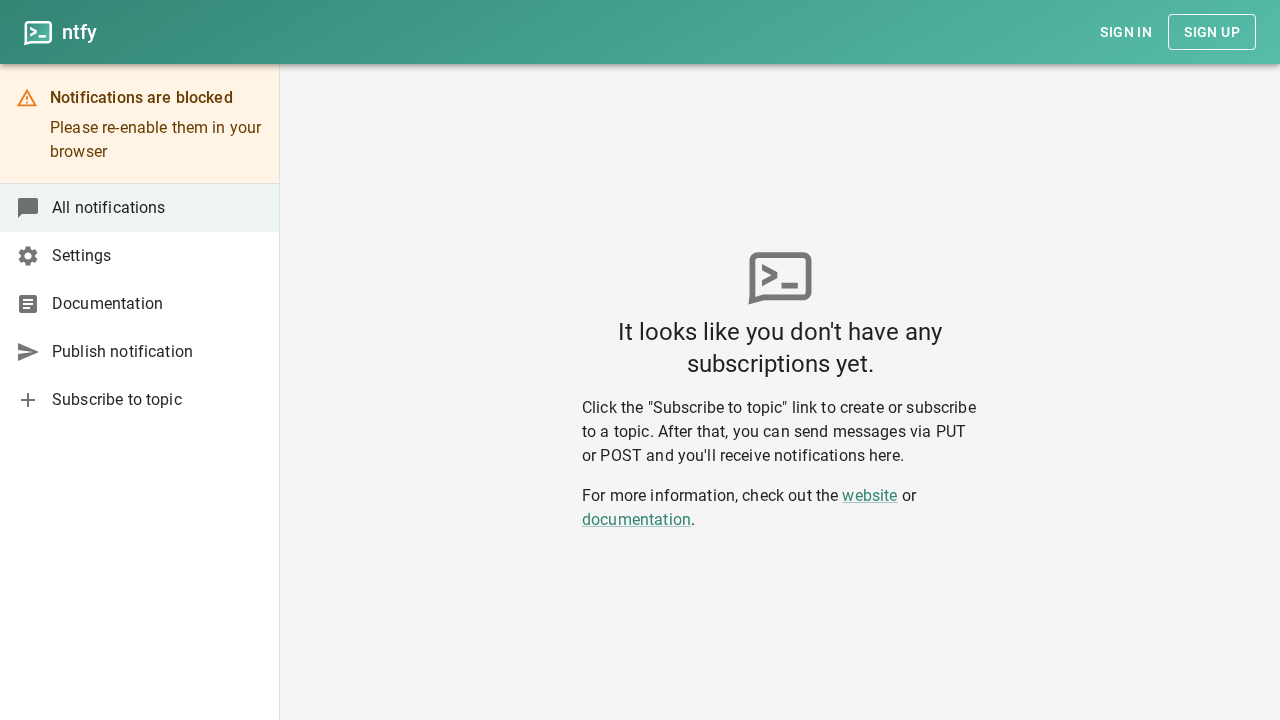
When you access http://localhost:3000/app, ntfy presents a clean, distraction-free interface. Because anonymous read-write access is active, there are no mandatory onboarding wizards or account setup barriers.
2. Subscribe to a Topic
Click Subscribe to topic in the sidebar. In the dialog, enter your chosen topic name—for example, homelab-alerts—and click Subscribe.
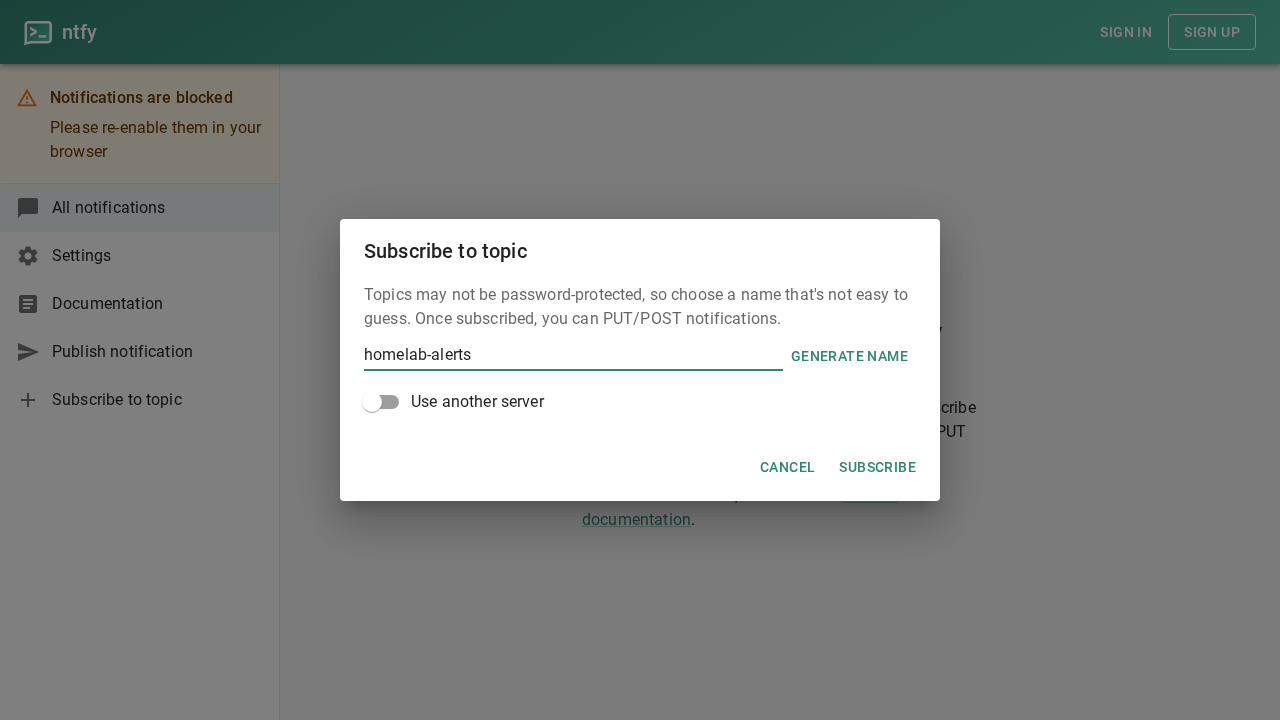
The application automatically routes to http://localhost:3000/homelab-alerts and initializes a real-time event stream listener.
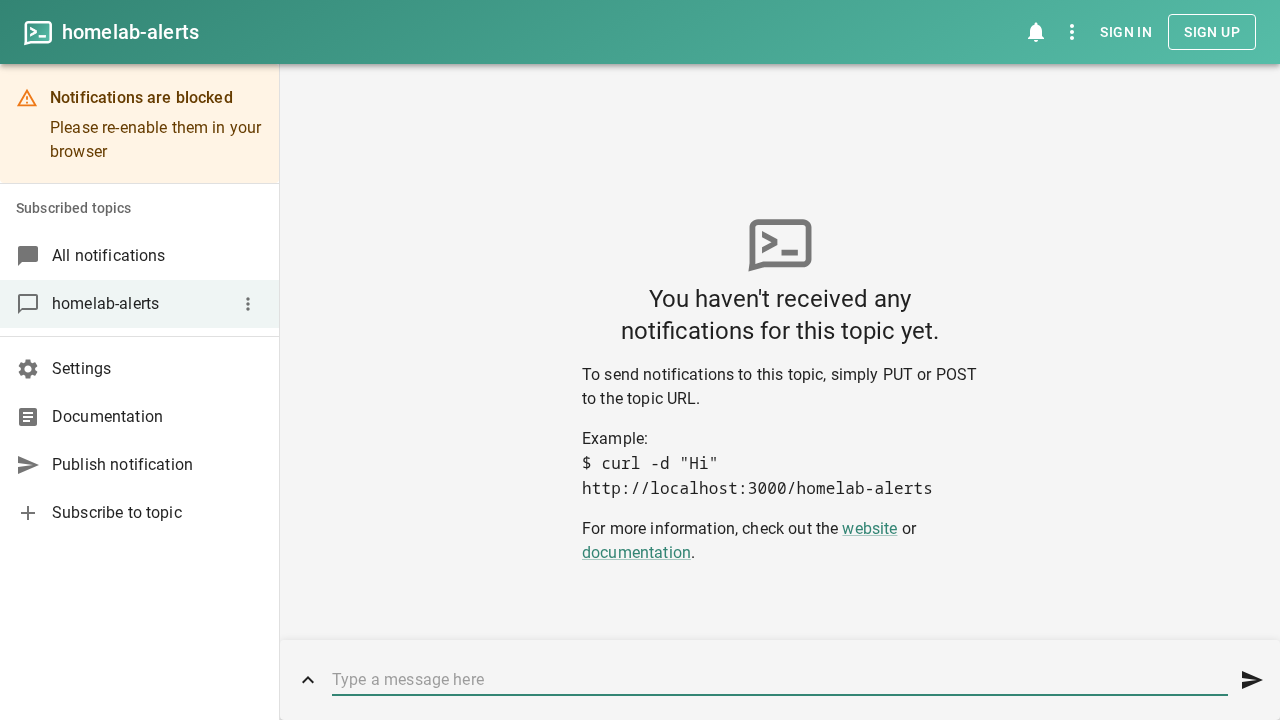
3. In-Browser Message Publishing
You can post notifications directly from the web client. Type System operational: all homelab health checks passing. into the bottom message bar and click the send icon.
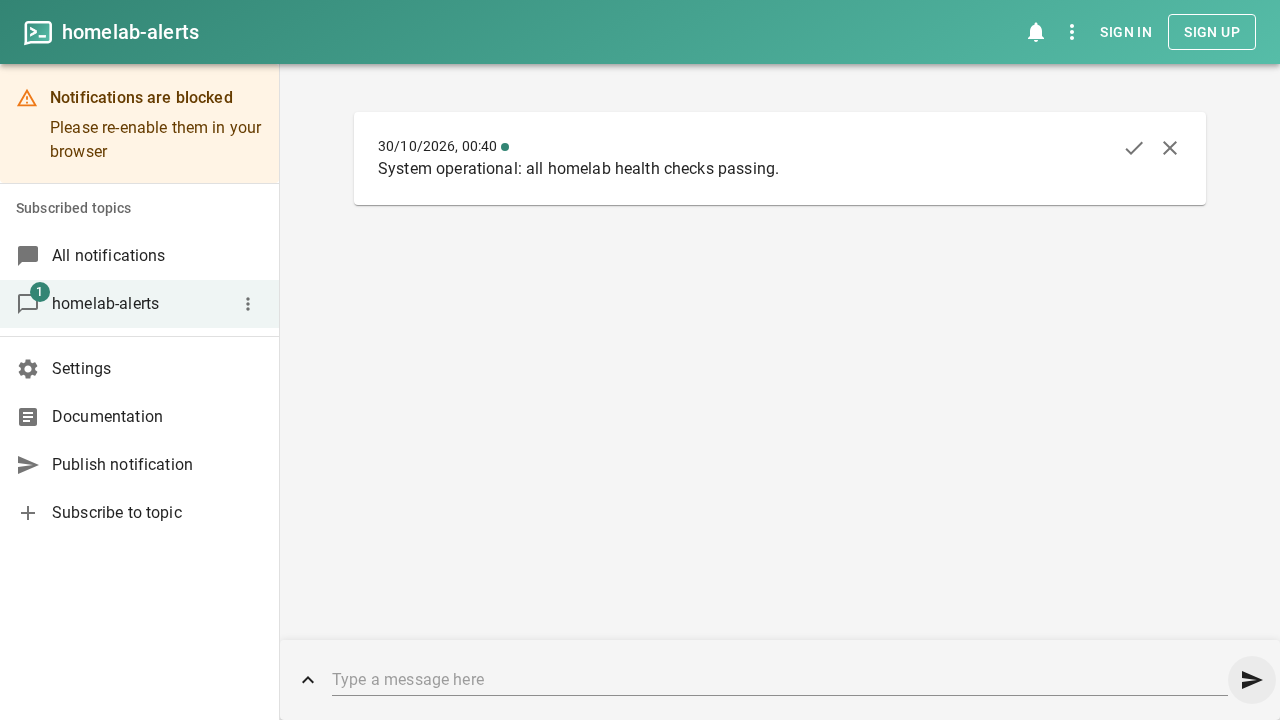
The message immediately appears as an event card in the feed.
4. Real-Time Script Publishing via curl (Backup Notification)
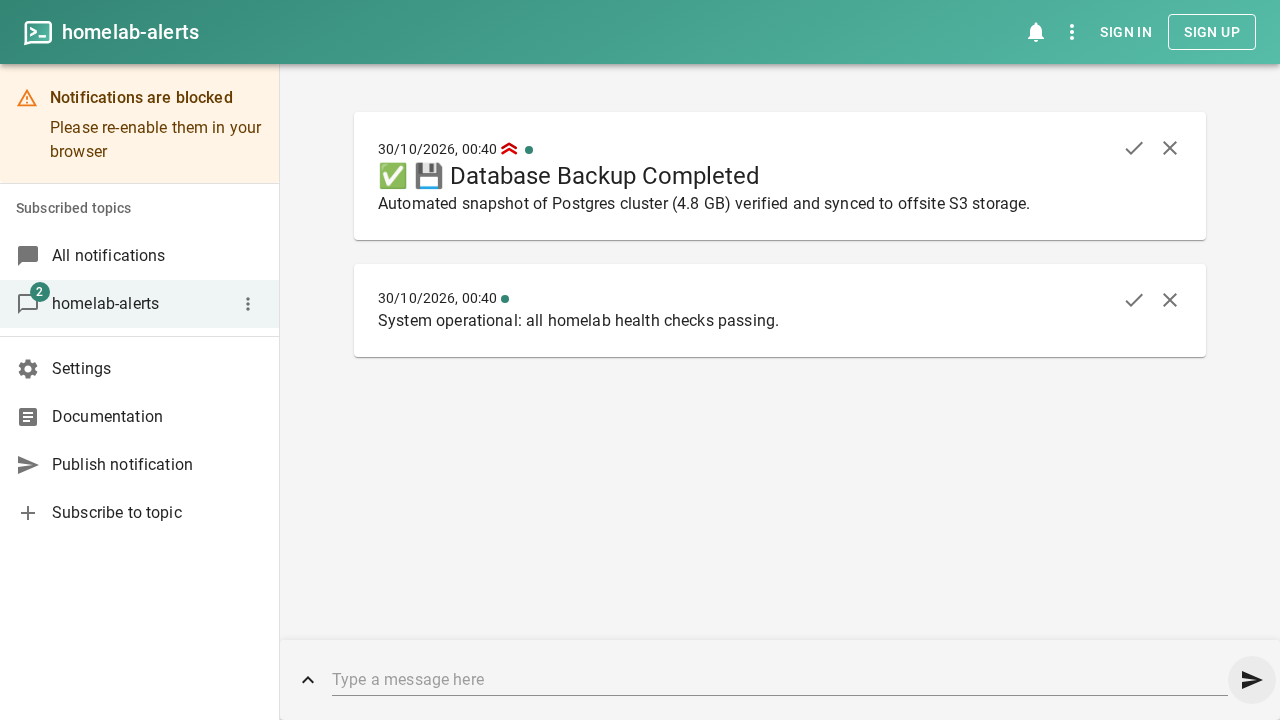
In a terminal window or automated shell script, send a high-priority notification with emoji tags representing a completed database backup:
curl -fsS -H "Title: Database Backup Completed" \
  -H "Priority: high" \
  -H "Tags: white_check_mark,floppy_disk" \
  -d "PostgreSQL database homelab_prod backed up successfully (1.4 GB compressed)." \
  http://localhost:3000/homelab-alerts
Without refreshing your browser, the notification appears instantly in the active stream with the parsed emoji icons (✅💾) and high-priority indicators.
5. Interactive Alerts with Action Buttons
ntfy supports the Actions HTTP header, allowing you to attach interactive buttons to any notification. Buttons can open external URLs (view), dispatch HTTP requests (http), or broadcast system intents.
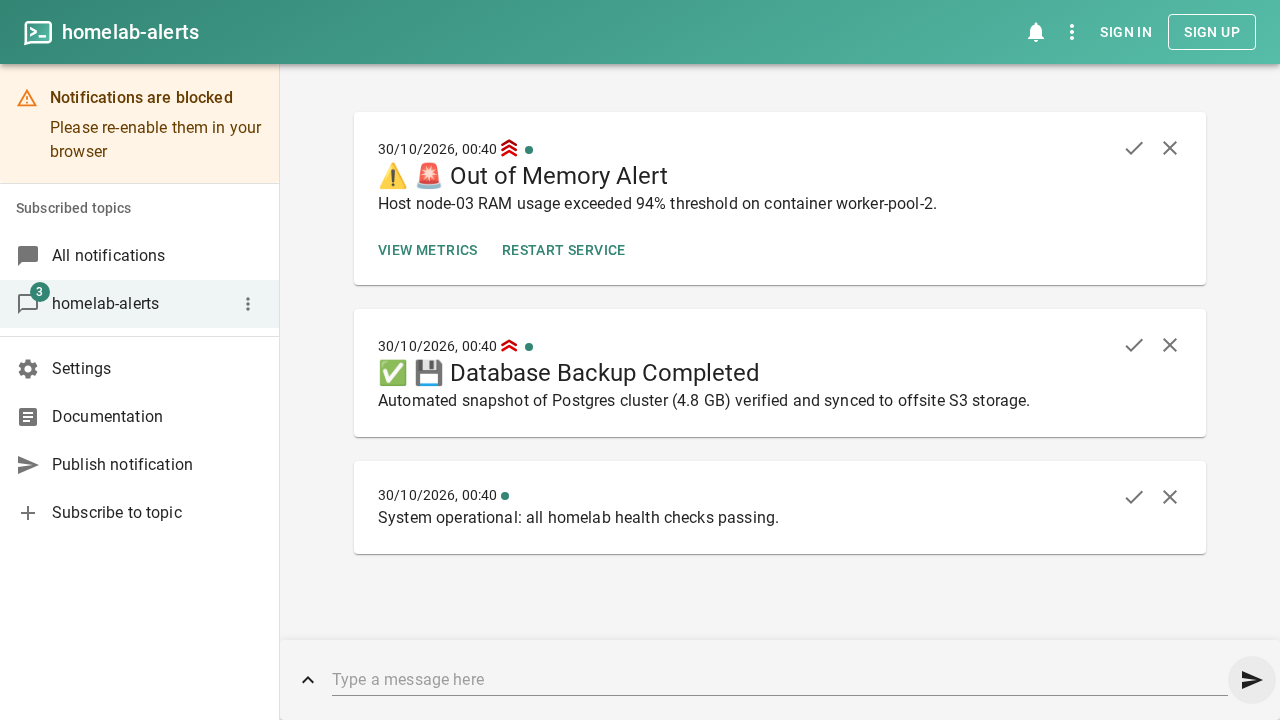
Publish an urgent out-of-memory notification with two interactive action buttons:
curl -fsS -H "Title: Out of Memory Alert" \
  -H "Priority: urgent" \
  -H "Tags: warning,rotating_light" \
  -H "Actions: view, View Metrics, https://grafana.example.com/d/alerts, clear=true; http, Restart Service, http://localhost:3000/homelab-alerts, body='{\"action\":\"restart_acknowledged\"}'" \
  -d "Node compute-01 RAM usage exceeded 95%. Immediate action required." \
  http://localhost:3000/homelab-alerts
The notification card immediately renders in the web interface with View Metrics and Restart Service buttons. Clicking "View Metrics" opens the specified dashboard, while "Restart Service" sends an HTTP POST payload back to the designated webhook URL.
6. Rich In-App Publisher Dialog
For authoring detailed alerts directly inside the web interface, click Show publish dialog above the message bar. This modal provides inputs for Title, Message, Tags, Priority level, and advanced delivery options:
- Title:
Security Advisory - Message:
OpenSSH vulnerability patched across bastion nodes. No restart required. - Tags:
lock,shield - Priority: Select Max. priority from the priority dropdown.
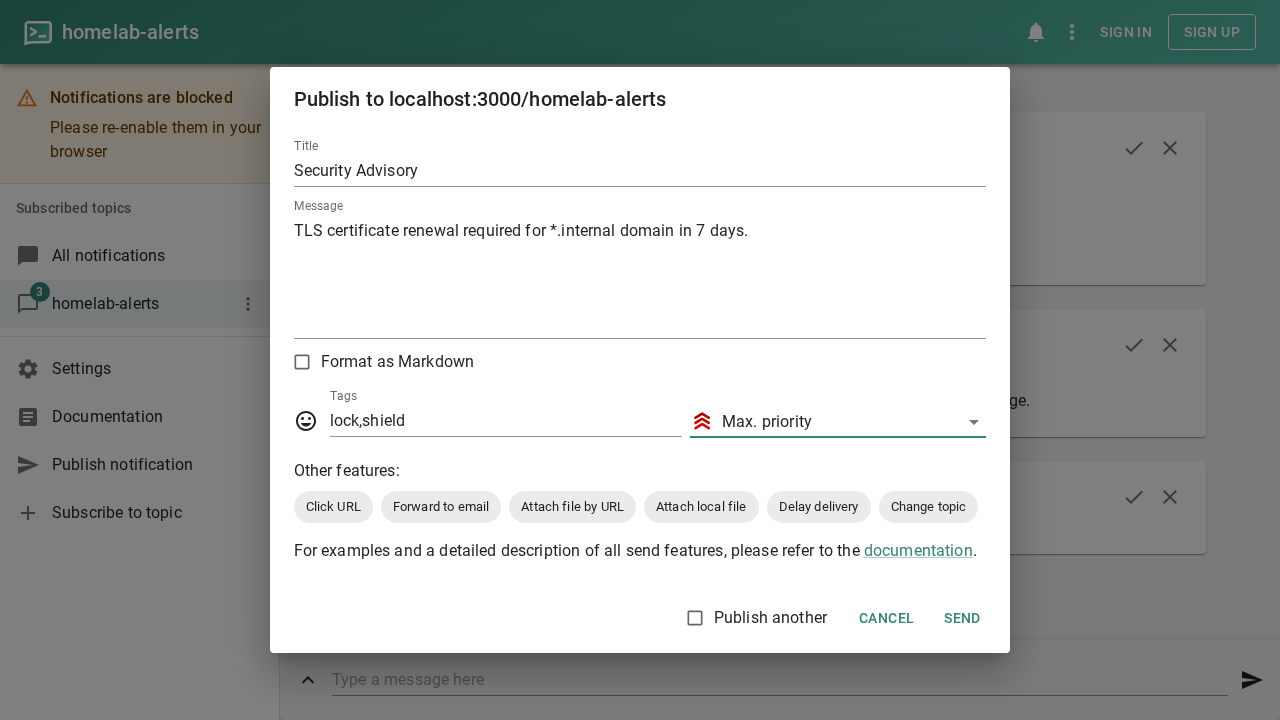
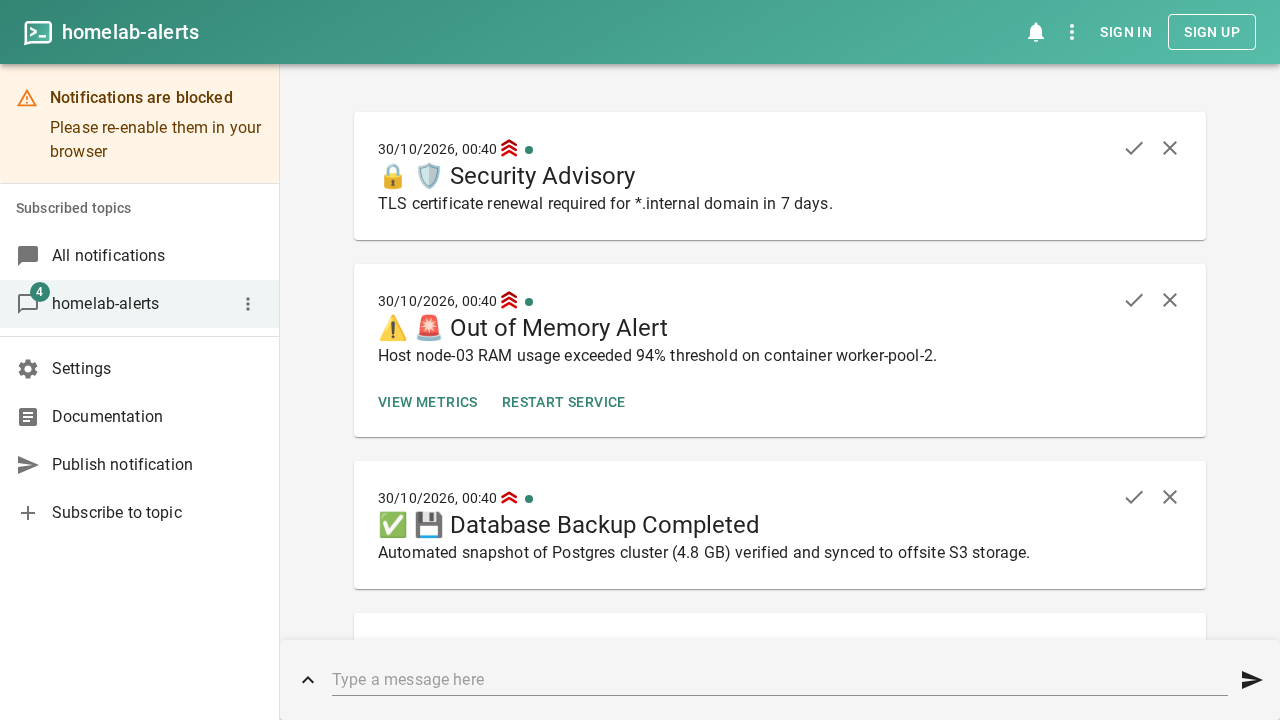
Click Send. The alert is published with high prominence and pinned to the top of the feed with 🔒🛡️ emoji tags.
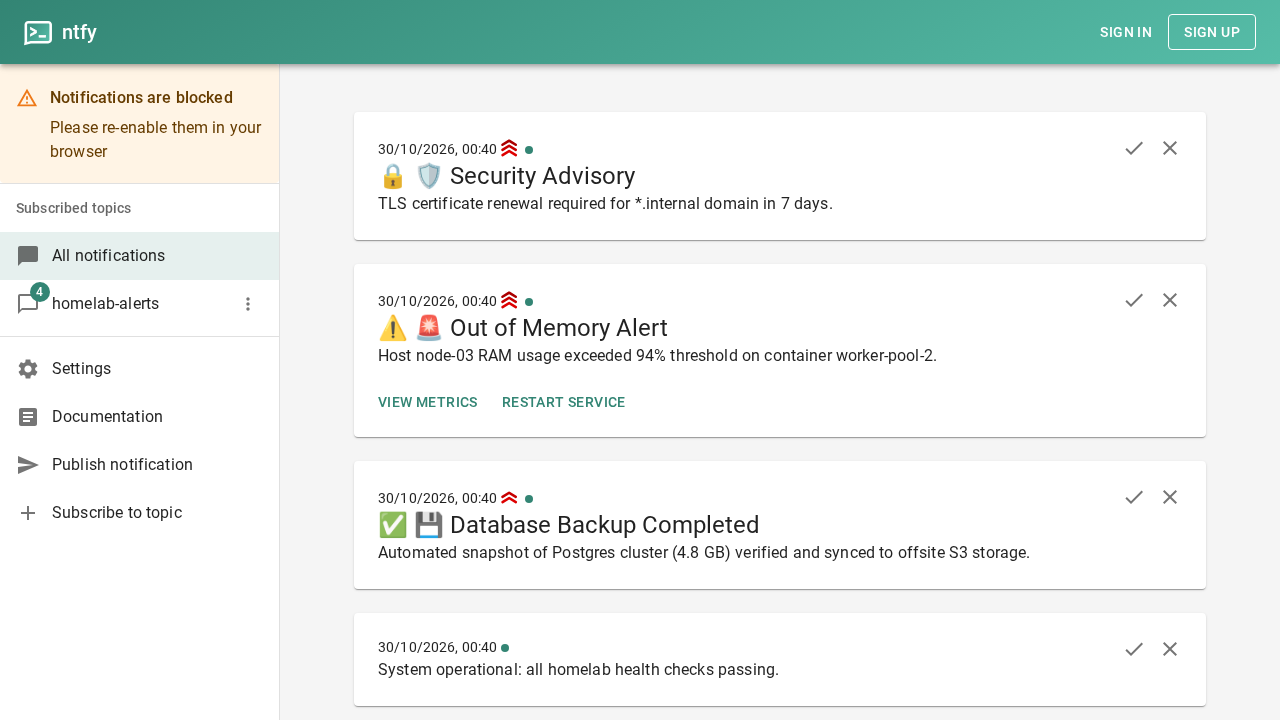
7. Aggregated Notifications View
Click All notifications in the sidebar. This view aggregates incoming messages across all topics you have subscribed to in one unified chronological feed.
8. Customizing Theme and Notification Sound
Click Settings in the sidebar (or navigate to http://localhost:3000/settings).
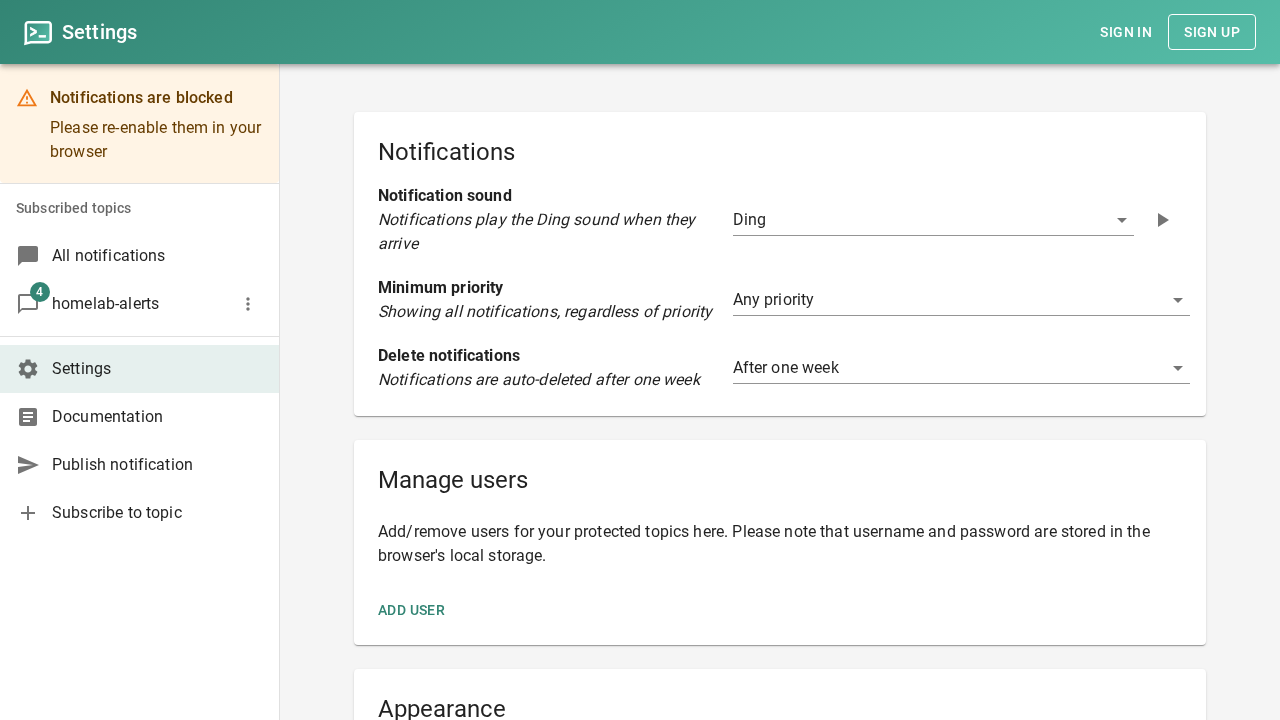
Under the Theme section, select Dark mode. The interface transitions instantly to a high-contrast dark theme without requiring a page reload.
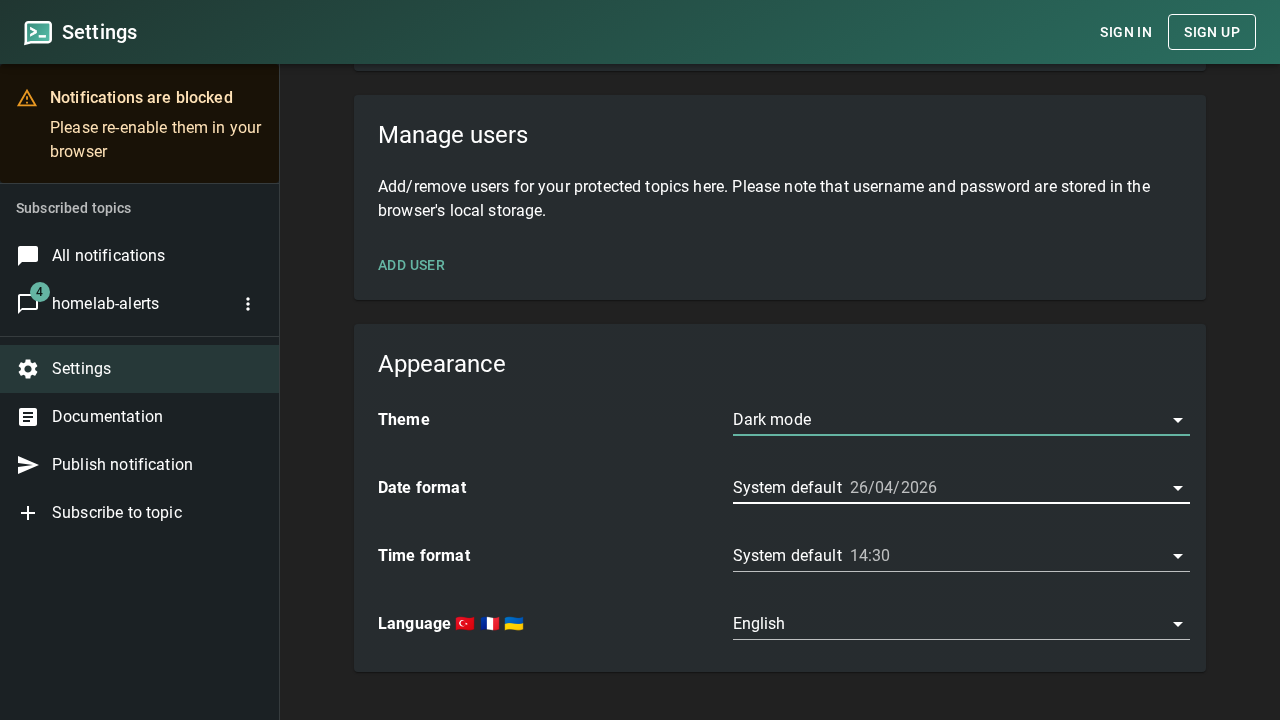
Under Notification sound, change the alert tone from default to Pop.
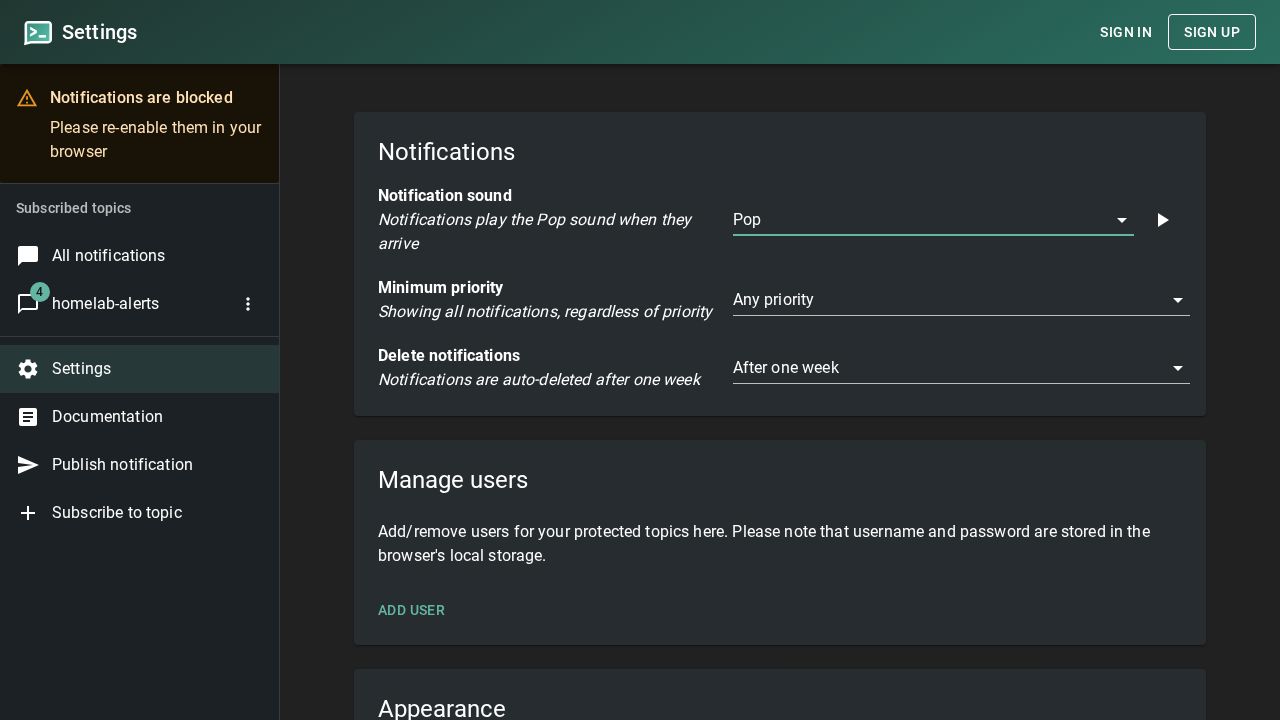
9. Dark Mode Topic Feed
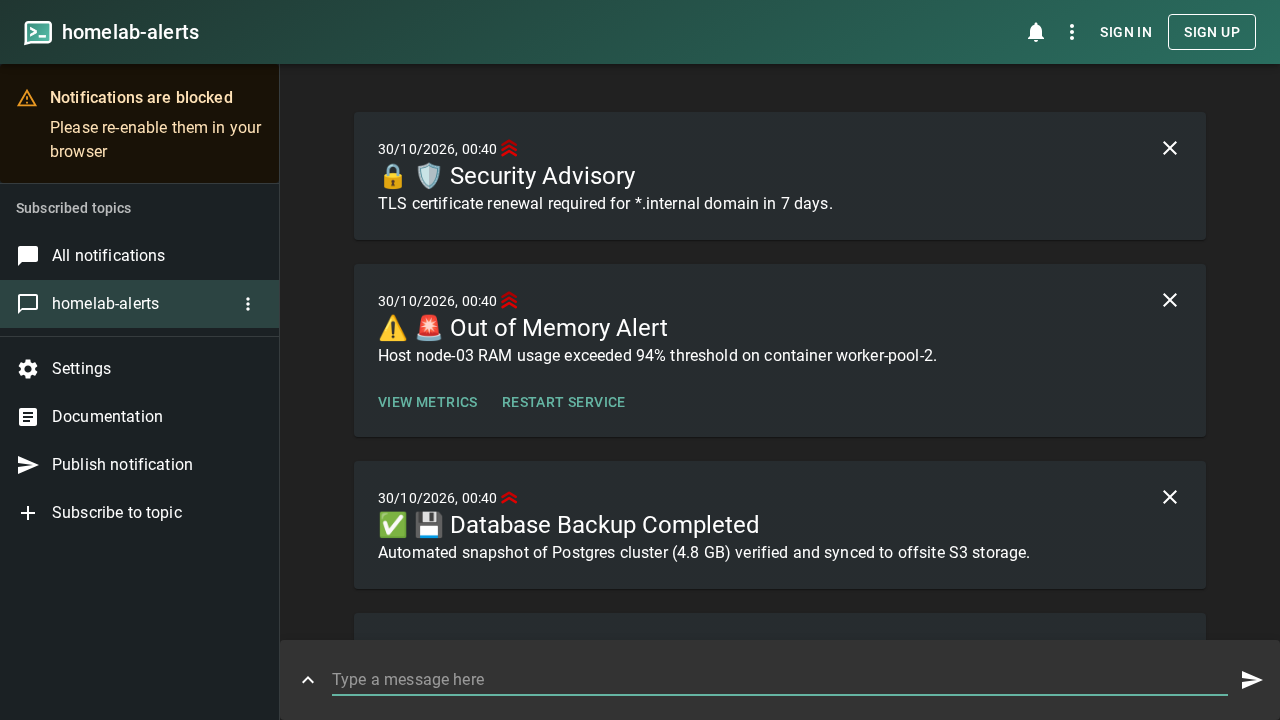
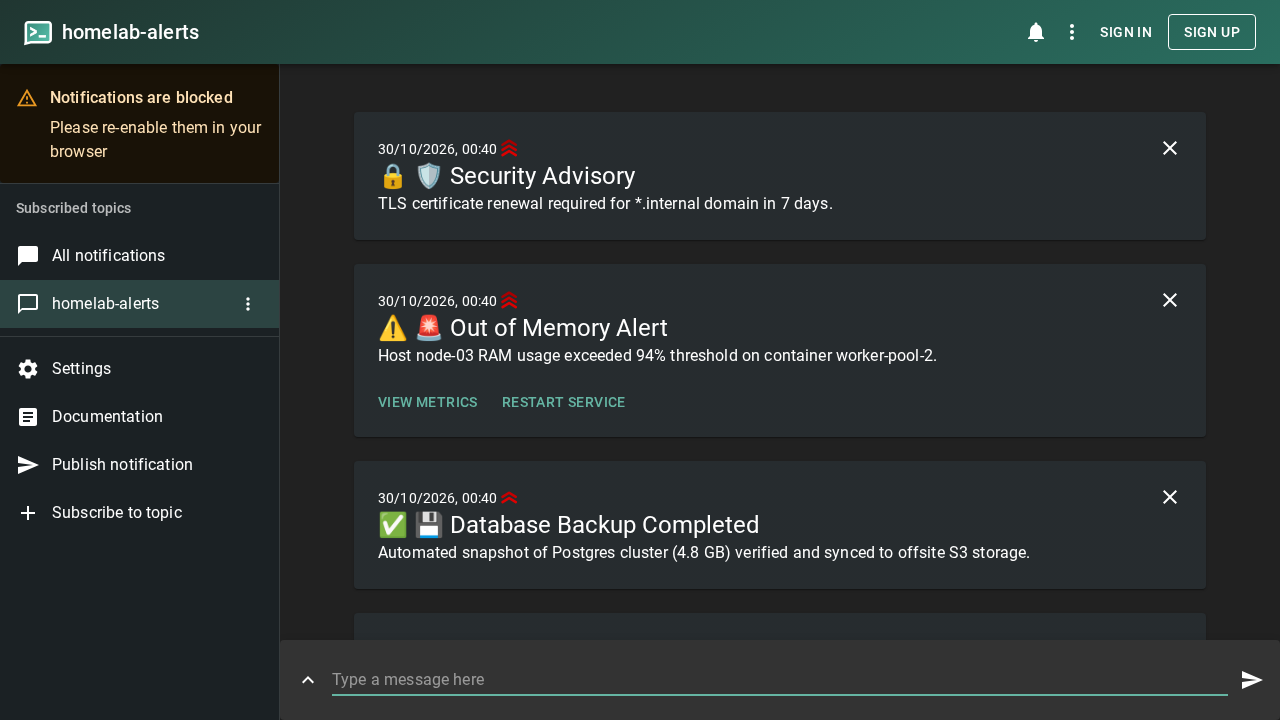
Return to your homelab-alerts topic in the sidebar. All four tiers of notifications—basic operational status, high-priority backup completion, urgent action-enabled alerts, and maximum-priority security advisories—are rendered cleanly in dark mode.
Troubleshooting
| Symptom | Cause | Resolution |
|---|---|---|
Server exits on startup with cannot set enable-signup, enable-login ... if auth-file or database-url is not set | Missing authentication database path in configuration | Add auth-file: "/var/cache/ntfy/user.db" to config/server.yml and restart the container. |
Browser returns 404 page not found when accessing http://localhost:3000/ | web-root: "/app" routes the frontend to /app | Navigate directly to http://localhost:3000/app or directly to your topic URL (e.g. http://localhost:3000/homelab-alerts). |
curl: (56) Recv failure: Connection reset by peer on startup check | Container socket is initializing SQLite files | Wait 2 to 5 seconds after running docker compose up -d before polling /v1/health. |
404 Not Found when querying http://localhost:3000/v1/ready | /v1/ready endpoint does not exist in ntfy 2.29.0 | Use /v1/health for readiness and health checks; it returns {"healthy":true}. |
| Orange banner displays "Notifications are blocked" in sidebar | Browser site permissions have blocked web notifications | Click the site permissions/lock icon in your browser address bar and change Notifications from "Block" to "Allow". |
Docker error bind: address already in use on port 3000 | Another process is already bound to host port 3000 | Modify the host port in docker-compose.yml (e.g. change "127.0.0.1:3000:80" to "127.0.0.1:3002:80"). |
| Stale or duplicate messages appear in topic feed during testing | Messages persist in SQLite cache database | Clear cached messages by executing docker exec ntfy-app sh -c 'rm -f /var/cache/ntfy/cache.db*' && docker restart ntfy-app. |
| HTTP 429 rate limit error when sending rapid alerts | Visitor burst limit (visitor-request-limit-burst: 60) exceeded | Increase visitor-request-limit-burst or lower visitor-request-limit-replenish in config/server.yml. |
Teardown
To stop the ntfy container and delete its container network and cache volume:
docker compose down -vTo remove only the container while preserving message history in the ntfy_cache volume:
docker compose downAssumptions & Decisions
- Validated Configuration Fixes: Staged
auth-file: "/var/cache/ntfy/user.db"inserver.ymlbecause ntfy 2.29.0 strictly refuses to boot whenenable-loginandenable-signupare enabled without an auth file specified. - Anonymous Access Preserved: Maintained
auth-default-access: "read-write"so that topics require zero pre-registration, allowing scripts and browser sessions to publish and subscribe immediately. - Web Root Routing: Documented
web-root: "/app", noting that/returns 404 and directing users tohttp://localhost:3000/app. - Healthcheck Verification: Omitted the non-existent
/v1/readyendpoint (which returns 404 in ntfy 2.29.0) and documented the authoritative/v1/healthendpoint. - Exact UI Terminology: Used the exact React UI dropdown label "Max. priority" for priority 5 alerts to reflect the live interface.
- Safe Demonstration Targets: Action button examples use safe monitoring endpoints (
https://grafana.example.comand loopback echo) that demonstrate webhook capabilities without triggering unwanted infrastructure changes. - Browser Notification Warning: Documented that the orange "Notifications are blocked" banner observed during headless capture is expected and purely cosmetic until desktop browser notifications are explicitly granted.
- Ghost Card Compatibility: Formatted the troubleshooting guide as a standard GitHub-flavored Markdown table for seamless automatic compilation into a Ghost HTML card by
ghost-draft.
Get the Unified Homelab Stack Compose Pack
One-command multi-container Compose files (Full *arr Stack, Prometheus + Grafana + ntfy Monitoring, and Homelab Auth) plus new verified deploys once a week.