Install Norish, a Self-Hosted Recipe Manager, with Docker Compose
Norish is a self-hosted recipe manager and meal planner for households. Here is the recorded Docker Compose install of 0.25.1-beta, plus first-run setup through to a shared grocery list.
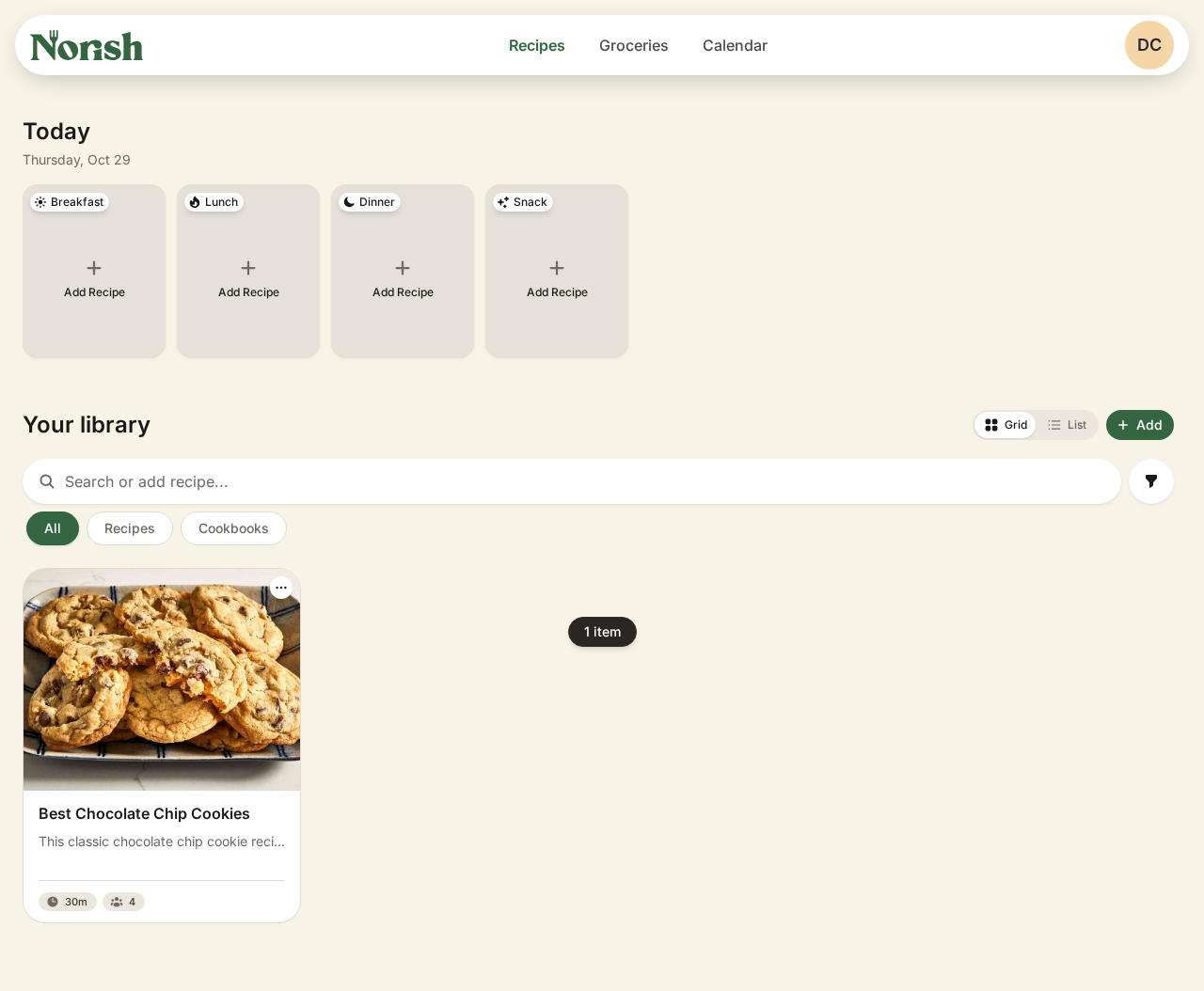
Norish is a self-hosted recipe manager and meal planner built for households. You paste a recipe link and Norish scrapes the page into a clean recipe without the ads. Everyone in your household shares the same recipes and grocery list, and the list updates in real time. It runs as four containers: the app, PostgreSQL, Redis, and Obscura, a headless browser that fetches recipe pages for imports.
This guide follows the exact path we recorded and checked: Norish 0.25.1-beta on Docker Compose (Docker 29.9.2, Compose 5.6.1). Norish is in beta, so record your image digest and back up before you upgrade.
Source: github.com/norish-recipes/norish (AGPL-3.0)
Prerequisites
- Docker Engine with the Compose v2 plugin
openssl,curlandss(iproute2)- About 2.8 GB of disk for the images:
norishapp/norish1.88 GB,postgres:17-alpine424 MB,norishapp/obscura278 MB,redis:8.10.1211 MB - One free TCP port. The steps below try 3000 and fall back to 3010.
Install
Run every block in the same shell session, because the PORT variable you set in step 1 is used again later.
1. Preflight and pick a port
docker --version && docker compose version
docker info >/dev/null 2>&1 && echo docker_ok
PORT=3000; ss -ltn | grep -q ":$PORT " && PORT=3010; echo "using port $PORT"
You should see docker_ok and the port you'll use. If docker_ok is missing, start Docker (sudo systemctl start docker) or add your user to the docker group.
2. Create a workspace
mkdir -p ~/Projects/Apps-Web/norish-demo && cd ~/Projects/Apps-Web/norish-demo3. Generate secrets into .env
[ -f .env ] || cat > .env <<EOF
NORISH_PORT=$PORT
AUTH_URL=http://localhost:$PORT
MASTER_KEY=$(openssl rand -base64 32)
OBSCURA_CDP_TOKEN=$(openssl rand -hex 32)
POSTGRES_PASSWORD=$(openssl rand -hex 16)
EOF
chmod 600 .env
grep -c . .env # 5MASTER_KEYencrypts data at rest. Never change it after the first start.AUTH_URLmust exactly match the URL you open in the browser, including host and port. Otherwise sign-in fails the origin check.- The
[ -f .env ] ||guard means a second run won't overwrite your keys.
4. Write compose.yaml
This is based on the upstream docker/docker-compose.example.yml, with these changes: secrets come from .env, obscura is added to depends_on, and the Postgres host port is removed.
cat > compose.yaml <<'EOF'
services:
  norish:
    image: norishapp/norish:latest
    container_name: norish-app
    restart: always            # required by the Admin UI's "restart server" feature
    ports:
      - "${NORISH_PORT:-3000}:3000"
    volumes:
      - norish_data:/app/uploads
    environment:
      AUTH_URL: ${AUTH_URL}
      DATABASE_URL: postgres://postgres:${POSTGRES_PASSWORD}@db:5432/norish
      MASTER_KEY: ${MASTER_KEY}
      OBSCURA_ENDPOINT: ws://obscura:9222
      OBSCURA_CDP_TOKEN: ${OBSCURA_CDP_TOKEN}
      REDIS_URL: redis://redis:6379
      UPLOADS_DIR: /app/uploads
    healthcheck:
      test: ["CMD-SHELL", "node -e \"require('http').get('http://localhost:3000/api/v1/health', r => process.exit(r.statusCode===200?0:1))\""]
      interval: 30s
      timeout: 15s
      retries: 5
      start_period: 2m
    depends_on:
      - db
      - redis
      - obscura

  db:
    image: postgres:17-alpine
    container_name: norish-db
    restart: unless-stopped
    environment:
      POSTGRES_USER: postgres
      POSTGRES_PASSWORD: ${POSTGRES_PASSWORD}
      POSTGRES_DB: norish
    volumes:
      - db_data:/var/lib/postgresql/data

  obscura:
    image: norishapp/obscura:0.2.4-norish.1
    container_name: norish-obscura
    restart: unless-stopped
    environment:
      OBSCURA_CDP_TOKEN: ${OBSCURA_CDP_TOKEN}
    # no host port on purpose: anyone who can reach CDP can drive the browser

  redis:
    image: redis:8.10.1
    container_name: norish-redis
    restart: unless-stopped
    volumes:
      - redis_data:/data

volumes:
  db_data:
  norish_data:
  redis_data:
EOF
docker compose config --quiet && echo compose_ok
You should see compose_ok with no "variable is not set" warnings.
5. Pull images and record the digest
docker compose pull --quiet
docker image inspect norishapp/norish:latest --format '{{index .RepoDigests 0}}' | tee norish-image.digest
This prints norishapp/norish@sha256:…. Keep norish-image.digest: you'll need it to roll back after a bad :latest pull. Our run pulled sha256:f96ba007c7bdd7b6640f34c2ffbe63a647a2f9e2a291afdf666f895e7f6f168b (0.25.1-beta).
6. Start the stack
docker compose up -d
docker compose ps
You should see four containers: norish-app (health: starting), norish-db, norish-obscura and norish-redis.
7. Wait until healthy
until [ "$(docker inspect -f '{{.State.Health.Status}}' norish-app)" = healthy ]; do sleep 5; done
curl -fsS http://localhost:$PORT/api/v1/health; echo
curl -s -o /dev/null -w 'login: %{http_code}\n' http://localhost:$PORT/login
On first boot Norish runs its migrations and seeds data by itself. Our run was healthy after about 20 seconds, but slower machines can take a few minutes. The health call returns JSON with "status":"ok", "db":{"status":"ok"} and "parser":{"status":"ok",…}, and the second call prints login: 200.
8. Check the logs
Norish writes JSON logs (pino). Don't grep for the words error or fail: normal info lines contain failed:0 and keepFailed, so you'd get false matches. Filter on the log level instead:
docker compose logs norish | grep -cE '"level":(5|6)0' # 00 means there are no error- or fatal-level lines.
Browser setup
Open http://localhost:$PORT. Use localhost, not 127.0.0.1, so the URL matches AUTH_URL.
1. Create the first account
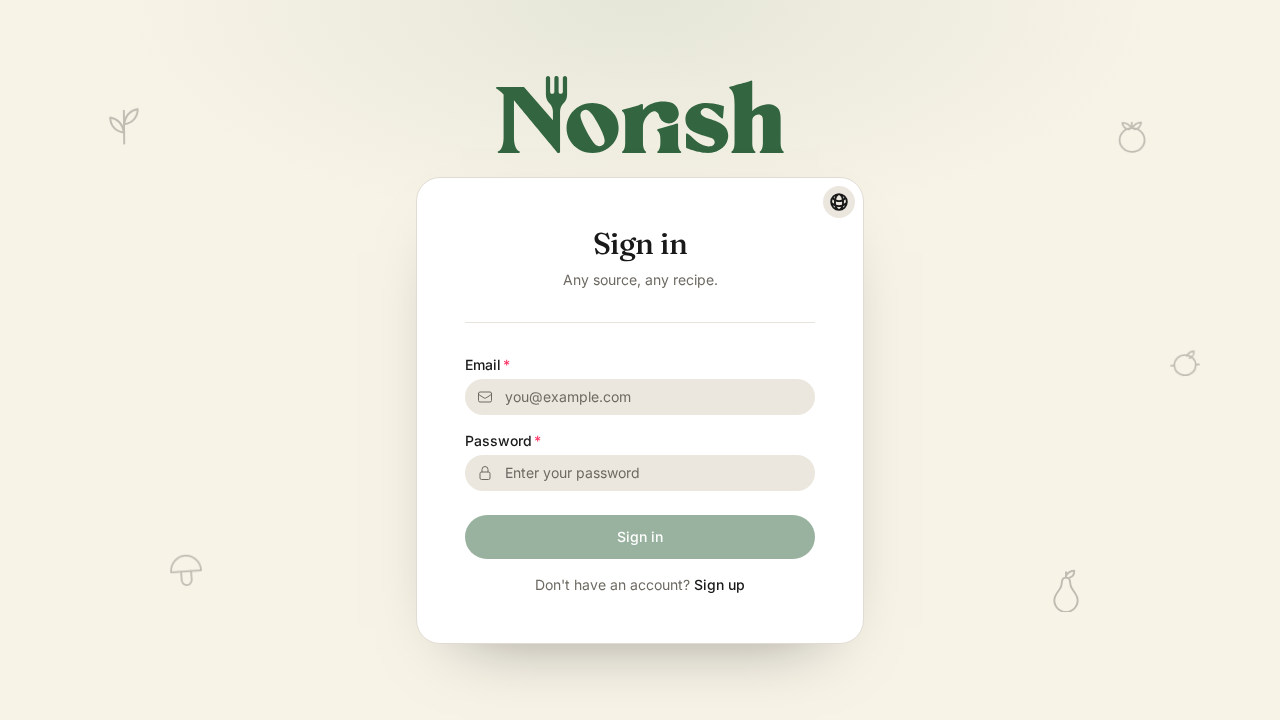
The app redirects to Sign in. Click Sign up.
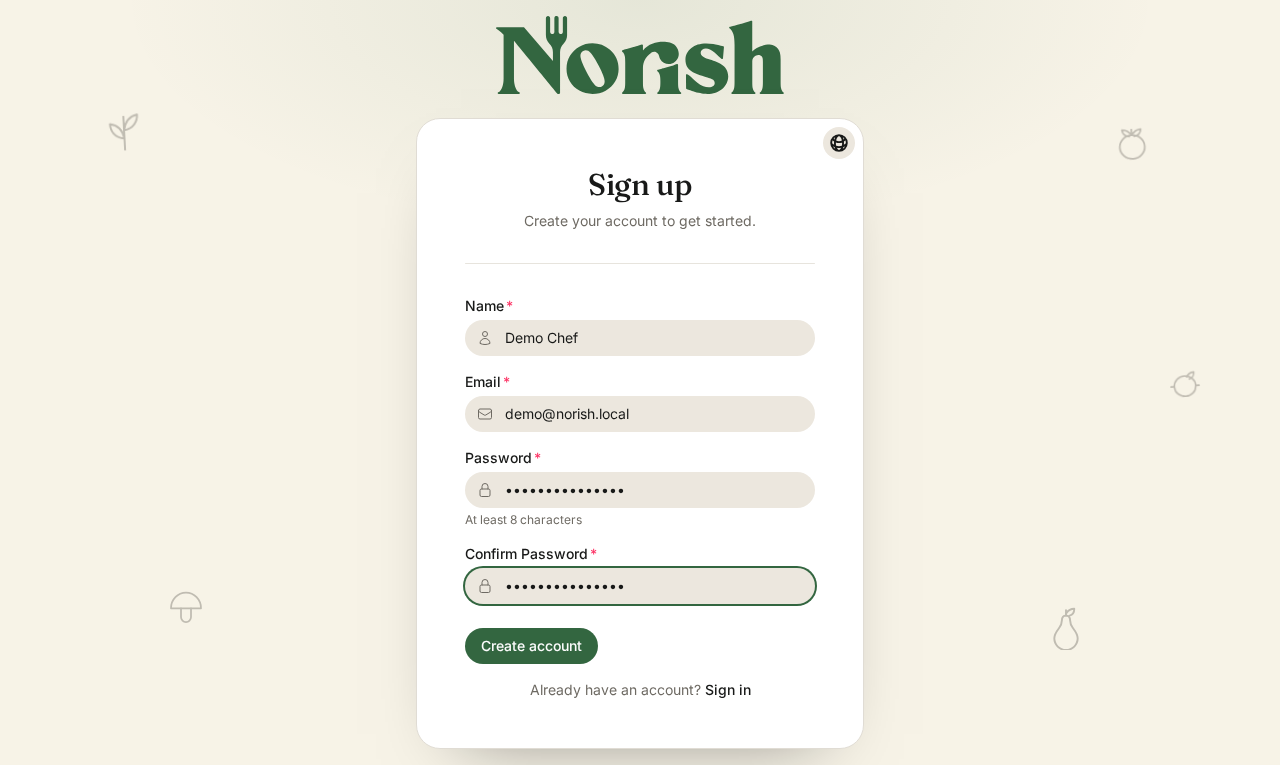
Fill in Name, Email, Password and Confirm password, then click Create account. We used Demo Chef / demo@norish.local / NorishDemo!2026; use real credentials of your own.
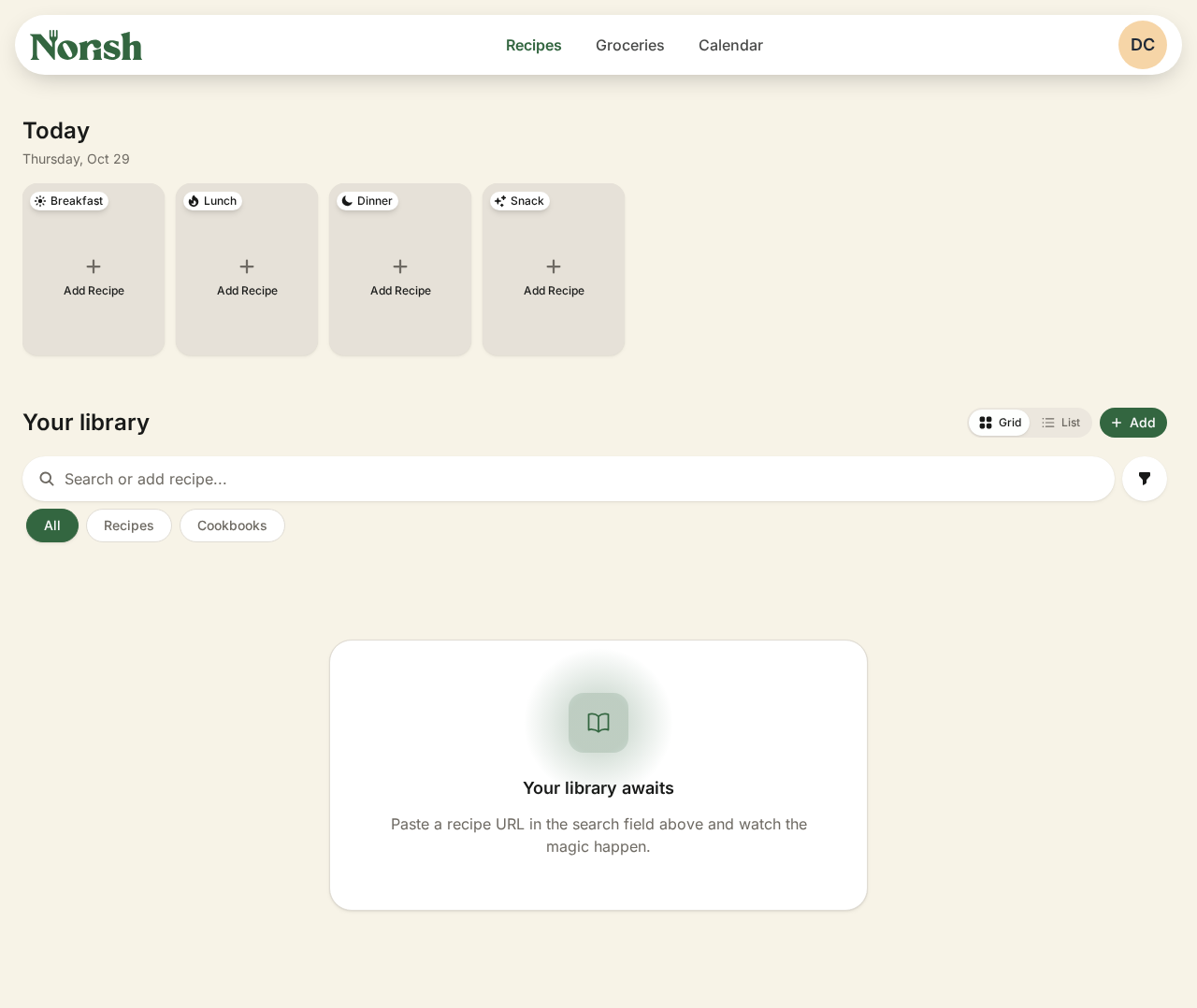
The first account becomes server owner and admin, and registration closes after that. The Sign up link disappears and /signup redirects to /login. You land on an empty library ("Your library awaits").
2. Create a household (required)
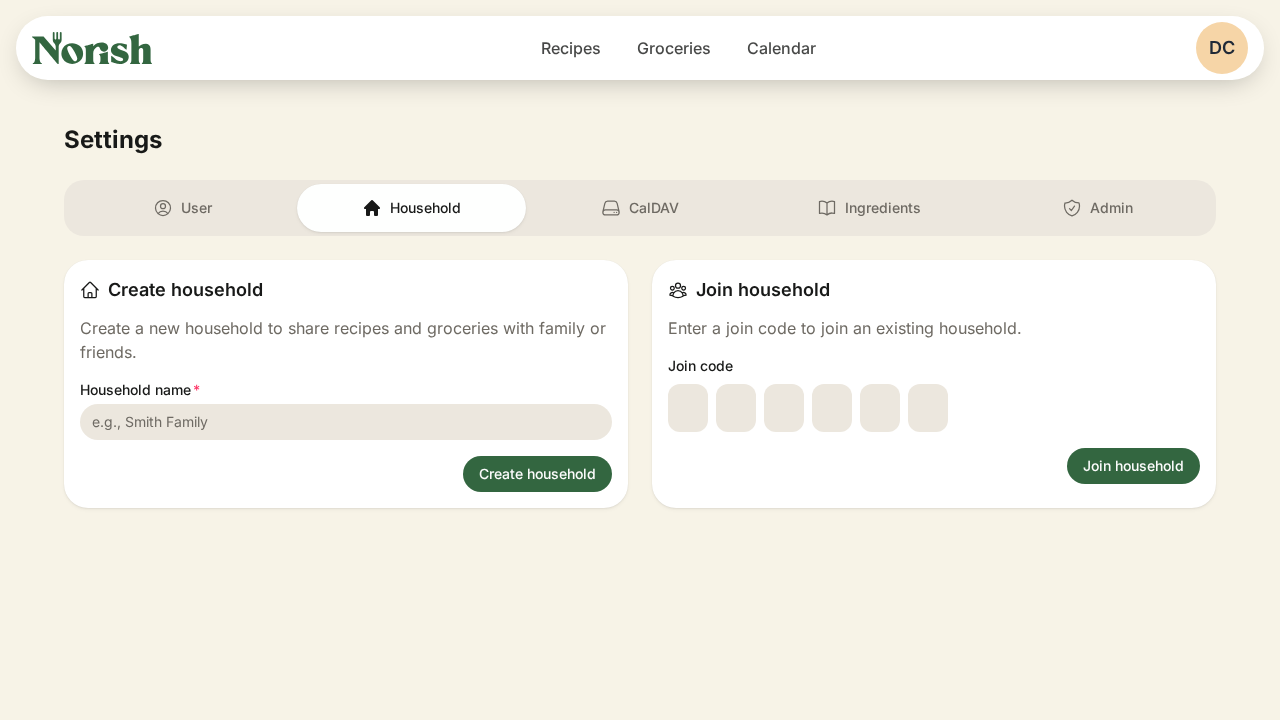
Sign-up does not create a household for you. Open the avatar menu → Settings → Household tab.
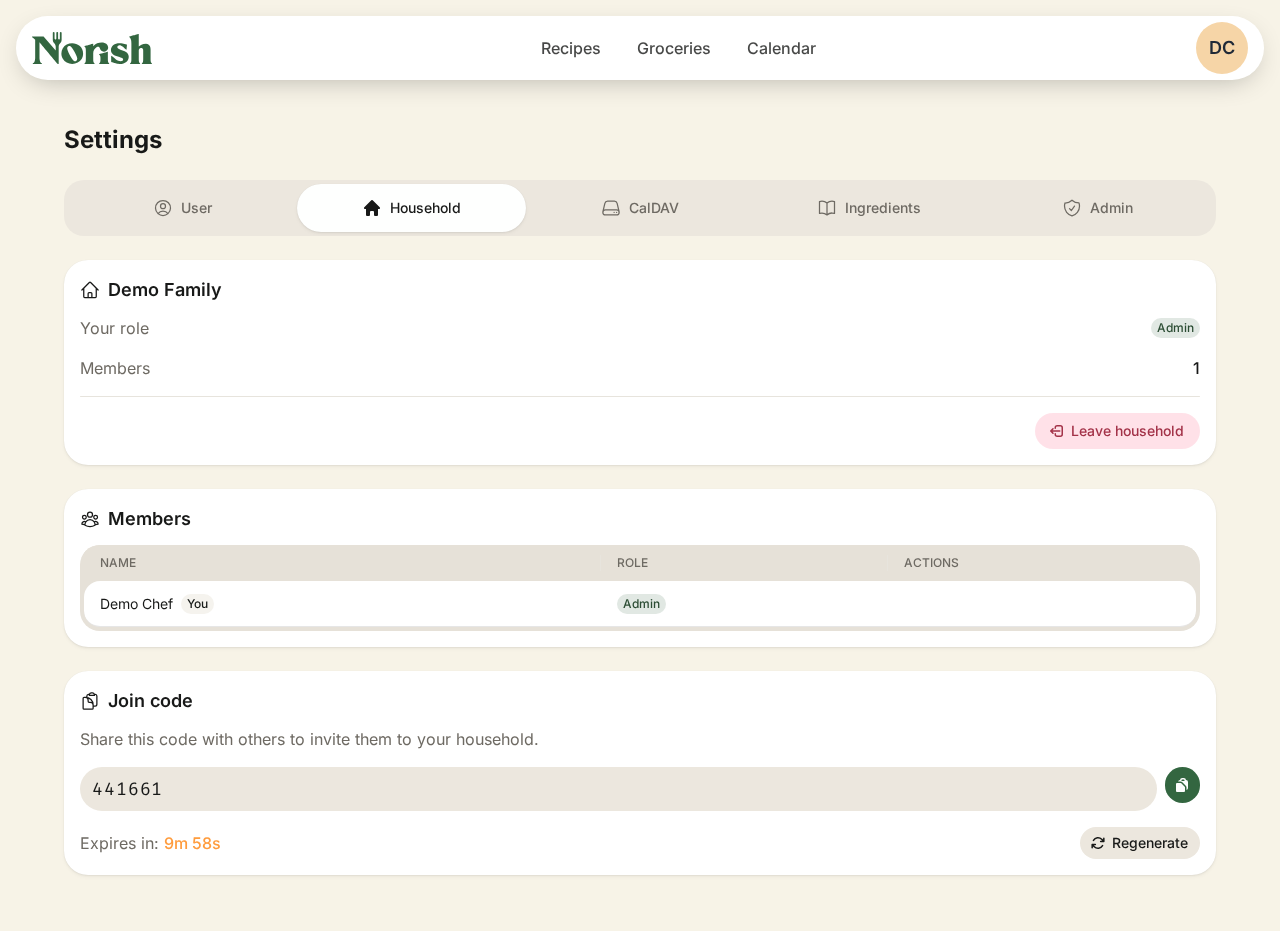
Under Create household, enter a name (we used Demo Family) and click Create household. The card then shows Role Admin, Members 1, and a 6-digit join code that expires after 10 minutes. Another signed-in user enters that code under Join household.
3. Import a recipe by URL
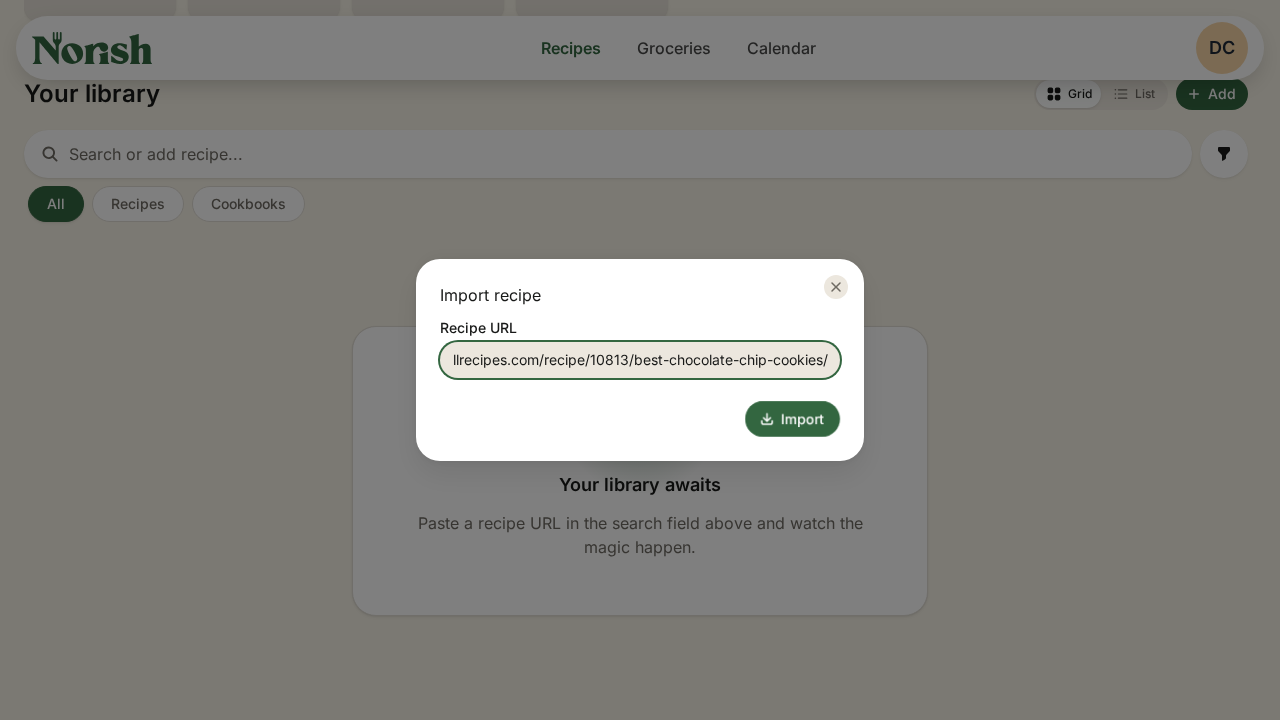
On Recipes, click + Add → URL, paste a recipe link, and click Import. Pressing Enter does nothing; you have to click the button. We used https://www.allrecipes.com/recipe/10813/best-chocolate-chip-cookies/.
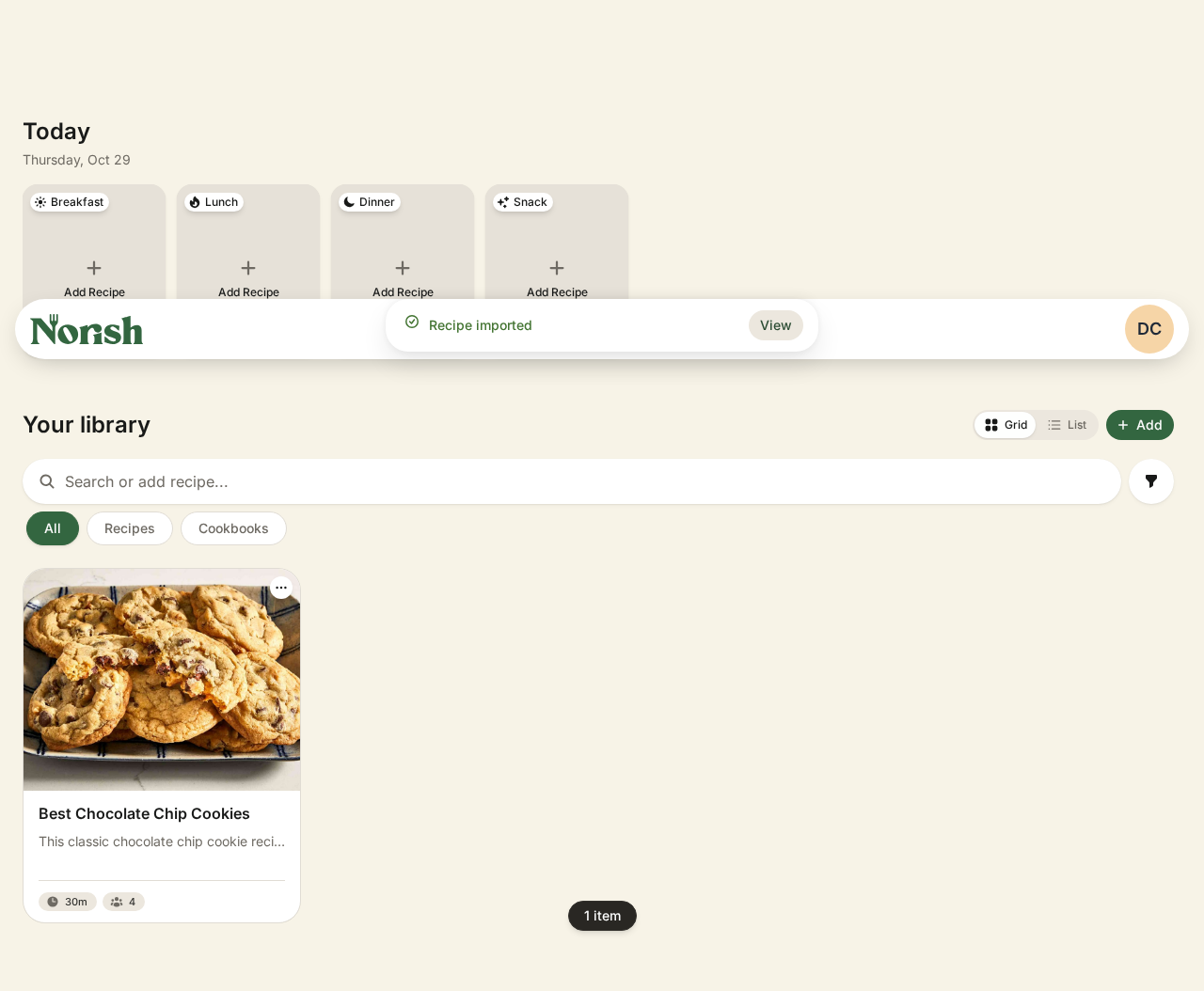
The import finished in about 5–6 seconds, and the recipe appeared in the library.
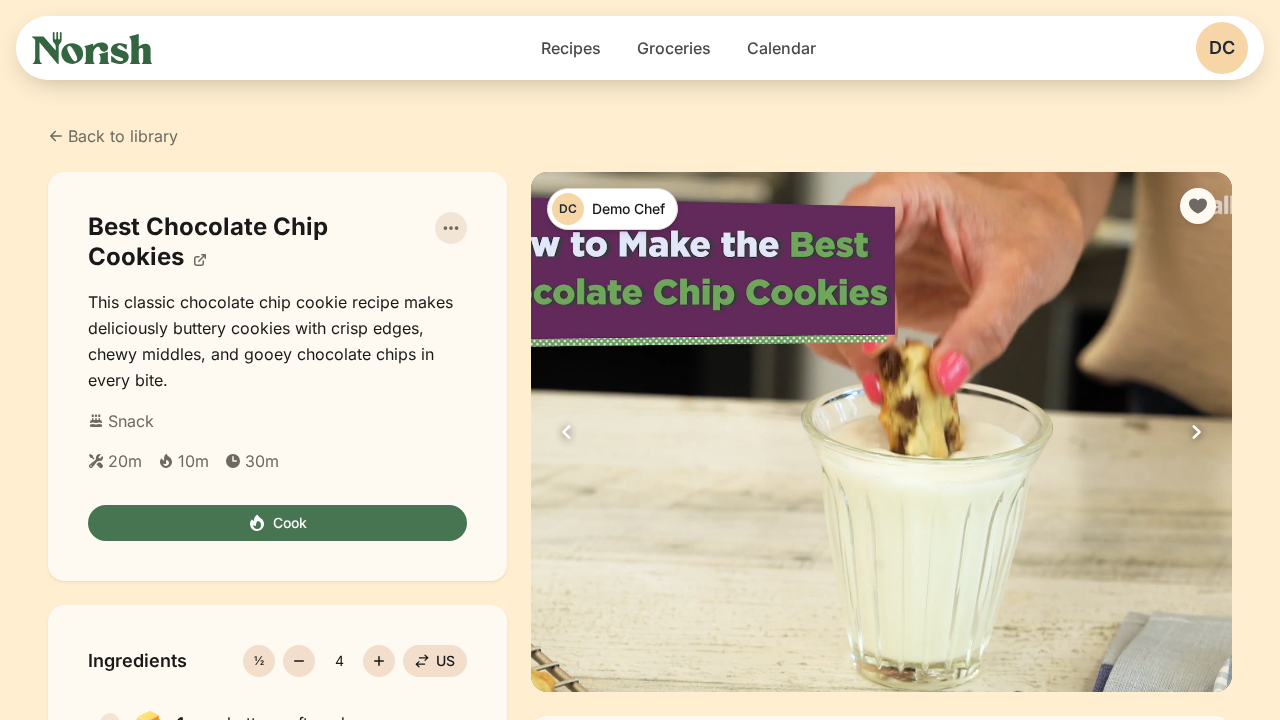
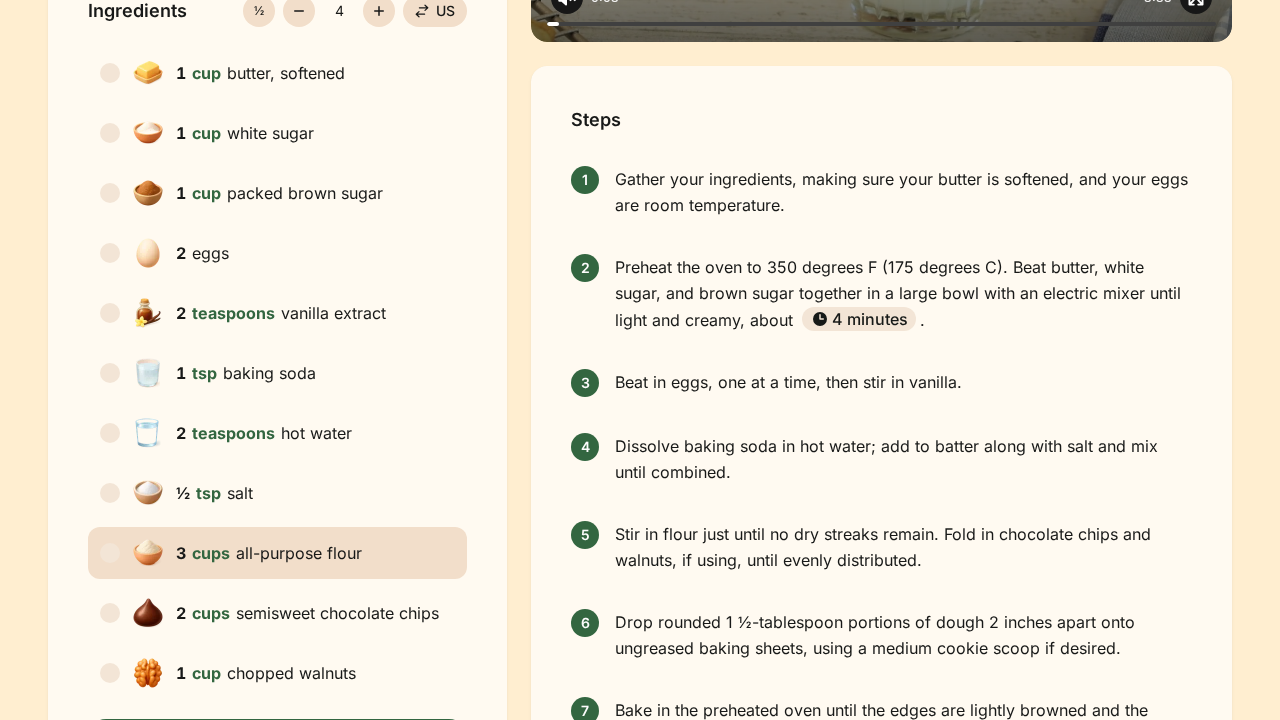
Open it. You get the hero image, description, times (20m prep / 10m cook / 30m total), 11 ingredients and 9 steps.
4. Send ingredients to Groceries
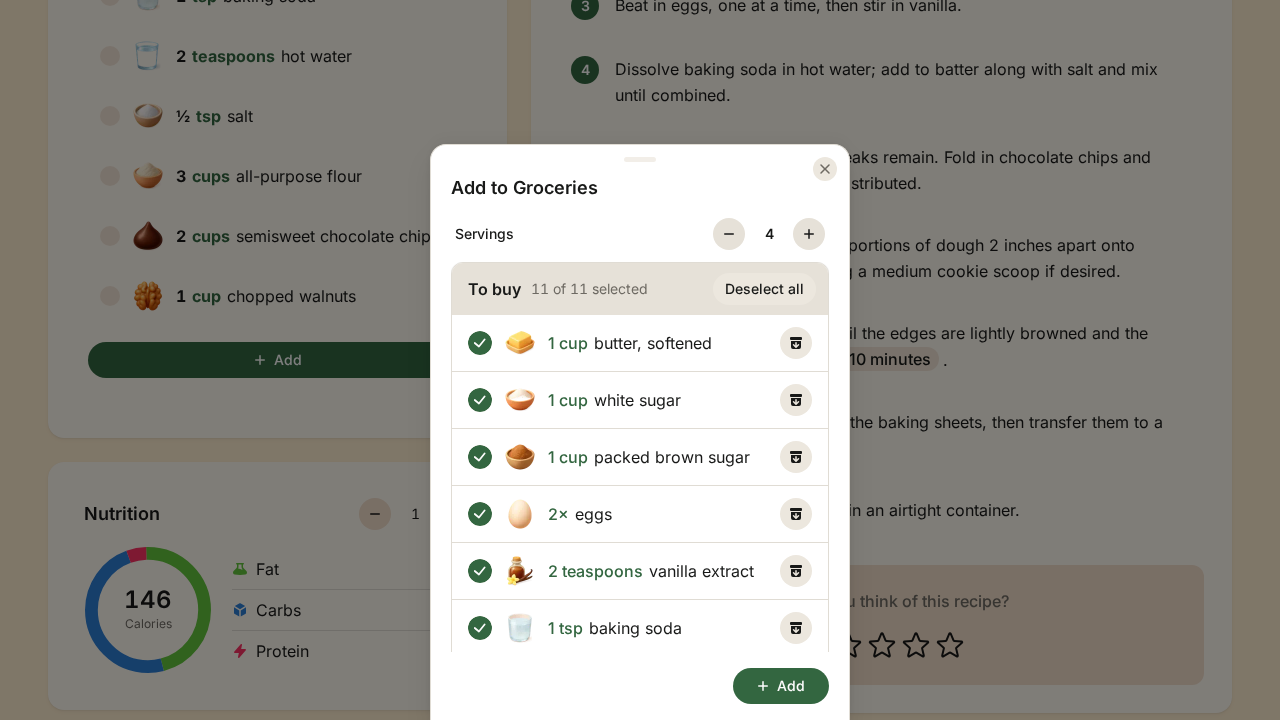
Click + Add under Ingredients. The Add to Groceries panel opens with every ingredient selected. Click Add.
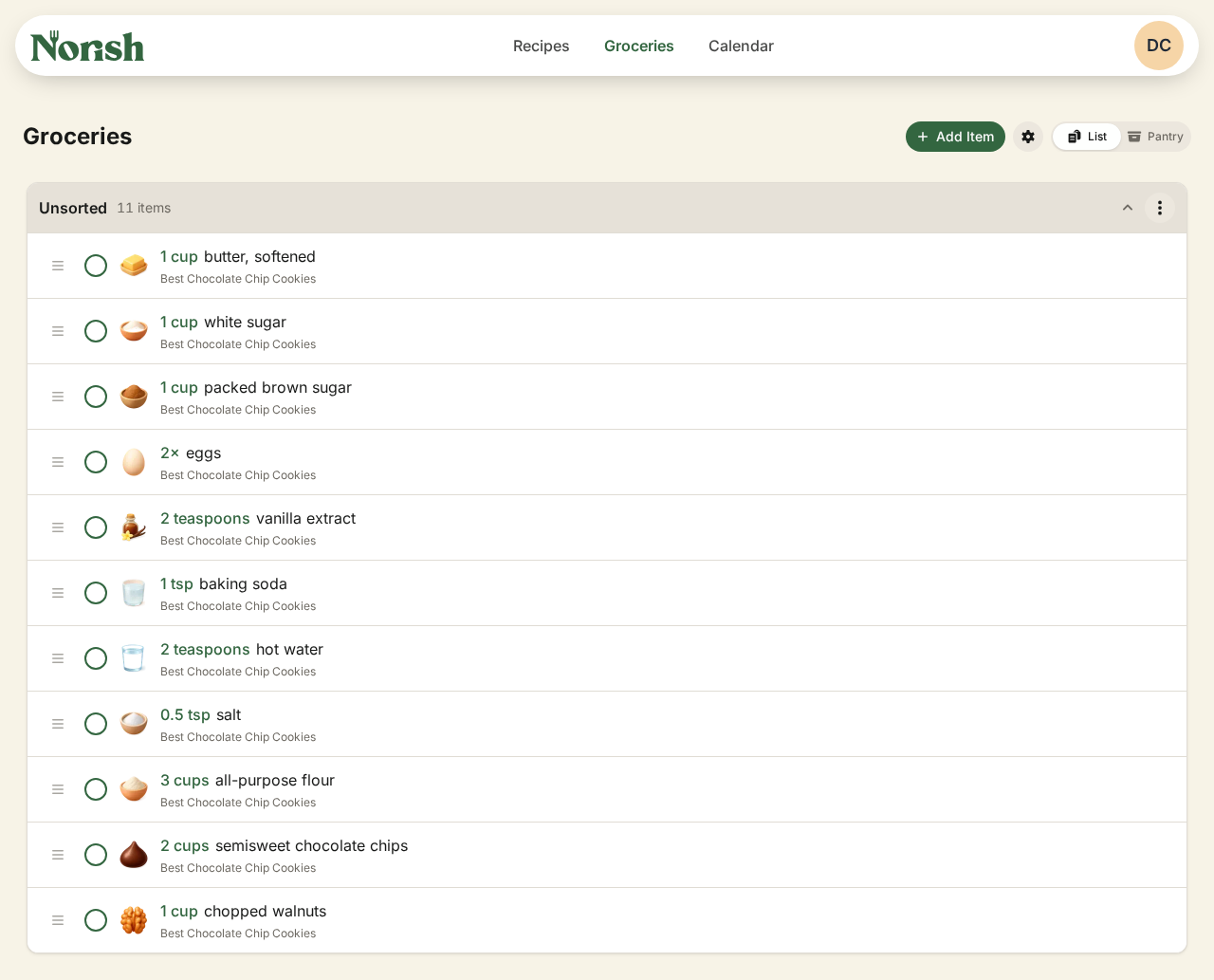
Open Groceries. All 11 items are there, each tagged with the recipe it came from.
5. Admin settings (optional)
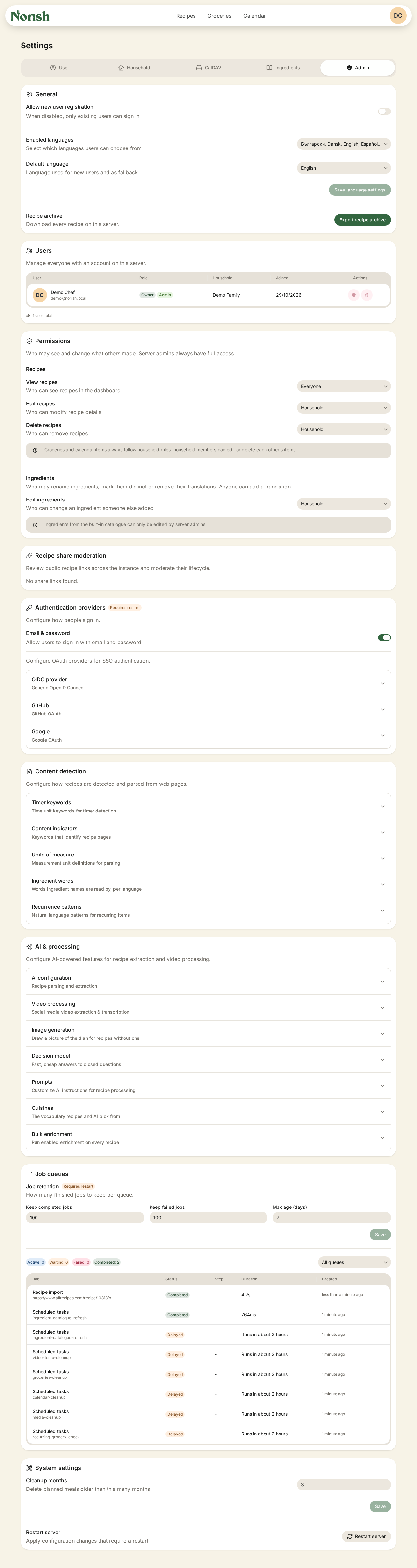
Settings → Admin shows that registration is now off. It also has auth providers (OIDC/OAuth), AI & processing (OpenAI, Ollama, LM Studio, generic OpenAI-compatible) and job queues. You don't need to change anything for a working install.
Verification
| Check | Command or action | Expected |
|---|---|---|
| Containers | docker compose ps | 4 up; norish-app is healthy |
| Health API | curl -fsS http://localhost:$PORT/api/v1/health | "status":"ok", db ok, parser ok |
| Root redirect | curl -s -o /dev/null -w '%{http_code}\n' http://localhost:$PORT/ | 307 (to /login) |
| Registration closed | Open /signup after the first account exists | Redirects to /login |
| Logs | The level-filtered grep from install step 8 | 0 |
| Import pipeline | Import a recipe URL | Full recipe with image, ingredients and steps (proves Obscura and the parser work) |
Backup, rollback and teardown
cd ~/Projects/Apps-Web/norish-demo

# Back up the database (do this before every upgrade; migrations may not be reversible)
docker exec norish-db pg_dump -U postgres norish > norish-$(date +%F).sql
# Restore: docker exec -i norish-db psql -U postgres -d norish < norish-YYYY-MM-DD.sql

# Pin the app to the digest you recorded in step 5
sed -i "s|image: norishapp/norish:.*|image: $(cat norish-image.digest)|" compose.yaml
docker compose up -d norish

# Stop, keeping all data
docker compose down

# Wipe everything: containers, volumes, images (DESTROYS all recipes and users)
docker compose down -v --rmi all
Troubleshooting
| Symptom | Cause | Fix |
|---|---|---|
| App exits right away with a Zod/env error | MASTER_KEY is missing or shorter than 32 characters | Check .env, then run docker compose up -d |
password authentication failed for user "postgres" | The db_data volume was created earlier with a different password | On a fresh install only: docker compose down -v, then docker compose up -d |
| Sign-in spins, or "invalid origin" | AUTH_URL doesn't match the browser URL (different port, 127.0.0.1, LAN IP) | Set AUTH_URL to the exact URL you open, then docker compose up -d. For extra hosts, add TRUSTED_ORIGINS: http://<ip>:<port> under the norish service's environment: |
| Health check hits the wrong app | The port was changed in .env, but the shell PORT variable is unset or different | Set the shell PORT to the NORISH_PORT value in .env, then run the check again |
No Sign up link, and /signup redirects to /login | Registration closes after the first account | Sign in with that account. Admins can re-open registration under Settings → Admin. For a throwaway demo only: docker compose down -v |
| Pressing Enter in the URL import box does nothing | The form only submits on the button | Click Import |
| No household features, or nothing to share | Sign-up doesn't create a household | Settings → Household → Create household |
| URL import fails or times out | Obscura isn't up yet, the OBSCURA_CDP_TOKEN values don't match, or the page is slow (45 s timeout) | docker compose logs obscura; check that both services get the same token from .env |
norish-app stays starting or goes unhealthy | First-boot seeding is slow on this machine | Wait, and watch docker compose logs -f norish |
grep -i error on the logs shows matches | Normal info lines contain failed:0 / keepFailed | Filter by log level, as in install step 8 |
| Upload or permission errors | A host bind mount has the wrong owner, or user: is set in compose | Use the named volume as shown, or chown -R 1000:1000 <dir> |
Assumptions & decisions
- Source of truth. Steps follow
validated-process.md(verdict PASS), not the original install plan. The plan's bugs are fixed here: port handling uses a shellPORT, the household step is required, and the logs are filtered by level instead of by keyword. - Port. Readers get
PORT=3000with an automatic fallback to 3010, because that is exactly what the validated script does. Our recorded host used 3010 because 3000 was taken. - Image tag. The guide keeps
:latest, as in the validated run, because no0.25.1-betaDocker Hub tag could be confirmed. It tells readers to record and pin the digest instead. - Demo credentials (
demo@norish.local/NorishDemo!2026) are named only as what we used. Readers are told to use their own. - Join code wording. The guide doesn't claim a second user can self-register after the first account, because registration closes. How admins add more users wasn't validated beyond the Admin screen showing a registration toggle, so I described it only at that level.
TRUSTED_ORIGINSin the troubleshooting table comes from the install plan's source reading. It wasn't exercised at runtime.- Troubleshooting rows combine the plan's known failure modes with the issues that actually came up during validation (port variable, grep false positive, one-shot sign-up, Enter key, household).
- No pipe characters in table cells. The pipeline's Markdown converter splits cells on
\|even inside code spans, so table cells that need a piped command point back to install step 8 instead. - Calendar step left out. It was optional and not captured.
- Screenshots point to
runs/norish-20261029-175902/browser/, relative to the project root, which ghost-draft resolves and uploads.07-import-started.pngandfinal.pngare left out because they show nothing the other shots don't. ghost-draft picksfinal.pngas the feature image by itself. - Previous how-to (Cinephage) archived to
runs/cinephage-20261029-164547/howto.prev.md.
Get the Unified Homelab Stack Compose Pack
One-command multi-container Compose files (Full *arr Stack, Prometheus + Grafana + ntfy Monitoring, and Homelab Auth) plus new verified deploys once a week.