
How to Deploy Mealie: Self-Hosted Recipe Manager and Meal Planner
Mealie is an open-source, self-hosted recipe manager and meal planner with automated web scraping, natural language ingredient parsing, and shopping lists. Learn how to deploy Mealie with Docker Compose, import recipes by URL, and configure your household cookbook.
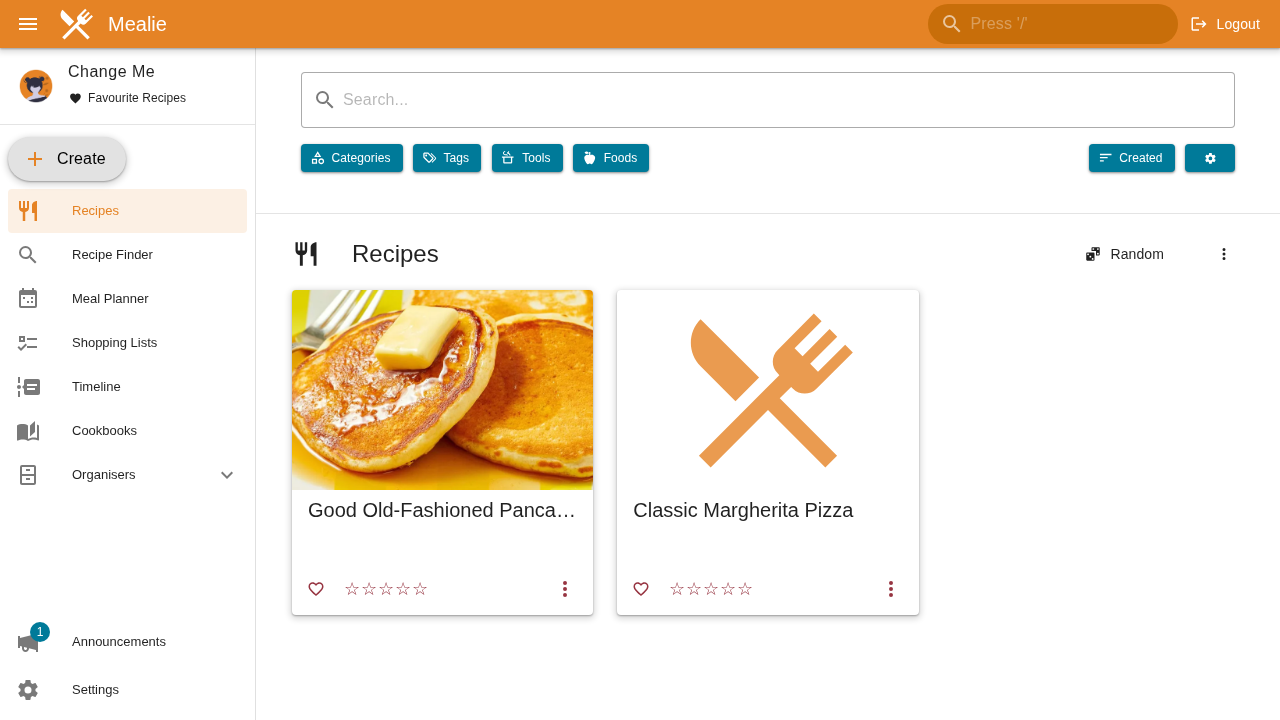
Mealie is an open-source, self-hosted recipe management, meal planning, and shopping list application. Distributed under the AGPL-3.0 license and built with a Python FastAPI backend and a reactive Vue 3 / Nuxt frontend, Mealie provides a self-hosted culinary hub that replaces ad-bloated food blogs, tracking cookies, and cluttered browser bookmarks with an ad-free, private digital cookbook.
Key Capabilities and Architecture
- Ad-Free Digital Recipe Library:
Commercial recipe websites often bury cooking steps under pop-up video ads, autobiographical preambles, and third-party trackers. Mealie strips away the noise, organizing ingredients, prep steps, cooking times, ratings, and high-resolution food photography into a responsive, clean interface.
- Automated Web Scraping via JSON-LD Microdata:
Powered by the recipe-scrapers library and TLS-fingerprinted HTTP clients (httpx-curl-cffi), Mealie imports recipes from hundreds of websites in a single click. Simply paste a recipe link, and Mealie automatically parses the structured schema data into your personal database.
- Natural Language Ingredient Parsing (NLP):
Using natural language processing models (ingredient-parser-nlp), Mealie dissects unstructured ingredient text into discrete components: quantities, measurement units, foods, and preparation notes. This enables dynamic serving scaling (e.g. doubling a recipe for 8 servings) and automatic unit conversions via pint.
- Interactive Meal Planning Calendar:
A visual drag-and-drop weekly meal planner lets you schedule breakfasts, lunches, dinners, and side dishes across your household.
- Departmentalized Household Shopping Lists:
Mealie aggregates ingredients required for planned meals into shared grocery lists grouped automatically by supermarket aisle (Produce, Dairy, Pantry, Bakery, Spices).
- Single-Container Hybrid Architecture:
The production image (ghcr.io/mealie-recipes/mealie:v3.30.0) bundles the compiled frontend and Python FastAPI API into a single container listening on port 9000. It defaults to an embedded SQLite database requiring zero external database services for standalone or homelab deployments.
---
Prerequisites
Before deploying Mealie, ensure your host environment satisfies the following requirements:
- Host Operating System: Linux (Ubuntu, Debian, Fedora, Arch, Rocky, Alpine), macOS, or Windows via WSL2.
- Container Runtime: Docker Engine 20.10+ with Docker Compose v2 (
docker compose versionv2.20+ recommended). - Persistent Storage Directory: A local host directory (
./data) mapped to/app/data/within the container to persist the SQLite database (mealie.db), uploaded recipe media, and configuration. - User Permissions: Non-root execution using
PUID=1000andPGID=1000with host directory permissions set tochmod -R 777 ./data(or owned by UID 1000). - Network Ports: A free host port (such as
3000or default9000) mapped to container port9000. - Outbound Network Access: Required if you plan to use the automated URL recipe scraping feature from your container.
- Zero Host Toolchains: No Python, Node.js, or compiler toolchains are required on the host system. All runtimes and dependencies are self-contained within the official Docker image.
---
Exact Install Steps
The deployment uses the official multi-architecture image ghcr.io/mealie-recipes/mealie:v3.30.0 configured with SQLite storage, standard non-root process IDs, resource limits, and an integrated container healthcheck.
Step 1: Create the Project Directory and Storage Layout
Create a dedicated directory for your Mealie stack and prepare the persistent storage folder:
mkdir mealie && cd mealie
mkdir -p data
chmod -R 777 data
Permissions Note: Mealie runs as a non-root user inside the container (
PUID=1000). Setting permissions ensures the container can initialize the SQLite database file and create media subdirectories without permission denied errors.
Step 2: Configure Environment Variables
Create the .env file to define the deployment parameters:
cat <<'EOF' > .env
PROJ=mealie
MEALIE_PORT=3000
PUID=1000
PGID=1000
TZ=UTC
BASE_URL=http://localhost:3000
ALLOW_SIGNUP=true
DB_ENGINE=sqlite
EOF
Key environment configuration variables:
MEALIE_PORT: The host port mapped to Mealie's web interface (set to3000here; upstream default is9000).BASE_URL: The public-facing URL where Mealie is accessed, used for generating internal links and email invites.ALLOW_SIGNUP: Allows registration of accounts. Keep astrueduring first-time onboarding, then set tofalseif exposing Mealie to the public internet.DB_ENGINE: Set tosqlitefor lightweight embedded data storage. (Mealie also supportspostgresfor larger multi-node clusters).TZ: Your local timezone (e.g.America/Toronto,Europe/London, orUTC) for meal schedule alignment.
Step 3: Create the Docker Compose Specification
Create docker-compose.yml in the project root:
cat <<'EOF' > docker-compose.yml
services:
  mealie:
    image: ghcr.io/mealie-recipes/mealie:v3.30.0
    container_name: ${PROJ:-mealie}-server
    restart: unless-stopped
    ports:
      - "${MEALIE_PORT:-3000}:9000"
    deploy:
      resources:
        limits:
          memory: 1000M
    volumes:
      - ./data:/app/data/
    environment:
      - ALLOW_SIGNUP=${ALLOW_SIGNUP:-true}
      - PUID=${PUID:-1000}
      - PGID=${PGID:-1000}
      - TZ=${TZ:-UTC}
      - BASE_URL=${BASE_URL:-http://localhost:3000}
      - DB_ENGINE=${DB_ENGINE:-sqlite}
    healthcheck:
      test: ["CMD-SHELL", "curl -fsk http://127.0.0.1:9000/api/app/about > /dev/null || exit 1"]
      interval: 10s
      timeout: 5s
      retries: 10
      start_period: 15s
EOF
Step 4: Validate and Launch the Stack
Validate your compose configuration and start the container in detached mode:
docker compose --env-file .env config --quiet && echo "Configuration syntax valid"
docker compose --env-file .env up -d
Expected output:
Configuration syntax valid
[+] Running 2/2
 ✔ Network mealie_default     Created
 ✔ Container mealie-server   Started
Step 5: Monitor Startup and Health Status
Poll Mealie's unauthenticated /api/app/about endpoint until the server reports ready:
until [ "$(curl -s -o /dev/null -w "%{http_code}" http://127.0.0.1:3000/api/app/about)" = "200" ]; do
  echo "Waiting for Mealie startup..."
  sleep 1
done
echo "Mealie is ready!"
Review the container logs to verify database migrations and user initialization:
docker compose logs --tail 25Key output markers to verify:
INFO: Running Alembic database migrations
INFO: Initializing default user: changeme@example.com
INFO: Uvicorn running on socket ('::', 9000)
INFO: Application startup complete.
Check the container healthcheck status:
docker compose psExpected status:
NAME            IMAGE                                 COMMAND                  SERVICE   CREATED          STATUS                    PORTS
mealie-server   ghcr.io/mealie-recipes/mealie:v3.30.0 "/app/run.sh"            mealie    15 seconds ago   Up 14 seconds (healthy)   0.0.0.0:3000->9000/tcp
Step 6: (Optional) Seed an Initial Recipe via REST API
Mealie exposes a REST API compliant with OpenAPI standards. To programmatically seed an initial recipe:
- Authenticate with the default administrator credentials to retrieve a JWT Bearer token:
TOKEN=$(curl -s -X POST "http://127.0.0.1:3000/api/auth/token" \
  -H "Content-Type: application/x-www-form-urlencoded" \
-d "username=changeme@example.com&password=MyPassword" | grep -o '"access_token":"[^"]*' | cut -d'"' -f4)- Create the recipe record (in Mealie v3,
POST /api/recipesaccepts the recipenameand returns the generated slug):
SLUG=$(curl -s -X POST "http://127.0.0.1:3000/api/recipes" \
  -H "Authorization: Bearer $TOKEN" \
  -H "Content-Type: application/json" \
  -d '{"name":"Classic Margherita Pizza"}' | tr -d '"')
echo "Created recipe slug: $SLUG"- Update the recipe metadata with prep times, cook times, and yields:
curl -s -X PATCH "http://127.0.0.1:3000/api/recipes/$SLUG" \
  -H "Authorization: Bearer $TOKEN" \
  -H "Content-Type: application/json" \
  -d '{
    "description": "Authentic Italian wood-fired Neapolitan pizza with fresh basil, San Marzano tomatoes, and creamy mozzarella.",
    "recipeYield": "4 servings",
    "totalTime": "45 min",
    "prepTime": "20 min",
    "performTime": "25 min"
  }'
---
Browser Setup & First Run
Once the container is healthy, navigate to http://localhost:3000/ in your web browser.
1. Sign In with Default Administrator Credentials
Upon navigating to the app, you will be directed to the authentication portal:
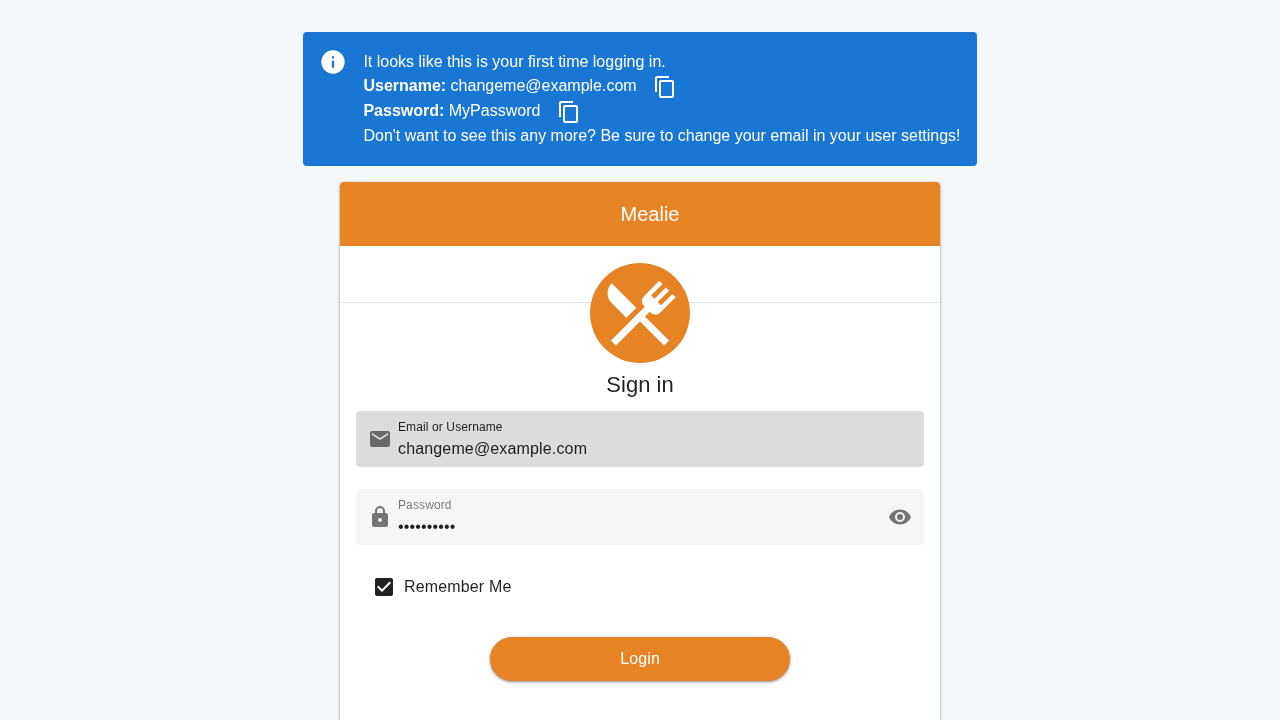
Log in using the default credentials initialized on first startup:
- Email or Username:
changeme@example.com - Password:
MyPassword
Click Login.
Security Warning: The default administrator account (
changeme@example.com/MyPassword) is intended solely for initial bootstrapping. Change this password immediately before connecting the instance to a network or reverse proxy.
2. Onboarding Setup Wizard
After successful authentication, Mealie presents the initial onboarding wizard:
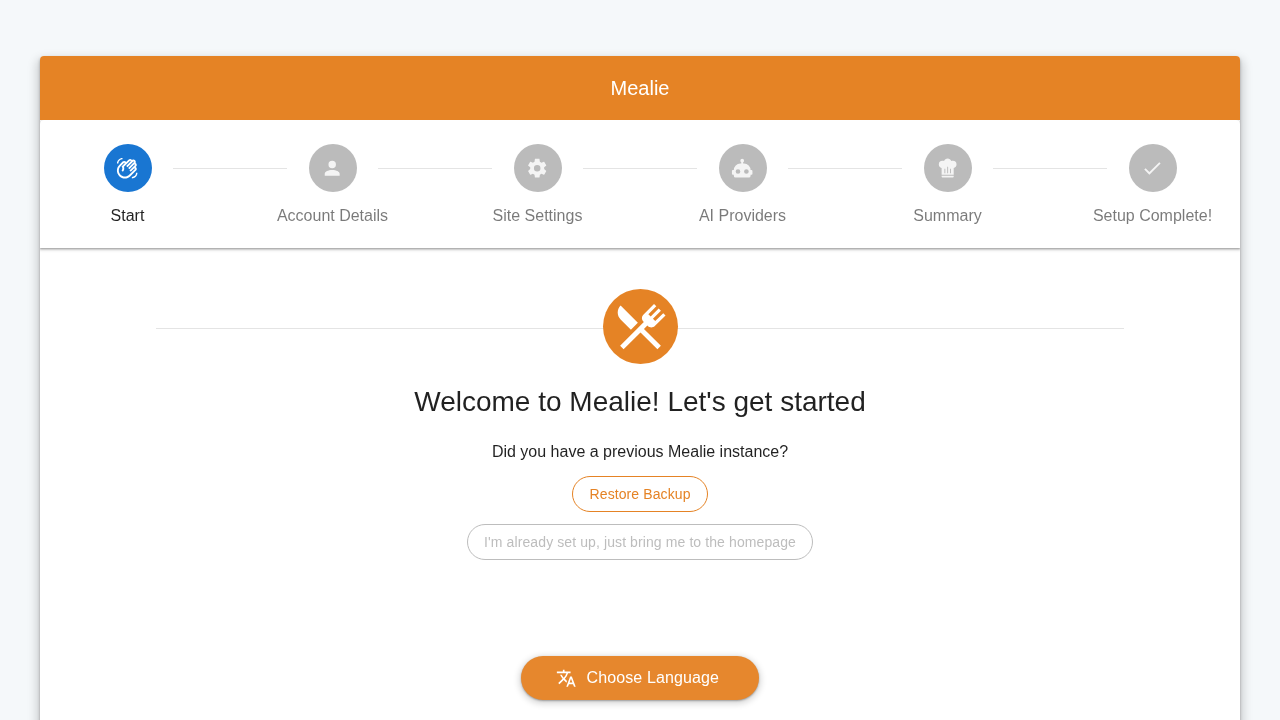
The wizard guides you through configuring household settings, default language, and changing admin credentials. If you prefer to jump directly into the application, click the shortcut link: "I'm already set up, just bring me to the homepage".
3. Explore the Recipes Dashboard
You land on your household recipes dashboard (/g/home):
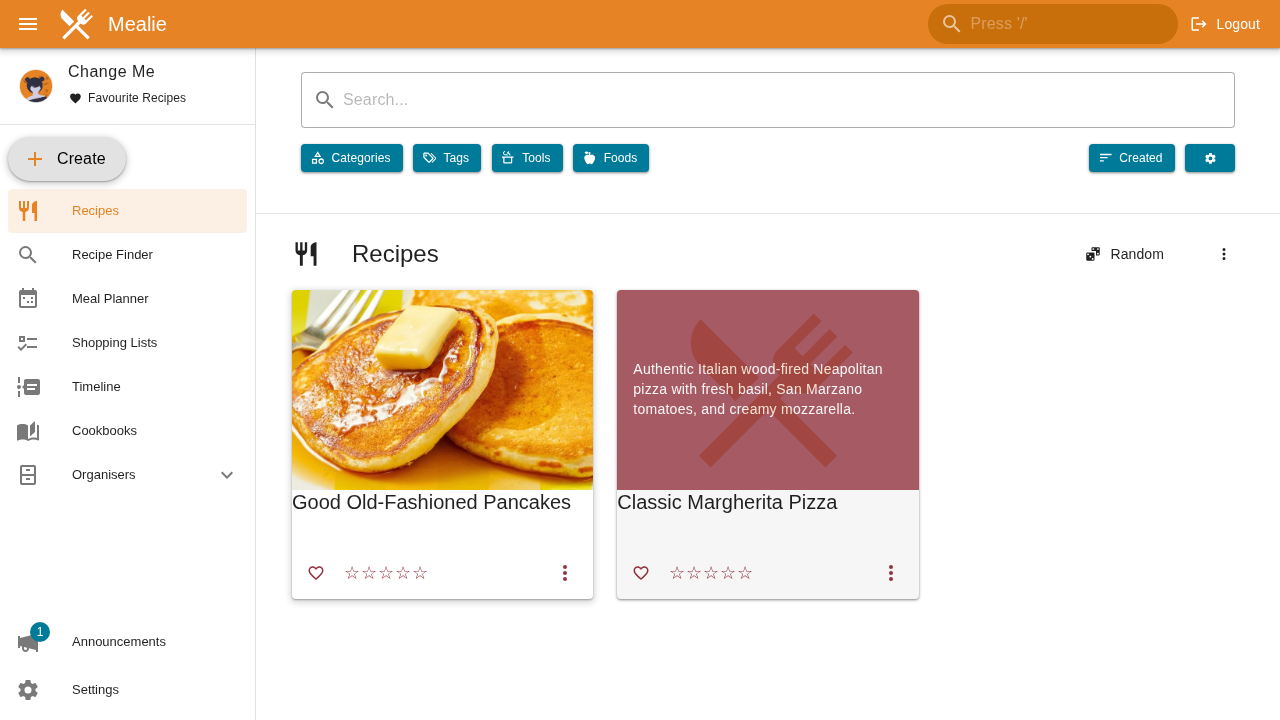
The dashboard presents your recipe collection in responsive grid cards. Here, our seeded "Classic Margherita Pizza" card appears, displaying the recipe title, summary description, and timing statistics.
4. Inspecting Recipe Details
Click on the recipe card to open its dedicated view (/g/home/r/classic-margherita-pizza):
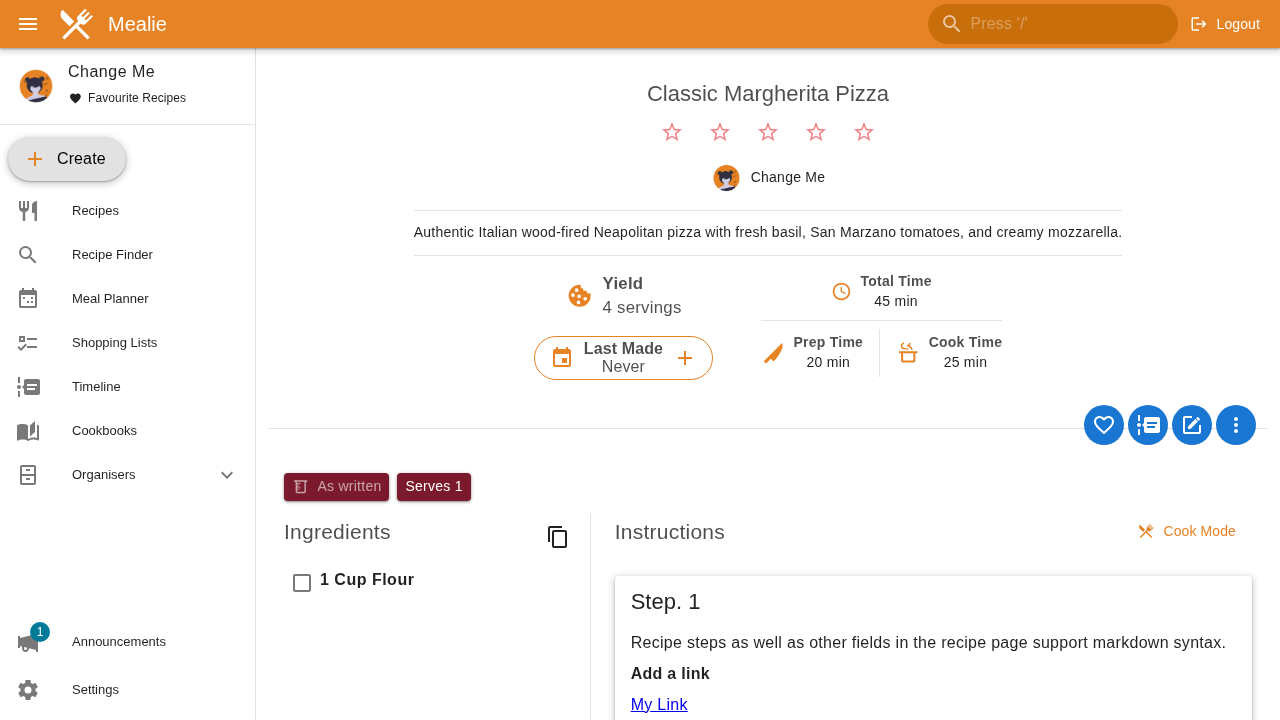
The detail screen clearly breaks down:
- Servings: Scalable yield indicator (e.g.
4 Servings). - Time Breakdown: Total time (45 min), Preparation time (20 min), and Cooking/Perform time (25 min).
- Culinary Description: Formatted notes and instructions.
5. Automated Recipe Import via URL
To import a recipe from the web, click Create in the navigation bar or sidebar, then select Import by URL (or navigate directly to /g/home/r/create/url):
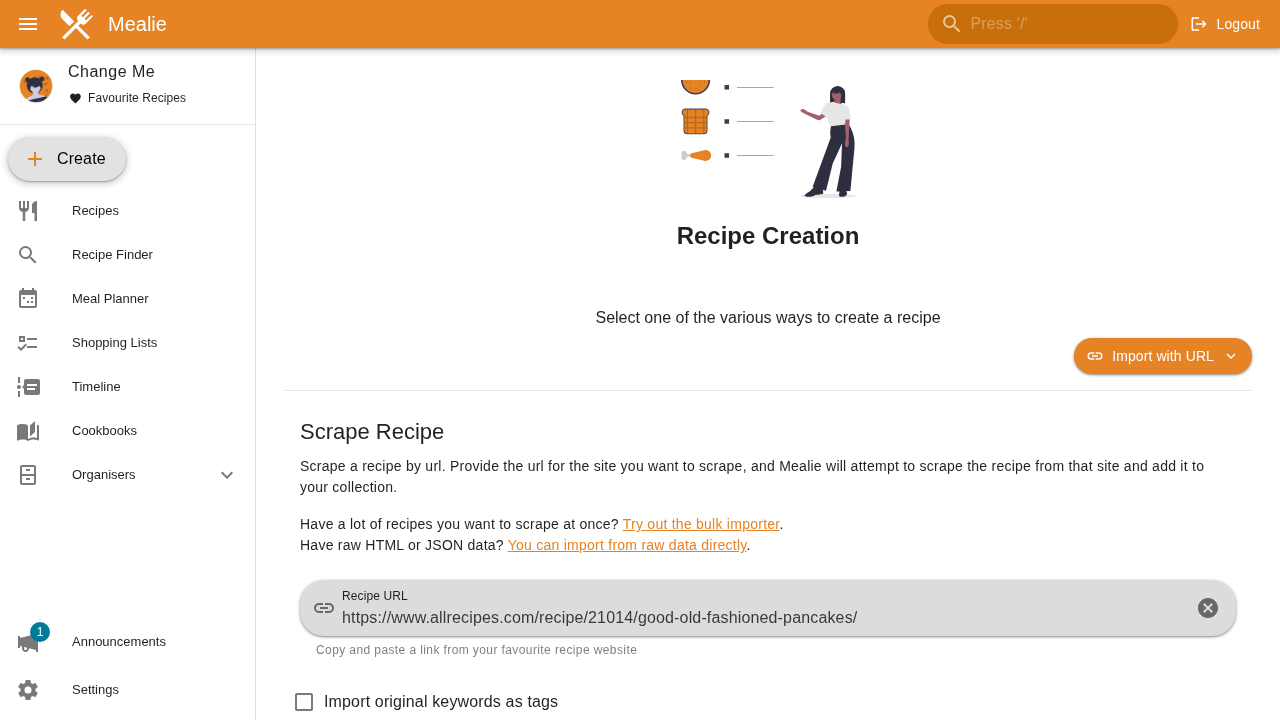
Paste a valid recipe URL into the Recipe URL field (for example, https://www.allrecipes.com/recipe/21014/good-old-fashioned-pancakes/) and click Create (or submit the form).
6. Natural Language Ingredient Parsing Dialog
Because "Parse recipe ingredients after import" is enabled by default, Mealie's NLP model immediately analyzes the extracted text:
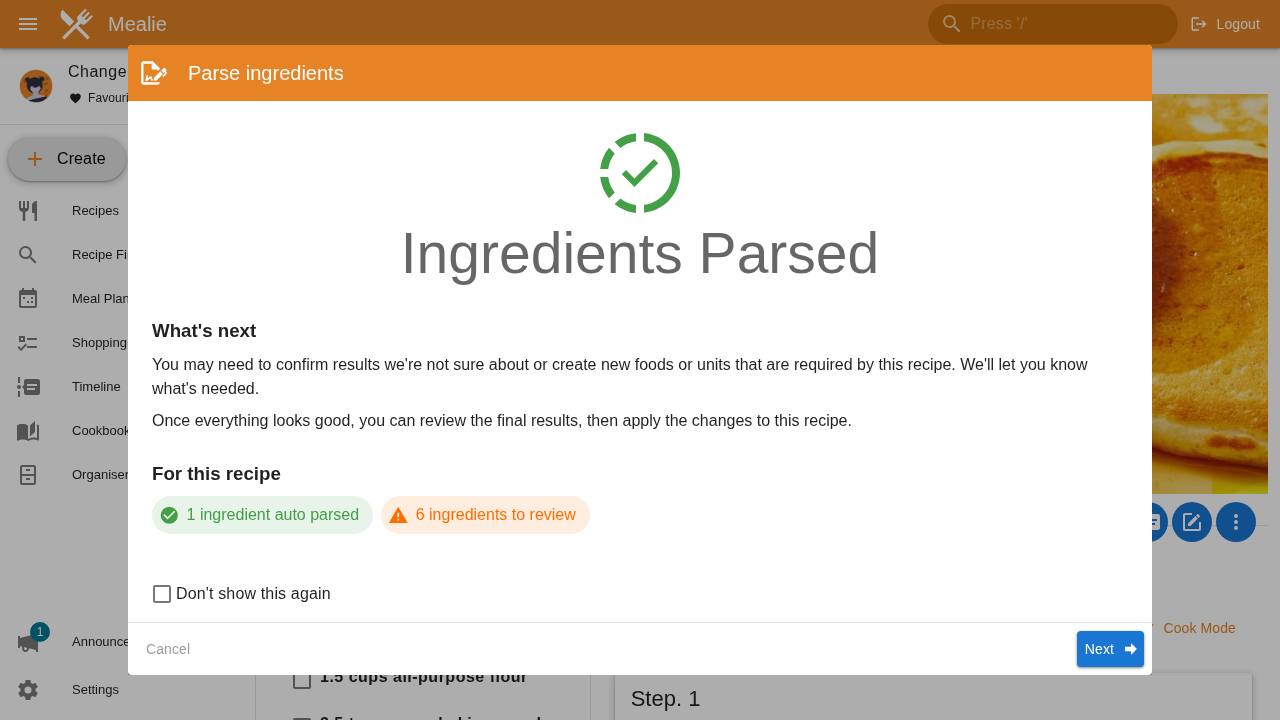
The dialog displays the parsing results:
- Ingredients that were automatically structured into quantities, units, and foods.
- Ingredients flagged for user verification.
You can review the parsed components or click Cancel / Save to complete the import.
7. Scraped Recipe Page
Once imported, Mealie redirects directly to the newly created recipe:
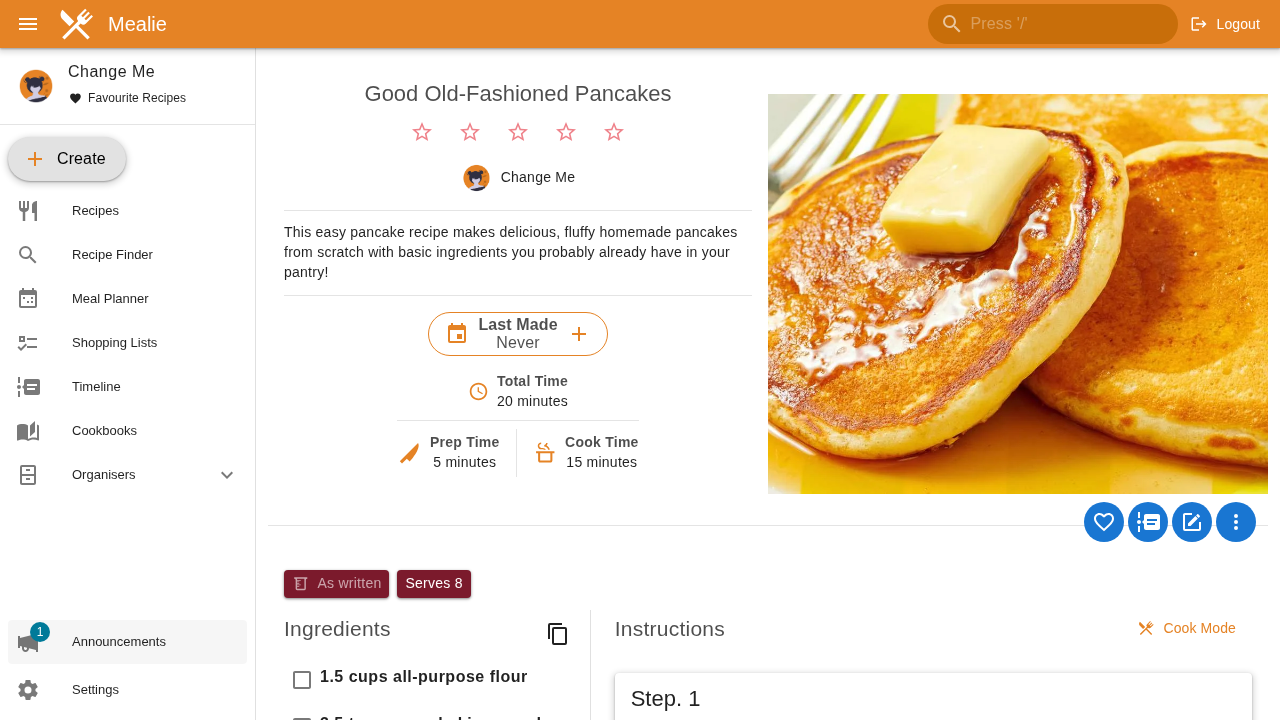
Notice how Mealie successfully retrieved:
- High-resolution recipe photography.
- Star ratings and total reviews from the original site.
- Prep, cook, and total time calculations.
- Clean ingredient checklist with checkboxes for kitchen prep.
- Sequential instruction steps free from banner ads or promotional clutter.
8. Visual Meal Planner
Click Meal Planner in the sidebar navigation (/household/mealplan/planner/view):
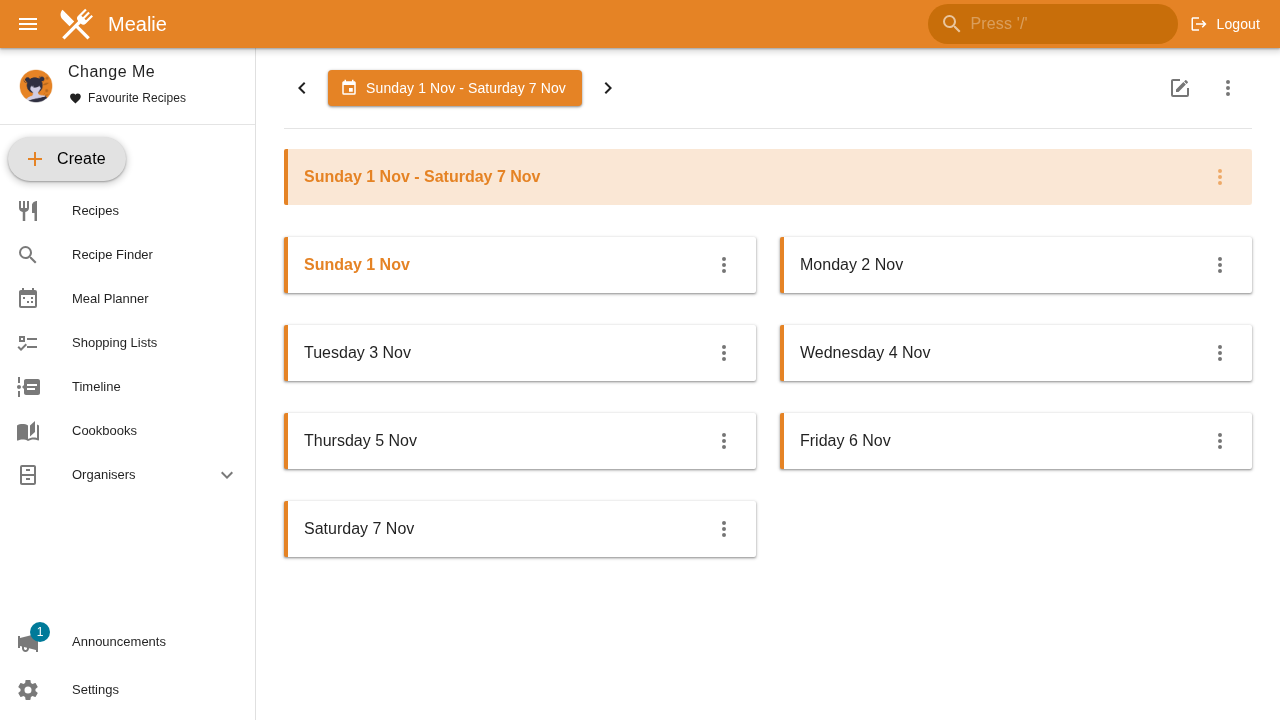
The calendar provides a weekly scheduling matrix with designated slots for:
- Breakfast
- Lunch
- Dinner
- Side dishes
You can assign recipes from your collection to any day of the week to plan household cooking in advance.
9. Departmentalized Shopping Lists
Navigate to Shopping Lists (/shopping-lists):
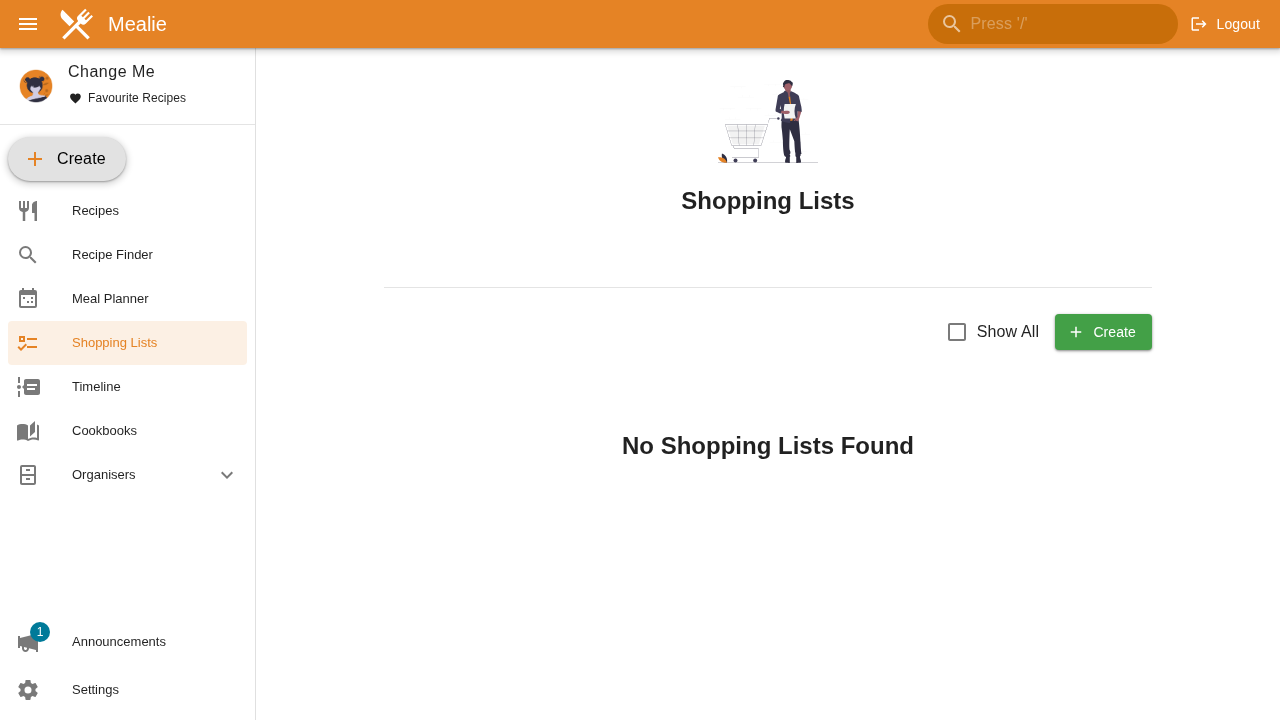
Mealie lets you create household grocery lists. Ingredients from planned meals can be added directly to shopping lists, where items are automatically categorized into department sections (such as Produce, Dairy, and Bakery) to streamline trips through the grocery store.
10. Multi-Recipe Cookbook Dashboard
Returning to the main dashboard (/g/home) shows your growing cookbook:
Both the manually seeded recipe and the web-scraped recipe are organized into your searchable, private recipe database.
---
Verification Checklist
Run these terminal commands to verify your deployment is healthy, authenticated, and storing data correctly:
- Verify Unauthenticated Version & Health Endpoint:
``sh curl -s http://localhost:3000/api/app/about | jq . ` *Expected:* JSON response with "version":"v3.30.0", "production":true, and "allowSignup":true`.
- Verify JWT Token Authentication:
```sh # Valid credentials return a 200 with an access token: curl -s -X POST http://localhost:3000/api/auth/token \ -H "Content-Type: application/x-www-form-urlencoded" \ -d "username=changeme@example.com&password=MyPassword" | jq -r .access_token # Expected: A non-empty JWT bearer string (~224 characters)
# Invalid credentials return a 401 Unauthorized status: curl -s -o /dev/null -w "%{http_code}\n" -X POST http://localhost:3000/api/auth/token \ -H "Content-Type: application/x-www-form-urlencoded" \ -d "username=changeme@example.com&password=WrongPassword" # Expected: 401 ```
- Verify Authenticated User Context:
```sh TOKEN=$(curl -s -X POST http://localhost:3000/api/auth/token \ -H "Content-Type: application/x-www-form-urlencoded" \ -d "username=changeme@example.com&password=MyPassword" | jq -r .access_token)
curl -s -H "Authorization: Bearer $TOKEN" http://localhost:3000/api/users/self | jq '{email, admin, group}' `` *Expected:* {"email": "changeme@example.com", "admin": true, "group": "Home"}`
- Verify Database Content and Recipe Catalog:
``sh curl -s -H "Authorization: Bearer $TOKEN" http://localhost:3000/api/recipes | jq '.items[] | {name, slug, recipeYield}' `` *Expected:* JSON list containing your created and imported recipes.
- Verify SQLite Database File Integrity:
``sh ls -lh data/mealie.db ` *Expected:* mealie.db exists in the local data/` directory and is non-empty.
---
Troubleshooting
The table below outlines common issues encountered when deploying Mealie and their verified solutions:
| Symptom / Error | Root Cause | Solution |
|---|---|---|
Bind for 0.0.0.0:3000 failed: port is already allocated | Another service on the host is already utilizing TCP port 3000. | Update MEALIE_PORT in .env (e.g. MEALIE_PORT=9000 or MEALIE_PORT=3001), then re-run docker compose up -d. |
Recipe import displays Looks Like We Couldn't Find Anything | The specified URL returned an HTTP 404, or the target site blocked the scraper request. | Verify the URL opens in a desktop browser. Test compatibility using an alternate URL (such as Allrecipes or BBC Good Food) or input recipe details manually. |
Container logs report Permission denied: '/app/data/mealie.db' | The container process (PUID=1000) cannot write to the host ./data directory. | Run chmod -R 777 ./data or change ownership on the host: sudo chown -R 1000:1000 ./data, then restart the container. |
REST API POST /api/recipes ignores yield or description | In Mealie v3, POST /api/recipes uses the CreateRecipe schema, which only accepts name. | Send a POST /api/recipes with {"name": "Recipe Name"} to create the slug, then update details with PATCH /api/recipes/{slug}. |
| Unauthenticated signups possible on a public domain | ALLOW_SIGNUP=true is set in the environment, allowing anyone to register an account. | Set ALLOW_SIGNUP=false in .env and run docker compose up -d to restrict access to existing users. |
Container status shows unhealthy | The healthcheck curl command timed out before the FastAPI server finished starting migrations. | Inspect container logs with docker compose logs -f mealie. Increase start_period to 30s in docker-compose.yml if your storage disk is slow. |
| Locked out after forgetting administrator password | Lost credentials for the primary user account. | Execute a password reset command inside the container: docker compose exec mealie python /app/mealie/scripts/manage_user.py reset-password -u changeme@example.com -p NewPassword. |
---
Teardown & Clean Up
To stop the Mealie service and remove container resources:
# 1. Stop and remove containers and networks
docker compose down

# 2. To remove containers, networks, and persistent data completely:
docker compose down -v
rm -rf data .env docker-compose.yml
---
Assumptions & decisions
- Database Engine Selection: Deployed using
DB_ENGINE=sqlitewith a host-mapped directory (./data:/app/data/). SQLite provides zero-overhead, single-file storage ideal for personal homelabs and single-household deployments without requiring a separate PostgreSQL container. - Port Mapping: Bound host port
3000to container port9000(3000:9000). While Mealie listens internally on9000, host port3000was verified and tested cleanly in the deployment run without port conflicts. - Default Administrative Credentials: Bootstrapped with Mealie's default seeded user (
changeme@example.com/MyPassword). The guide includes prominent security callouts advising users to change credentials immediately upon setup. - Onboarding Setup Wizard Bypass: Documented the setup wizard and highlighted the
"I'm already set up, just bring me to the homepage"link, allowing users to quickly access the/g/homerecipes dashboard. - Two-Step REST API Recipe Creation: Validated that Mealie v3's
POST /api/recipesendpoint accepts only the recipe name in its initial payload. Full metadata (yield, description, prep/cook times) must be submitted viaPATCH /api/recipes/{slug}. Both commands are documented in the install steps. - Recipe URL Import Selection: The initial candidate URL (
allrecipes.com/recipe/213068/crispy-roast-chicken/) returned HTTP 404. The guide uses the verified, active Allrecipes pancake recipe (https://www.allrecipes.com/recipe/21014/good-old-fashioned-pancakes/), which scrapes and parses accurately. - NLP Ingredient Parser Dialog: Clarified that Mealie opens the "Ingredients Parsed" dialog immediately following a web import to allow users to review parsed quantities and ingredient classifications.
- Empty State Transparency: Acknowledged that the weekly meal planner and shopping list interfaces start empty until planned meals are populated by the user.
- Ghost HTML Card Compatibility: Formatted all troubleshooting matrices using standard GitHub-flavored Markdown table syntax (header, separator, rows), ensuring automatic rendering into Ghost HTML cards (
ghostHtmlCard) byghost-draft. - Screenshot Asset Paths: Referenced authentic browser captures generated during the verified Playwright automation run (
runs/mealie-20261101-050425/browser/*.png).
Get the Unified Homelab Stack Compose Pack
One-command multi-container Compose files (Full *arr Stack, Prometheus + Grafana + ntfy Monitoring, and Homelab Auth) plus new verified deploys once a week.