Run Hob, the Open-Source Local AI Desktop App, in a Throwaway Docker Container
Hob is a free, MIT-licensed desktop app that runs open-weight AI models on your own computer. This guide runs the official v0.2.5 Linux AppImage in a disposable Docker container and opens its window in your browser through noVNC. It uses demo mode, so you don't need a GPU or a model download.
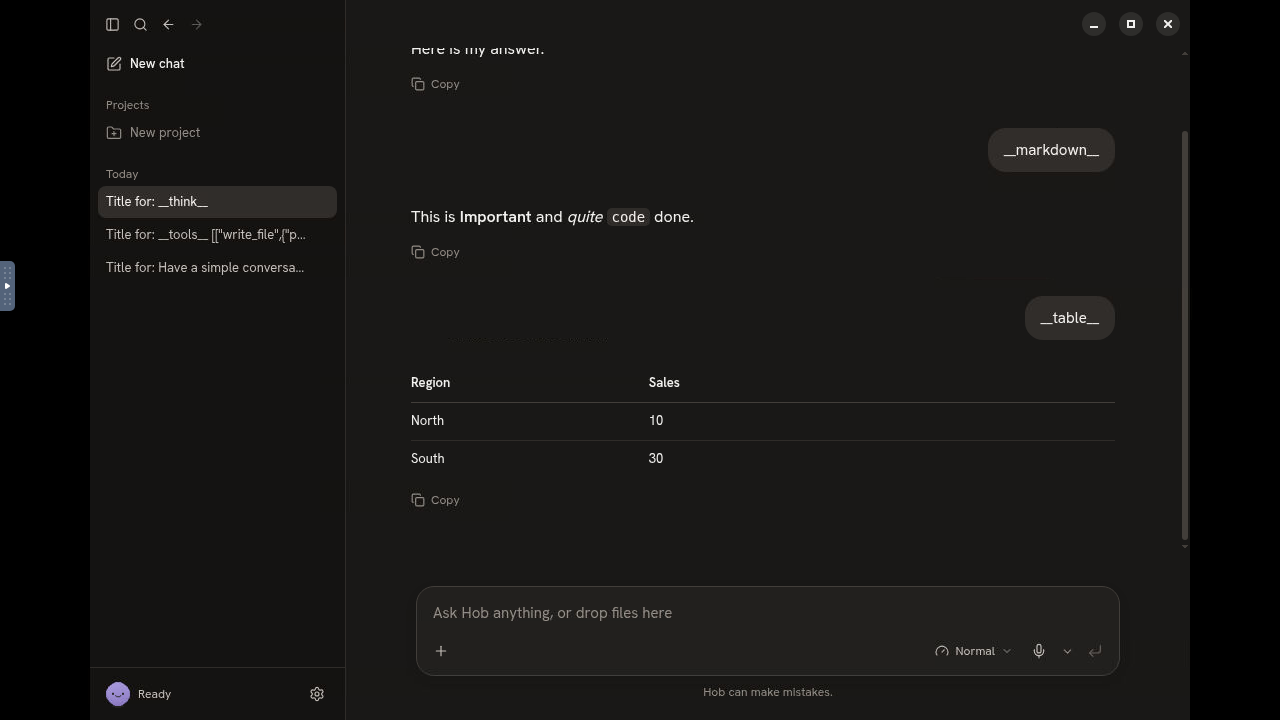
Hob from Frigade is "an easier way to use AI on your own computer": a free, open-source desktop alternative to ChatGPT and Claude. On first launch it looks at your hardware, picks an open-weight model that fits (Gemma, or gpt-oss on bigger machines), downloads it and sets everything up. After that it works offline, with no account. It can work on files, run tools, draw interactive charts, render markdown and tables, and search past chats. It is MIT-licensed and built with Electron.
Hob is a desktop app, not a web server. Upstream ships installers for Mac, Windows and Linux, and has no Dockerfile or container image. This guide follows the exact path we recorded and checked:
- the official v0.2.5
Hob-linux-x86_64.AppImage, verified against its published sha512 and extracted so FUSE isn't needed - inside a throwaway
debian:bookworm-slimcontainer with a virtual display (Xvfb) - shown in your browser through noVNC, with a Chrome DevTools Protocol (CDP) port for automation
- in Hob's built-in demo mode (
HOB_FAKE=1), which uses a stand-in model, so you skip the multi-GB model download and need no GPU
Nothing is installed on your host besides one Docker image, one volume and one container. Teardown is one command.
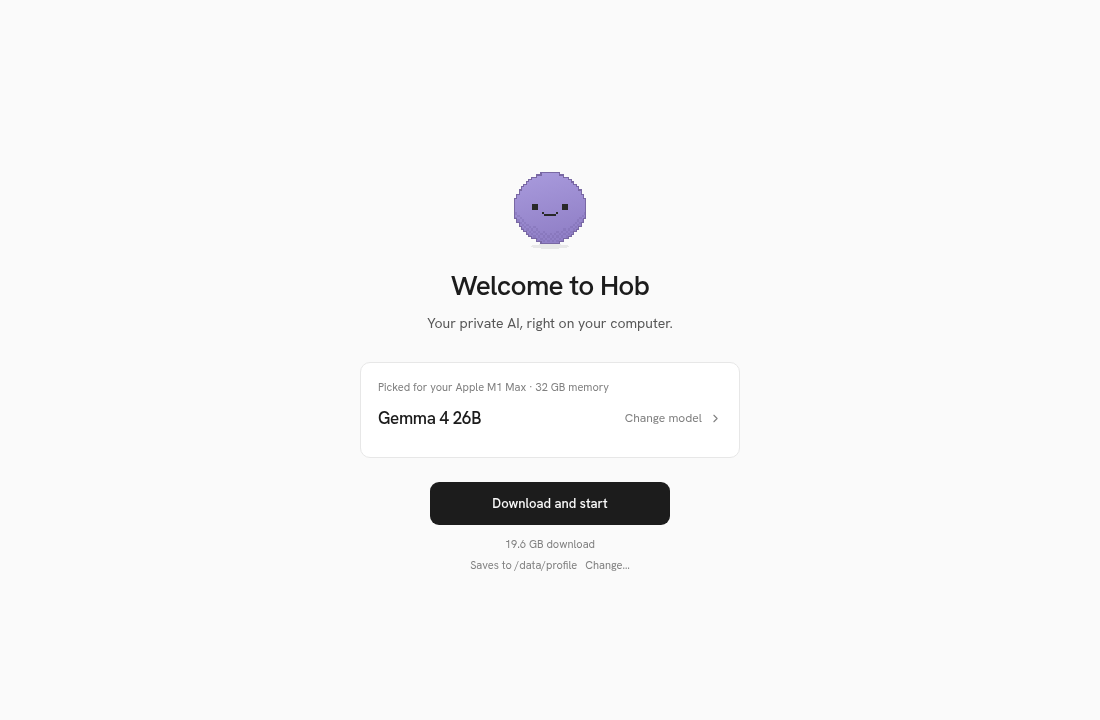
Demo mode, honestly: everything in this guide uses Hob's stand-in model. The download is simulated, replies are scripted, and the setup screen pretends the machine is an "Apple M1 Max · 32 GB". It shows the real app UI working end to end. It says nothing about real model speed or quality. A real model needs several to tens of GB of disk and memory.
Prerequisites
- Linux x86_64 with Docker Engine and the Compose v2 plugin (
docker compose versionworks). We tested Docker Compose 5.6.1 on a rootful daemon with no buildx plugin (the classic builder). The files below work with either builder. curlandss(iproute2)- About 4 GB free in Docker's data directory. The built image is 2.97 GB, and the AppImage download is about 508 MB.
- Internet access to
github.com(for the AppImage) and the Debian mirrors - A browser on the same machine. Both ports bind to
127.0.0.1only.
Install
1. Set variables
Pick a working directory for the generated files. The version and sha512 are the published values for the v0.2.5 Linux AppImage (from the release's latest-linux.yml).
export DEPLOY=$HOME/hob-demo
export PROJ=hob-demo
export HOB_VERSION=0.2.5
export HOB_SHA512='Pyo7NXiNzfi7Xu/Byy+BBUnjwzrB7AlsSfT6pFew5MkPI0Gs5Iq2clr0+9plOLtybVRF7gP7cH6kI0wopPpkSw=='
2. Preflight
docker info >/dev/null && echo docker_ok
docker compose version
curl -sIL -o /dev/null -w '%{http_code}\n' \
  https://github.com/FrigadeHQ/hob/releases/download/v$HOB_VERSION/Hob-linux-x86_64.AppImage
df -h /var/lib/docker | tail -1
You should see docker_ok, a Compose version, 200 for the release asset, and at least ~4 GB available.
3. Pick free ports
noVNC (the browser view) prefers port 3000. CDP prefers 9222. This takes the first free port from each list:
free_port() { for p in "$@"; do ss -ltn | awk '{print $4}' | grep -qE "[:.]$p\$" || { echo $p; return; }; done; }
HOB_WEB_PORT=$(free_port 3000 3010 3020 3030 3040 3050)
HOB_CDP_PORT=$(free_port 9222 9232 9242 9252)
echo "HOB_WEB_PORT=$HOB_WEB_PORT HOB_CDP_PORT=$HOB_CDP_PORT"
Expected: HOB_WEB_PORT=3000 HOB_CDP_PORT=9222. If either value is empty, every candidate is busy, so add more ports to the list.
4. Generate .env, entrypoint.sh, Dockerfile and compose.yml
mkdir -p $DEPLOY
cat > $DEPLOY/.env <<EOF
HOB_WEB_PORT=$HOB_WEB_PORT
HOB_CDP_PORT=$HOB_CDP_PORT
HOB_VERSION=$HOB_VERSION
HOB_SHA512=$HOB_SHA512
DEPLOY=$DEPLOY
EOF
The entrypoint starts a 1280×720 virtual display, a window manager, a VNC server and noVNC, plus a socat forwarder for CDP (Chromium binds DevTools to the container's loopback). Then it starts Hob:
cat > $DEPLOY/entrypoint.sh <<'EOF'
#!/bin/sh
# Virtual display -> VNC -> noVNC (browser), plus CDP forwarder, then Hob in stand-in-model mode.
set -e
export DISPLAY=:99
rm -f /tmp/.X99-lock
Xvfb :99 -screen 0 1280x720x24 -nolisten tcp &
for i in $(seq 1 50); do [ -e /tmp/.X11-unix/X99 ] && break; sleep 0.1; done
openbox >/dev/null 2>&1 &
x11vnc -display :99 -forever -shared -nopw -localhost -rfbport 5900 -quiet >/tmp/x11vnc.log 2>&1 &
websockify --web /usr/share/novnc 6080 localhost:5900 >/tmp/websockify.log 2>&1 &
socat TCP-LISTEN:9223,fork,reuseaddr TCP:127.0.0.1:9222 &
( xdotool search --sync --class hob windowmove 0 0 windowsize 1280 720 >/dev/null 2>&1 || true ) &
mkdir -p /data/profile
if [ -n "$RECORD" ]; then
  mkdir -p /data/rec
  ffmpeg -loglevel error -y -f x11grab -video_size 1280x720 -framerate 30 -i :99 -c:v libx264 -preset veryfast -pix_fmt yuv420p /data/rec/hob-$(date +%s).mp4 &
fi
exec /opt/hob/AppRun --no-sandbox --disable-gpu --disable-dev-shm-usage \
  --remote-debugging-port=9222 --remote-allow-origins='*'
EOF
chmod +x $DEPLOY/entrypoint.sh
--no-sandbox is needed because Chromium runs as root in the container. That is fine for a throwaway demo container and not fine for daily use.
The Dockerfile downloads the AppImage, fails the build if the sha512 doesn't match, and extracts it with --appimage-extract, so the container needs no FUSE or /dev/fuse:
cat > $DEPLOY/Dockerfile <<'EOF'
FROM debian:bookworm-slim
ARG HOB_VERSION
ARG HOB_SHA512
ENV DEBIAN_FRONTEND=noninteractive
RUN apt-get update && apt-get install -y --no-install-recommends \
      ca-certificates curl openssl \
      xvfb x11vnc novnc websockify openbox xdotool socat ffmpeg dbus-x11 \
      libgtk-3-0 libnss3 libgbm1 libasound2 libxss1 libxtst6 libatk-bridge2.0-0 libdrm2 \
      libxkbcommon0 libsecret-1-0 libnotify4 libcups2 libxshmfence1 libuuid1 xdg-utils \
      fonts-dejavu-core fonts-noto-color-emoji \
    && rm -rf /var/lib/apt/lists/*
WORKDIR /opt
RUN curl -fL -o hob.AppImage https://github.com/FrigadeHQ/hob/releases/download/v${HOB_VERSION}/Hob-linux-x86_64.AppImage \
    && test "$(openssl dgst -sha512 -binary hob.AppImage | base64 -w0)" = "$HOB_SHA512" \
    && chmod +x hob.AppImage && ./hob.AppImage --appimage-extract >/dev/null \
    && mv squashfs-root /opt/hob && rm hob.AppImage
COPY entrypoint.sh /entrypoint.sh
ENTRYPOINT ["/entrypoint.sh"]
EOF
The compose file turns on demo mode, keeps Hob's profile in a named volume, and publishes both ports on 127.0.0.1 only:
cat > $DEPLOY/compose.yml <<'EOF'
services:
  hob:
    build:
      context: .
      args:
        HOB_VERSION: ${HOB_VERSION}
        HOB_SHA512: ${HOB_SHA512}
      dockerfile: Dockerfile
    image: shortform-hob:${HOB_VERSION}
    init: true
    shm_size: 1gb
    ports:
      - "127.0.0.1:${HOB_WEB_PORT}:6080"
      - "127.0.0.1:${HOB_CDP_PORT}:9223"
    environment:
      HOB_FAKE: "1"
      HOB_BACKGROUND: "0"
      HOB_SYSTEM_LANGUAGES: en-US
      HOB_USER_DATA: /data/profile
      HOB_FAKE_STEP_MS: "1500"
      RECORD: ${RECORD:-}
    volumes:
      - hob-data:/data
    restart: "no"
volumes:
  hob-data:
EOF
Check that Compose accepts it:
C="docker compose -p $PROJ --env-file $DEPLOY/.env -f $DEPLOY/compose.yml"
$C config >/dev/null && echo compose_ok
Expected: compose_ok.
5. Build and start
$C --progress plain build
$C up -d
sleep 12
$C logs --tail 40 hob
--progress is a global Compose flag, so it goes before build. The build installs the X/VNC packages, downloads the 507 MB AppImage, passes the sha512 test, extracts it and ends with Successfully tagged shortform-hob:0.2.5. up -d creates the network, the hob-data volume and the container.
The sleep 12 gives Electron time to start. In the logs, look for:
DevTools listening on ws://127.0.0.1:9222/devtools/browser/…Lines like ERROR:dbus/bus.cc:406] Failed to connect to the bus are expected and harmless, because the container has no D-Bus.
Verify
curl -s -o /dev/null -w '%{http_code}\n' http://127.0.0.1:$HOB_WEB_PORT/vnc.html
curl -s http://127.0.0.1:$HOB_CDP_PORT/json/version | head -c 300; echo
curl -s http://127.0.0.1:$HOB_CDP_PORT/json/list | grep -o '"url": *"[^"]*"'
$C exec hob sh -c 'DISPLAY=:99 xdotool search --class hob getwindowname'
$C ps
What we saw:
| Check | Expected output |
|---|---|
vnc.html | 200 |
json/version | "Browser": "Chrome/152.0.7977.149" and a User-Agent containing Hob/0.2.5 and Electron/44.7.2 |
json/list | "url": "file:///opt/hob/resources/app.asar/out/renderer/index.html" |
xdotool … getwindowname | hob (lowercase) |
ps | the hob-1 container Up, with 127.0.0.1:3000->6080/tcp, 127.0.0.1:9222->9223/tcp |
Browser setup
Open the noVNC view. Use your own port if step 3 picked a different one:
http://127.0.0.1:3000/vnc.html?autoconnect=1&resize=scale&reconnect=1&show_dot=1autoconnect=1 connects right away with no password. You'll see the container's 1280×720 screen with the Hob window in it. Click and type in the canvas like you would on a desktop.
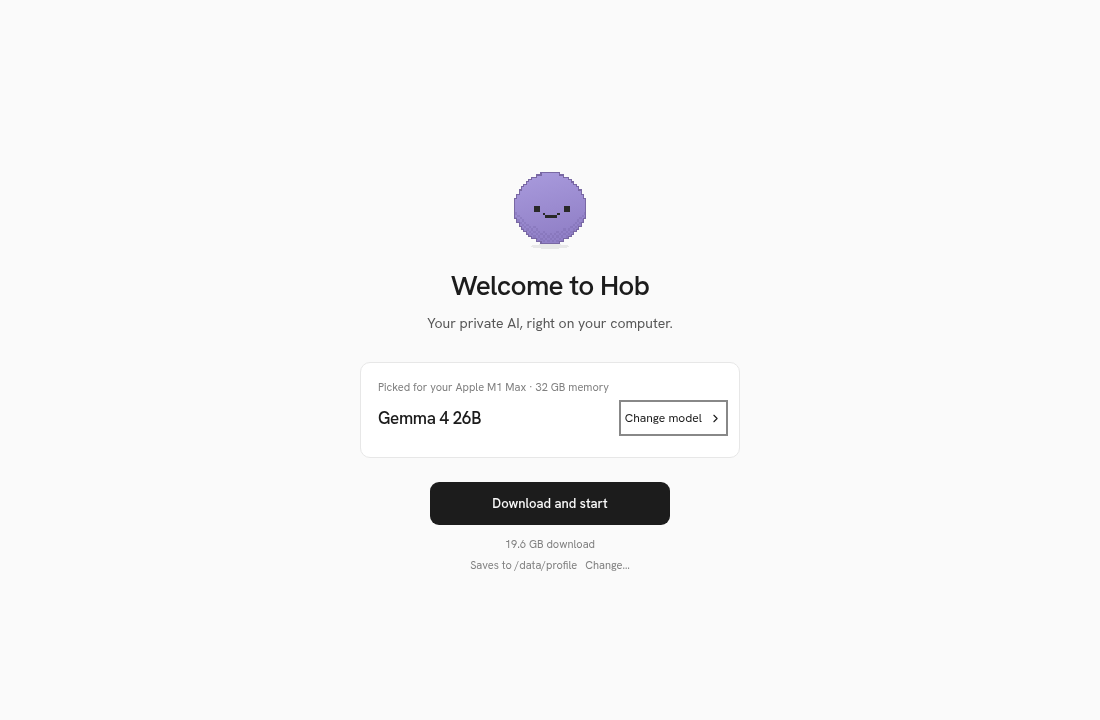
1. Welcome screen. First launch shows "Welcome to Hob" with a hardware-based pick. In demo mode the pretend hardware is "Apple M1 Max · 32 GB", so it recommends Gemma 4 26B, a 19.6 GB download, saving to /data/profile.
2. Other models (optional). Click Change model to see the model list, then press Escape.
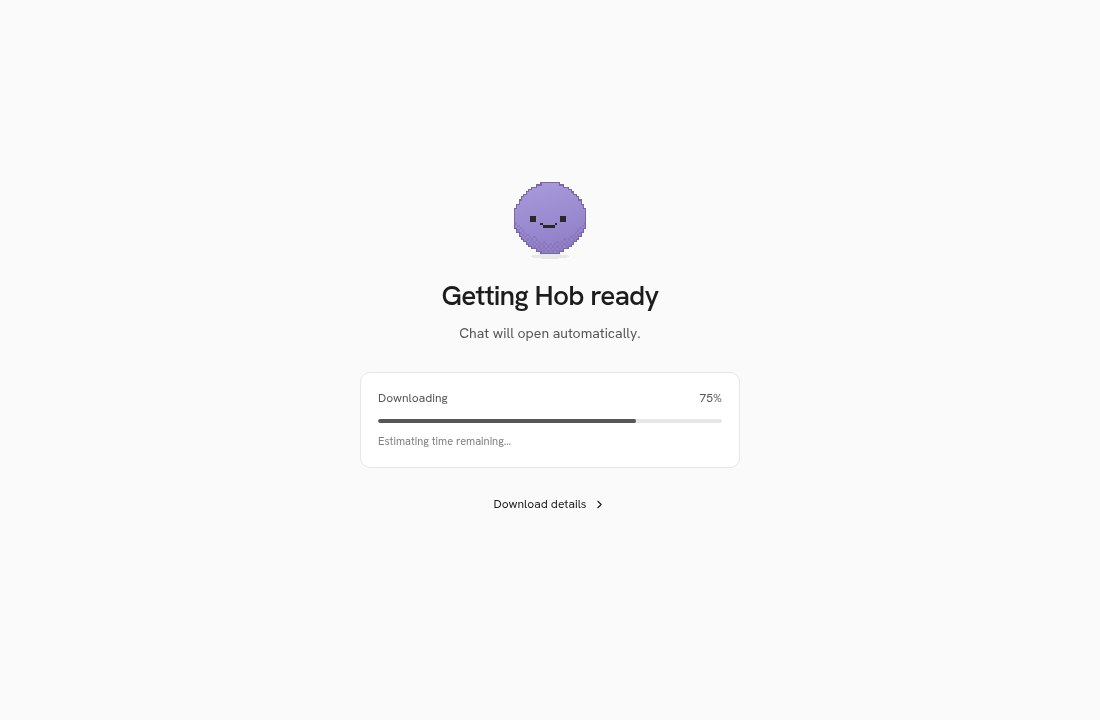
3. Download and start. Click Download and start. In demo mode, a simulated "Getting Hob ready" progress bar plays at 1.5 s per step (HOB_FAKE_STEP_MS). Then the chat opens and the status pill reads Ready.
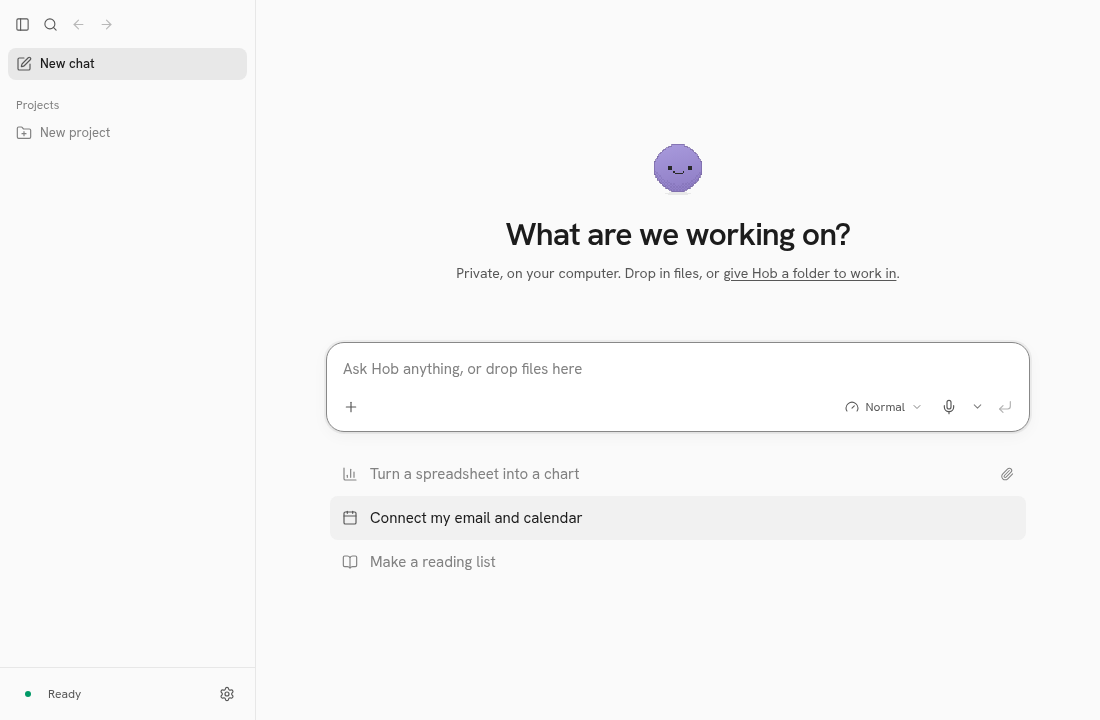
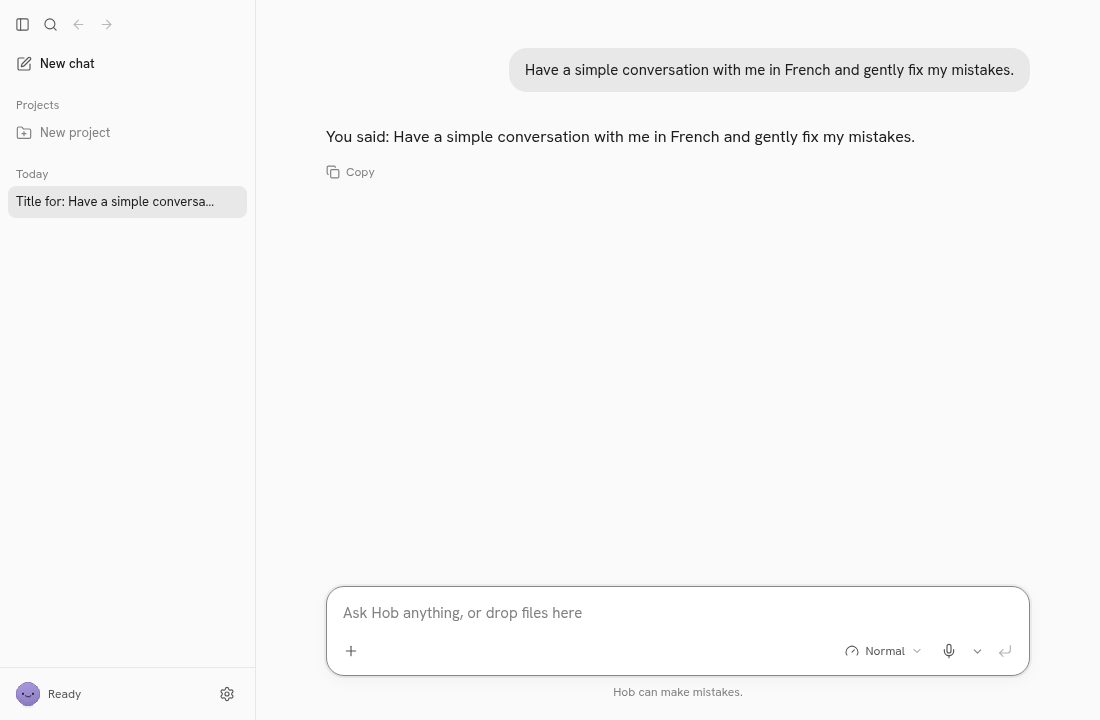
4. First message. Click one of the suggestion chips. The stand-in model answers right away.
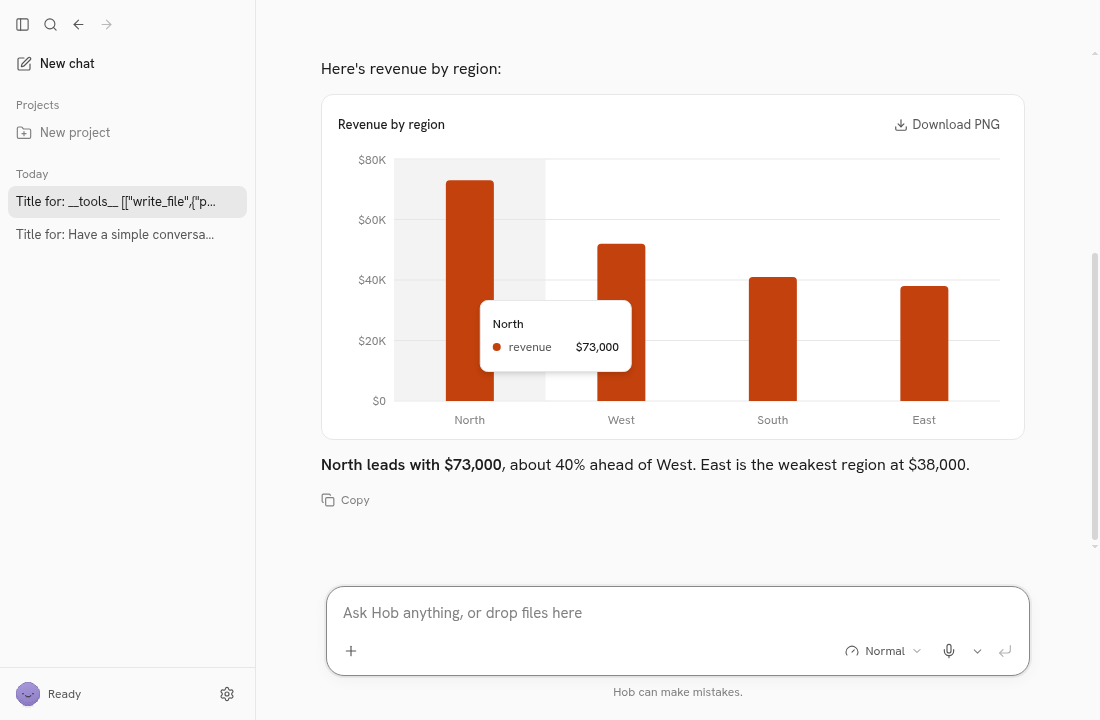
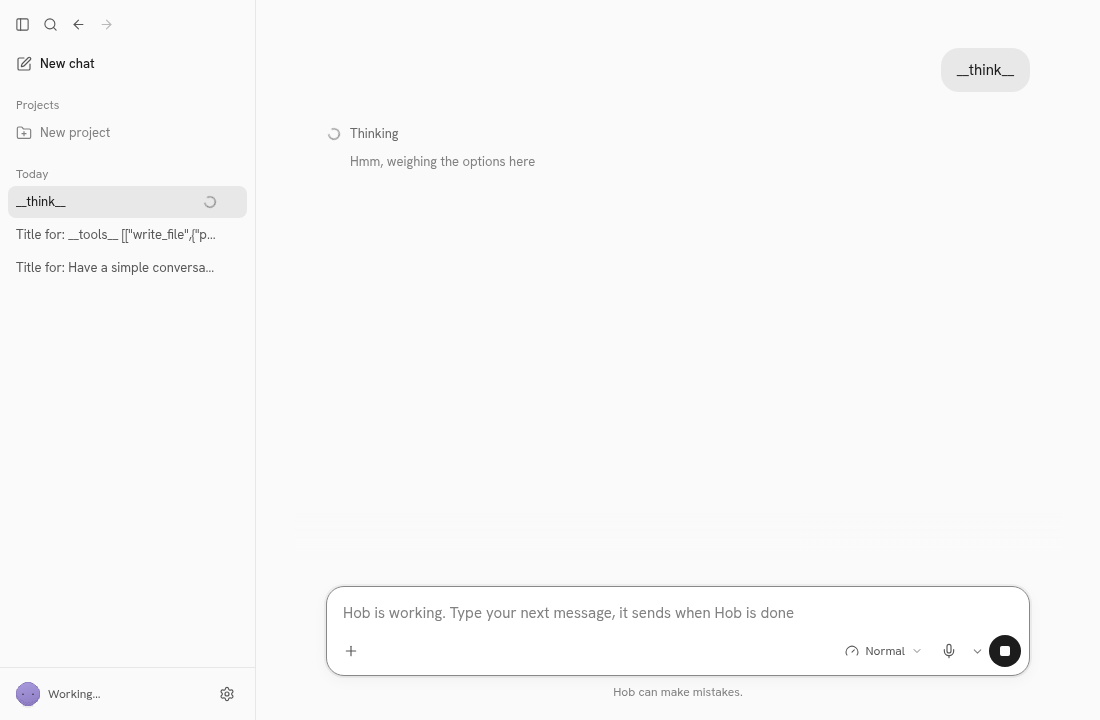
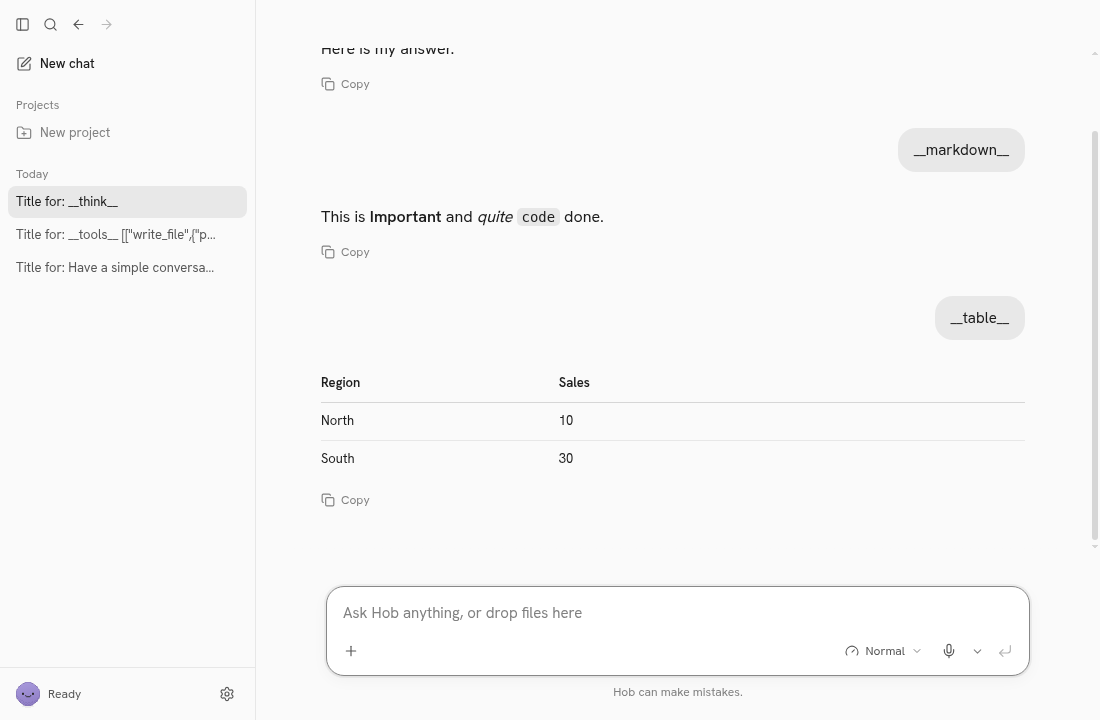
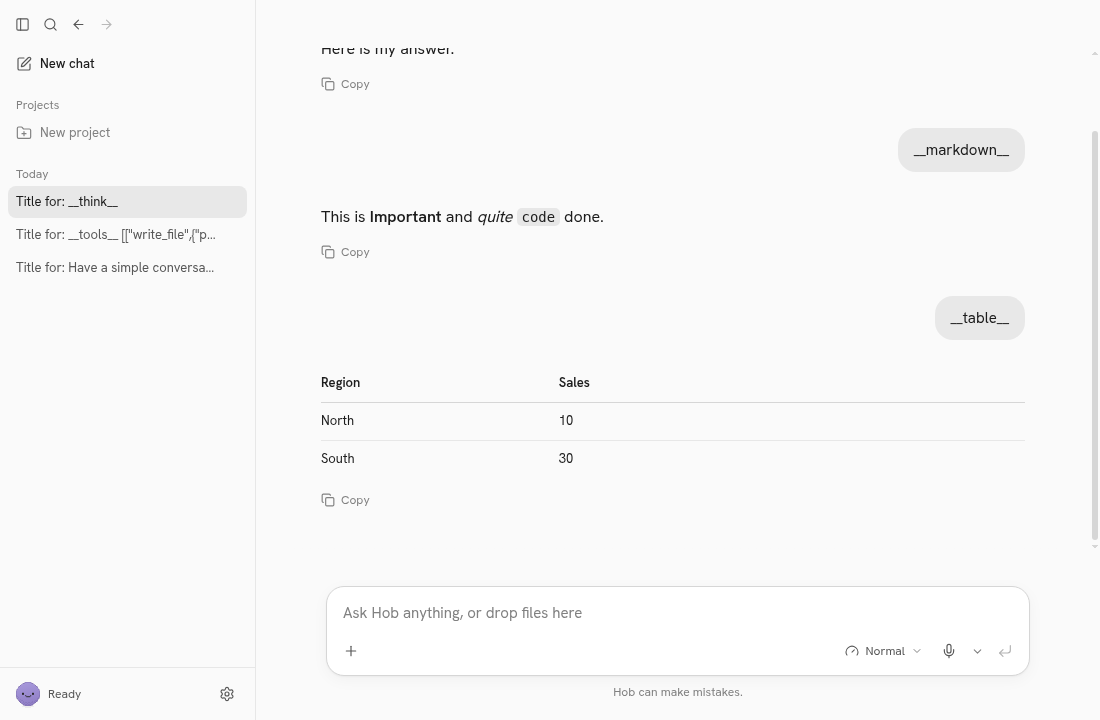
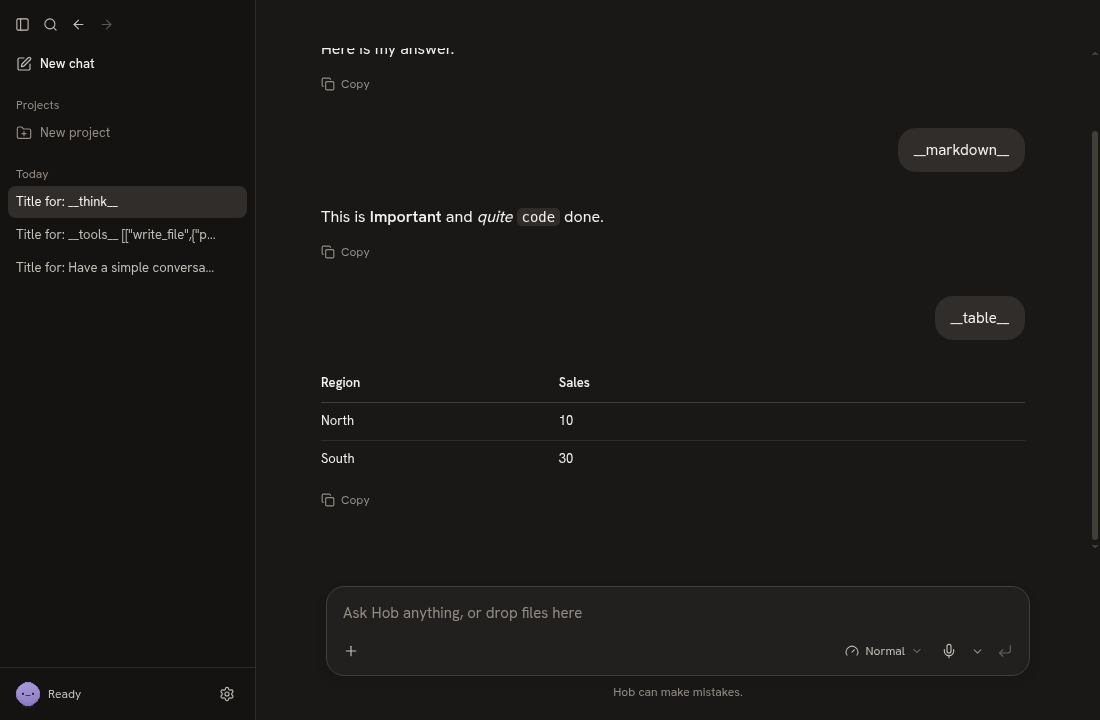
5. Chart, thinking, markdown and tables. Demo mode has trigger prompts that exercise the real UI. In a new chat, __think__ streams reasoning, __markdown__ streams formatted text, and __table__ renders a table. The chart at the top of this post came from a scripted __tools__ prompt: it writes sales.csv and calls make_chart, which produces a hoverable "Revenue by region" bar chart. The trigger text appears as-is in your own message bubble.
6. Search. Press Ctrl+K to open the command bar with recent chats and quick actions. Type revenue to find the chart chat.
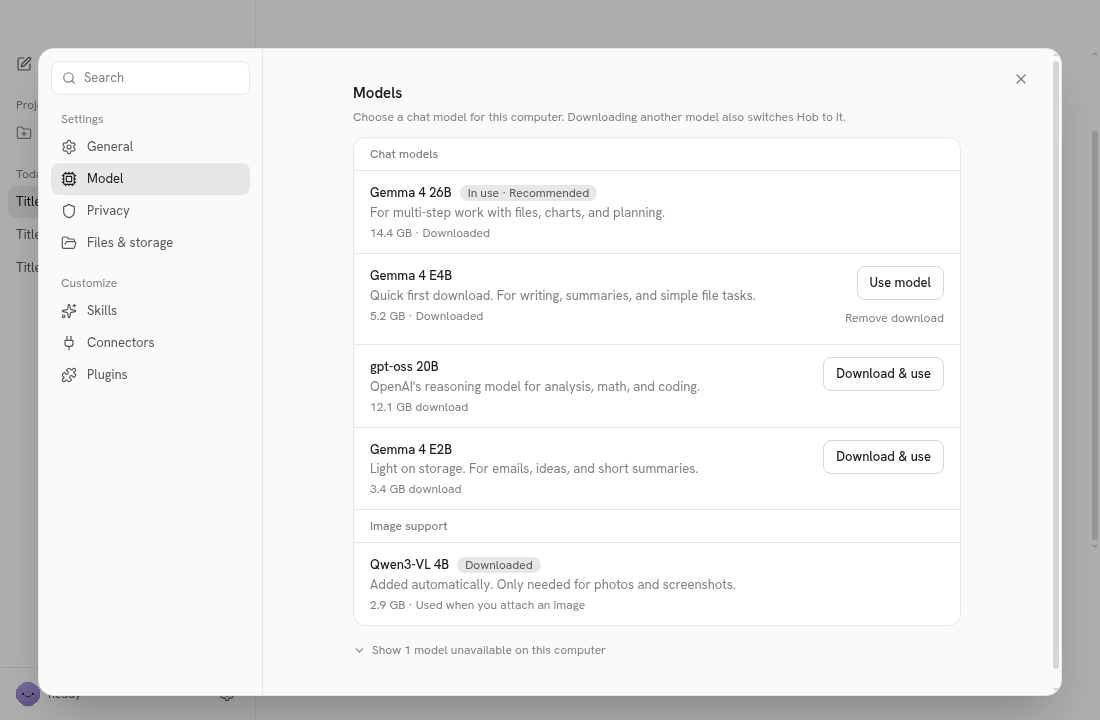
7. Settings and dark mode. Open Settings. Model is the model picker. Under General, set Theme to Dark, then close Settings.
The setup screen only appears on a fresh profile. To see it again, wipe the volume and restart. The image is cached, so this takes about 10 seconds:
$C down -v && $C up -d && sleep 12Automating it with Playwright (optional)
The noVNC page is only a picture of the screen, so it has no DOM selectors. To script Hob, keep the noVNC page open (for example as your recorded page) and drive the real Electron window over CDP:
const browser = await chromium.connectOverCDP('http://127.0.0.1:9222');
const page = browser.contexts()[0].pages()[0];
await page.emulateMedia({ colorScheme: null }); // without this, the dark theme won't apply
await page.getByTestId('setup-download').click();
Hob's upstream data-testids work as-is, the same ones app/e2e/*.spec.ts uses. The ones we used were setup-other-options, setup-download, status, suggestion, new-chat, composer-input, composer-send, chart-card, command-bar, open-settings, settings-nav-model, settings-nav-general and theme. The theme control is a radio group: page.getByTestId('theme').getByRole('radio', { name: 'Dark' }).
Teardown
$C down -v --remove-orphans && docker image rm shortform-hob:0.2.5
rm -rf $DEPLOY
This removes the container, network, volume (Hob's profile and chats) and the 2.97 GB image.
Troubleshooting
| Symptom | Cause | Fix |
|---|---|---|
unable to prepare context: unable to evaluate symlinks in Dockerfile path: lstat …/Dockerfile: no such file or directory | The compose file used dockerfile_inline, which the classic builder ignores when buildx isn't installed | Use an on-disk Dockerfile with dockerfile: Dockerfile, as this guide does |
--progress is a global compose flag, better use docker compose --progress xx build | --progress plain was placed after build | Put it before the subcommand: $C --progress plain build |
buildx Docker CLI plugin not found: falling back to the classic builder | No buildx plugin | Harmless with this guide's files |
Build stops at the test "$(openssl dgst …)" = "$HOB_SHA512" step | The downloaded AppImage doesn't match the v0.2.5 sha512 (corrupt download or wrong version) | Re-run the build. If you change HOB_VERSION, take that release's sha512 from its latest-linux.yml |
json/version gives no response right after up -d | Electron hasn't opened DevTools yet | Wait about 12 s, then check $C logs --tail 40 hob for DevTools listening |
Failed to connect to the bus in the logs | The container has no D-Bus | Harmless; ignore it |
xdotool prints hob, not Hob | The window class is lowercase | Cosmetic; nothing to fix |
| Hob window is 1100 px wide with black bars on both sides in noVNC | The entrypoint's background xdotool … windowsize 1280 720 fails silently before the window maps | Cosmetic. For clean screenshots, capture the Hob page itself over CDP (Playwright page.screenshot()), which gives a 1100×720 image |
| The welcome/setup screen doesn't appear | Setup runs once per profile, and the hob-data volume still has it | $C down -v && $C up -d |
| The dark theme toggle does nothing under Playwright | connectOverCDP pins prefers-color-scheme: light | Call page.emulateMedia({ colorScheme: null }) after connecting |
| Ctrl+K dialog text looks ghosted in screenshots | The open animation was captured mid-fade under software rendering | Wait about 400 ms after opening before capturing |
Message bubbles show __tools__ […] or __think__, and sidebar titles read "Title for: …" | Demo-mode trigger prompts and stand-in titles | Expected in HOB_FAKE=1 mode |
HOB_WEB_PORT or HOB_CDP_PORT is empty | Every candidate port is in use | Add more candidates to the free_port lists |
| Out of disk during build | The image is 2.97 GB, plus the build cache | Free at least ~4 GB under /var/lib/docker |
Notes and limits
- This is demo mode. For real generations you would drop
HOB_FAKE, give the container GPU access and remove--disable-gpu. Hob would then download a real model of several GB. We did not test that path. - PDF form filling, scanned-PDF OCR and the Calendar/Mail features are Mac-only upstream, so they aren't shown here.
- For normal desktop use on Linux you don't need any of this: download the AppImage from the releases page and run it. The container exists so the demo is disposable and leaves nothing on the host.
Assumptions & decisions
- Source of truth: the commands and file contents are the executed
runs/hob-20261029-200452/install.sh, which the Deployment Process Reviewer validated (verdict PASS). They are not the unexecutedinstall-plan.md, which fails on hosts without buildx (dockerfile_inline) and puts--progressafterbuild. - Generalised paths for readers: I replaced the job-specific
JOB/RUN/DEPLOYpaths and the project nameshortform-hob-20261029-200452withDEPLOY=$HOME/hob-demoandPROJ=hob-demo. The generated file contents are unchanged, including the image tagshortform-hob:${HOB_VERSION}and the optionalRECORD/ffmpeg block. I didn't edit those, to keep exactly what was validated. - Verification outputs come from
deploy-log.md(20:10–20:15) and the reviewer's live re-check (20:22). The container has since been torn down (job statustorn-down), so I didn't re-run anything. - Screenshots: I used the clean
*.hob.pngCDP stills fromruns/hob-20261029-200452/browser/instead of the noVNC frames, which show black side bars and the noVNC handle. I skipped11-command-bar-searchbecause of the animation ghosting and used12-command-bar. I left out stills that show the__tools__/__markdown__trigger bubbles prominently (09-markdown). The chart still shows the scripted prompt's output, and the post states that it is scripted. - Manual browser steps describe clicking in noVNC, because the reader is a person. The Playwright section summarises what
browser-setup.mjsactually did, with only the test IDs it used. - Real-model mode is mentioned only as an untested note, with no exact flags, because it was never run.
- Demo-mode disclosure appears near the top, following the reviewer's instruction not to imply real model speed or an M1 machine.
Get the Unified Homelab Stack Compose Pack
One-command multi-container Compose files (Full *arr Stack, Prometheus + Grafana + ntfy Monitoring, and Homelab Auth) plus new verified deploys once a week.