How to Deploy Grimoire: Self-Hosted TTRPG Library and Campaign Codex
Grimoire is an open-source, self-hosted media manager and digital codex engineered specifically for tabletop roleplaying game collections. Learn how to deploy Grimoire using Docker Compose to organize rulebooks, battlemaps, ambient audio, and character tokens on your own infrastructure.
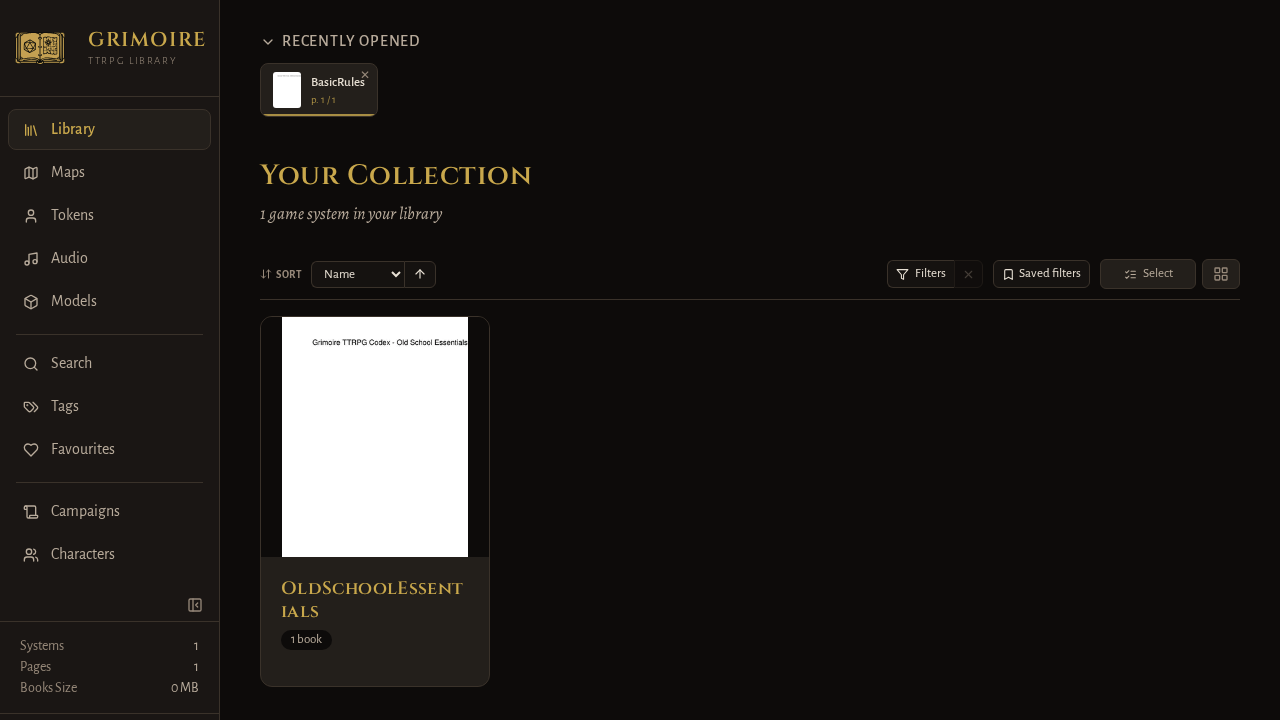
Grimoire is an open-source, self-hosted web application and digital codex engineered specifically for tabletop roleplaying game (TTRPG) enthusiasts, Game Masters, and homelabbers. Released under the GNU General Public License v3.0 (GPL-3.0), Grimoire solves the fragmentation of modern tabletop digital assets by replacing scattered cloud folders, local directories, and sluggish desktop PDF viewers with a unified, browser-accessible media library.
Key Capabilities and Architecture
- Unified TTRPG Asset Management:
Grimoire consolidates all digital game components into structured collections: - Rulebooks & Modules: Supports PDF, EPUB, MOBI, CBZ, and CBR formats. - Battlemaps: Handles standard image formats (PNG, JPEG, WebP) along with Universal VTT (.dd2vtt, .df2vtt, .uvtt) files and animated maps (WebM, MP4). - Character Tokens & 3D Miniatures: Organizes circular character tokens and 3D printable STL miniatures. - Soundscapes & Audio: Organizes ambient audio tracks and SFX (MP3, FLAC, OGG, Opus, WAV, M4A, M4B).
- Server-Side Rasterization with Zero Client Overhead:
Unlike traditional web viewers that force client devices to download and parse 400-page rulebook PDFs in memory, Grimoire utilizes PyMuPDF on the server backend to rasterize pages on demand into optimized WebP and JPEG images. Tablets, e-readers, and mobile phones can browse massive rulebooks instantly without battery drain or browser tab crashes.
- High-Speed Full-Text Search and OCR:
Every indexed rulebook is processed into a SQLite FTS5 (Full-Text Search) catalog. Scanned vintage supplements lacking native text layers are automatically processed using bundled Tesseract OCR, enabling instant in-game keyword lookups across your entire library during live sessions.
- Interactive Gaming Utilities:
Built right into the application shell are a Universal VTT dynamic lighting editor, an in-browser circular token border creator, a draggable soundboard with concurrent playback, and a Markdown-based campaign notes wiki.
- Role-Based Access Control and Spoiler Shields:
Grimoire features granular user roles (Admin, GM, Player, Guest). Game Masters can restrict hidden adventure paths, secret monster stat blocks, and unrevealed battlemaps, ensuring players only see what their characters have discovered.
- Single-Container Microservice Design:
Packaged into an official multi-architecture Docker image (hunterreadca/grimoire:latest), Grimoire pairs a FastAPI/Uvicorn Python 3.12 backend with a Vite-powered React frontend, persisting all state into an internal SQLite database operating in high-performance WAL mode.
---
Prerequisites
Before starting the deployment, verify that your server or homelab host meets the following requirements:
- Operating System: Linux (Ubuntu, Debian, Fedora, Arch, Rocky, Alpine), macOS, or Windows via WSL2.
- Container Engine: Docker Engine 20.10+ with Docker Compose v2 (
docker compose versionv2.20+ recommended). - System Resources:
- CPU: 1-2 cores (additional CPU capacity accelerates initial PDF page rasterization and Tesseract OCR indexing). - Memory: 1 GB minimum RAM (2 GB recommended during active OCR scanning). - Disk Space: Sufficient local storage for your rulebook PDFs, map assets, and audio files, plus ~500 MB for Grimoire's database and cached cover thumbnails.
- Host Tools: Standard POSIX utilities including
bash,curl, andopenssl. No Node.js or Python runtimes are required on the host system. - Network Port: An available host port (this guide uses port
3000, mapped to Grimoire's internal container port9481).
---
Exact Install Steps
The deployment uses the official Docker Compose method with bind-mounted host directories for your persistent data and tabletop media.
Step 1: Create the Directory Structure
Grimoire uses a strict folder hierarchy to automatically categorize your media into game systems and asset types.
Important: Grimoire requires book PDFs to reside inside game system subdirectories (e.g.,
library/books/<GameSystem>/<Book>.pdf). Loose files placed in the root oflibraryorlibrary/bookswill not be cataloged.
Create your project directory and the required staging folders:
mkdir -p grimoire/{data,library/books/OldSchoolEssentials,library/maps/Dungeons,library/tokens/Heroes,library/audio/Ambience}
cd grimoire
To test the library catalog immediately upon startup, create a minimal sample PDF inside your game system directory:
cat <<'EOF' > library/books/OldSchoolEssentials/BasicRules.pdf
%PDF-1.4
1 0 obj <</Type /Catalog /Pages 2 0 R>> endobj
2 0 obj <</Type /Pages /Kids [3 0 R] /Count 1>> endobj
3 0 obj <</Type /Page /Parent 2 0 R /MediaBox [0 0 612 792] /Contents 4 0 R /Resources <</Font <</F1 5 0 R>>>>>> endobj
4 0 obj <</Length 68>> stream
BT
/F1 24 Tf
100 700 Td
(Grimoire TTRPG Codex - Old School Essentials) Tj
ET
endstream
endobj
5 0 obj <</Type /Font /Subtype /Type1 /BaseFont /Helvetica>> endobj
xref
0 6
0000000000 65535 f
0000000009 00000 n
0000000058 00000 n
0000000115 00000 n
0000000224 00000 n
0000000342 00000 n
trailer <</Size 6 /Root 1 0 R>>
startxref
421
%%EOF
Step 2: Configure Environment Variables
Grimoire validates SECRET_KEY during boot. If the key is left empty, uses a default placeholder, or contains template characters, Grimoire will abort startup to protect session tokens against forgery.
Generate a cryptographically randomized 32-byte secret key and write your .env file:
cat <<EOF > .env
COMPOSE_PROJECT_NAME=grimoire
PORT=3000
PUID=$(id -u)
PGID=$(id -g)
SECRET_KEY=$(openssl rand -hex 32)
WORKERS=1
OPDS_ENABLED=true
EOF
Step 3: Pre-Seed User Accounts (Optional Headless Setup)
Grimoire supports automated, headless initialization. When Grimoire discovers a data/users.json file during its first startup, it automatically creates the specified user accounts, hashes their passwords using Argon2/bcrypt, and renames the file to users.json.imported.
Create data/users.json with initial accounts:
cat <<'EOF' > data/users.json
[
  {
    "username": "admin",
    "password": "Grimoire#Admin!2026",
    "role": "admin"
  },
  {
    "username": "gamemaster",
    "password": "Grimoire#GM!2026",
    "role": "gm"
  },
  {
    "username": "player",
    "password": "Grimoire#Player!2026",
    "role": "player"
  }
]
EOF
Note: Grimoire enforces strict password complexity. Passwords must be at least 12 characters long and cannot consist of common dictionary phrases. Be sure to replace the sample passwords above with your own secure credentials.
If you prefer to configure the administrator account through the browser UI on first boot, skip creating data/users.json. Grimoire will detect an uninitialized database and present an initial setup wizard.
Step 4: Create the Docker Compose File
Create docker-compose.yml to define the Grimoire service:
services:
  grimoire:
    image: hunterreadca/grimoire:latest
    container_name: grimoire-app
    restart: unless-stopped
    ports:
      - "${PORT:-3000}:9481"
    environment:
      - LIBRARY_PATH=/library
      - DATA_PATH=/data
      - WORKERS=${WORKERS:-1}
      - SECRET_KEY=${SECRET_KEY}
      - PUID=${PUID:-1000}
      - PGID=${PGID:-1000}
      - OPDS_ENABLED=${OPDS_ENABLED:-true}
    volumes:
      - ./library:/library
      - ./data:/data
Step 5: Pull and Launch the Container
Pull the official image and start the container stack in detached mode:
docker compose pull
docker compose up -d
Monitor the startup logs to verify that database migrations apply and media indexing begins:
docker compose logs -fYou should see log output confirming that the database has migrated, users were seeded, and the filesystem watcher has started:
Found a new game system: OldSchoolEssentials
Added book: BasicRules (core)
Seed complete - 3 created, 0 skipped
Moved users.json to users.json.imported
Watching the library for changes.
INFO:     Application startup complete.
INFO:     Uvicorn running on http://0.0.0.0:9481
Press Ctrl+C to detach from log streaming once startup finishes.
---
Browser Setup
Once the container is healthy, navigate to http://<your-server-ip>:3000 in your web browser.
1. Initial Authentication
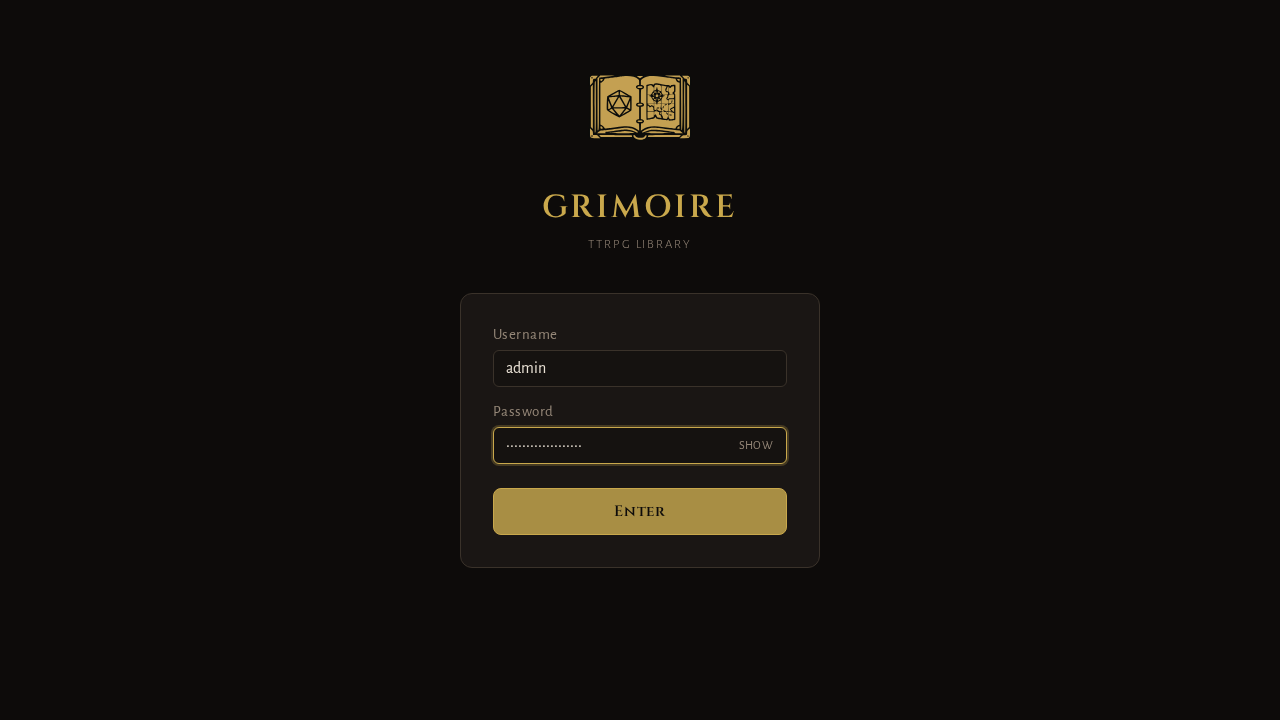
- Pre-Seeded Setup: If you configured
data/users.json, Grimoire presents the login interface. Sign in using theadminusername and the password configured in your seed file (Grimoire#Admin!2026in our example). - Interactive First-Time Setup: If you did not pre-seed users, Grimoire opens the Setup View (
/setup). Enter an administrator username and a secure password (minimum 12 characters) and click Create Account.
2. Exploring the Library and Book Reader
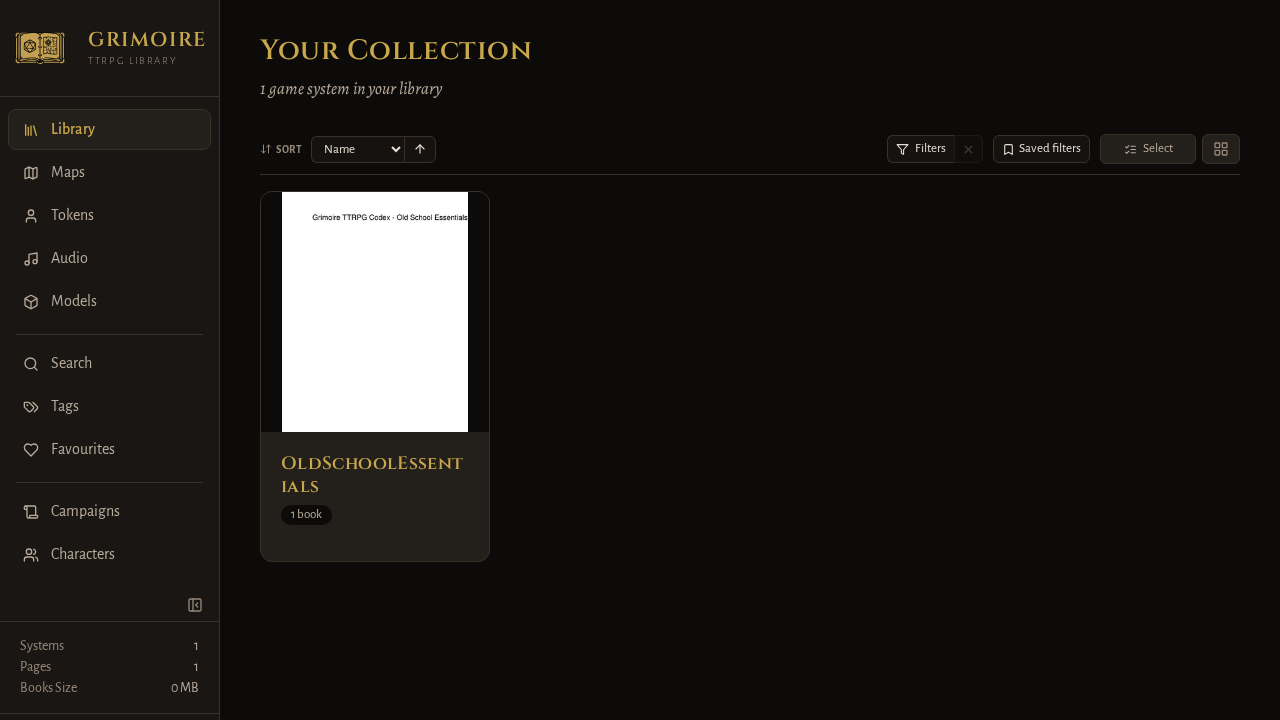
After logging in, Grimoire loads your library catalog. Click into the OldSchoolEssentials game system card to view available books, then select BasicRules to open the server-rendered reader.
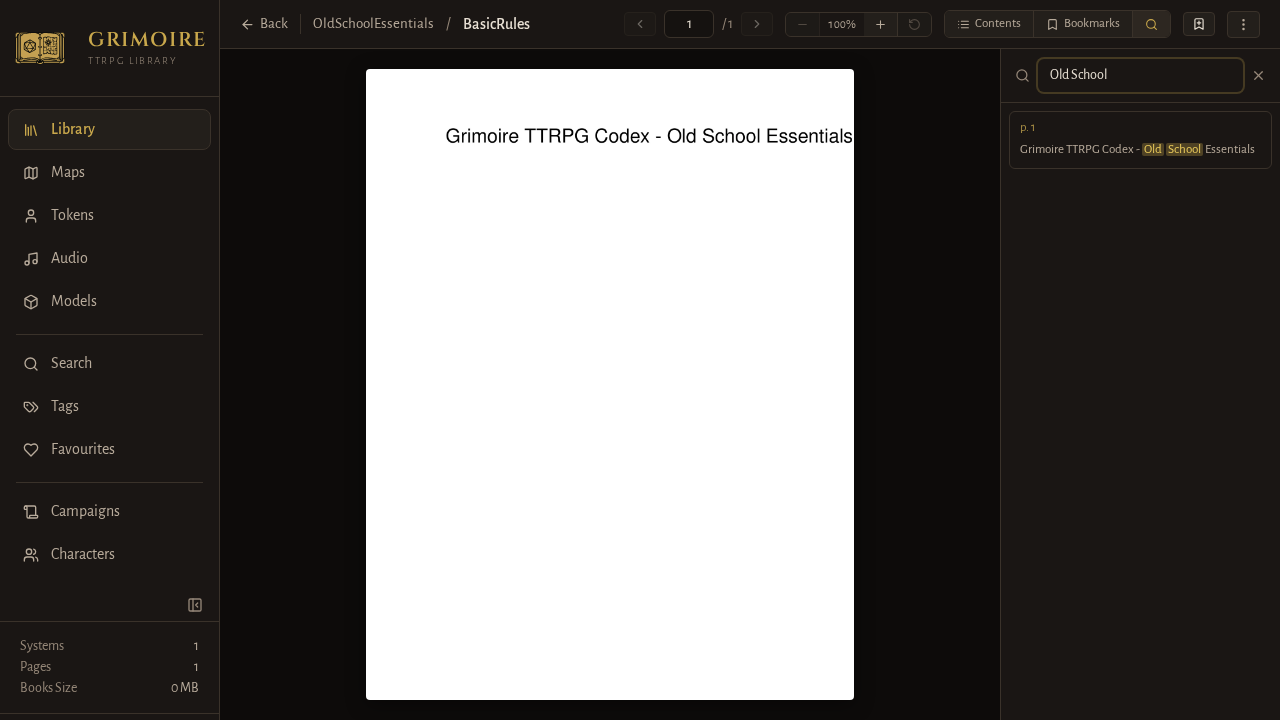
Inside the reader:
- Press the
skey or click the search icon in the reader toolbar to open the search sidebar. - Type a keyword (such as
Old School). Matches are highlighted instantly with page numbers and snippet previews. - Use the navigation toolbar to toggle between single-page and two-page spreads or zoom into illustrations.
3. VTT Maps and Tabletop Tools
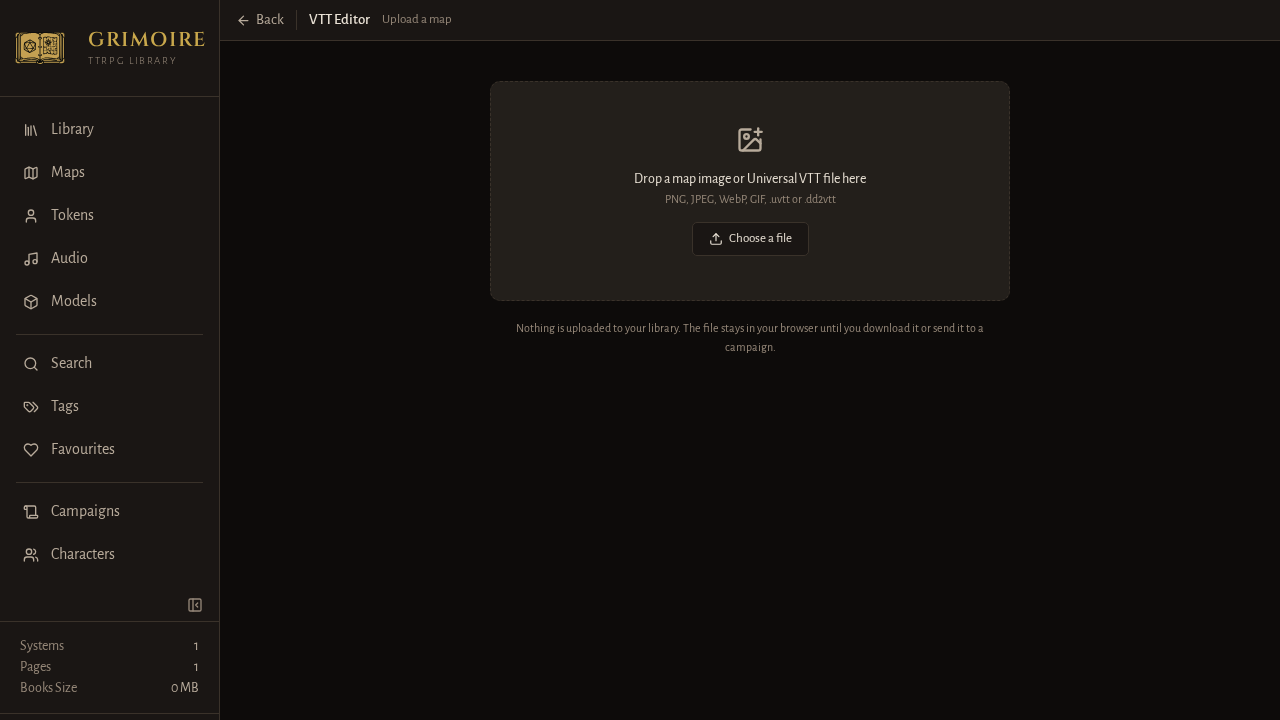
Use the navigation sidebar to access Grimoire's integrated tabletop utilities:
- Maps (
/maps): View battlemaps or open the Universal VTT editor to import.dd2vttfiles and configure dynamic light sources and wall barriers. - Tokens (
/tokens): Upload character portraits and apply customizable circular frames for tabletop combat tokens. - Audio (
/audio): Upload ambience tracks and trigger sound effects using the persistent audio player and soundboard. - Campaigns (
/campaigns): Write campaign prep notes and session recaps using the built-in Markdown editor.
4. System Settings and Administration
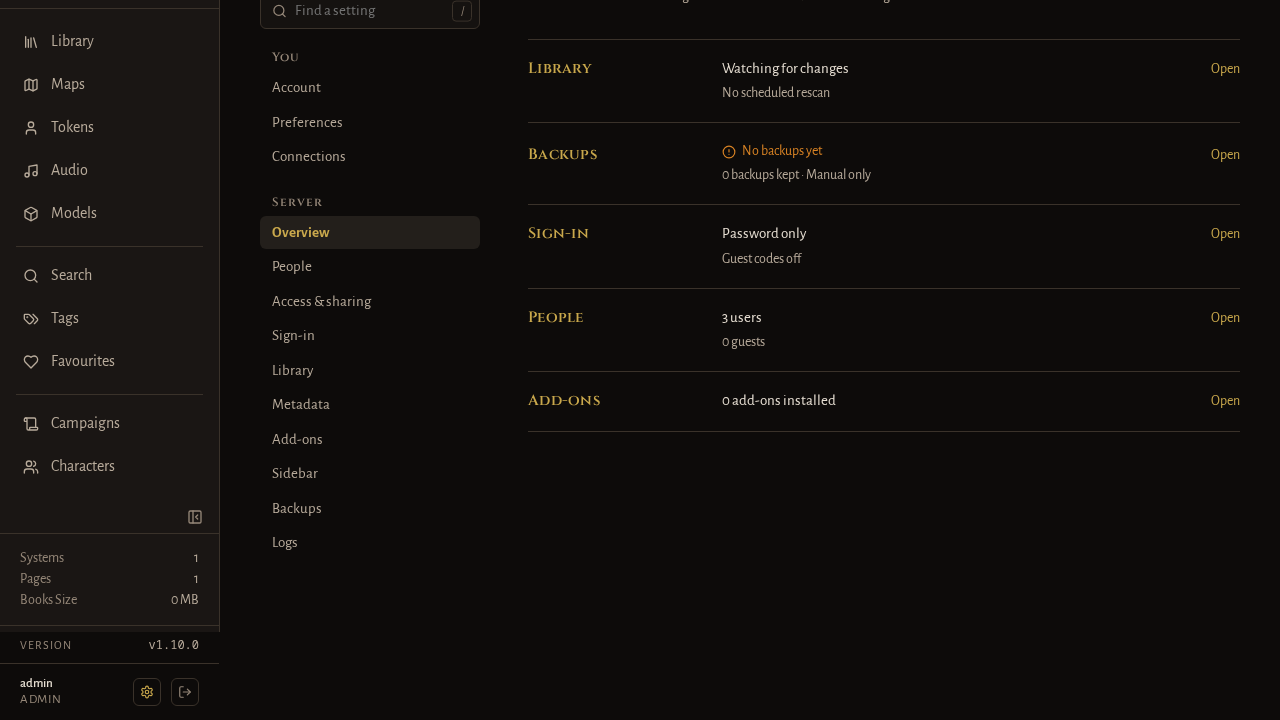
Navigate to Settings (/settings) using the sidebar to review system diagnostics:
- Library Status: Confirms the background directory watcher is active.
- User Accounts: Manage user roles, reset passwords, or invite players.
- Software Version: Displays the installed build version (e.g., Grimoire v1.10.0).
---
Verification
Confirm that all components of your Grimoire installation are functioning properly using the following health checks:
1. Check Container Health Status
Run docker inspect to verify that Docker's internal health check has transitioned to healthy:
docker inspect -f '{{.State.Health.Status}}' grimoire-app*Expected output:*
healthy2. Probe the API Health Endpoint
Verify that the FastAPI backend and SQLite database connection are operating normally:
curl -fsS http://localhost:3000/api/health*Expected output:*
{"status":"ok","checks":{"database":"ok"}}3. Verify Authentication Status
Inspect the authentication initialization state:
curl -fsS http://localhost:3000/api/auth/status*Expected output:*
{"initialized":true,"password_min_length":12,"share_link_password_min_length":8}4. Test Authenticated Login via API
Verify that your administrator credentials authenticate and generate a valid session JWT:
curl -fsS -X POST http://localhost:3000/api/auth/login \
  -H "Content-Type: application/json" \
  -d '{"username":"admin","password":"Grimoire#Admin!2026"}'
*Expected output:*
{"username":"admin","role":"admin"}---
Troubleshooting
The table below lists common operational issues, their underlying causes, and validated solutions:
| Common Issue | Cause | Solution |
|---|---|---|
Container fails to start with ValueError: Insecure SECRET_KEY | The SECRET_KEY environment variable in .env is either unset, blank, or contains default placeholder text. | Generate a cryptographically randomized 32-byte secret using openssl rand -hex 32 and assign it to SECRET_KEY in .env, then restart the container. |
| Uploaded rulebooks or PDFs do not appear in the library | PDF files were placed directly in /library or /library/books without a game system subdirectory. | Organize your documents into system folders: library/books/<GameSystem>/<Book>.pdf. Grimoire groups books by system folder. |
| Permission denied errors when saving data or thumbnails | Container process (UID/GID 1000) lacks write permissions to host-mounted data or library directories. | Set PUID=$(id -u) and PGID=$(id -g) in .env to match your host user, or run chmod -R 775 data library on the host. |
| Setup view appears instead of login screen | data/users.json was omitted before first boot or contained invalid JSON formatting. | Complete the browser-based setup wizard at /setup to create your admin account, or stop the stack, create a valid data/users.json, and restart. |
curl: (56) Connection reset by peer during early health probes | Uvicorn server is still performing startup routines and applying Alembic database migrations. | This is normal during initial boot. Wait 10 to 15 seconds for application startup before repeating the probe. |
| Password rejected during account setup | The entered password is under 12 characters or matches common dictionary passwords. | Provide a password of at least 12 characters containing uppercase and lowercase letters, numbers, and symbols. |
| Host port conflict on port 3000 | Another service on the host is already bound to port 3000. | Update PORT=3001 or another open port in .env and run docker compose up -d to rebind the external port. |
---
Assumptions & decisions
- Slug and URL Routing: Designated the slug as
grimoire, establishing the canonical draft URL athttps://howto.croogserverdude.ca/grimoire. - Port Mapping: Selected external port
3000mapped to internal container port9481, adhering to the validated deployment logs and browser capture runs. - Headless vs. Interactive Setup: Documented both the automated headless
users.jsonseeding method and the interactive/setupbrowser wizard so administrators can choose between scripted homelab deployments and manual web configuration. - Directory Layout Requirements: Explicitly highlighted the necessity of the
library/books/<GameSystem>/<Book>.pdfhierarchy, as Grimoire's background scanner does not index loose PDFs in the top-level directory. - Screenshot Evidence: Sourced local screenshots from the verified Playwright browser capture run (
runs/grimoire-20261101-065554/browser/) to showcase the login screen, library catalog, reader FTS search, VTT editor dropzone, and settings dashboard. - Ghost Card Formatting: Formatted the troubleshooting guide as a standard GitHub-flavored Markdown table, enabling
ghost-draftto convert it directly into a clean HTML card without rendering issues. - Autonomous Operation: Executed without interactive user intervention in full compliance with unattended pipeline requirements.
Get the Unified Homelab Stack Compose Pack
One-command multi-container Compose files (Full *arr Stack, Prometheus + Grafana + ntfy Monitoring, and Homelab Auth) plus new verified deploys once a week.