
How to Deploy Glance with Docker Compose: Lightweight Self-Hosted Dashboard
Glance is an ultra-lightweight, customizable dashboard that aggregates RSS feeds, subreddits, weather, and server metrics into a single interface. Here is how to deploy it using Docker Compose, configure custom YAML pages, and monitor homelab services.
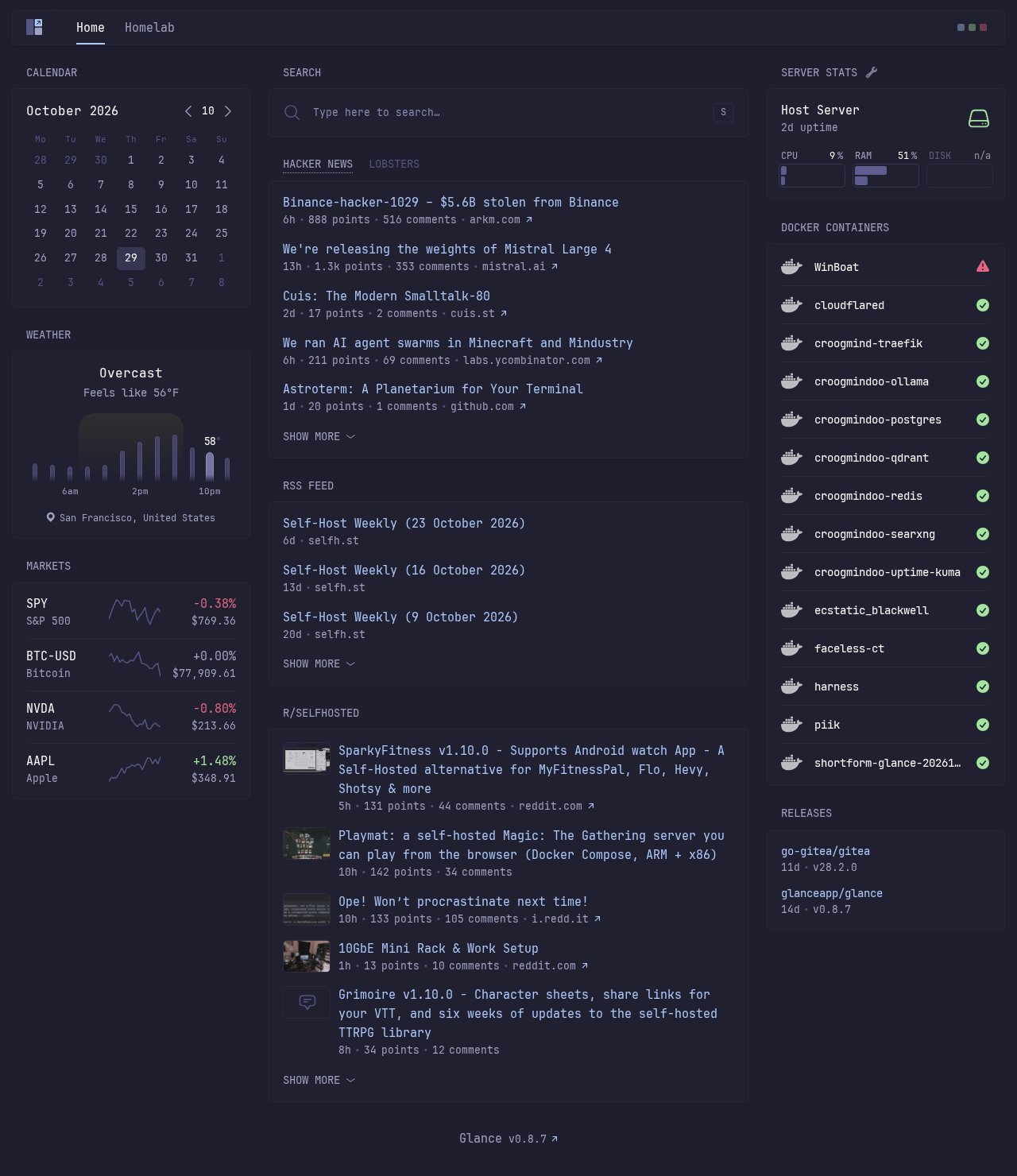
Glance is an open-source (AGPL-3.0), lightweight, highly customizable dashboard and personal startpage. Written in Go, Glance compiles down to a single static binary (<20 MB) with zero external database requirements (no PostgreSQL, SQLite, or Redis). It serves server-rendered HTML templates with minimal vanilla JavaScript, achieving fast page load times (typically under one second) while consuming minimal host memory.
Glance provides built-in widgets for RSS/Atom feeds, Subreddit posts, Hacker News, Lobsters, weather forecasts, market tickers, system resource meters, Docker container status, and HTTP uptime monitors. You configure dashboards entirely through human-readable YAML files, organizing widgets across multi-column layouts and dedicated tabs.
This guide walks through deploying Glance using Docker Compose, staging a multi-page dashboard configuration with custom themes, verifying container health, navigating the web interface, and hardening privacy settings for container monitoring.
Prerequisites
Before deploying Glance, verify that your environment satisfies the following prerequisites:
- Docker Engine & Docker Compose: Docker Engine with Docker Compose v2+ support (
docker compose version). Tested with Docker Compose 5.6.1. - Docker Unix Socket Access: Read permissions on
/var/run/docker.sockif utilizing thedocker-containerswidget. - Available Host Port: Port
3000(or another port such as8080or3002) free for loopback binding. - Modern Web Browser: For accessing the dashboard and theme controls.
Exact Install Steps
Follow these sequential steps to stage the configuration, create the Docker Compose manifest, and start Glance.
1. Create Deployment Directory Structure
Create a dedicated directory for your Glance deployment and its configuration files:
mkdir -p glance-deploy/config
cd glance-deploy
2. Create Dashboard Configuration (config/glance.yml)
Create config/glance.yml. This configuration defines a two-page setup: a Home page with weather, stock tickers, news feeds, and server metrics, and a Homelab page with world clocks, uptime checks, and bookmarks:
server:
  port: 8080

theme:
  background-color: 240 21 15
  contrast-multiplier: 1.2
  primary-color: 217 92 83
  positive-color: 115 54 76
  negative-color: 347 70 65
  presets:
    catppuccin-mocha:
      background-color: 240 21 15
      contrast-multiplier: 1.2
      primary-color: 217 92 83
      positive-color: 115 54 76
      negative-color: 347 70 65
    teal-city:
      background-color: 225 14 15
      contrast-multiplier: 1.1
      primary-color: 157 47 65
    paper-light:
      light: true
      background-color: 40 20 96
      contrast-multiplier: 1.1
      primary-color: 210 60 45

pages:
  - name: Home
    columns:
      - size: small
        widgets:
          - type: calendar
            first-day-of-week: monday

          - type: weather
            location: San Francisco, United States
            units: imperial
            hour-format: 12h

          - type: markets
            markets:
              - symbol: SPY
                name: S&P 500
              - symbol: BTC-USD
                name: Bitcoin
              - symbol: NVDA
                name: NVIDIA
              - symbol: AAPL
                name: Apple

      - size: full
        widgets:
          - type: search
            autofocus: false

          - type: group
            widgets:
              - type: hacker-news
              - type: lobsters

          - type: rss
            limit: 8
            collapse-after: 3
            cache: 6h
            feeds:
              - url: https://selfh.st/rss/
                title: selfh.st
                limit: 3
              - url: https://ciechanow.ski/atom.xml
                title: Bartosz Ciechanowski
              - url: https://samwho.dev/rss.xml
                title: Sam Rose

          - type: reddit
            subreddit: selfhosted
            show-thumbnails: true

      - size: small
        widgets:
          - type: server-stats
            servers:
              - type: local
                name: Host Server

          - type: docker-containers
            hide-by-default: false

          - type: releases
            cache: 1d
            repositories:
              - glanceapp/glance
              - go-gitea/gitea

  - name: Homelab
    columns:
      - size: small
        widgets:
          - type: clock
            hour-format: 12h
            timezones:
              - timezone: America/New_York
                label: New York (EDT)
              - timezone: America/Los_Angeles
                label: San Francisco (PDT)
              - timezone: Europe/London
                label: London (BST)

          - type: server-stats
            servers:
              - type: local
                name: Glance Node

      - size: full
        widgets:
          - type: monitor
            cache: 1m
            title: Core Services
            sites:
              - title: GitHub
                url: https://github.com
              - title: Hacker News
                url: https://news.ycombinator.com
              - title: Cloudflare Status
                url: https://www.cloudflarestatus.com

          - type: bookmarks
            groups:
              - title: Homelab Dashboard
                links:
                  - title: Documentation
                    url: https://github.com/glanceapp/glance
                  - title: Issues & Roadmap
                    url: https://github.com/glanceapp/glance/issues
                  - title: Releases
                    url: https://github.com/glanceapp/glance/releases

      - size: small
        widgets:
          - type: docker-containers
            hide-by-default: false
Privacy Note on Docker Containers:
By default,docker-containerswithhide-by-default: falsediscovers and displays every container on your Docker host. If you run Glance on a shared server, sethide-by-default: trueinglance.ymland add the labelglance.hide: "false"to only the specific containers you want visible on the dashboard.
3. Create the Docker Compose Manifest (docker-compose.yml)
Create docker-compose.yml. This deploys the official Glance container image, mounts the configuration folder as read-only, and binds port 3000 to 127.0.0.1:
services:
  glance:
    image: ${IMAGE:-glanceapp/glance:latest}
    container_name: ${PROJ:-glance}-app
    ports:
      - "127.0.0.1:${HOST_PORT:-3000}:8080"
    volumes:
      - ./config:/app/config:ro
      - /var/run/docker.sock:/var/run/docker.sock:ro
    environment:
      - TZ=UTC
    healthcheck:
      test: ["CMD-SHELL", "wget -qO- http://127.0.0.1:8080/api/healthz || exit 1"]
      interval: 3s
      timeout: 3s
      retries: 5
      start_period: 2s
    restart: unless-stopped
4. Create Environment File (.env)
Create a .env file to supply the required environment variables:
cat > .env <<EOF
COMPOSE_PROJECT_NAME=glance
PROJ=glance
IMAGE=glanceapp/glance:latest
HOST_PORT=3000
EOF
Important: The
PROJvariable must be declared in.envwhen usingcontainer_name: ${PROJ}-app. WithoutPROJ, Docker Compose defaults to an empty string, causing the daemon to reject the invalid container name-app.
5. Pull Image and Start the Application
Pull the lightweight official Glance image:
docker compose pullLaunch the service in detached mode:
docker compose up -dCheck container status:
docker compose psExpected output:
NAME         IMAGE                     COMMAND                  SERVICE   CREATED         STATUS                   PORTS
glance-app   glanceapp/glance:latest   "/app/glance --confi…"   glance    5 seconds ago   Up 4 seconds (healthy)   127.0.0.1:3000->8080/tcp
Verification
Run these commands to confirm that Glance is operating properly before opening the web browser:
- HTTP Healthcheck Endpoint: Verify that Glance's built-in health check returns HTTP status
200:
``sh curl -fsS -o /dev/null -w '%{http_code}\n' http://localhost:3000/api/healthz ` Expected output: 200`.
- Home Page Title: Verify that the root URL returns the Home page:
``sh curl -fsS http://localhost:3000/ | grep -o '<title>[^<]*</title>' ` Expected output: <title>Home</title>`. Glance sets the HTML page title to match the currently viewed page name.
- Homelab Page Routing: Verify that the secondary page responds cleanly:
``sh curl -fsS -o /dev/null -w '%{http_code}\n' http://localhost:3000/homelab ` Expected output: 200`.
- Container Health Status: Check Docker's internal health monitor:
``sh docker inspect -f '{{.State.Health.Status}}' glance-app ` Expected output: healthy`.
- Server Logs: Inspect startup logs for clean initialization:
``sh docker compose logs glance ` Look for: ` Starting server on :8080 (base-url: "", assets-path: "") ``
Browser Setup & Navigation
Open http://localhost:3000/ in your browser. Glance automatically routes requests from / to your first configured page (/home).
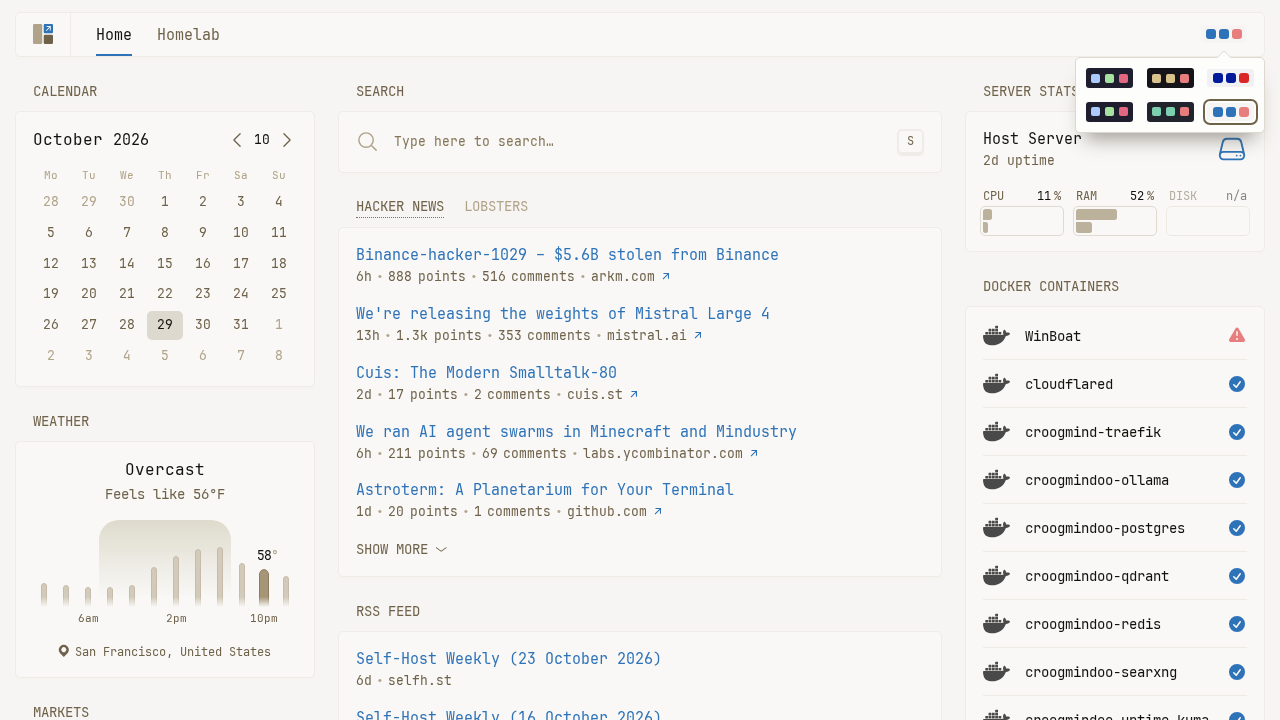
1. Multi-Column Home Dashboard
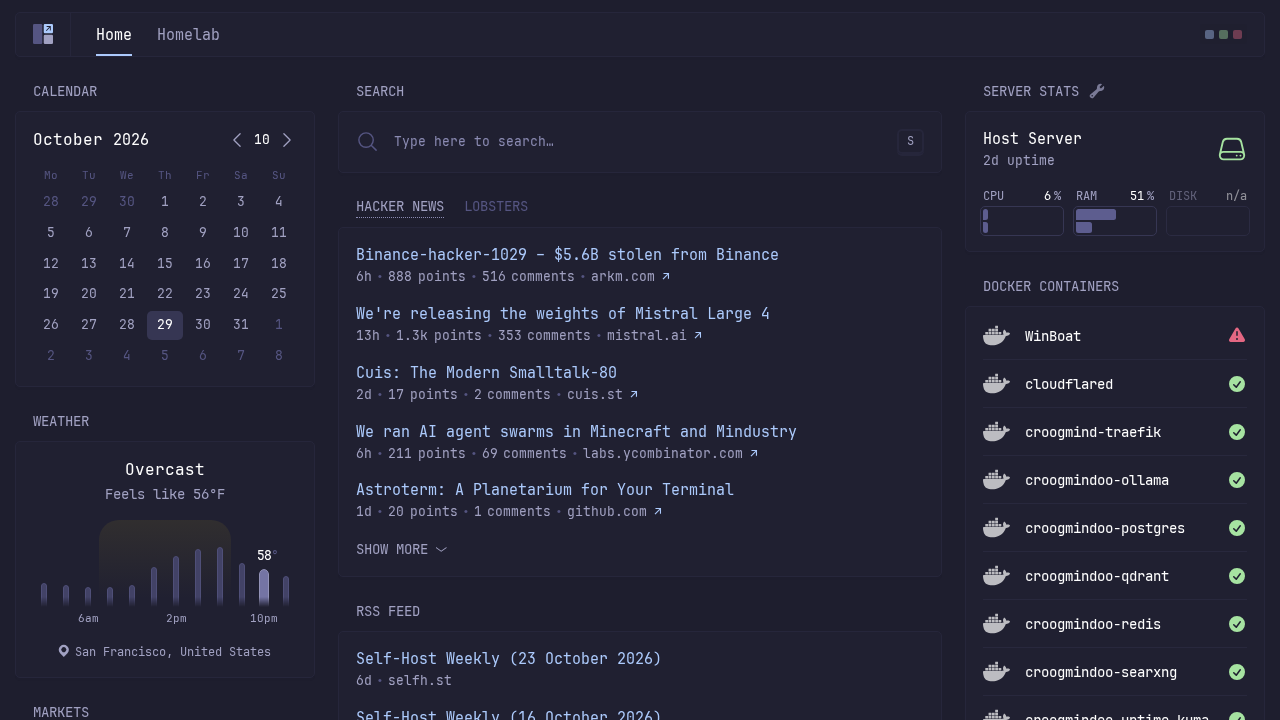
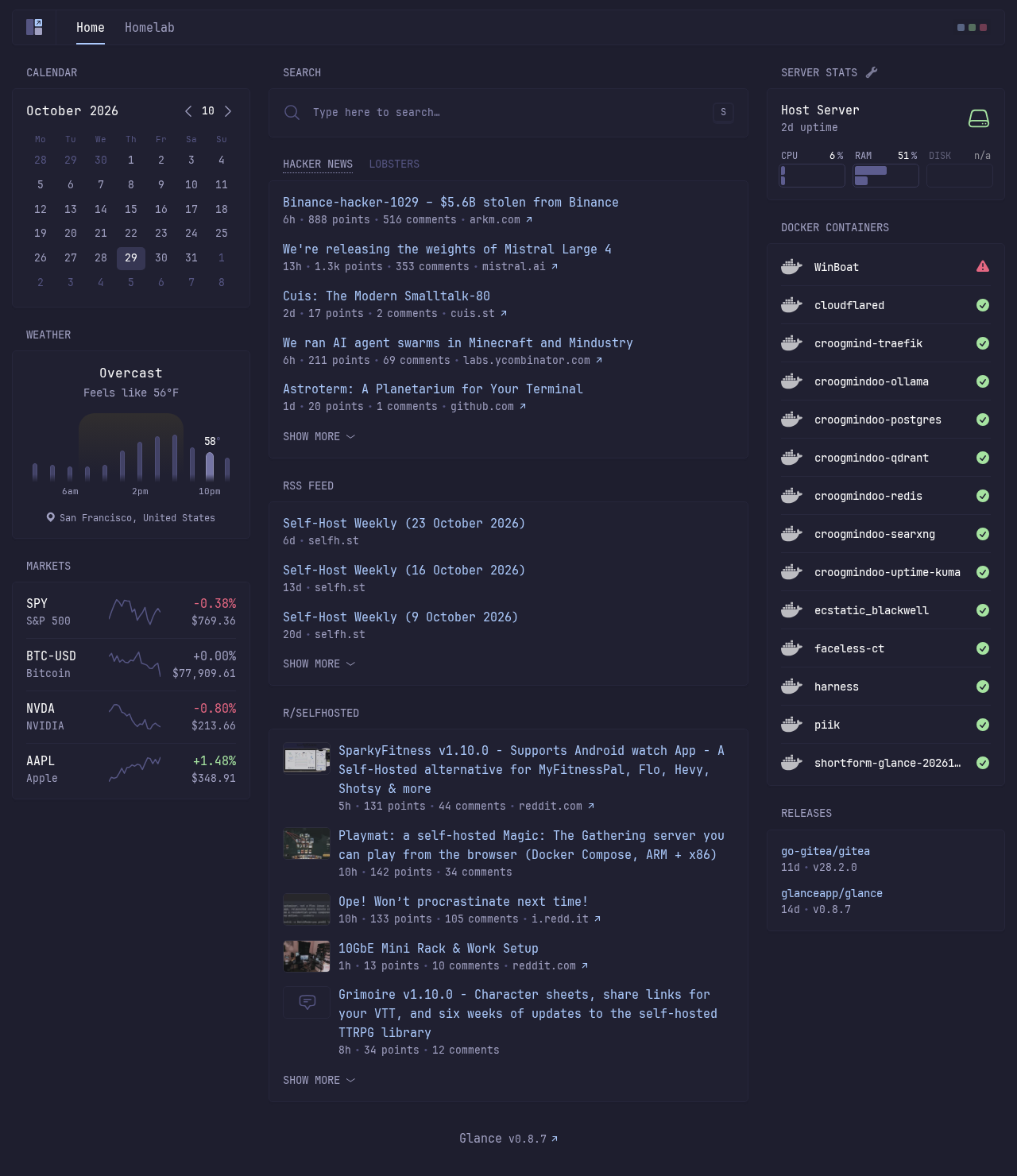
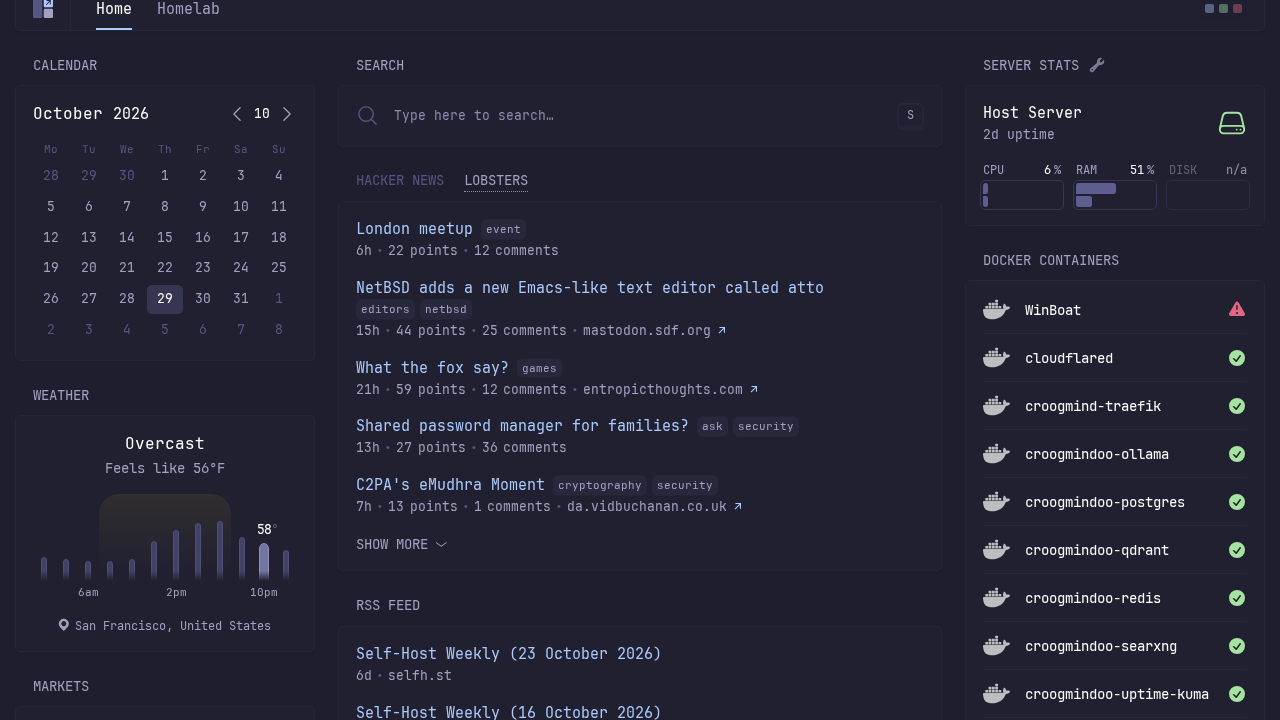
The Home dashboard provides a 3-column layout organizing your daily feeds, live weather, stock market symbols, and server monitoring widgets in one clean view.
2. Collapsible News Feeds & Accordions
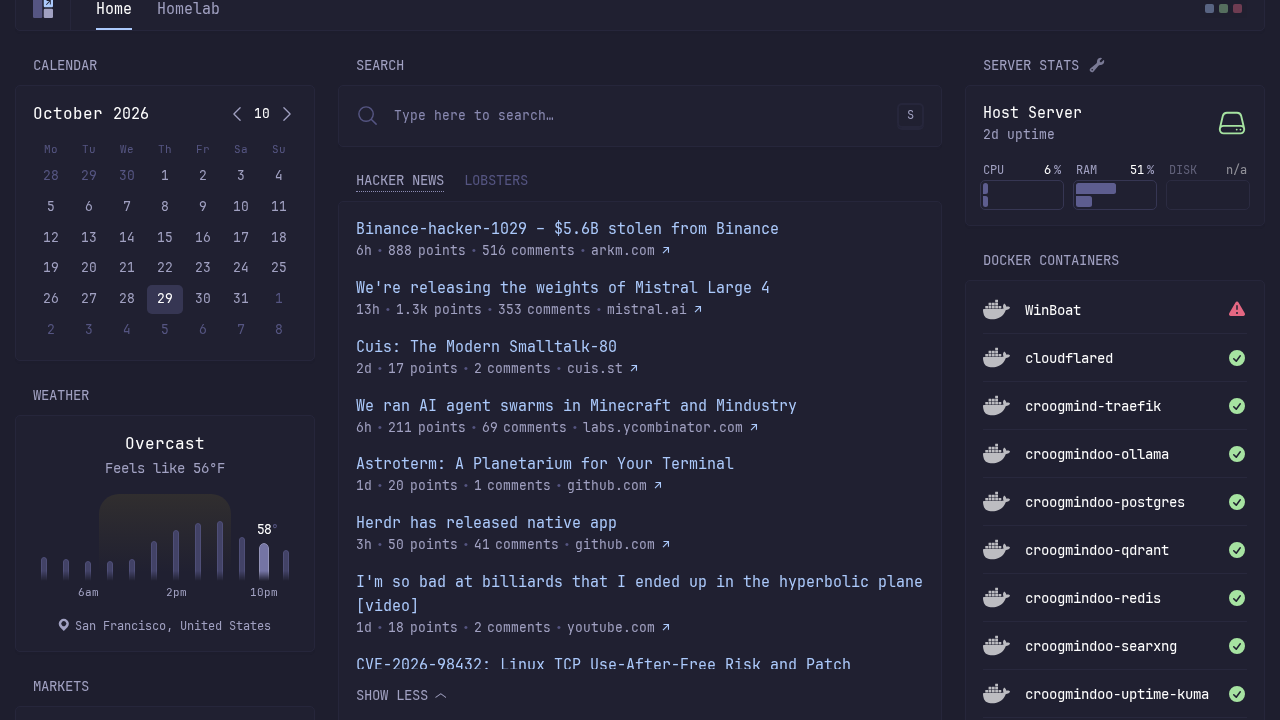
Glance renders RSS feeds and Hacker News articles with responsive accordion controls. Clicking "Show more" expands additional headlines on demand without navigating away or reloading the page.
3. Grouped Tab Widgets
Using type: group in glance.yml, you can pack multiple widgets into a single space-saving card. Clicking the tab header switches instantly between sources, such as Hacker News and Lobsters.
4. Built-in Search Launcher
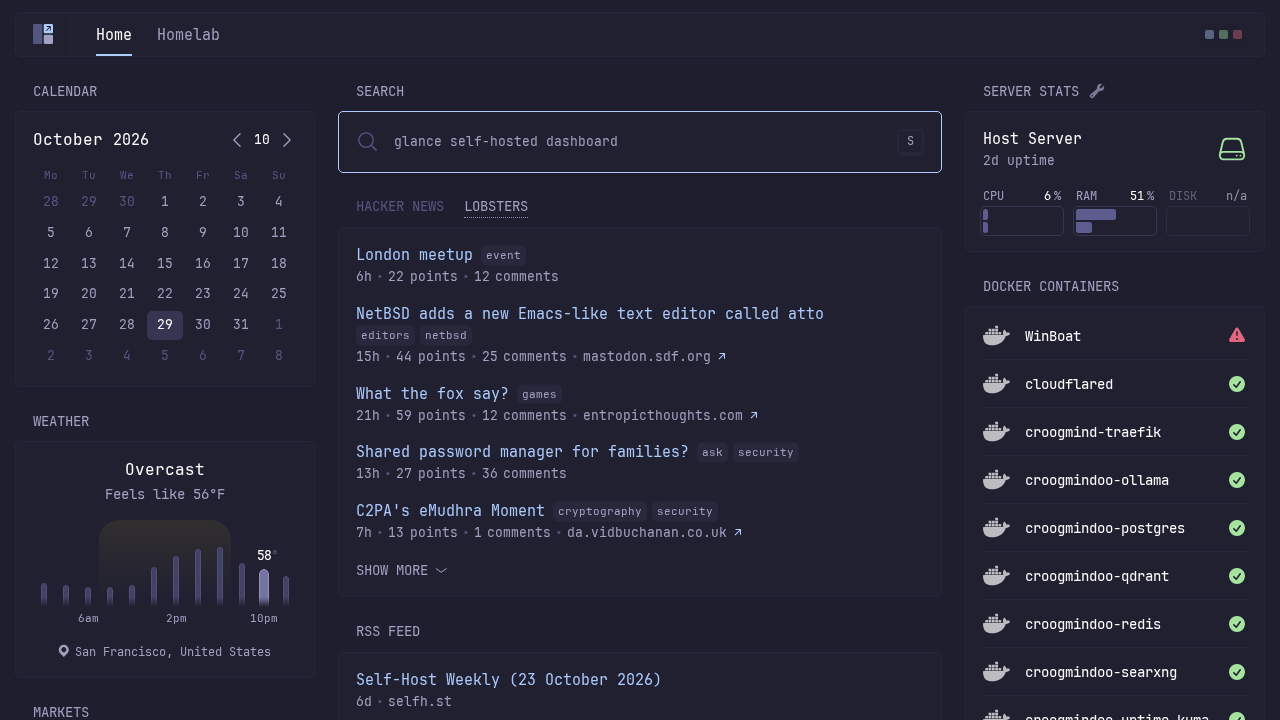
The search widget provides a fast launcher directly from your dashboard. Entering search terms lets you query external search engines without opening new tabs first.
5. Multi-Page Navigation & Service Health Monitoring
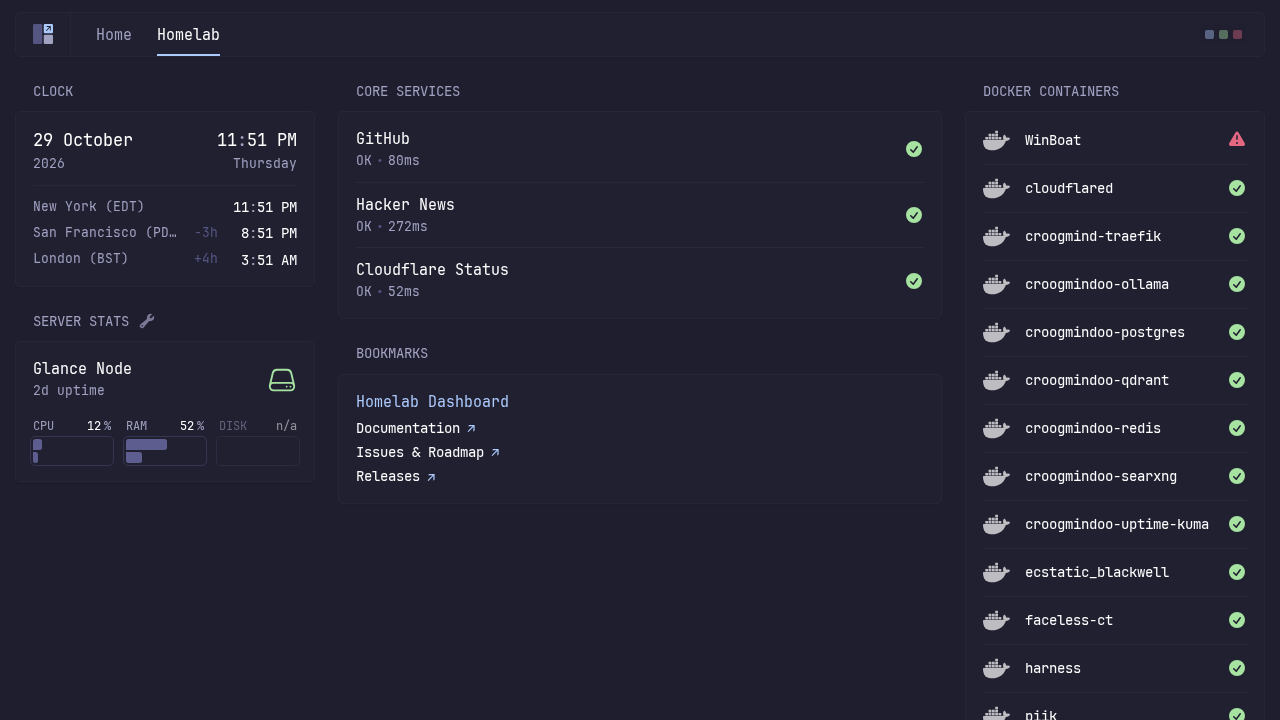
Click the Homelab tab in the top navigation bar (or navigate to http://localhost:3000/homelab). This page displays multi-timezone world clocks, service bookmarks, and the monitor widget tracking HTTP response latencies for core services.
6. Dynamic Theme Switching
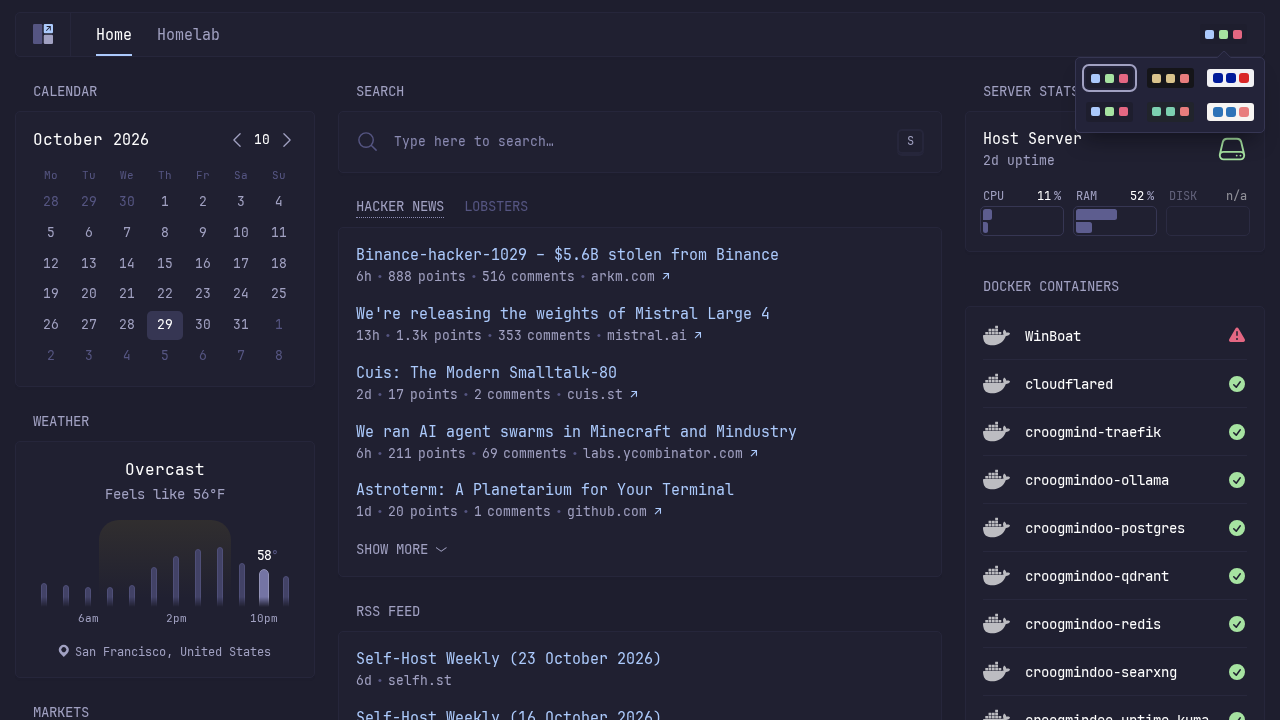
Glance includes client-side theme switching. Click the theme preview circle in the top right header to open the preset menu. You can switch between predefined styles—such as catppuccin-mocha, teal-city, and the high-contrast paper-light theme—with immediate effect and zero page reload.
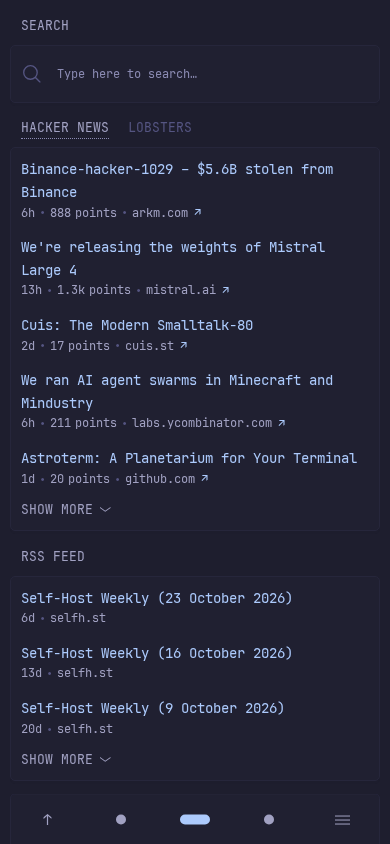
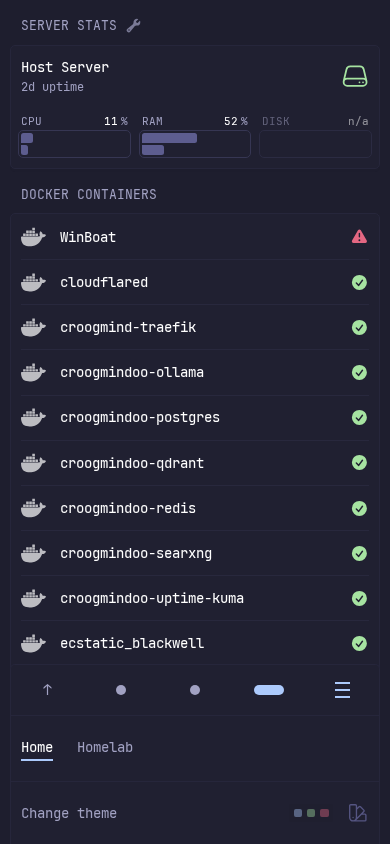
7. Mobile-Optimized Interface
When accessed from a mobile browser or narrower viewport (390×844), Glance reorganizes into single-column views with bottom navigation pills (switching between column 1, column 2, and column 3) and a slide-out hamburger drawer for switching pages.
Troubleshooting
| Symptom | Cause | Resolution |
|---|---|---|
invalid container name (-app) | Missing PROJ variable in .env | Add PROJ=glance to .env so Docker Compose resolves container_name: ${PROJ}-app. |
permission denied while trying to connect to the Docker daemon socket | Socket permission mismatch | Verify read permissions on /var/run/docker.sock. By default, the Glance container runs as root, which matches host daemon sockets owned by root:docker. |
port is already allocated: 0.0.0.0:3000 | Host port collision | Change HOST_PORT in .env (e.g. HOST_PORT=3002 or 8080) and restart with docker compose up -d. |
| Unrelated host containers visible in Docker widget | Unfiltered Docker socket discovery | Set hide-by-default: true under docker-containers in glance.yml and label intended containers with glance.hide: "false". |
DISK displays n/a in Server Stats widget | Container mount isolation | Glance cannot inspect host mount paths from an isolated container. CPU, RAM, and uptime remain fully functional. |
| YAML validation error on container startup | Syntax or indentation errors in glance.yml | Check service logs with docker compose logs glance to identify the invalid YAML line or unsupported widget parameter. |
| Weather widget fails to load data | Geocoding lookup error or rate limit | Ensure the location field in glance.yml specifies a recognizable "City, Country" string (e.g., San Francisco, United States). |
Teardown
To shut down and remove the Glance container, network, and associated resources:
docker compose down -vAssumptions & Decisions
- Official Prebuilt Image: Deployed using the official container image
glanceapp/glance:latestrather than compiling from source, reducing setup time to seconds with a compact ~6 MB download footprint. - Loopback Port Binding: Mapped
127.0.0.1:3000:8080to secure the dashboard from unintended local network exposure while testing. - Compose Container Naming: Explicitly required
PROJ=glancein.envto prevent Docker Compose variable expansion failures with${PROJ}-app. - Docker Widget Privacy: Flagged that mounting
/var/run/docker.sockexposes all host containers by default, and documented how to usehide-by-default: trueto prevent accidental disclosure of private container names. - Server Stats Tooltip: Noted that hover states on Server Stats display Glance's built-in "Work in progress" placeholder rather than load averages in this release.
- Page Title Semantics: Confirmed that Glance sets the HTML document title to the active page name (
Home) rather than the application name. - GFM Table for Troubleshooting: Formatted the troubleshooting section as a standard GitHub-flavored Markdown table for automatic conversion into a Ghost HTML card by
ghost-draft.
Get the Unified Homelab Stack Compose Pack
One-command multi-container Compose files (Full *arr Stack, Prometheus + Grafana + ntfy Monitoring, and Homelab Auth) plus new verified deploys once a week.