Install Cinephage with Docker Compose
One self-hosted container for finding, requesting and organising movies and TV, covering the jobs of several *arr apps. Here is the recorded Docker Compose install of v0.17.0 and the first-run browser setup.
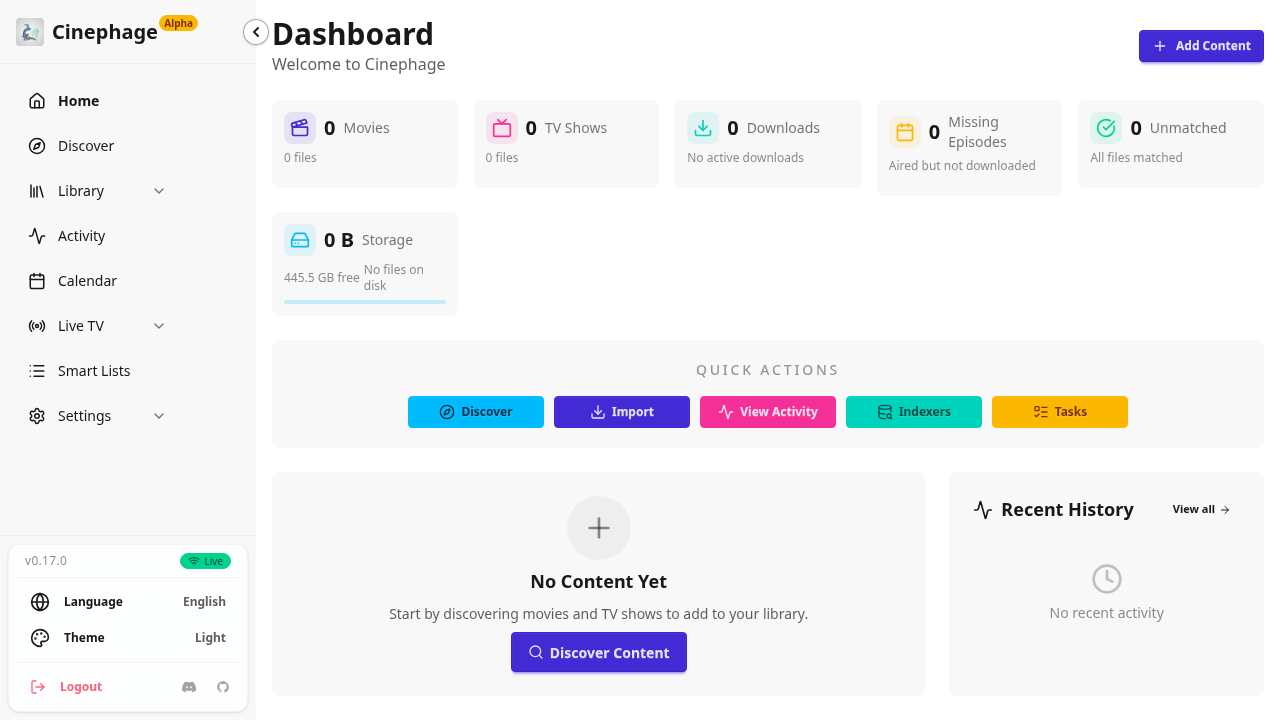
Cinephage is a self-hosted media manager. One SvelteKit app with one SQLite database covers jobs you would normally split across Radarr, Sonarr, Prowlarr, Bazarr, Overseerr and FlareSolverr. It also ships a built-in headless browser (Camoufox) for indexers that sit behind Cloudflare. It is pre-1.0, and the UI shows an "Alpha" badge, so pin your version.
This guide follows the exact path we recorded and checked: Cinephage v0.17.0 on Docker Compose (Docker 29.9.2, Compose 5.6.1), then first-run setup in the browser.
Source: github.com/MoldyTaint/Cinephage (GPLv3)
Prerequisites
- Docker Engine with the Compose v2 plugin
curlandopenssl- Port 3000 free on the host
- About 4 GB of disk for the image (1.34 GB) and the Camoufox cache (2.5 GB under
config/cache) - Optional but recommended: a free TMDB v3 API key from themoviedb.org/settings/api. Without it you get no posters, metadata or Discover results.
Install
1. Preflight
docker --version && docker compose version
ss -ltn | grep -q ':3000 ' && echo "PORT 3000 BUSY" || echo "port free"
You want port free. If 3000 is taken, change '3000:3000' to '3001:3000' in the compose file and use :3001 everywhere below.
2. Create the folders
mkdir -p ~/cinephage/config ~/cinephage/media/movies ~/cinephage/media/tv ~/cinephage/downloads
cd ~/cinephage
Create them as your normal user, so the PUID/PGID you set in step 4 match their owner. For a real setup, use your actual media and download paths instead of the ~/cinephage/media and ~/cinephage/downloads demo folders.
3. Get the official compose file and env template
curl -fsSLO https://raw.githubusercontent.com/MoldyTaint/Cinephage/main/docker-compose.yaml
curl -fsSLO https://raw.githubusercontent.com/MoldyTaint/Cinephage/main/.env.example
sed -i "s|/path/to/media:/media|${HOME}/cinephage/media:/media|; s|/path/to/downloads:/downloads|${HOME}/cinephage/downloads:/downloads|" docker-compose.yaml
The sed replaces the two /path/to/... placeholder volumes. Everything else in the upstream file stays as it is, including shm_size: 256m, which the headless browser needs. To check the result:
grep -nE ':/(config|media|downloads)$|shm_size|:3000' docker-compose.yaml
grep -c '/path/to' docker-compose.yaml || true   # expect 0
4. Create .env: set the secret and pin the version
cp .env.example .env
sed -i "s|^BETTER_AUTH_SECRET=.*|BETTER_AUTH_SECRET=$(openssl rand -base64 32)|" .env
cat >> .env <<EOF
PUID=$(id -u)
PGID=$(id -g)
ORIGIN=http://localhost:3000
BETTER_AUTH_URL=http://localhost:3000
IMAGE_TAG=0.17.0
EOF
cp .env .env.backup && chmod 600 .env .env.backup
Two things in this step are easy to get wrong:
BETTER_AUTH_SECRETships blank, and the app needs it. Cinephage uses it to encrypt the API keys and tokens it stores. If you lose or change it, those stored credentials can't be recovered. That is why the step backs it up.- There is no
latesttag on GHCR. The upstream compose file defaults to${IMAGE_TAG:-latest}, so withoutIMAGE_TAGthe pull fails withnot found. Pin a released version.0.17.0is the one tested here.
5. Start it
docker compose pull && docker compose up -dExpected output: Image ghcr.io/moldytaint/cinephage:0.17.0 Pulled, then Container cinephage Started.
6. Wait for it to become healthy
until curl -sf http://localhost:3000/api/health; do sleep 5; doneOn first boot the container downloads Camoufox (1.29 GB) before the web server starts. Here it took about 70 seconds. On a slow connection it can take up to about 10 minutes, which matches the image's healthcheck start period. /api/health returns HTTP 200 for both "starting" and "healthy".
7. Check the redirect
curl -s -o /dev/null -w '%{http_code} %{redirect_url}\n' http://localhost:3000/A fresh install returns 302 http://localhost:3000/setup.
Browser setup
Open http://localhost:3000. To use another machine on your LAN, first set ORIGIN and BETTER_AUTH_URL in .env to the exact URL you'll browse to (for example http://192.168.1.50:3000). Then run docker compose up -d --force-recreate. If you skip this, login fails.
1. Welcome
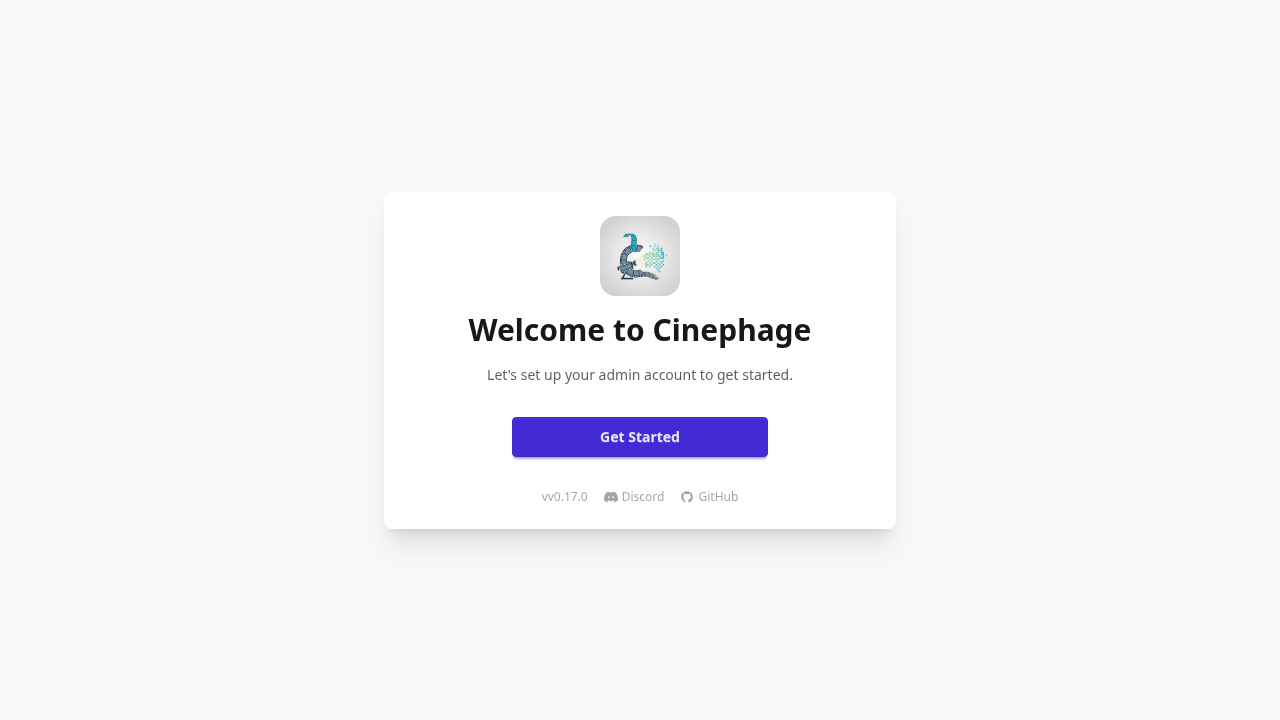
You land on the Welcome to Cinephage card. Click Get Started.
2. Create the admin account
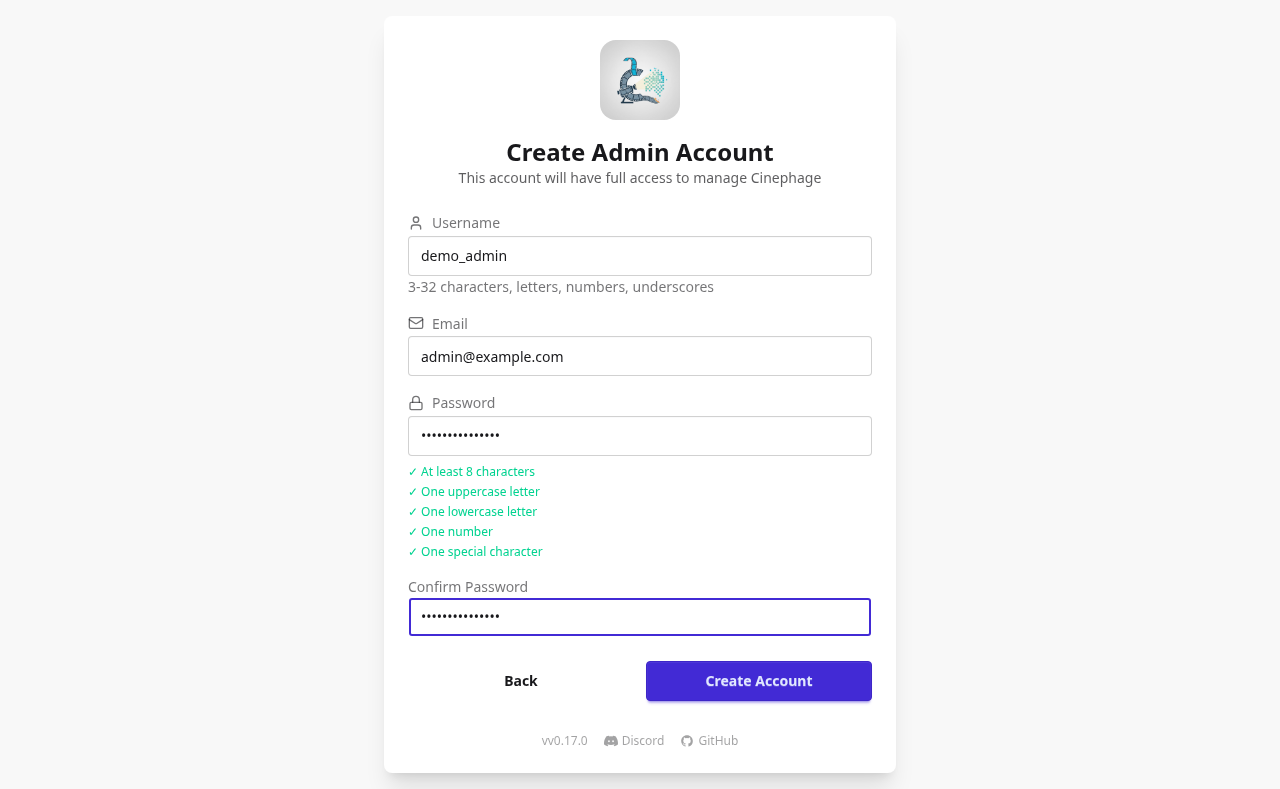
Fill in Username, Email, Password and Confirm Password. The rules:
- The username is 3–32 characters: letters, numbers and underscores only.
- The password needs 8+ characters, an uppercase letter, a lowercase letter, a number and a special character. All five checks turn green as you type.
Click Create Account.
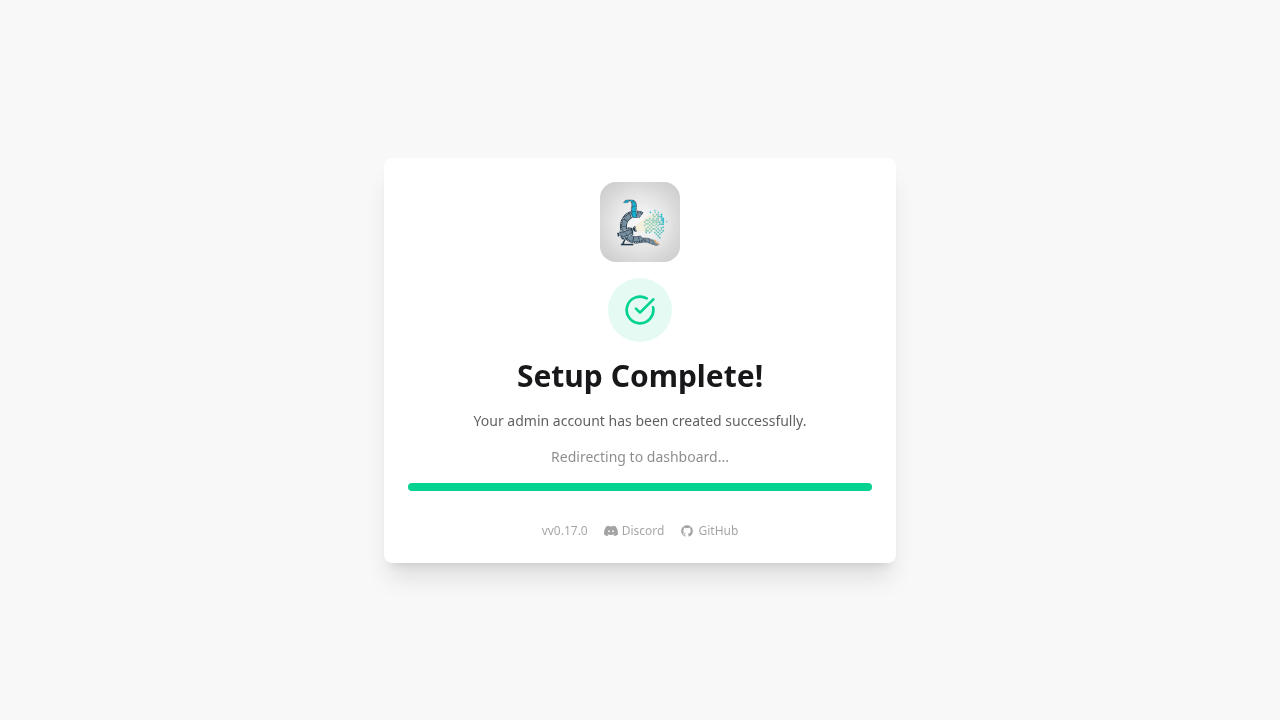
You'll see Setup Complete!, and after about 2 seconds the app redirects you to the dashboard.
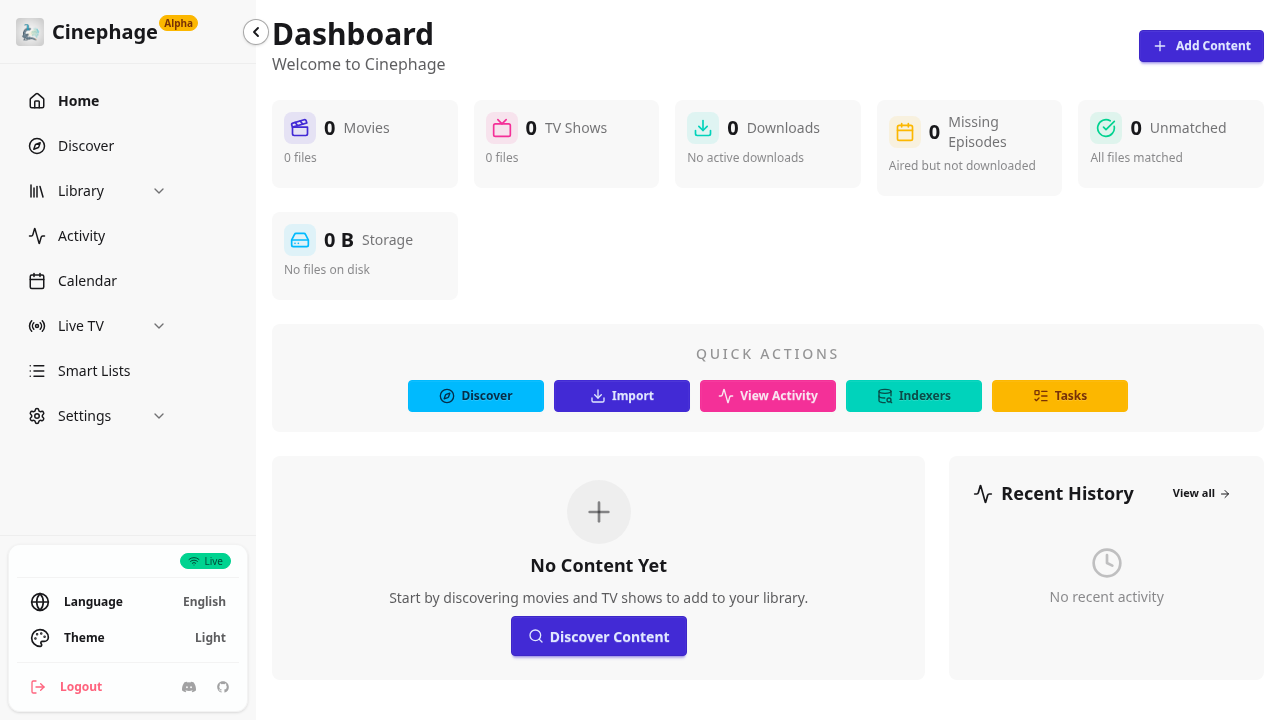
The dashboard starts empty: every counter reads zero and it says "No Content Yet".
3. Add your TMDB key
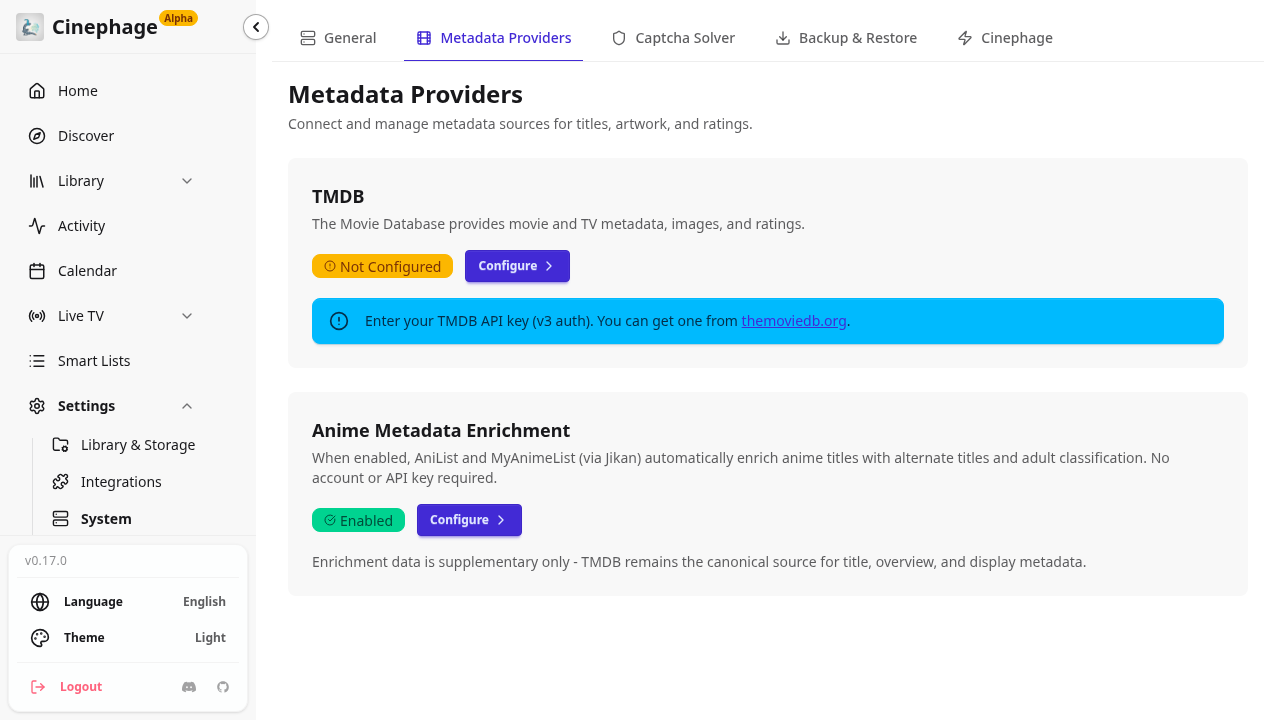
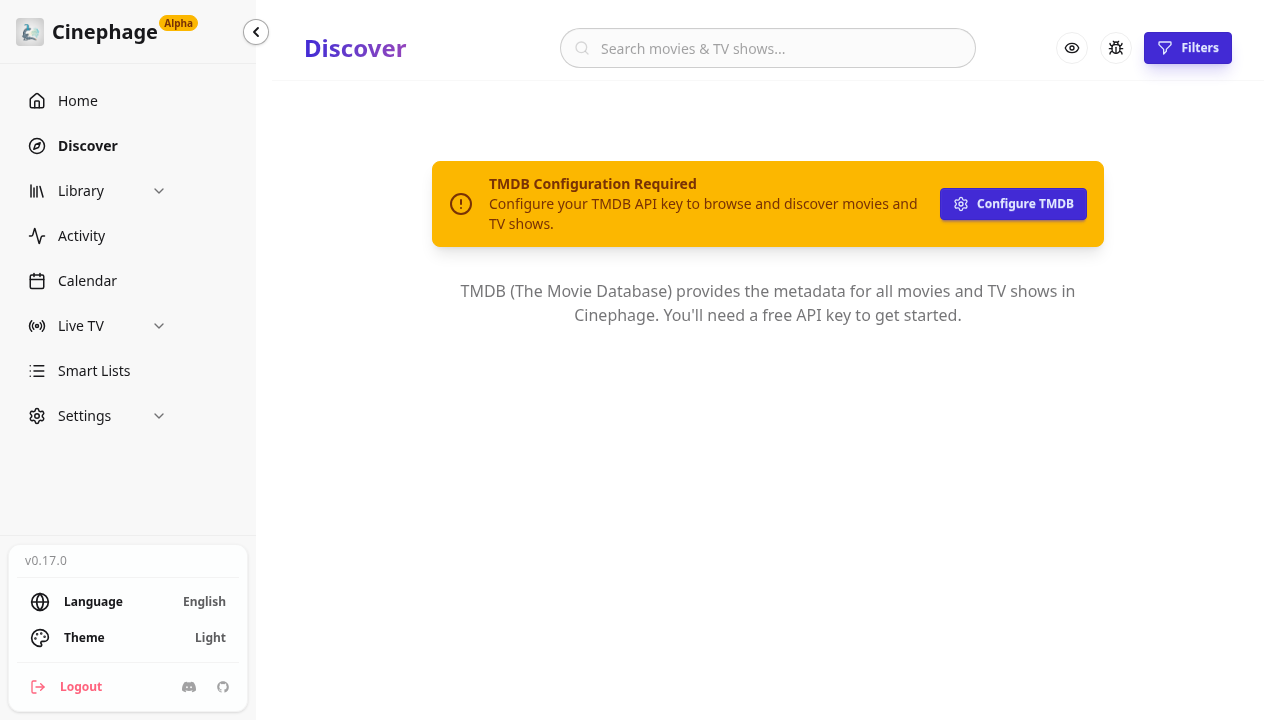
Go to Settings → System → Metadata Providers. You can also use the Configure TMDB button on the notice on the Discover page. In v0.17.0 there is no TMDB button in the dashboard Quick Actions.
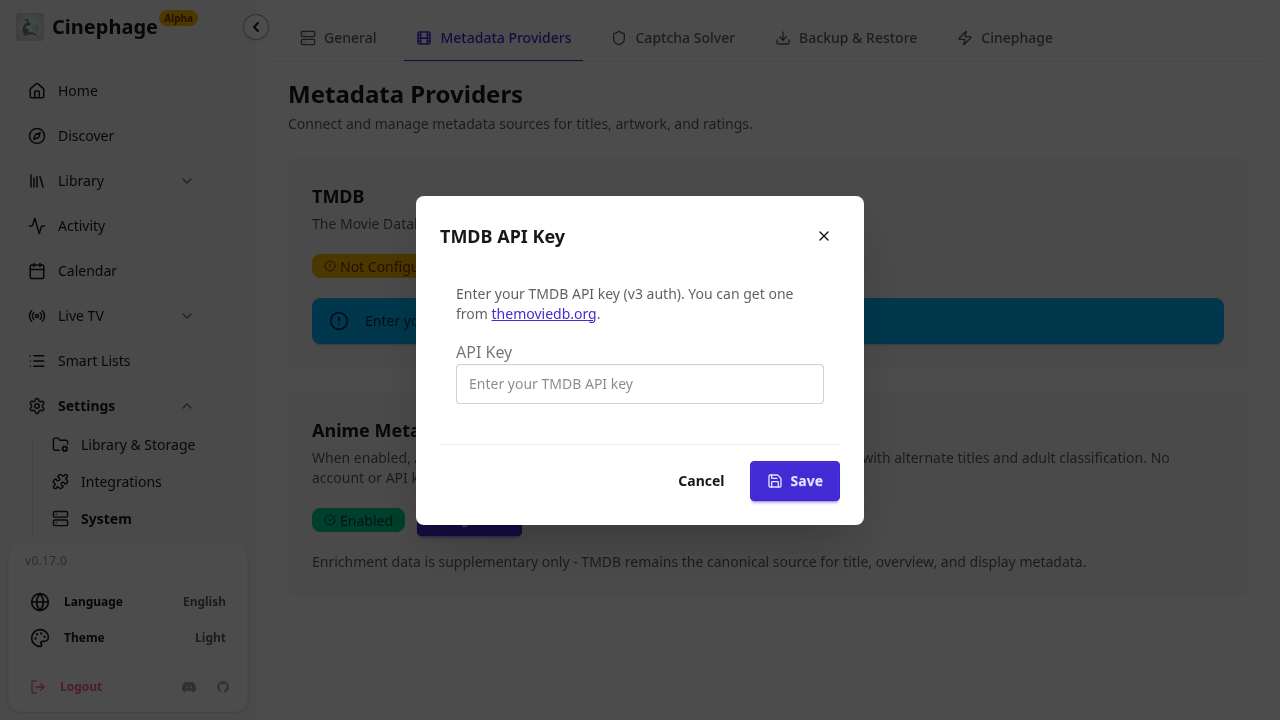
The TMDB card shows Not configured. Open it, paste your v3 key into the TMDB API Key modal, and click Save. The confirmation is the toast "TMDB API key saved successfully".
4. Add root folders
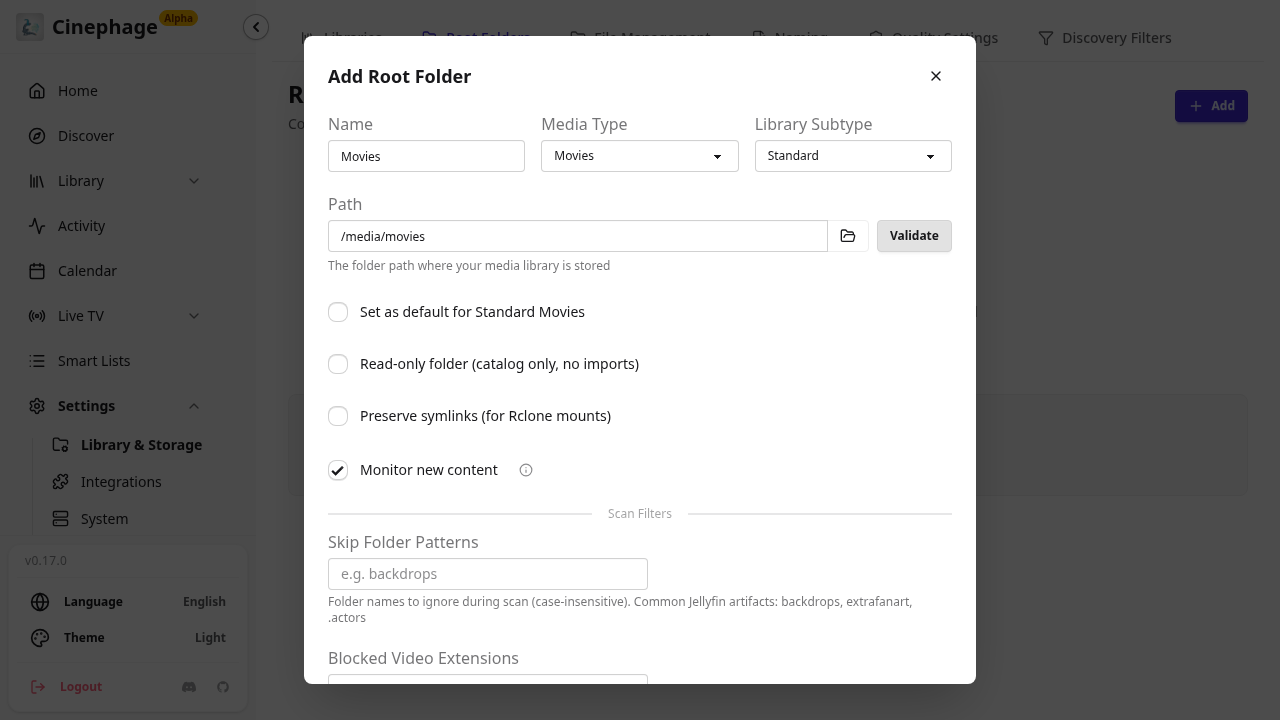
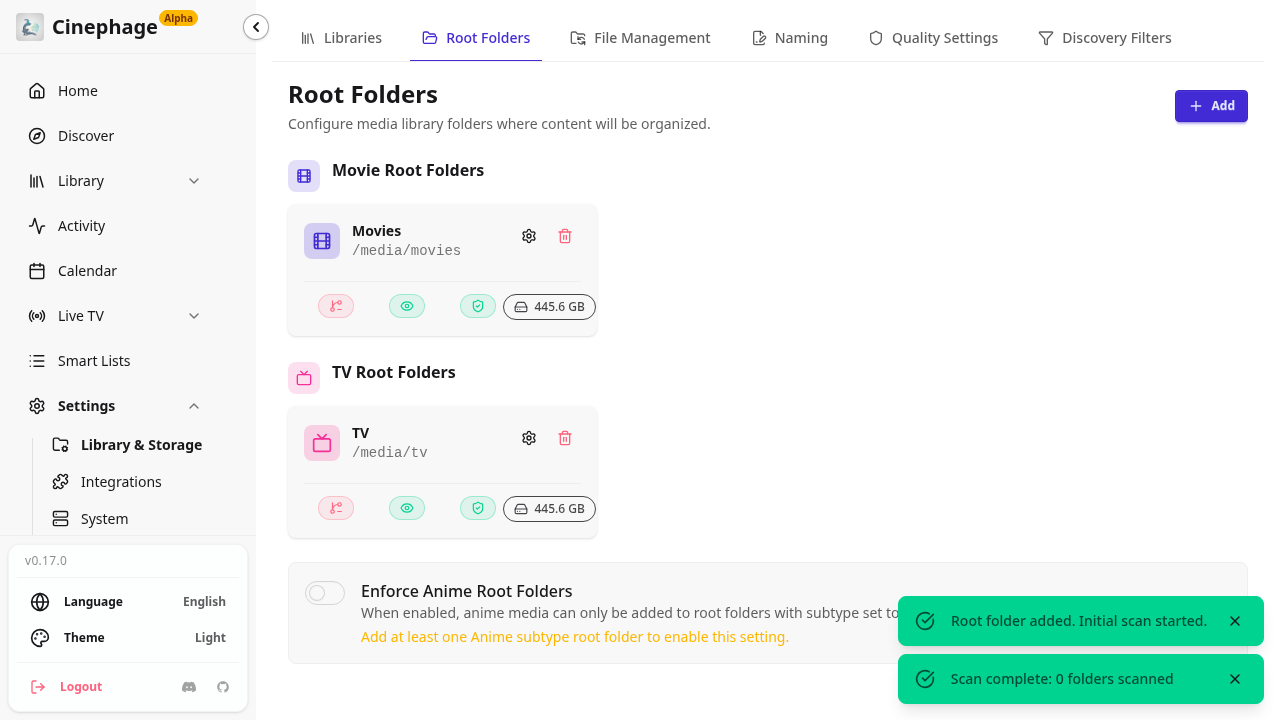
Go to Settings → Library & Storage → Root Folders and click Add. Paths here are the paths inside the container (/media/...), not your host paths.
| Name | Media Type | Path |
|---|---|---|
Movies | Movies | /media/movies |
TV | TV Shows | /media/tv |
For each row, click Validate, then Save. You get two toasts: "Root folder added. Initial scan started." and then "Scan complete".
5. Discover
Click Discover. With a TMDB key, it shows trending and popular titles. Without one, it shows a yellow TMDB Configuration Required notice, as in our capture.
6. Indexers and download clients (later)
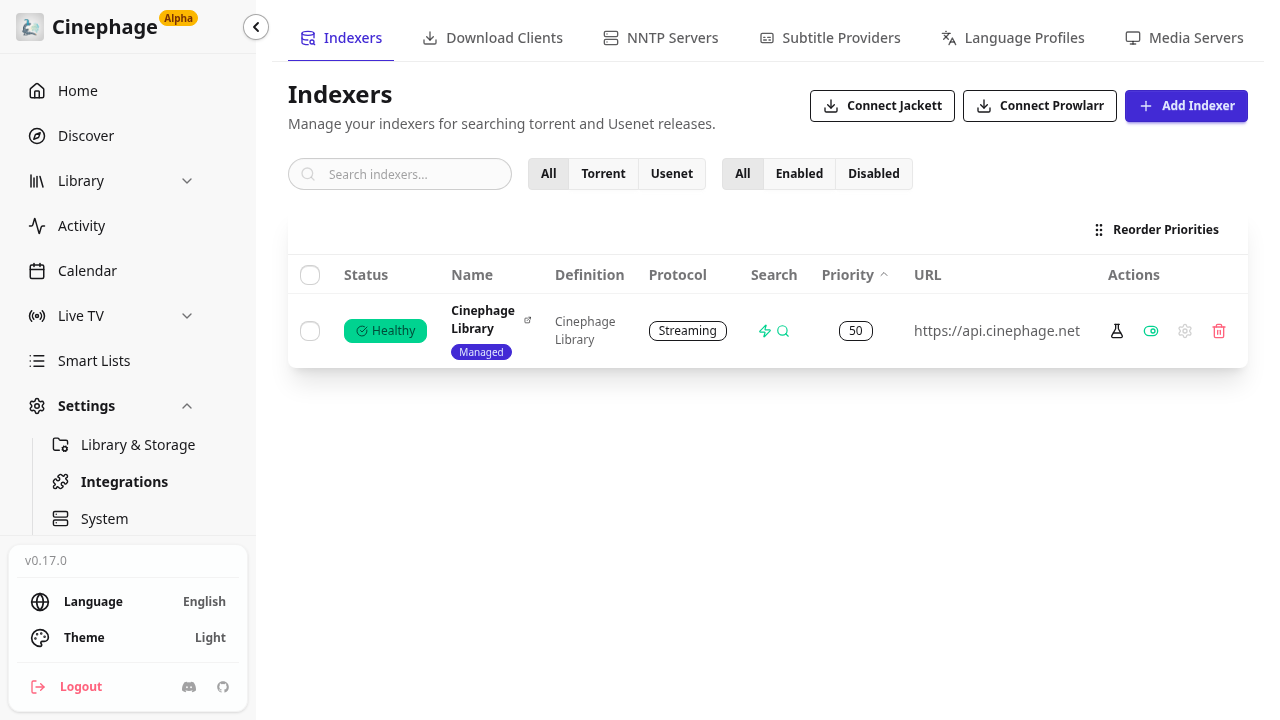
Indexers go under Settings → Integrations → Indexers, and download clients under Download Clients. Both are empty on a fresh install, and you don't need them to finish setup. When you add a download client, use its container name or the host's LAN IP, never localhost. Then make sure the client sees completed downloads at the same /downloads path.
Verify
docker inspect -f '{{.State.Health.Status}}' cinephage          # healthy
curl -s http://localhost:3000/api/health                         # "status":"healthy", "database":{"status":"healthy"}
In the app, open /settings/monitoring/status. It opens Storage Maintenance, which should show Health: Healthy and your 2 libraries.
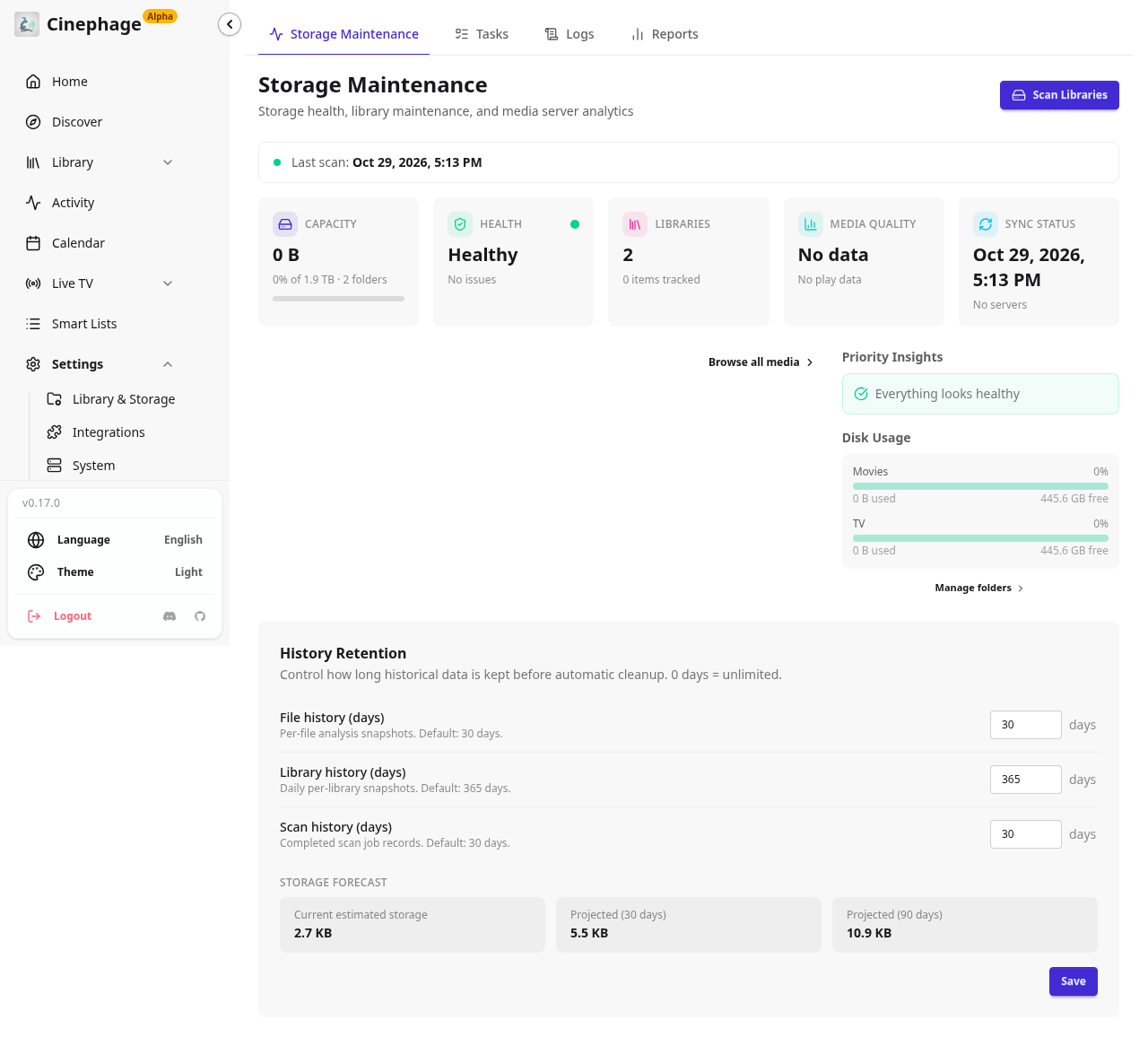
Back on the dashboard, the Live badge is green.
To check that setup survives a restart:
cd ~/cinephage && docker compose down && docker compose up -d
curl -s -o /dev/null -w '%{http_code} %{redirect_url}\n' http://localhost:3000/   # 302 .../login, not /setup
The container runs with restart: unless-stopped, so it also comes back after a reboot.
Troubleshooting
| Symptom | Cause | Fix |
|---|---|---|
ghcr.io/moldytaint/cinephage:latest: not found / manifest unknown | No latest tag is published on GHCR | Add IMAGE_TAG=0.17.0 (or another released version) to .env, then docker compose pull && docker compose up -d |
address already in use on start | Something else is using port 3000 | Map '3001:3000' in docker-compose.yaml, set ORIGIN/BETTER_AUTH_URL to :3001, then docker compose up -d |
| Health check returns nothing for a few minutes on first boot | Camoufox (1.29 GB) is still downloading | Wait. Follow progress with docker logs -f cinephage |
/api/health returns 503 / unhealthy | The database check failed | docker logs cinephage --tail 100 |
Container exits: Cannot create/write ... directory | The config folder isn't owned by PUID/PGID | sudo chown -R $(id -u):$(id -g) ~/cinephage/config && docker compose up -d |
Container exits: BETTER_AUTH_SECRET is not set | The secret sed didn't apply | Set it in .env, then docker compose up -d --force-recreate |
| Login fails when opened from another machine | ORIGIN/BETTER_AUTH_URL still say localhost | Set both to the exact URL you browse to, then docker compose up -d --force-recreate |
Log line Captcha solving will be unavailable | The Camoufox download failed | Only Cloudflare-protected indexers are affected. Restart the container to retry the download |
Log line [migration v117] duplicate column name: quality_profile_id … skipping | Info-level migration message | Harmless. No action needed |
| Discover shows TMDB Configuration Required | No TMDB key saved | Settings → System → Metadata Providers, then add a v3 key |
Uninstall
cd ~/cinephage && docker compose down                  # stops it; ./config (DB, cache) is kept
docker image rm ghcr.io/moldytaint/cinephage:0.17.0    # optional, frees 1.34 GB
To upgrade, back up first, because schema migrations may not be reversible:
docker compose stop && tar czf ~/cinephage-config-$(date +%F).tgz -C ~/cinephage config .env && docker compose startThen change IMAGE_TAG in .env and run docker compose pull && docker compose up -d.
Assumptions & decisions
- Source of truth. The steps come from
validated-process.md(verdict PASS), not from the original plan. Following the reviewer, I fixed three things the plan got wrong: the image tag is pinned to0.17.0(latestdoesn't exist), TMDB is set up through Settings → System → Metadata Providers (there's no "Setup TMDB" quick action), and/settings/monitoring/statusis described as Storage Maintenance. - TMDB. Our run had no TMDB key, so the key-save step and the add-a-title flow (Discover search → Add to Library) were never run against the live app. I describe the key save using the toast text the reviewer recorded. I left out the Dune add-to-library walkthrough instead of describing UI we haven't verified. The Discover screenshot shows the no-key state, and the caption says so.
- Credentials. The demo username and password are not in the post. Readers pick their own. Only the username and password rules are given.
- Optional extras. I left out
TZand thedocker compose configcheck, as the validated process does. Both are optional. - Image paths. The images use paths relative to the project root (
runs/cinephage-20261029-164547/browser/...), whichghost-draft'sresolveLocalresolves and uploads. All referenced files exist. - Upstream claims. The "replaces Radarr, Sonarr…" framing comes from the upstream README, as quoted in the validated process. I describe the streaming, IPTV and Cloudflare-bypass features neutrally.
- Archive. I copied the previous Listenarr
howto.mdtoruns/listenarr-20261029-113732/blog/howto.mdbefore overwriting it.
Get the Unified Homelab Stack Compose Pack
One-command multi-container Compose files (Full *arr Stack, Prometheus + Grafana + ntfy Monitoring, and Homelab Auth) plus new verified deploys once a week.