
How to Deploy Authentik: Self-Hosted Identity Provider and Single Sign-On (SSO) with Docker Compose
authentik is an open-source Identity Provider providing unified Single Sign-On across OAuth2/OIDC, SAML, and LDAP without requiring external Redis dependencies. Learn how to deploy authentik 2026.8.5 with Docker Compose, automate administrator bootstrapping, and configure declarative identity blueprints.
authentik is an open-source, enterprise-grade Identity Provider (IdP) and unified Single Sign-On (SSO) platform designed to centralize authentication and authorization across your entire infrastructure. Whether managing a homelab with services like Grafana, Nextcloud, and Proxmox, or operating large organizational application clusters, authentik replaces proprietary identity providers (such as Okta, Auth0, and Entra ID) with a self-hosted, flexible solution.
authentik bridges modern and legacy authentication standards by supporting OpenID Connect (OIDC), OAuth2, SAML 2.0, SCIM, LDAP (via LDAP Outposts), RADIUS, and forward authentication for reverse proxies (including Traefik, Nginx, Caddy, and Envoy). In modern versions (including 2026.8+), authentik features a streamlined, Redis-free architecture: asynchronous background job queues (django_dramatiq_postgres) and application caches (django_postgres_cache) run directly inside PostgreSQL 16, significantly reducing memory overhead and operational complexity.
Core Architecture & Key Features
- Multi-Protocol Identity Broker: Native support for OpenID Connect, OAuth 2.0, SAML 2.0, LDAP, RADIUS, and reverse-proxy forward auth.
- Simplified Redis-Free Stack: Replaces standalone Redis instances with PostgreSQL-backed caching and task queues, slashing resource usage.
- Rust Core Engine (
ak): High-performance reverse proxy and entrypoint compiled in Rust using Axum and Tokio, embedding Python and Django via PyO3 for maximum routing throughput. - Flexible Flow & Stage Pipeline: Visual, modular authentication, enrollment, authorization, and recovery pipelines customizable down to individual prompts, MFA challenges, and validation policies.
- Declarative Blueprints: Manage users, groups, providers, and application definitions as version-controlled YAML blueprints.
- Built-in Self-Service User Portal: Provides end users with a customizable launcher dashboard for one-click access to assigned web applications.
---
Prerequisites
Before starting the deployment, verify that your host environment meets the following requirements:
- Operating System: Linux (Ubuntu 22.04/24.04 LTS, Debian 12+, Arch, Rocky Linux), macOS, or Windows with WSL2.
- Container Engine: Docker Engine 24.0+ and Docker Compose v2 (
docker compose versionv2.24+). - System Resources:
- CPU: Minimum 2 vCPU cores (4 vCPU recommended for concurrent flow execution and token signing). - Memory: 2 GB RAM minimum; 4 GB RAM recommended for smooth background worker performance. - Disk Space: 10 GB+ persistent storage on an SSD/NVMe volume for PostgreSQL databases, custom templates, media, and certificates.
- Network Ports: Host port 3000 (or default 9000) for HTTP access and port 9443 for HTTPS.
- OpenSSL: Utility installed on host (
openssl) for cryptographically secure key generation.
---
Exact Install Steps
Follow these sequential steps to configure, deploy, and launch authentik using official container images (ghcr.io/goauthentik/server:2026.8.5 and docker.io/library/postgres:16-alpine).
Step 1: Create Directory Structure
Create a dedicated workspace directory for authentik on your host along with persistent directories for media assets, templates, certificates, and declarative blueprints:
mkdir -p authentik/data authentik/certs authentik/custom-templates authentik/blueprints
cd authentik
chmod -R 775 data certs custom-templates blueprints
Directory roles:
data/: Media uploads, application avatars, and runtime SQLite/flow caches.certs/: TLS certificates and private signing keys for SAML, OIDC, and outposts.custom-templates/: Custom HTML, email, and stage prompt overrides.blueprints/: Declarative YAML blueprint files mapped to/blueprints/custominside the container.
Step 2: Generate Secure Credentials & Environment File (.env)
Generate random cryptographic passwords and tokens using openssl, then create the .env configuration file:
PG_PASS_GEN=$(openssl rand -base64 36 | tr -d '\n')
AK_SECRET_GEN=$(openssl rand -base64 60 | tr -d '\n')
AK_TOKEN_GEN=$(openssl rand -hex 32 | tr -d '\n')

cat > .env <<EOF
COMPOSE_PROJECT_NAME=authentik
COMPOSE_PORT_HTTP=3000
COMPOSE_PORT_HTTPS=9443

AUTHENTIK_TAG=2026.8.5

PG_USER=authentik
PG_DB=authentik
PG_PASS=${PG_PASS_GEN}

AUTHENTIK_SECRET_KEY=${AK_SECRET_GEN}
AUTHENTIK_WEB__BASE_URL=http://localhost:3000

# Automated Admin Bootstrap Credentials
AUTHENTIK_BOOTSTRAP_EMAIL=admin@example.com
AUTHENTIK_BOOTSTRAP_PASSWORD=AdminPassword123!
AUTHENTIK_BOOTSTRAP_TOKEN=${AK_TOKEN_GEN}

# Operational Telemetry Controls
AUTHENTIK_ERROR_REPORTING__ENABLED=false
AUTHENTIK_DISABLE_UPDATE_CHECK=true
AUTHENTIK_DISABLE_STARTUP_ANALYTICS=true
EOF
[!IMPORTANT]
The variablesAUTHENTIK_BOOTSTRAP_EMAILandAUTHENTIK_BOOTSTRAP_PASSWORDautomatically provision the defaultakadminsuperuser account upon first container boot. This enables hands-free automated deployment and eliminates the initial setup wizard. ChangeAdminPassword123!to your preferred administrative passphrase.
Step 3: Create Docker Compose Specification (compose.yml)
Create compose.yml to define the PostgreSQL database, authentik web server, and authentik background worker services:
x-authentik-env: &ak-env
  AUTHENTIK_POSTGRESQL__HOST: postgresql
  AUTHENTIK_POSTGRESQL__NAME: ${PG_DB:-authentik}
  AUTHENTIK_POSTGRESQL__USER: ${PG_USER:-authentik}
  AUTHENTIK_POSTGRESQL__PASSWORD: ${PG_PASS}
  AUTHENTIK_SECRET_KEY: ${AUTHENTIK_SECRET_KEY:?secret key required}

services:
  postgresql:
    container_name: ${COMPOSE_PROJECT_NAME}-db
    image: docker.io/library/postgres:16-alpine
    pull_policy: missing
    restart: unless-stopped
    environment:
      POSTGRES_DB: ${PG_DB:-authentik}
      POSTGRES_USER: ${PG_USER:-authentik}
      POSTGRES_PASSWORD: ${PG_PASS:?database password required}
    healthcheck:
      test: ["CMD-SHELL", "pg_isready -d $${POSTGRES_DB} -U $${POSTGRES_USER}"]
      interval: 5s
      timeout: 5s
      retries: 10
      start_period: 10s
    volumes:
      - database:/var/lib/postgresql/data

  server:
    container_name: ${COMPOSE_PROJECT_NAME}-server
    image: ghcr.io/goauthentik/server:${AUTHENTIK_TAG}
    pull_policy: missing
    command: server
    restart: unless-stopped
    env_file: [.env]
    environment: *ak-env
    ports:
      - "${COMPOSE_PORT_HTTP:-9000}:9000"
      - "${COMPOSE_PORT_HTTPS:-9443}:9443"
    shm_size: 512mb
    volumes:
      - ./data:/data
      - ./custom-templates:/templates
      - ./blueprints:/blueprints/custom
    depends_on:
      postgresql:
        condition: service_healthy

  worker:
    container_name: ${COMPOSE_PROJECT_NAME}-worker
    image: ghcr.io/goauthentik/server:${AUTHENTIK_TAG}
    pull_policy: missing
    command: worker
    restart: unless-stopped
    env_file: [.env]
    environment: *ak-env
    shm_size: 512mb
    volumes:
      - ./data:/data
      - ./certs:/certs
      - ./custom-templates:/templates
      - ./blueprints:/blueprints/custom
    depends_on:
      postgresql:
        condition: service_healthy

volumes:
  database:
    name: ${COMPOSE_PROJECT_NAME}-pgdata

networks:
  default:
    name: ${COMPOSE_PROJECT_NAME}-net
Step 4: (Optional) Define Declarative Seed Blueprint
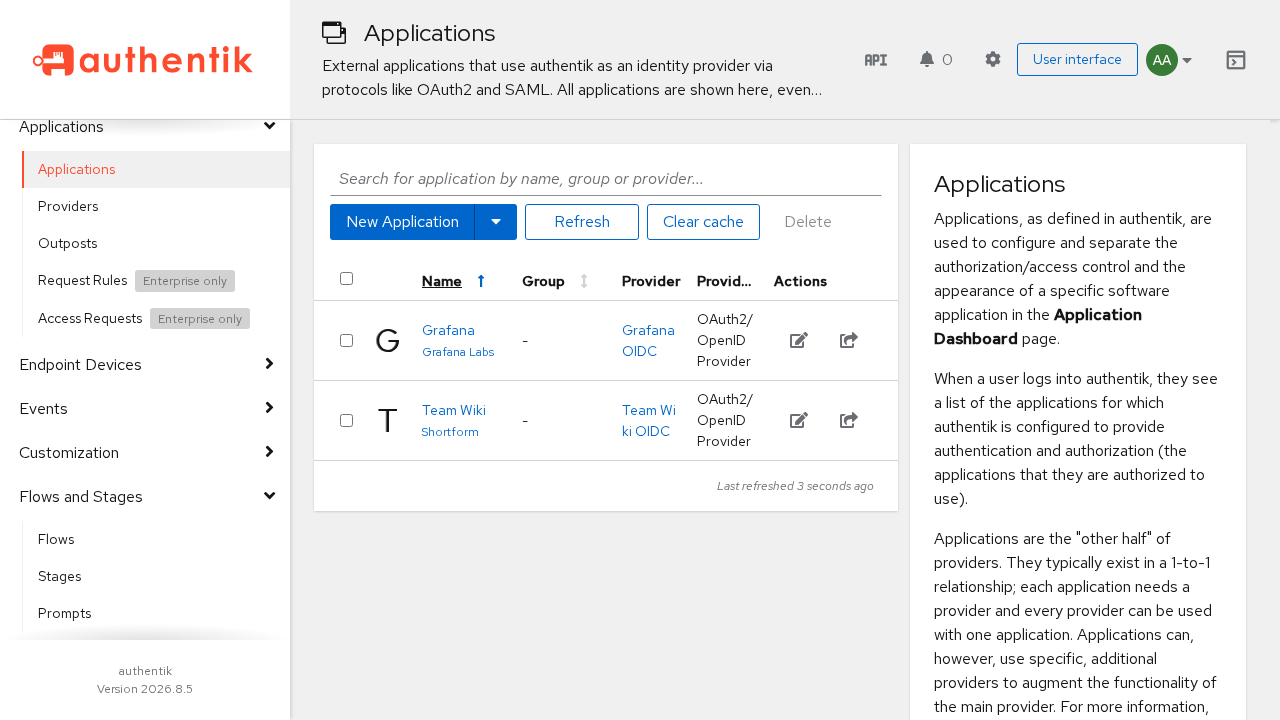
authentik supports GitOps-style declarative configuration via Blueprints. Create a sample blueprint at blueprints/demo.yaml defining sample user groups, test users, and OIDC applications (e.g. Grafana and a Team Wiki):
version: 1
metadata:
  name: homelab demo seed
entries:
  - model: authentik_core.group
    id: grp-eng
    identifiers: {name: Engineering}
  - model: authentik_core.group
    id: grp-mkt
    identifiers: {name: Marketing}
  - model: authentik_core.user
    identifiers: {username: alice}
    attrs: {name: Alice Engineer, email: alice@example.com, password: AlicePassword123!, groups: [!KeyOf grp-eng]}
  - model: authentik_core.user
    identifiers: {username: bob}
    attrs: {name: Bob Marketer, email: bob@example.com, password: BobPassword123!, groups: [!KeyOf grp-mkt]}
  - model: authentik_providers_oauth2.oauth2provider
    id: prov-grafana
    identifiers: {name: Grafana OIDC}
    attrs:
      client_type: confidential
      client_id: grafana
      authorization_flow: !Find [authentik_flows.flow, [slug, default-provider-authorization-implicit-consent]]
      invalidation_flow: !Find [authentik_flows.flow, [slug, default-provider-invalidation-flow]]
      redirect_uris:
        - {matching_mode: strict, url: "http://localhost:3300/login/generic_oauth"}
  - model: authentik_core.application
    identifiers: {slug: grafana}
    attrs: {name: Grafana, provider: !KeyOf prov-grafana, meta_launch_url: "http://localhost:3300/", meta_publisher: Grafana Labs}
  - model: authentik_providers_oauth2.oauth2provider
    id: prov-wiki
    identifiers: {name: Team Wiki OIDC}
    attrs:
      client_type: confidential
      client_id: team-wiki
      authorization_flow: !Find [authentik_flows.flow, [slug, default-provider-authorization-explicit-consent]]
      invalidation_flow: !Find [authentik_flows.flow, [slug, default-provider-invalidation-flow]]
      redirect_uris:
        - {matching_mode: regex, url: "http://localhost:3400/.*"}
  - model: authentik_core.application
    identifiers: {slug: team-wiki}
    attrs: {name: Team Wiki, provider: !KeyOf prov-wiki, meta_launch_url: "http://localhost:3400/", meta_publisher: Homelab}
Step 5: Start the Container Stack
Start all containers in detached mode:
docker compose up -dVerify startup progress. Docker will initialize PostgreSQL first, wait until its health check passes, and then launch authentik-server and authentik-worker:
docker compose psWait for the HTTP health check to return HTTP 200:
curl -fsSL http://localhost:3000/-/health/ready/Step 6: (Optional) Apply Blueprint via Operator CLI
Apply your declarative blueprint from Step 4 using authentik's native command-line utility ak:
docker compose exec worker ak apply_blueprint custom/demo.yamlThe worker processes the blueprint entries and registers the groups, test accounts, and OAuth2 applications into PostgreSQL.
---
Browser Setup & First Login
Once the containers report healthy, proceed to the web browser to access authentik.
1. Authenticate as Administrator
Navigate to your authentik instance URL at http://localhost:3000/ or directly to http://localhost:3000/if/flow/default-authentication-flow/.
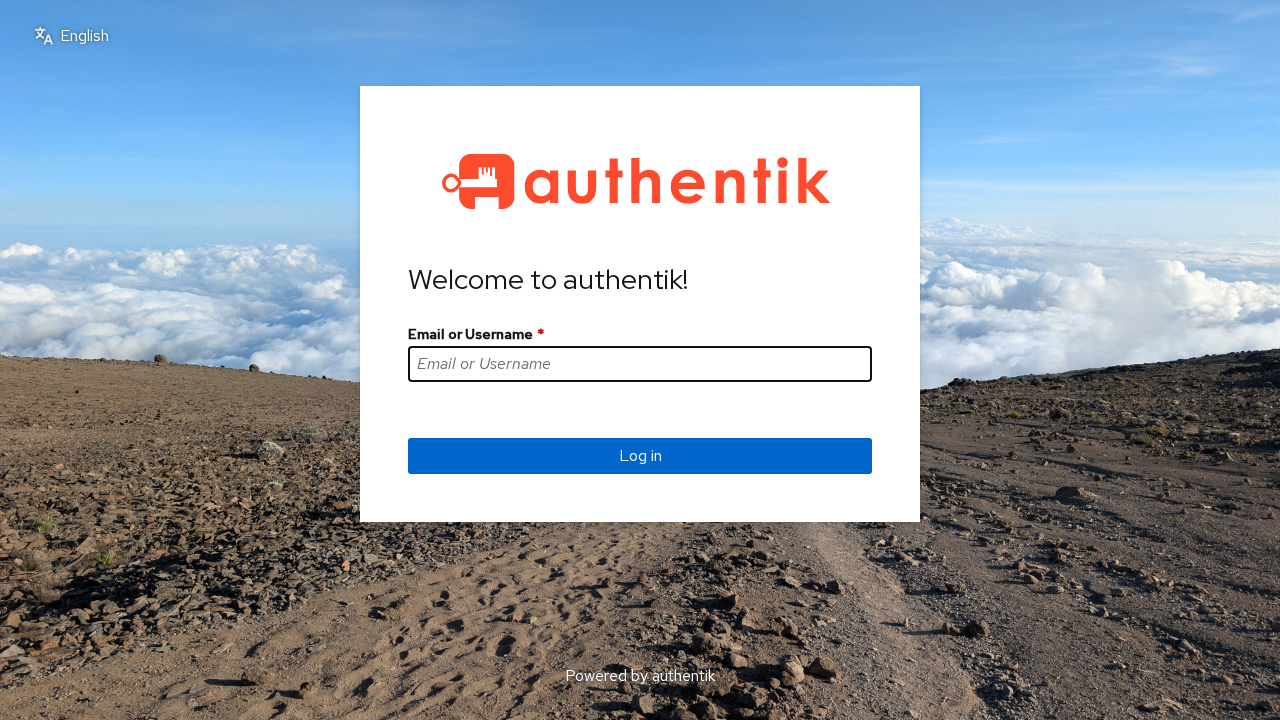
- On the Identification stage, enter the username:
- Username: akadmin (or admin@example.com) - Click Log in.
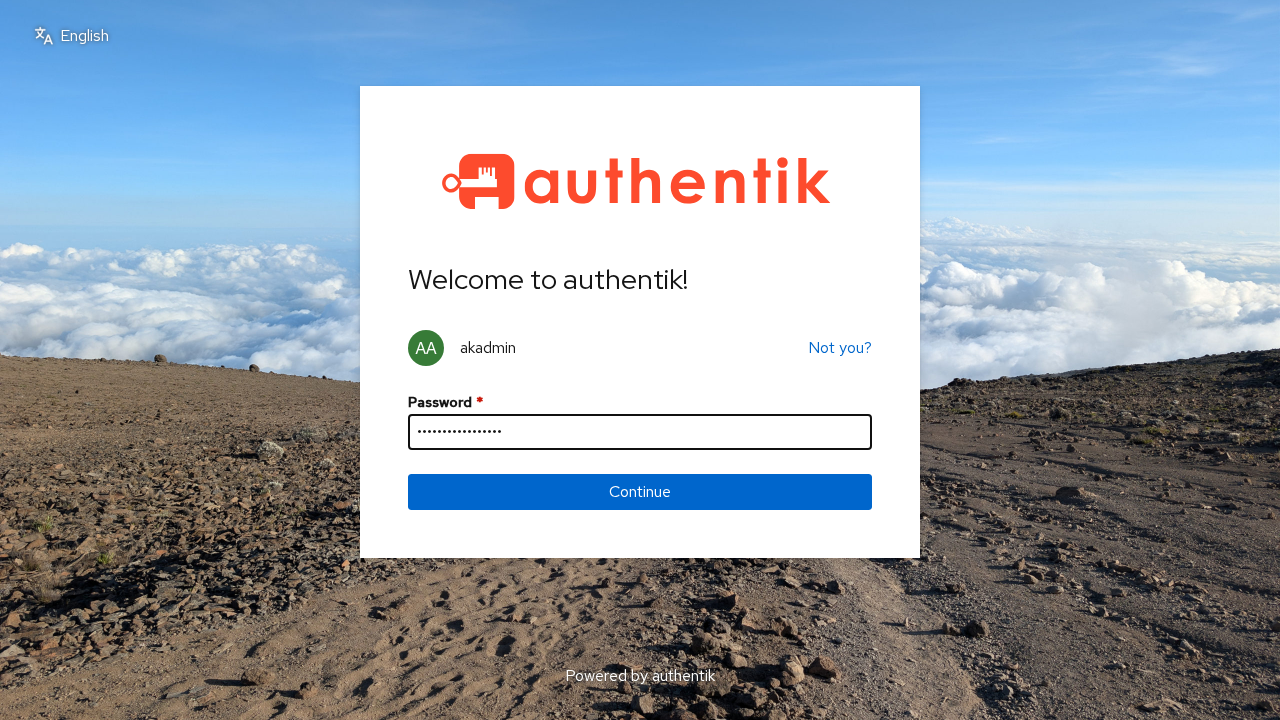
- On the Password stage, enter the bootstrap password configured in
.env:
- Password: AdminPassword123! - Click Continue.
2. User Portal ("My Applications")
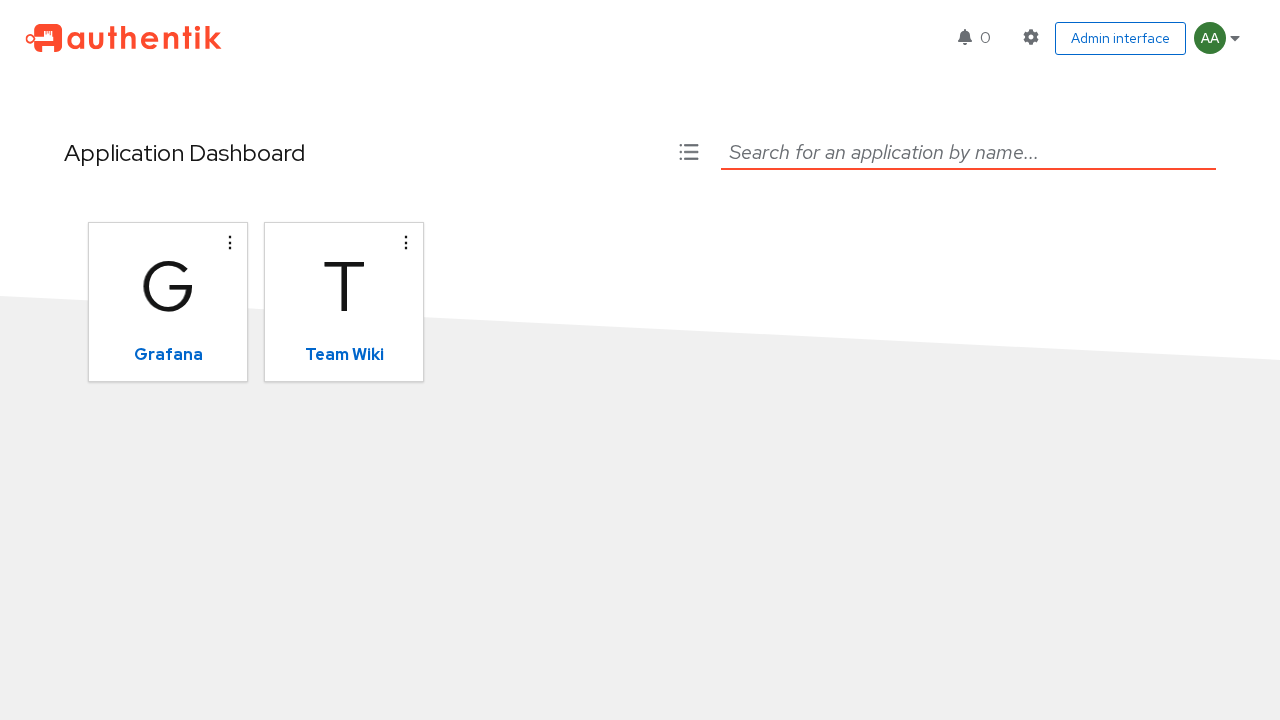
Upon successful authentication, users land on the User Portal (/if/user/). This portal lists all applications assigned to the logged-in user with one-click SSO launch tiles:
3. Open Administration Console
Click the gear icon in the top right or navigate to http://localhost:3000/if/admin/ to open the full administrator console.
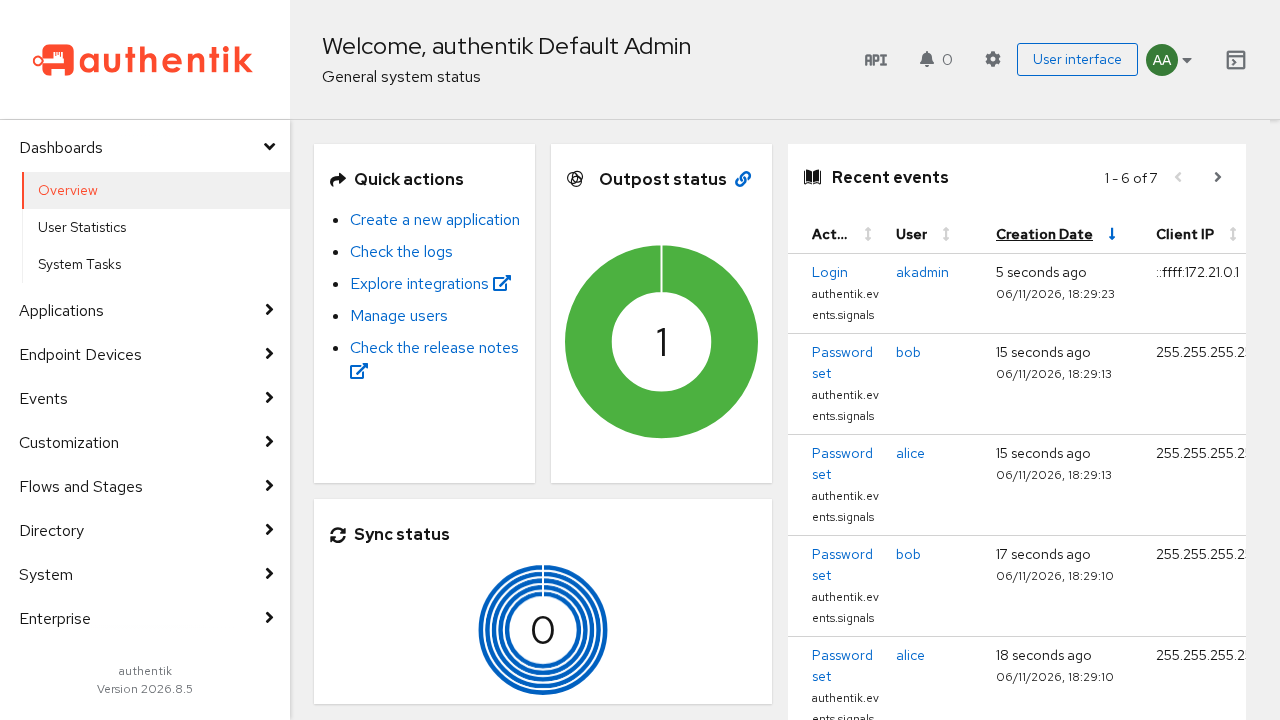
The overview dashboard provides real-time system metrics, active worker and outpost statuses, and recent audit events.
4. Review Identity Directory & Configured Applications
Explore the administrative navigation items in the left sidebar:
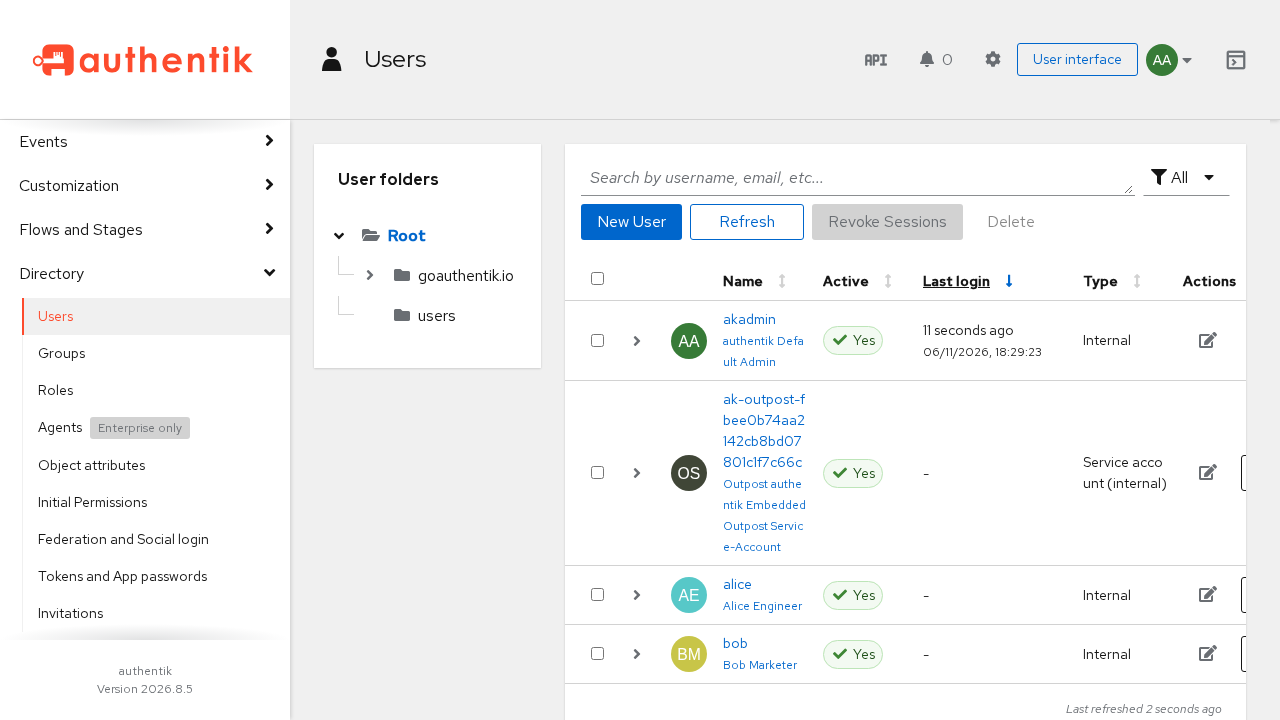
- Directory → Users: Manage user accounts, enforce MFA requirements, and inspect user session tokens.
- Directory → Groups: View group memberships (e.g.
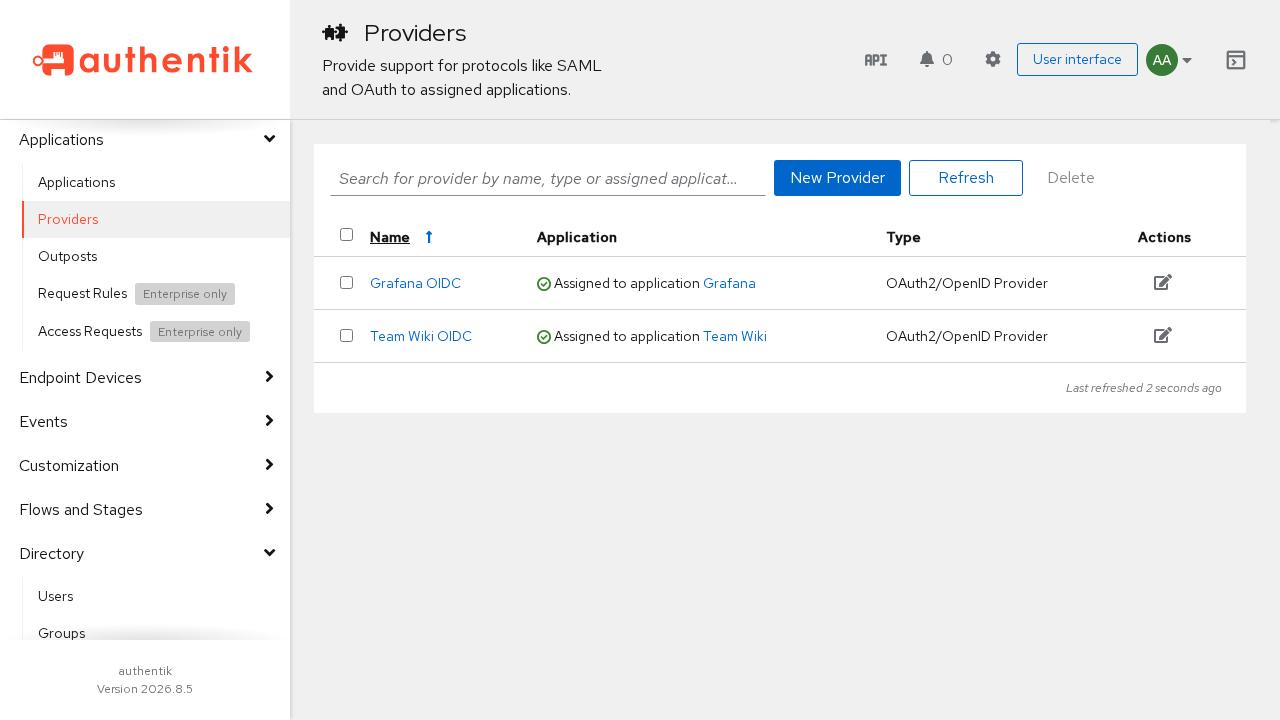
Engineering,Marketing,authentik Admins). - Applications → Applications: Review registered applications and associated launch URLs.
- Applications → Providers: Inspect OAuth2/OIDC, SAML, and proxy provider configurations, client IDs, and secret keys.
- Flows & Stages → Flows: Inspect and tailor system authentication, authorization, and recovery workflows.
---
Verification & Diagnostics
Verify that all subsystems, health endpoints, and administrative capabilities are operating properly:
1. Verify Container Health
Check that all three containers report Up (healthy):
docker compose psExpected output:
NAME               IMAGE                               COMMAND                  SERVICE      CREATED         STATUS                   PORTS
authentik-db       docker.io/library/postgres:16-alpine "docker-entrypoint.s…"   postgresql   2 minutes ago   Up 2 minutes (healthy)   5432/tcp
authentik-server   ghcr.io/goauthentik/server:2026.8.5 "ak server"              server       2 minutes ago   Up 2 minutes (healthy)   0.0.0.0:3000->9000/tcp, 0.0.0.0:9443->9443/tcp
authentik-worker   ghcr.io/goauthentik/server:2026.8.5 "ak worker"              worker       2 minutes ago   Up 2 minutes (healthy)
2. Query Health Endpoints
authentik provides dedicated liveness and readiness probe endpoints:
curl -s http://localhost:3000/-/health/live/
# Expected: HTTP 200

curl -s http://localhost:3000/-/health/ready/
# Expected: HTTP 200
3. Query REST API with Bootstrap Token
Validate the REST API using the bootstrap token defined in .env:
curl -s -H "Authorization: Bearer ${AUTHENTIK_BOOTSTRAP_TOKEN}" \
  http://localhost:3000/api/v3/core/users/me/ | grep -o '"username":"akadmin"'
You can also browse the interactive API documentation by visiting http://localhost:3000/api/v3/ in your browser.
4. Generate Emergency Administrator Recovery Link
If you ever lose access to your administrator password or need emergency recovery, generate a 10-minute time-limited recovery link directly via the server container:
docker compose exec server ak create_recovery_key 10 akadminThe CLI prints a one-time reset URL (e.g. http://localhost:3000/recovery/use-token/<token>/) that allows immediate access to change the akadmin credentials.
---
Troubleshooting
The table below outlines common issues encountered when deploying authentik, their underlying causes, and practical resolutions:
| Symptom / Error | Probable Cause | Recommended Resolution |
|---|---|---|
initial-setup flow returns ak-stage-access-denied | Initial setup was already completed or bypassed via AUTHENTIK_BOOTSTRAP_* variables. | Do not use /if/flow/initial-setup/. Navigate to http://localhost:3000/if/flow/default-authentication-flow/ and log in with your configured akadmin credentials. |
Server fails to start: database connection refused | PostgreSQL container is still initializing or healthy condition failed. | Verify PostgreSQL logs with docker compose logs postgresql. Ensure PG_PASS in .env matches across the PostgreSQL service and authentik services. |
HTTP 404 on /api/v3/schema/swagger/ | The legacy Swagger UI endpoint was removed/moved in authentik 2026.8+. | Access the native API browser interface at http://localhost:3000/api/v3/ or inspect the raw OpenAPI schema at http://localhost:3000/api/v3/schema/. |
| Outpost warning: Worker cannot manage Docker outpost | Missing Docker daemon socket on worker container. | By default, Docker socket access is removed for container security. If you need authentik to manage containerized proxy or LDAP outposts automatically, mount /var/run/docker.sock to the worker service and grant appropriate permissions, or deploy outposts manually. |
| Automated HTTP scripts fail on flow stage transitions | Flow executor endpoints issue HTTP 302 redirects to next stages. | Instruct HTTP clients to follow HTTP redirects automatically (for example, supply the -L flag with curl: curl -fsSL ...). |
| Host port conflict on 3000 or 9443 | Another application is bound to port 3000 or 9443 on the host. | Update COMPOSE_PORT_HTTP (e.g. 9000, 9001, or 8080) and COMPOSE_PORT_HTTPS (e.g. 9444 or 8443) in .env, then run docker compose up -d. |
Locked out of akadmin account | Password forgotten or MFA device lost. | Run docker compose exec server ak create_recovery_key 10 akadmin inside the deployment folder to generate a time-limited one-time login link. |
---
Assumptions & Decisions
During validation and staging of this deployment, the following operational decisions were established:
- Pinned Image Tag (
2026.8.5): The repository's developmentcompose.ymldefaults to2026.11.0-rc1, but that pre-release tag is not published on GitHub Container Registry (ghcr.io). The deployment was pinned to2026.8.5, the current stable production release. - Automated Bootstrap Credentials: Enabled zero-touch administration by supplying
AUTHENTIK_BOOTSTRAP_EMAIL,AUTHENTIK_BOOTSTRAP_PASSWORD, andAUTHENTIK_BOOTSTRAP_TOKENin.env. This creates theakadminaccount on container initialization and intentionally consumes the first-run OOBE setup wizard. - Redis Removal: Confirmed that modern authentik (2026.8+) operates completely without Redis. Background task queues and caching utilize PostgreSQL directly via
django_dramatiq_postgresanddjango_postgres_cache, simplifying the stack to 3 containers (database, server, worker). - Worker Security Hardening: Omitted host
/var/run/docker.sockanduser: rootpermissions from the worker container. This prevents the container from possessing root-equivalent host access, which is the safer default for self-hosted homelabs not requiring automated container outposts. - Base URL Configuration: Explicitly populated
AUTHENTIK_WEB__BASE_URL=http://localhost:3000in.envto ensure generated recovery links, email notifications, and OIDC redirect callbacks format proper public URLs when mapped to custom host ports. - Declarative Blueprint Automation: Utilized
ak apply_blueprintfor declarative seeding of initial groups, test users, and OIDC applications rather than manual browser UI configuration, ensuring consistent and reproducible identity stacks.
Get the Unified Homelab Stack Compose Pack
One-command multi-container Compose files (Full *arr Stack, Prometheus + Grafana + ntfy Monitoring, and Homelab Auth) plus new verified deploys once a week.